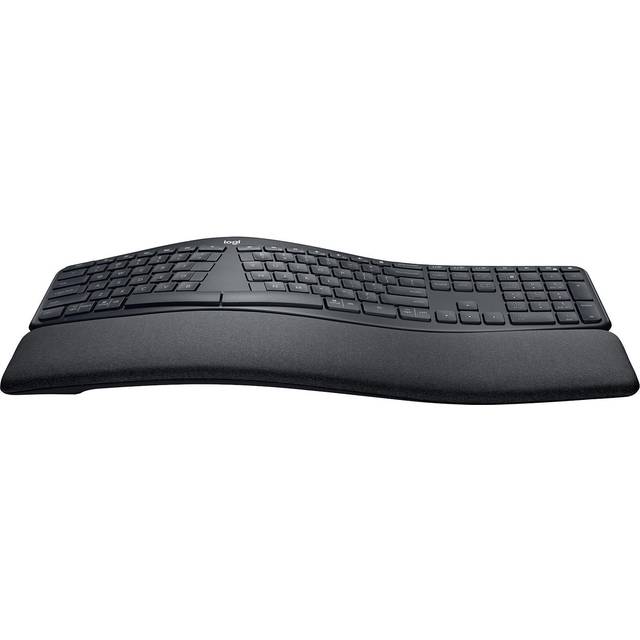
- How does the Wave Keys differ from a split ergonomic keyboard?
- It keeps a single-piece layout with a gentle wave across the keys and a padded rest, so it is easier to learn than a split board. A split keyboard separates the halves and can correct wrist angling more, but takes longer to get used to.
- Can I use it with a Mac and a Windows PC at the same time?
- Yes. It pairs with up to three devices over Bluetooth or the Logi Bolt receiver, and you switch between them with the device keys. Logi Options+ works on both platforms for customization.
- What batteries does it take, and how long do they last?
- It runs on two AAA batteries, rated for up to three years of use. There is no rechargeable battery, so you swap cells rather than plug in.
- Does it work with Logi Options+?
- Yes. Logi Options+ lets you remap keys, set shortcuts and adjust settings per app. Some features need the software installed, so basic typing works without it.
- Is it good for small desks?
- It is a compact one-piece keyboard, narrower than most split ergonomic boards, so it fits tighter setups. The fixed palm rest adds some depth, so check your desk space.
- What is in the box?
- The keyboard, a Logi Bolt USB-A receiver and two AAA batteries. No cable is needed for everyday use.
- Where is the Logitech Wave Keys Wireless Ergonomic Keyboard cheapest?
- At Amazon CA, for CA$69.99, 18% under what the other stores charge, as of our latest check.
- Where can I buy the Logitech Wave Keys Wireless Ergonomic Keyboard?
- 14 stores we checked sell it, including Newegg.ca, Amazon CA, logitech.com, Staples Canada, Memory Express.