StoreDeal.ai store
Shop
  • Deals
  • Deal checker
  • Black Friday
  • Buying guides
  • Brands
  • Stores
Travel
  • Flight deals
  • Hotel deals
Company
  • Research
  • Press
  • deal.ai apps
Black Friday 2026
  • Walmart
  • Best Buy
  • Target
  • TVs
  • Laptops
  • Headphones
  • Apple
  • Gaming
  • Vacuums
  • Kitchen
  • Toys
  • Smartwatches
  • Tablets
  • Furniture
  • Mattresses
© Deal.ai Inc.
TermsPrivacy
Deal.ai › Compare

Acer Chromebook 315 vs HP 14-inch Laptop

The Acer Chromebook 315 is the better pick for most people choosing between these two. It has a sharper 1080p 15.6-inch screen, a lighter 3.5 lb body, longer rated battery life, and a faster Core 3 N355 chip, and its 4.3 rating from 635 owners backs that up. The HP 14 runs Windows, which matters if you need desktop apps, but its 1366 x 768 panel, 64 GB of storage and 6.6 lb weight are real compromises.

  • Choose the Acer Chromebook 315 if you want a light, big-screen machine for browsing, Google apps, streaming and schoolwork, and Chrome OS covers what you do.
  • Choose the HP 14 if you need Windows desktop software, an Ethernet port, or a smaller 14-inch footprint.

Prices

  • Acer Chromebook 315: $135.00 at vipoutlet.com (last seen Nov 9)
  • HP 14-inch Laptop: $99.00 at eBay (last seen Nov 9)
  • Difference: the HP 14-inch Laptop is $36.00 cheaper than the Acer Chromebook 315 at the latest prices (Nov 9)
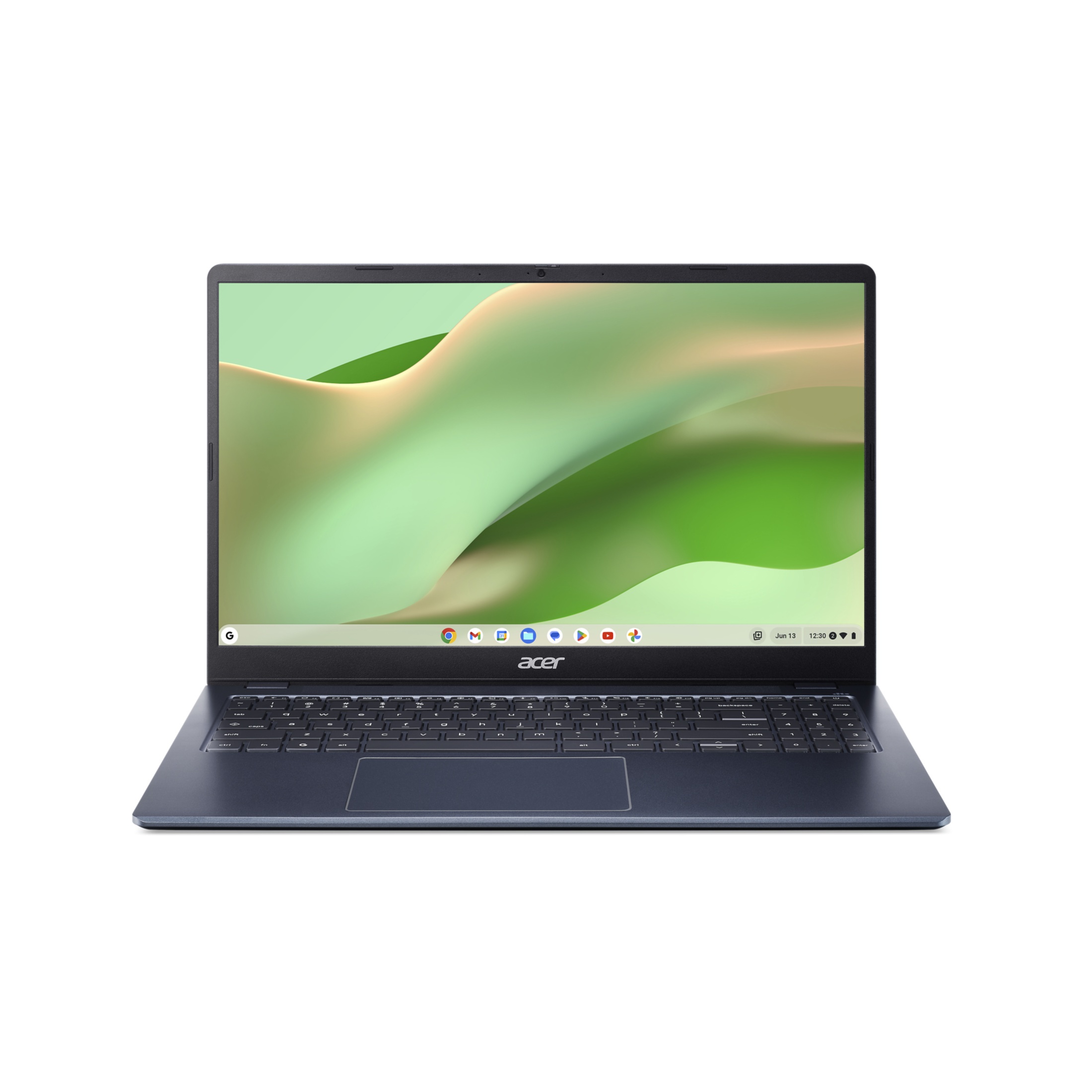
Acer
Acer Chromebook 315 15.6-inch FHD Laptop

Acer Chromebook 315

Acer Chromebook 315 15.6-inch FHD Laptop

4.3(635 ratings)
$135.00at vipoutlet.comChecked 23 h ago
See all prices and details
Visit vipoutlet.com
Pros
  • Sharp 1080p screen at 15.6 inches
  • Light at 3.5 lb for its screen size
  • Long rated battery life
  • Wi-Fi 6 and USB-C
  • Strong 4.3 owner rating
Cons
  • Only 4 GB RAM, and it is not upgradable
  • 128 GB eMMC is slower than an SSD
  • Chrome OS cannot run Windows desktop apps
  • Dual-core chip limits heavy multitasking
HP
HP 14-inch laptop

HP 14-inch Laptop

HP 14-inch laptop

$99.00at eBayChecked 23 h ago
See all prices and details
Visit eBay

Store links may earn us a commission.

Pros
  • Runs Windows and full desktop software
  • Ethernet port for wired networks
  • 120Hz refresh rate
  • Smaller 14-inch body
Cons
  • Low 1366 x 768 resolution
  • Heavy at 6.6 lb
  • Only 64 GB of storage
  • Shorter rated battery life

What separates them

Acer Chromebook 315HP 14-inch Laptop
Screen15.6-inch 1920 x 1080, no glare, 60Hz14-inch 1366 x 768, no glare, 120Hz
Operating systemChrome OS, browser-first, runs Android and Linux appsWindows, runs full desktop software
ProcessorIntel Core 3 N355, dual core, up to 3.4 GHzIntel quad core, 2.6 GHz
Storage128 GB eMMC64 GB SSD
Weight3.5 lb6.6 lb
BatteryRated up to 15-16 hoursRated up to 11 hours
PortsUSB-C, HDMI 1.4, Wi-Fi 6HDMI, Ethernet
Owner feedback4.3 out of 5 from 635 ratingsNo rating data given

Price history

$249.99$135.00
Nov 8Nov 10
  • Acer Chromebook 315: lowest $135.00 on Nov 10 at vipoutlet.com.
  • HP 14-inch Laptop: lowest $169.99 on Nov 10 at Best Buy.

Prices at every store

Acer Chromebook 315

  • vipoutlet.comNew

    In stock

    $135.00Free shippingChecked 23 h ago
    Visit vipoutlet.com
  • WalmartNew

    In stock

    $197.00Checked 58 min ago
    Visit Walmart
  • WalmartNew

    In stock

    $197.00Free shippingChecked 23 h ago
    Visit Walmart
  • Wireless PlaceNew

    In stock

    $279.50Free shippingChecked 23 h ago
    Visit Wireless Place
All 4 stores and price history →

HP 14-inch Laptop

  • Best BuyNew

    In stock

    $169.99Free shippingChecked 23 h ago
    Visit Best Buy
  • eBayNew

    In stock

    $198.99Free shippingChecked 23 h ago
    Visit eBay
  • Best BuyNew

    In stock

    $254.00Free shippingChecked 23 h ago
    Visit Best Buy
  • eBayNew

    Availability unknownSold by hee-3748 (99.4% positive, 1,400 ratings)Returns: Set by the eBay seller; the eBay Money Back Guarantee covers an item that doesn't arrive or isn't as described.

    $99.00+ $8.71 shippingChecked 23 h ago
    Visit eBay

Store links may earn us a commission. Some prices via Klarna.

All 8 stores and price history →

Specs compared

SpecAcer Chromebook 315HP 14-inch Laptop
colorBlueNatural Silver
Screen Size39.62 cm (15.6 inch)14 inches
Resolution1920 x 10801366 x 768
Operating SystemChrome OSWindows OS
Drive TypeSolid State DriveSolid State Drive
Number Of CoresDual CoreQuad Core
LanguageEnglish / North AmericaEnglish / North America
With No-Glare ScreenYesYes
Refresh Rate60Hz120Hz
Available PortsUSB-C, HDMIHDMI, Ethernet
EPEAT-RegisteredYesYes
Weight3.5 lb6.6 lb
Show all 30 specsShow fewer specs
SpecAcer Chromebook 315HP 14-inch Laptop
Drive Capacity128 GB drive64 GB drive
Installed Memory4 GB RAM4 GB RAM
Processor Speed3.4 GHz CPU2.6 GHz CPU
Battery Life15 hours battery life11 hours battery life
actual_colorElemental Blue—
ProcessorIntel Core 3 N355—
RAM4 GB—
RAM TypeLPDDR5—
Storage128 GB eMMC—
Screen Resolution

What reviewers say

Acer Chromebook 315

  • 4.3 / 5635 ratings

Rated 4.3 out of 5 across 635 ratings, owners mostly treat it as a dependable, low-cost big-screen Chromebook for browsing, schoolwork and streaming. Complaints cluster on memory and storage rather than the screen or battery.

What people mention
  • Battery lifePraisedOwners report it lasting a full day of browsing and video without charging.
  • DisplayPraisedThe 15.6-inch 1080p anti-glare panel is called bright and easy on the eyes.
  • MemoryCriticised4 GB of RAM is the most common gripe, with slowdowns once many tabs are open.
  • StorageCriticisedThe 128 GB eMMC is seen as small and slower than an SSD.

HP 14-inch Laptop

Owner feedback on budget HP 14 models is mixed. People like the quick SSD boot, the matte screen and the solid build for the money, but many run out of storage and RAM quickly and find the display dim and low-resolution.

What people mention
  • MemoryCriticisedOwners say 4 GB of RAM bogs down once several browser tabs and apps are open.
  • StorageCriticisedThe 64 GB drive is reported to fill quickly after Windows updates and a few programs.
  • DisplayMixedThe matte finish is liked, but the 1366 x 768 panel is called dim and coarse.
  • SpeedPraisedThe quad-core chip and SSD make startup and everyday apps feel responsive.

Questions and answers

Which is better for schoolwork?
The Acer. Its bigger 1080p screen and lighter body suit documents, video calls and browser-based class tools, and Chrome OS handles Google Workspace well. Pick the HP only if a course requires Windows-only software.
Which lasts longer?
The Acer is rated for up to 15-16 hours against 11 hours for the HP, so it goes longer between charges. Battery health over years depends on charging habits more than the rating.
Can I run Microsoft Office on the Acer?
You can use Office on the web and the Android Office apps on Chrome OS. The full desktop Office suite needs Windows, so choose the HP if that is a hard requirement.
Is the HP worth stepping up to?
Only if you need Windows or Ethernet. Otherwise the Acer gives you a sharper, larger screen, less weight and more storage for the same kind of everyday use.
Is 4 GB of RAM enough on either?
For browsing, email, streaming and documents, yes. Keep tabs modest on both. The Acer's RAM is soldered, so buy with the memory you need.
Which is easier to carry?
The Acer at 3.5 lb is far lighter than the 6.6 lb HP, despite having a larger screen. The HP is the bulkier of the two in a bag.

Ask our shopping agent

It checks today's price at every store, compares the alternatives and answers in about a minute.

Enter to send, Shift+Enter for a new line

More comparisons

  • ASUS Chromebook CX15 Laptop vs Acer Chromebook 315 15.6-inch FHD Laptop
  • HP 15.6 inch HD Windows Laptop vs Acer Chromebook 315 15.6-inch FHD Laptop
  • HP 14-inch laptop vs Asus Vivobook
  • HP 14-inch laptop vs Dell Latitude 3190 2-in-1 Laptop
  • Acer Chromebook 315 15.6 inch Laptop vs HP 14-inch laptop
  • HP 14-inch HD Windows 11 Laptop vs HP 14-inch laptop
  • ASUS Chromebook CX15 Laptop vs HP 14-inch laptop

Buying guides that pick them

  • Best laptops under $800
  • Best laptops under $300 for everyday use
  • Best everyday laptops under $200
1920 x 1080 pixel
—
Battery BackupUp to 16 hours—
Power Supply65 W—
Battery Cell3-cell Li-ion battery—
Dimensions35.925 x 23.617 x 1.835/1.86 cm—
HDMI Port1 x HDMI 1.4 port with HDCP support—
Wireless LAN802.11 a/b/g/n/ac/ax wireless LAN—
Processor Brand—Intel CPU
Energy Star—Yes