StoreDeal.ai store
Shop
  • Deals
  • Deal checker
  • Black Friday
  • Buying guides
  • Brands
  • Stores
Travel
  • Flight deals
  • Hotel deals
Company
  • Research
  • Press
  • Use in AI assistants
  • Contact
  • deal.ai apps
Black Friday 2026
  • Walmart
  • Best Buy
  • Target
  • TVs
  • Laptops
  • Headphones
  • Apple
  • Gaming
  • Vacuums
  • Kitchen
  • Toys
  • Smartwatches
  • Tablets
  • Furniture
  • Mattresses
© Deal.ai Inc.·2222 Ponce de Leon Blvd, Miami, FL 33134·support@deal.ai
TermsPrivacy
Deal.ai › Compare

Acer Chromebook 315 vs Acer Chromebook 311

Buy the Chromebook 315 if you want a big 1080p touchscreen and a number pad for spreadsheets and long typing sessions. Buy the Chromebook 311 if portability matters more than screen size. Both run the same Celeron N4500 and 4 GB of RAM, so everyday Chrome OS speed is similar. The 315 has the better screen and more ports; the 311 is lighter and easier to carry.

  • Choose the Acer Chromebook 315 if you want a 15.6-inch 1080p touchscreen, a dedicated number pad and a bigger chassis for desk work.
  • Choose the Acer Chromebook 311 if you need a small, light laptop for class, travel or a bag, and an 11.6-inch screen is enough.

Prices

  • Acer Chromebook 315: $134.99 at eBay (last seen Nov 9)
  • Acer Chromebook 311: $259.99 at eBay (last seen Nov 13)
  • Difference: the Acer Chromebook 315 is $125.00 cheaper than the Acer Chromebook 311 at the latest prices (Nov 9 and Nov 13)
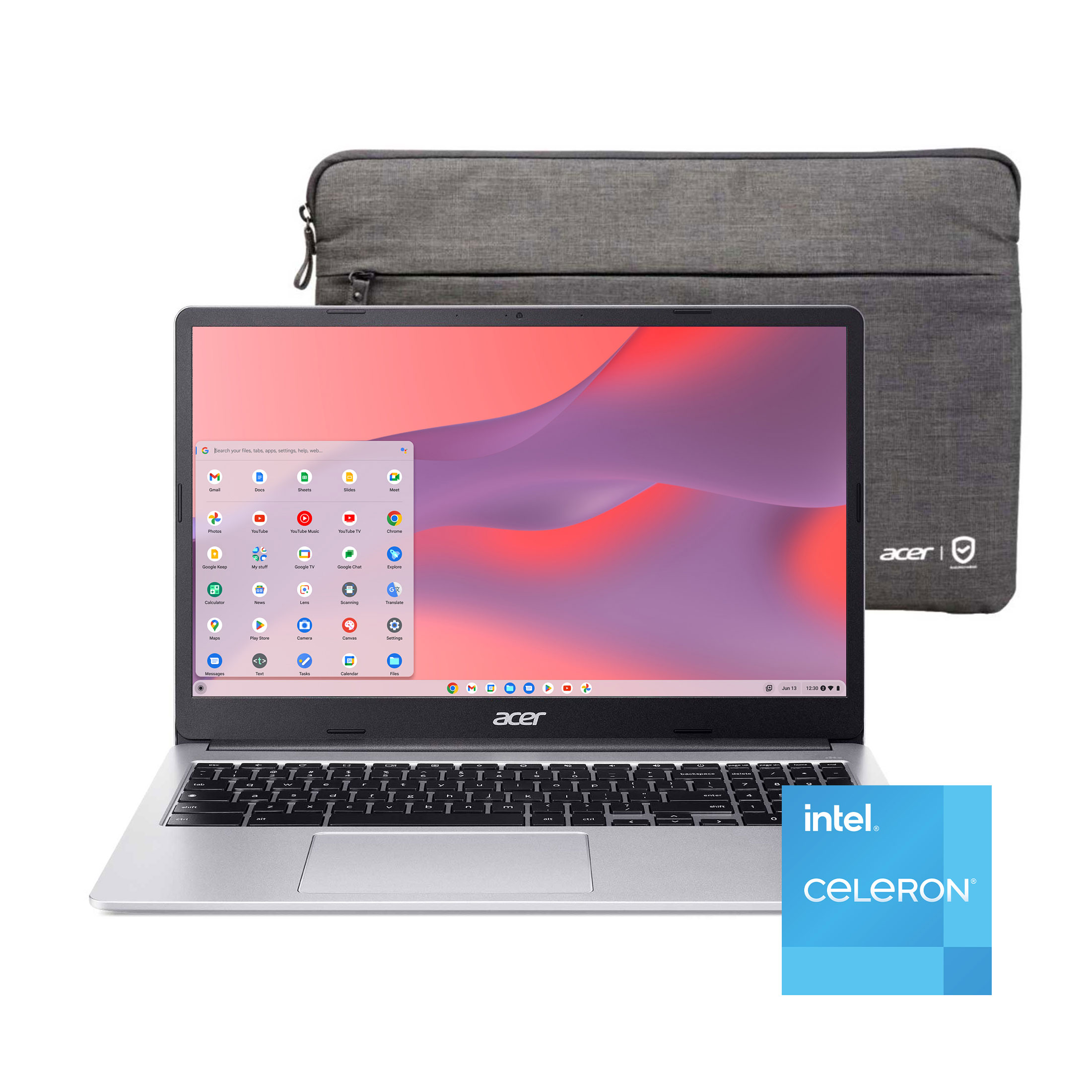
Acer
Acer Chromebook 315 15.6 inch Laptop

Acer Chromebook 315

Acer Chromebook 315 15.6 inch Laptop

4.3(20,651 ratings)
$134.99at eBayChecked Nov 9
See all prices and details
Visit eBay

Store links may earn us a commission.

Pros
  • Large 1080p touchscreen is sharper than most budget Chromebooks
  • Number pad speeds up spreadsheets and data entry
  • Anti-glare panel and HDR webcam suit video calls
  • Large owner base with a steady 4.3 rating
Cons
  • At 3.5 lb it is heavy to carry daily
  • 4 GB of RAM limits heavy tab use
  • 64 GB of storage fills quickly
  • No HDMI port
Acer
Acer Chromebook 311 11.6" HD Laptop Intel Celeron N4500

Acer Chromebook 311

Acer Chromebook 311 11.6" HD Laptop Intel Celeron N4500

4.3(222 ratings)
$259.99at eBayChecked Nov 13
See all prices and details
Visit eBay

Store links may earn us a commission.

Pros
  • Light at 2.7 lb and small enough for any bag
  • Fanless design runs silent
  • HDMI port for projectors and monitors
  • Owners praise speed and battery life
Cons
  • 1366 x 768 screen is low resolution and not touch
  • No number pad, backlit keyboard or card reader
  • 4 GB of RAM and 64 GB of storage are tight
  • Small screen is cramped for side-by-side windows

What separates them

Acer Chromebook 315Acer Chromebook 311
Screen15.6-inch 1920 x 1080 touchscreen, anti-glare11.6-inch 1366 x 768, anti-glare, no touch
Weight3.5 lb2.7 lb
KeyboardFull size with dedicated number padCompact, no number pad
ProcessorIntel Celeron N4500, listed as quad coreIntel Celeron N4500, dual core at 1.1 GHz up to 2.8 GHz
Memory and storage4 GB RAM, 64 GB SSD4 GB LPDDR4X RAM, 64 GB eMMC
PortsUSB-A, USB-C, headphone jackUSB-A, USB-C, headphone jack, HDMI
Battery lifeRated 10 hoursRated 10 hours
Owner feedback4.3 of 5 from about 20,600 ratings4.3 of 5 from about 220 ratings; owners praise speed and portability, want more memory and storage

Price history

$259.99$57.00
Oct 30Nov 15
  • Acer Chromebook 315: lowest $199.00 on Nov 15 at Walmart.
  • Acer Chromebook 311: lowest $57.00 on Nov 11 at vipoutlet.com; $189.00 on Nov 14.

Prices at every store

Acer Chromebook 315

  • WalmartNew

    In stock

    $199.00Checked 2 h ago
    Visit Walmart
  • Best BuyNew

    In stock

    $246.31Free shippingChecked 4 h ago
    Visit Best Buy
  • eBayNew

    Availability unknownSold by 7946shantel (100% positive, 3,100 ratings)Returns: Set by the eBay seller; the eBay Money Back Guarantee covers an item that doesn't arrive or isn't as described.

    $134.99+ $37.10 shippingChecked Nov 9
    Visit eBay
  • AmazonNew

    Availability unknown

    As an Amazon Associate, Deal.ai earns from qualifying purchases.

    $239.99Free shippingChecked 4 h ago
    Visit Amazon

Also available at

  • eBayCheck price at eBay

Store links may earn us a commission.

All 8 stores and price history →

Acer Chromebook 311

  • eBayNew

    In stockSold by bestptv

    $259.99Free shippingChecked Nov 13
    Visit eBay
  • WalmartNew

    In stockSold by Daily Spirit Deals

    $280.00Checked Nov 13
    Visit Walmart
  • Best BuyRefurbished

    Availability unknown

    $199.00Free shippingChecked Nov 13
    Visit Best Buy

Also available at

  • WalmartCheck price at Walmart
  • Newegg.comCheck price at Newegg.com
  • CDWCheck price at CDW

Store links may earn us a commission.

All 3 stores and price history →

Specs compared

SpecAcer Chromebook 315Acer Chromebook 311
colorSilverBlack
Resolution1920 x 10801366 x 768
Operating SystemChrome OSChrome OS
Processor BrandIntel CPUIntel CPU
Drive TypeSolid State DriveSolid State Drive
Number Of CoresQuad CoreDual Core
LanguageEnglish / North AmericaEnglish / North America
With No-Glare ScreenYesYes
Refresh Rate60Hz60Hz
Available PortsUSB-C, 3.5 mm JackUSB-A, USB-C
Weight3.5 lb2.7 lb
Drive Capacity64 GB drive64 GB drive
Show all 40 specsShow fewer specs
SpecAcer Chromebook 315Acer Chromebook 311
Screen Size15.6 inches11.6 inches
Installed Memory4 GB RAM4 GB RAM
Processor Speed1.1 GHz CPU2.8 GHz CPU
Battery Life10 hours battery life10 hours battery life
TouchscreenYesNo
SeriesAcer ChromebookAcer Chromebook
ProcessorIntel CeleronIntel Celeron
Processor ModelN4500N4500
RAM4 GB4 GB
Connections

What reviewers say

Acer Chromebook 315

  • 4.3 / 520,651 ratings

Owners rate it highly for the price, praising the big screen, the number pad and the battery life for school and light home use. Complaints center on the 4 GB of RAM and the slow processor once many tabs are open, and on the modest storage.

What people mention
  • PerformanceMixedFine for browsing and documents, but owners say it lags with many tabs or heavier web apps.
  • MemoryCriticised4 GB of RAM is the most common complaint; users hit slowdowns when multitasking.
  • DisplayPraisedThe 15.6-inch 1080p anti-glare panel is called sharp and easy on the eyes.
  • KeyboardPraisedReviewers like the full-size keyboard and the dedicated number pad.

Acer Chromebook 311

  • 4.3 / 5222 ratings

Owners rate it 4.3 out of 5 and mostly praise speed, portability and battery life for the basics. The recurring complaints are memory and storage capacity, which cap how much it can do at once.

What people mention
  • PerformancePraisedOwners say it handles browsing, email and documents quickly for a Celeron machine.
  • PortabilityPraisedBuyers like the 2.7 lb weight and small footprint for carrying to class or around the house.
  • Battery lifePraisedReviewers report it lasting through a day of light use on the rated 10 hours.
  • MemoryCriticised

Questions and answers

Which is better for schoolwork?
The 315 is better for long writing and spreadsheets because of its bigger 1080p screen and number pad. The 311 is easier to carry between classes, but the small low-resolution screen gets cramped with several windows open.
Do they perform the same?
Both use the Intel Celeron N4500 with 4 GB of RAM, so browsing and Google apps feel similar. The 315 lists a quad-core configuration while the 311 is listed as dual core, but neither is built for heavy multitasking.
Which lasts longer?
Both are rated at 10 hours of battery life. Build quality is similar Acer plastic, and the 311's fanless design means one less part to fail. Longevity depends mostly on how you treat the hinge and screen.
Is the 315 worth stepping up to?
Yes if you work at a desk and want the sharper touchscreen and number pad. If you carry the laptop every day, the 311's lighter weight is the better trade.
Can I connect a monitor?
The 311 has a built-in HDMI port. The 315 has USB-C, which supports video output on most Chromebooks, so you can use a USB-C adapter or dock.

Ask our shopping agent

It checks today's price at every store, compares the alternatives and answers in about a minute.

Enter to send, Shift+Enter for a new line

More comparisons

  • Acer Chromebook 315 15.6 inch Laptop vs Asus Vivobook
  • ASUS Chromebook CX15 Laptop vs Acer Chromebook 315 15.6 inch Laptop
  • ASUS Chromebook CX15 Laptop vs Acer Chromebook 311 11.6" HD Laptop Intel Celeron N4500
  • Acer Chromebook 315 15.6 inch Laptop vs HP 14-inch laptop
  • HP 14-inch HD Windows 11 Laptop vs Acer Chromebook 315 15.6 inch Laptop
  • HP 14-inch HD Windows 11 Laptop vs Acer Chromebook 311 11.6" HD Laptop Intel Celeron N4500

Buying guides that pick them

  • Best laptops under $200
  • Best refurbished laptops under $210
  • Best everyday laptops under $200
USB-A, USB-C, 1/8" Headphone Jack
USB-A, USB-C, 1/8" Headphone Jack, HDMI
Optical DriveNoneNone
BluetoothYesYes
SSD Size64 GB64 GB
Hard Drive TypeSSDSSD
Depth (")9.611.31
NFCNoNo
Backlit KeyboardNoNo
Memory TypeLPDDR4XLPDDR4X
Memory Card ReaderYesNo
Fingerprint ReaderNoNo
Processor Cores22
NumpadYesNo
Convertible/HybridNoNo
Height (")0.80.71
Screen Resolution1920x1080 (Full HD)1366x768
Battery TechnologyLi-IonLi-Ion
WebcamYesYes
Processor Speed (GHz)1.11.1
4GB of RAM is called out as limiting when many browser tabs are open.