StoreDeal.ai store
Shop
  • Deals
  • Deal checker
  • Black Friday
  • Buying guides
  • Brands
  • Stores
Travel
  • Flight deals
  • Hotel deals
Company
  • Research
  • Press
  • Use in AI assistants
  • Contact
  • deal.ai apps
Black Friday 2026
  • Walmart
  • Best Buy
  • Target
  • TVs
  • Laptops
  • Headphones
  • Apple
  • Gaming
  • Vacuums
  • Kitchen
  • Toys
  • Smartwatches
  • Tablets
  • Furniture
  • Mattresses
© Deal.ai Inc.·2222 Ponce de Leon Blvd, Miami, FL 33134·support@deal.ai
TermsPrivacy
Deal.ai › Compare

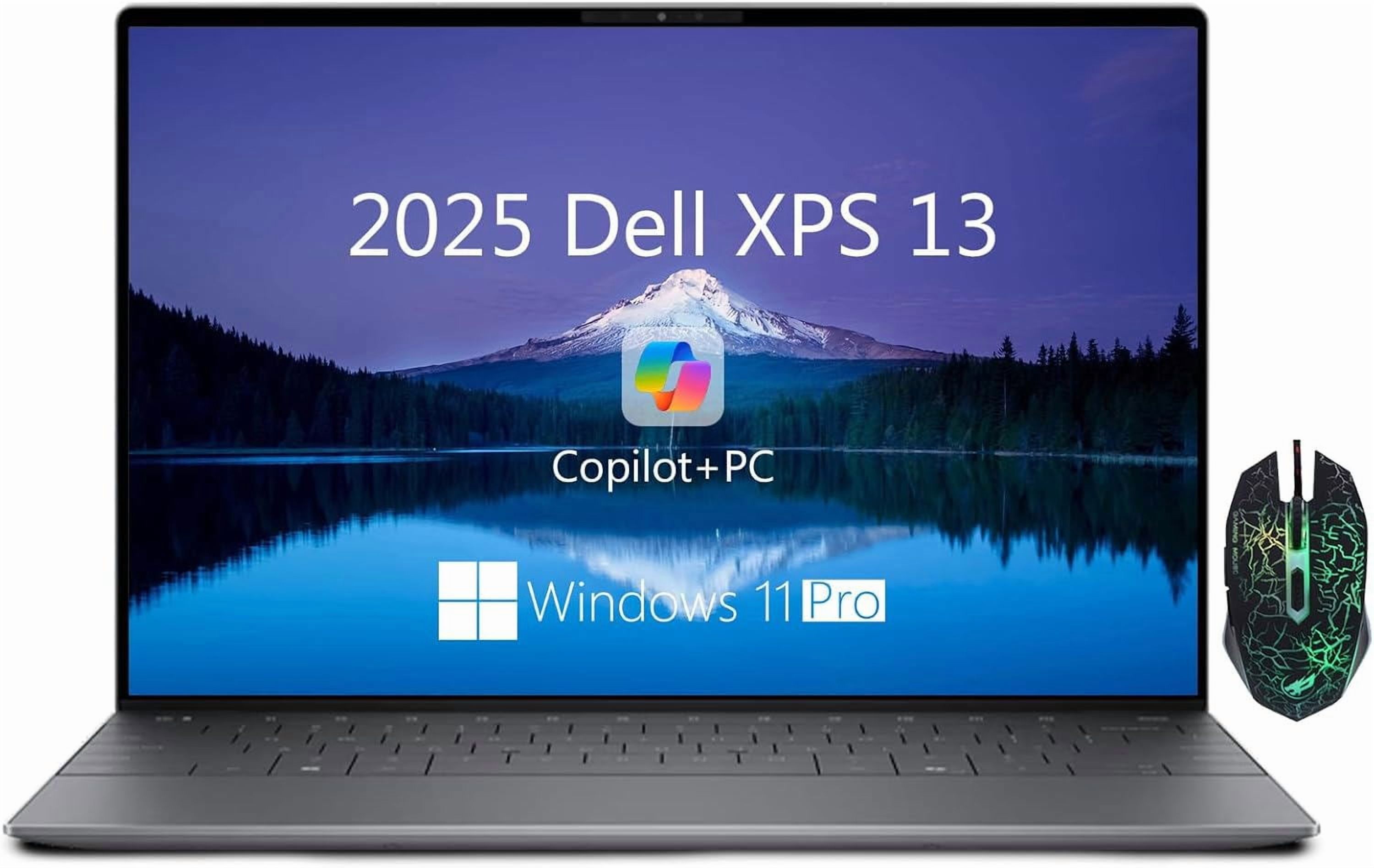
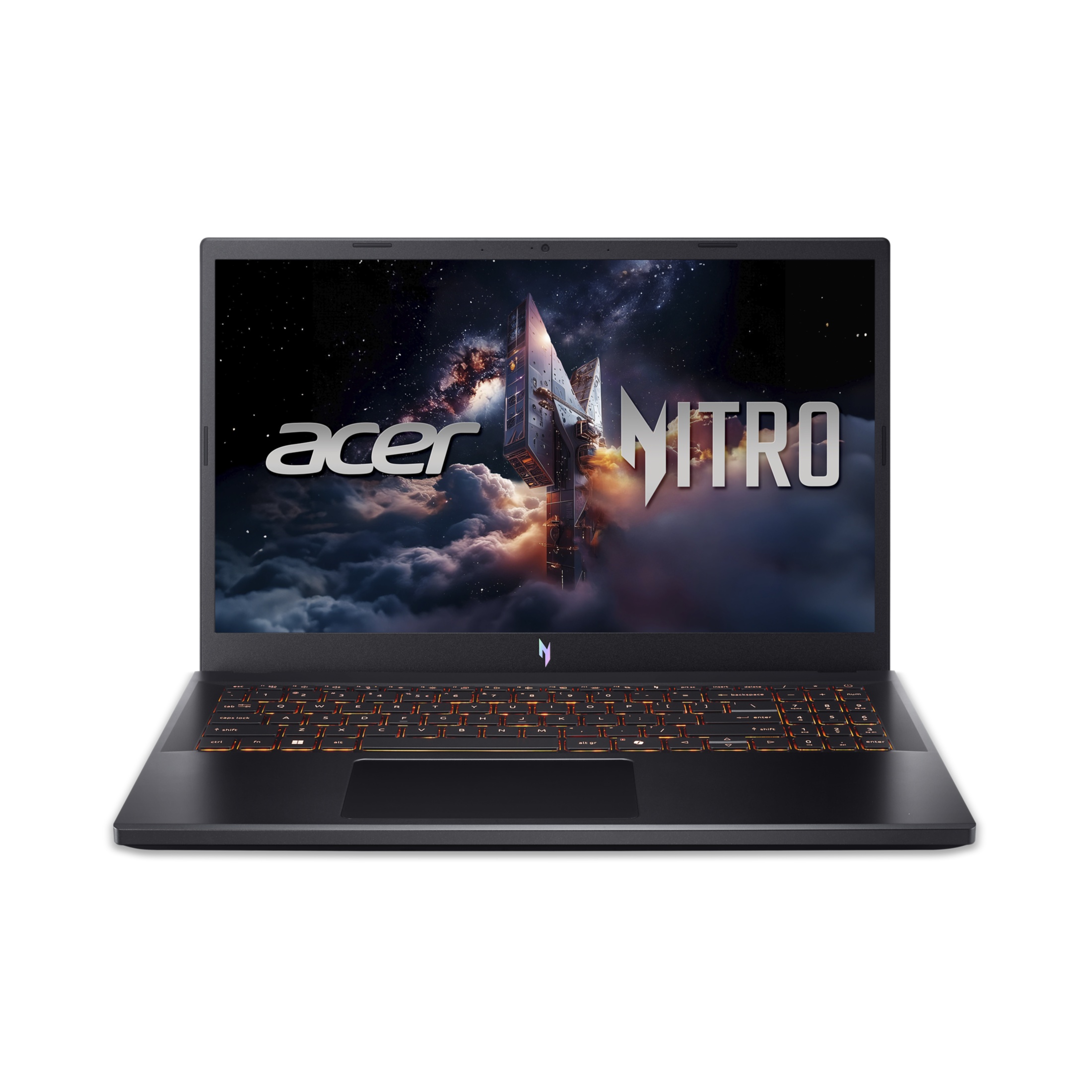
Acer Nitro V 15 Gaming Laptop vs Dell XPS 13 9345 Snapdragon

These are two different machines for two different jobs. The Nitro V 15 is a gaming laptop: Core i7-13620H, RTX 5050 graphics, a 165Hz FHD screen, and room for a full set of ports, but it weighs about 7 lb and is thick. The XPS 13 is a 2.62 lb ultraportable with a Snapdragon X Plus chip, a sharper 1920x1200 panel, and Windows 11 Pro, but it has no discrete GPU and some Windows games and apps run poorly or not at all on Arm. Buy the Nitro V for gaming and heavy creative work; buy the XPS 13 for travel, writing and office work.

  • Choose the Nitro V 15 if you want to play modern games, run GPU-accelerated apps, or need Ethernet and HDMI without dongles, and you don't mind carrying 7 lb.
  • Choose the XPS 13 if you need a light, quiet laptop for writing, browsing, video calls and office apps, and you value battery life and portability over gaming.

Prices

  • Acer Nitro V 15 Gaming Laptop: $39.52 at Rent-A-Center (last seen Nov 23)
  • Dell XPS 13 9345 Snapdragon: $1,099.00 at UC Davis Book Store (last seen Nov 27)
  • Difference: the Acer Nitro V 15 Gaming Laptop is $1,059.48 cheaper than the Dell XPS 13 9345 Snapdragon at the latest prices (Nov 23 and Nov 27)
Acer
Acer Nitro V 15.6" FHD 165Hz Gaming Laptop

Acer Nitro V 15 Gaming Laptop

Acer Nitro V 15.6" FHD 165Hz Gaming Laptop

$39.52at Rent-A-CenterChecked Nov 23
See all prices and details
Visit Rent-A-Center
Pros
  • Handles modern games at 1080p with the RTX 5050
  • 165Hz screen makes fast games feel smooth
  • Full-size ports: HDMI, Ethernet, USB-A and USB-C
  • Strong multi-core CPU for editing and compiling
  • Backlit keyboard for dark rooms
Cons
  • Heavy at about 7 lb, not a carry-every-day laptop
  • Battery drains fast in games
  • 512 GB fills quickly with large game installs
  • 16 GB RAM ceiling limits heavy multitasking
  • Bulky chassis and fan noise under load
Dell
Dell XPS 13 Copilot+ PC (FHD)

Dell XPS 13 9345 Snapdragon

Dell XPS 13 Copilot+ PC (FHD)

$1,099.00at UC Davis Book StoreChecked 18 h ago
See all prices and details
Visit UC Davis Book Store
Pros
  • Very light at 2.62 lb and easy to travel with
  • Sharp 1920x1200 panel with a taller working area
  • Windows 11 Pro included
  • Long battery life on office tasks
  • Quiet and cool for writing, browsing and calls
Cons
  • No discrete GPU; weak for gaming and 3D work
  • Arm chip means some games and older apps run poorly or not at all
  • Only USB-C and Thunderbolt ports; dongles for HDMI, USB-A and Ethernet
  • 16 GB RAM soldered, no upgrade path
  • 512 GB storage is tight for large media libraries

What separates them

Acer Nitro V 15 Gaming LaptopDell XPS 13 9345 Snapdragon
GraphicsDedicated NVIDIA GeForce RTX 5050, capable of gaming and GPU workIntegrated Qualcomm Adreno GPU, fine for video and light apps only
Processor and app compatibilityIntel Core i7-13620H, x86, runs the full Windows software and game librarySnapdragon X Plus, Arm-based, some games and older apps need emulation or don't run
Display15.6 in FHD IPS, 165Hz, smooth for games13.4 in WUXGA 1920x1200 LED, taller and sharper for documents, 30Hz listed
Weight and portabilityAbout 7 lb, bulky chassis, needs a large bagAbout 2.62 lb, thin and easy to carry all day
PortsUSB-A, USB-C, HDMI and Ethernet built inThunderbolt and USB-C only, plus a headphone jack; dongles needed for HDMI, USB-A and Ethernet
Operating systemWindows 11 HomeWindows 11 Pro, with BitLocker and remote desktop tools
Battery lifeShort under gaming load, moderate for light useLong runtime on light office work thanks to the efficient Arm chip
Upgradability16 GB max RAM, but storage and memory are serviceable on most Nitro V models16 GB soldered, storage limited; buy the configuration you need up front

Price history

$1,259.99$39.52
Nov 13Nov 28
  • Acer Nitro V 15 Gaming Laptop: lowest $39.52 on Nov 23 at Rent-A-Center; $999.99 on Nov 28.
  • Dell XPS 13 9345 Snapdragon: lowest $1,099.00 on Nov 28 at UC Davis Book Store.

Prices at every store

Acer Nitro V 15 Gaming Laptop

  • Rent-A-CenterNew

    In stock

    $39.52Free shippingChecked Nov 23
    Visit Rent-A-Center
  • Black Friday Clearance PricesNew

    In stockReturn policy

    $42.99Checked Nov 24
    Visit Black Friday Clearance Prices
  • StaplesNew

    In stock

    $899.99Free shippingChecked Nov 24
    Visit Staples
  • Best BuyNew

    Availability unknown

    $884.68Checked Nov 24
    Visit Best Buy
All 16 stores and price history →

Dell XPS 13 9345 Snapdragon

  • UC Davis Book StoreNew

    In stock

    $1,099.00+ $6.59 shippingChecked 18 h ago
    Visit UC Davis Book Store
  • Best BuyNew

    In stock

    $1,369.00Free shippingChecked 47 min ago
    Visit Best Buy
  • AmazonRefurbished

    Availability unknown

    As an Amazon Associate, Deal.ai earns from qualifying purchases.

    $959.99Free shippingChecked 18 h ago
    Visit Amazon
  • AmazonNew

    Availability unknown

    As an Amazon Associate, Deal.ai earns from qualifying purchases.

    $1,234.05Free shippingChecked Nov 23
    Visit Amazon

Store links may earn us a commission. Some prices via Klarna.

All 4 stores and price history →

Specs compared

SpecAcer Nitro V 15 Gaming LaptopDell XPS 13 9345 Snapdragon
BrandAcerDell
Proc. brandIntelSnapdragon
ProcessorIntel Core i7-13620HSnapdragon X Plus
OSWindows 11 HomeWindows 11 Pro
RAM memory16 GB16 GB
Screen size15.6 in13.4 in
HD typeSolid StateSolid State
HD capacity512 GB512 GB
Graphic cardNVIDIA GeForce RTX 5050 Laptop GPUQualcomm Adreno GPU
Laptop typeGaming LaptopsBusiness
Rec. useGamingBusiness, School, Home Office
ResolutionFHD (1920 x 1080)WUXGA (1920 x 1200)
Show all 40 specsShow fewer specs
SpecAcer Nitro V 15 Gaming LaptopDell XPS 13 9345 Snapdragon
DisplayIPS LCDLED
Proc. speed4.9 GHz3.2 GHz
ColorBlackGray
Weight7 lb2.62 lb
Refresh rate165 Hz30 Hz
Max RAM16 GB16 GB
Model nameNitro VDell XPS 13 9345
Data storage512 GB512 GB
Solid state drive capacity512 GB512 GB
Included software

What reviewers say

Dell XPS 13 9345 Snapdragon

Owners of the Snapdragon XPS 13 generally praise its light build, silent running and long battery life for everyday work. The recurring complaints are Windows-on-Arm app compatibility and the fixed 16 GB of memory.

What people mention
  • Battery lifePraisedOwners report getting through a full workday on a charge with office apps and browsing.
  • Weight and buildPraisedReviewers call it easy to carry and solid for its 2.62 lb weight.
  • Arm compatibilityCriticisedSome buyers hit apps, drivers or anti-cheat software that run poorly or not at all on Snapdragon.
  • MemoryCriticisedThe 16 GB of RAM is soldered, so buyers cannot add more later.
Reviews
  • Dell XPS laptops: The 5 best deals for October Prime Day
  • Dell XPS 13 9345 13.4 Laptop & Chromebook Review - Consumer Reports

Questions and answers

Which is better for gaming?
The Nitro V 15, clearly. It has a dedicated RTX 5050 GPU and a 165Hz screen. The XPS 13's Adreno graphics are integrated, and its Arm chip runs some games through emulation or not at all.
Which is better for school and office work?
The XPS 13. It is far lighter, quieter, has a taller 1920x1200 screen and Windows 11 Pro. The Nitro V works for office tasks but is heavy to carry between classes or meetings.
Which lasts longer?
The XPS 13 lasts longer per charge on light work because the Snapdragon chip is efficient. The Nitro V's battery drains quickly under gaming load. On build, both are consumer-grade; the XPS 13's aluminum chassis feels more premium, while the Nitro V is easier to service for storage.
Will all my Windows software run on the XPS 13?
Most mainstream apps do, but some games with anti-cheat and older or niche Windows programs run poorly or not at all on Arm. Check the specific app before buying. The Nitro V runs the standard x86 library without that concern.
Is the Nitro V worth stepping up to over the XPS 13?
Only if you game or do GPU-heavy work. If your day is documents, browsing and video calls, the XPS 13's portability and battery life are the better fit, and the Nitro V's extra power goes unused.
Can I upgrade the RAM later?
On the Nitro V, 16 GB is the listed maximum, so plan around it. On the XPS 13 the 16 GB is soldered and cannot be changed. Neither is a good choice if you expect to add memory later.

Ask our shopping agent

It checks today's price at every store, compares the alternatives and answers in about a minute.

Enter to send, Shift+Enter for a new line

More comparisons

  • Apple 13-inch MacBook Neo vs Dell XPS 13 Copilot+ PC (FHD)
  • Alienware 15.3" WUXGA 165Hz Gaming Laptop DA15265 vs Acer Nitro V 15.6" FHD 165Hz Gaming Laptop
  • ASUS TUF Gaming A15 FA506NCR-WH71 vs Acer Nitro V 15.6" FHD 165Hz Gaming Laptop
  • MSI Katana 15.6 inch 144Hz Gaming Laptop (2024) vs Acer Nitro V 15.6" FHD 165Hz Gaming Laptop
  • Dell XPS 13 Copilot+ PC (FHD) vs Dell XPS Copilot+ PC 13.4" 3K OLED Touchscreen Laptop Snapdragon X Elite X1E-80
  • Apple 13-inch MacBook Neo vs Acer Nitro V 15.6" FHD 165Hz Gaming Laptop
  • Dell XPS 15 9530 (2024) vs Dell XPS 13 Copilot+ PC (FHD)

Buying guides that pick them

  • Best gaming laptops under $1,500
  • Best gaming laptops under $2100
  • Best gaming laptops under $1,200
  • Best laptops under $1200
  • Best powerful laptops under $1000 for MBA coursework and AI workflows
Windows 11 Home
McAfee+ Premium 1-year
TouchscreenNNo
Operating SystemWindows OSWindows
Wireless802.11ax Wireless LAN—
Processor BrandIntel CPU—
Graphics ProcessorNVIDIA GPU—
Drive TypeSolid State Drive—
With Backlit KeyboardYes—
Available PortsUSB-A, USB-C, HDMI, Ethernet—
Drive Capacity512 GB drive—
Installed Memory16 GB RAM—
Processor Speed4.9 GHz CPU—
Battery Life6 hours battery life—
Max Supported RAM6 GB Supported—
Tested Battery Life (HoursMinutes) 9:48—
Number Of CoresOcta Core—
LanguageEnglish / North America—
Core count—8
Features—Backlit Keyboard, Webcam
  • Best laptops under $1,250