StoreDeal.ai store
Shop
  • Deals
  • Deal checker
  • Black Friday
  • Buying guides
  • Brands
  • Stores
Travel
  • Flight deals
  • Hotel deals
Company
  • Research
  • Press
  • Use in AI assistants
  • Contact
  • deal.ai apps
Black Friday 2026
  • Walmart
  • Best Buy
  • Target
  • TVs
  • Laptops
  • Headphones
  • Apple
  • Gaming
  • Vacuums
  • Kitchen
  • Toys
  • Smartwatches
  • Tablets
  • Furniture
  • Mattresses
© Deal.ai Inc.·2222 Ponce de Leon Blvd, Miami, FL 33134·support@deal.ai
TermsPrivacy
Deal.ai › Compare

ALBA Large Print Black on Yellow Keyboard vs Large Print Ergonomic Keyboard

Buy the ALBA if you need the highest-contrast keys and a Mac-first keyboard. Its black-on-yellow lettering is the standout for low vision, and owners say it cuts typing mistakes. The NOBRAND large print keyboard is the better pick for Windows users who want multimedia keys, a wrist rest and a long cable. Both are wired USB keyboards with large lettering. The ALBA feels more purpose-built for low vision; the NOBRAND is a general large-print keyboard with more extras.

  • Choose the ALBA if you have low vision or macular degeneration and want maximum contrast plus plug-and-play Mac support.
  • Choose the NOBRAND large print keyboard if you use Windows and want multimedia keys, a wrist rest and a standard USB-A cable.

Prices

  • ALBA Large Print Black on Yellow Keyboard: $119.90 at B&H Photo-Video Audio (checked today)
  • Large Print Ergonomic Keyboard: $40.78 at Walmart (checked today)
  • Difference: the Large Print Ergonomic Keyboard is $79.12 cheaper than the ALBA Large Print Black on Yellow Keyboard today
ALBA
ALBA Large Print Black on Yellow Keyboard

ALBA Large Print Black on Yellow Keyboard

5(4 ratings)
$119.90at B&H Photo-Video AudioChecked 3 h ago
See all prices and details
Visit B&H Photo-Video Audio
Pros
  • High-contrast black-on-yellow keys are easy to read in low light
  • Owners report fewer typing mistakes
  • Plug-and-play on Mac with no drivers
  • Two built-in USB 2.0 ports
  • Adjustable typing angle with leg lift
Cons
  • Wired only, no wireless option
  • Needs a USB-C adapter on newer Macs
  • No multimedia keys
  • No wrist rest included
NOBRAND
Large Print Ergonomic Keyboard

Large Print Ergonomic Keyboard

$40.78at WalmartChecked 3 h ago
See all prices and details
Visit Walmart
Pros
  • Very large lettering, 4X standard size
  • 12 multimedia keys and 10 hotkeys
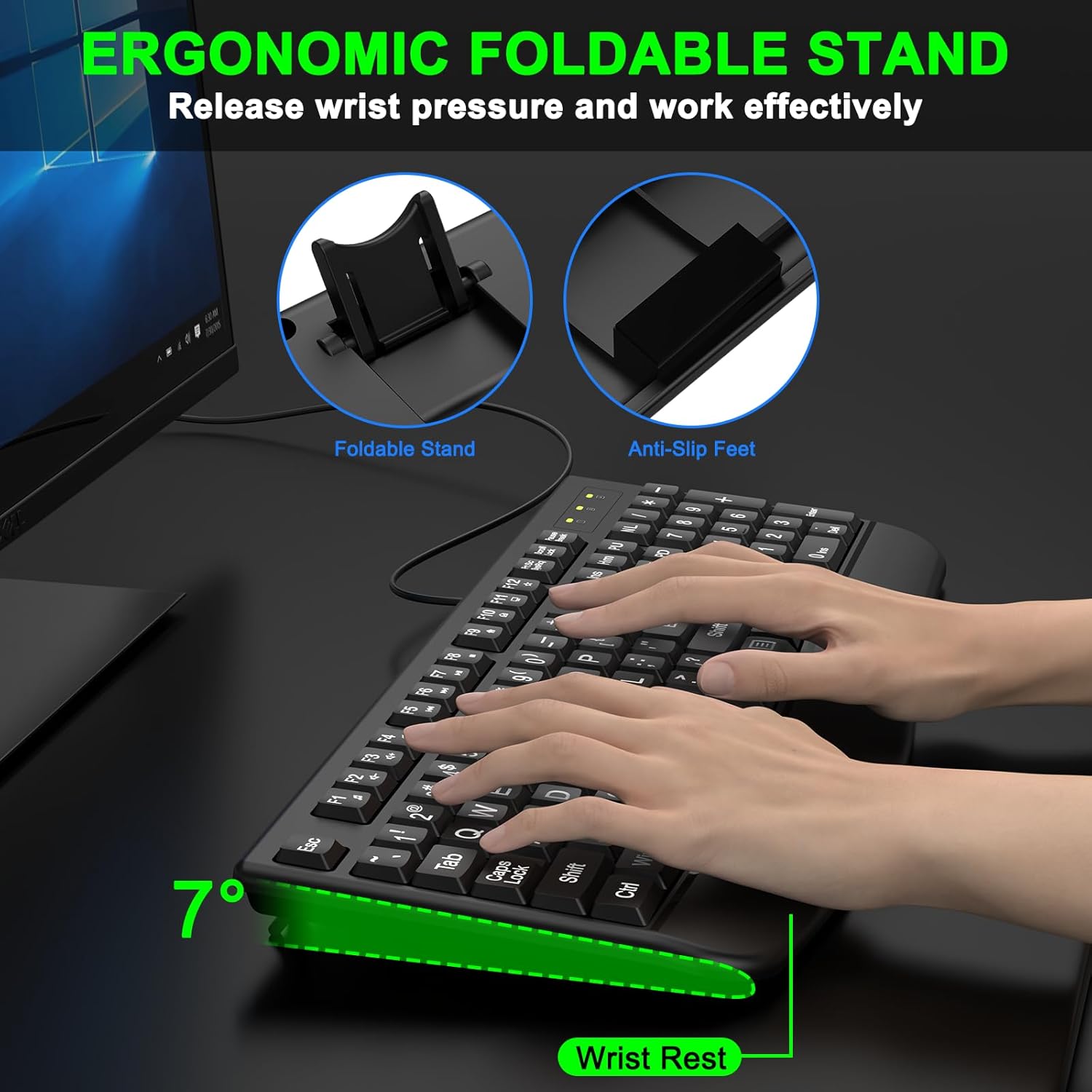
  • Wrist rest included
  • Long 5.25 ft cable
  • Rated for over 50 million key presses
Cons
  • Windows-focused, Mac support not stated
  • Plastic enclosure feels basic
  • No USB pass-through ports
  • Contrast is lower than black on yellow

What separates them

ALBA Large Print Black on Yellow KeyboardLarge Print Ergonomic Keyboard
Key contrastBlack on yellow, high contrast in low lightBold large print, standard light-on-dark keycaps
Letter sizeLarge, well-spaced characters4X larger fonts than a standard keyboard
Platform focusBuilt-in Mac chip, also lists Windows and iOSWindows 7 and later
Extra keysStandard layout with number pad12 multimedia keys and 10 hotkeys
USB hubTwo built-in USB 2.0 portsNone
Wrist supportErgonomic angle with leg lift, no wrist restWrist rest included
CableUSB wired, needs adapter for USB-C Macs5.25 ft USB-A cable
Stated key lifeNot statedOver 50 million presses

Price history

  • ALBA Large Print Black on Yellow Keyboard: lowest $114.90 on Nov 15 at Sterling Adaptives; $119.90 on Nov 16.

Prices at every store

ALBA Large Print Black on Yellow Keyboard

  • B&H Photo-Video AudioNew

    In stock

    $119.90Free shippingChecked 3 h ago
    Visit B&H Photo-Video Audio
  • Sterling AdaptivesNew

    In stock

    $114.90+ $35.00 shippingChecked 3 h ago
    Visit Sterling Adaptives
  • B&H Photo-Video AudioNew

    Availability unknown

    $119.90Checked 3 h ago
    Visit B&H Photo-Video Audio
  • AdoramaNew

    Availability unknown

    $119.90Checked 3 h ago
    Visit Adorama
All 14 stores and price history →

Large Print Ergonomic Keyboard

  • WalmartNew

    In stockSold by haxiReturns: Sold by a Walmart Marketplace seller; returns go to the seller under the seller's returns policy.

    $40.78Free shippingChecked 3 h ago
    Visit Walmart
Prices and history →

Specs compared

SpecALBA Large Print Black on Yellow KeyboardLarge Print Ergonomic Keyboard
ConnectivityPlug and Play connectivityUSB-A
Enlarged charactersYes—
WirelessNo—
Integrated number padYes—
Connection interfaceUSB wired connection interface—
USB portsTwo built-in USB 2.0 ports—
USB port powerUSB ports support 100mA each—
Switch mechanismScissors switch key mechanism—
Key travelKey travel 4 mm—
LED indicators3 LED in—
Language / LayoutQWERTY—
CompatibilityWindows, Mac, iOS—
Show all 25 specsShow fewer specs
SpecALBA Large Print Black on Yellow KeyboardLarge Print Ergonomic Keyboard
UsePC, Tablet—
color—Other
Cable length—5.25ft USB cable
Keyboard layout—QWERTY
Multimedia keys—12 multimedia keys
Hotkeys—10 hotkeys
Key life—over 50 million presses
Power source—USB power
Enclosure material—Plastic
Minimum OS version

What reviewers say

ALBA Large Print Black on Yellow Keyboard

Owners with low vision and macular degeneration say the black-on-yellow contrast is far easier to read than backlit keyboards they tried, and that the large keys cut typing errors. Mac users report plug-and-play setup worked well. The main complaint is that the USB cable needs an adapter for newer USB-C Macs.

What people mention
  • ContrastPraisedOwners say the black-on-yellow legends are easy to see, even in low light.
  • Key sizePraisedLarge, well-spaced keys help users make very few typing mistakes.
  • SetupPraisedMac users report plug-and-play worked without drivers.
  • ConnectivityCriticisedThe USB cable needs an adapter for newer Macs with USB-C ports.

Questions and answers

Which is better for low vision?
The ALBA. Its black-on-yellow lettering gives the strongest contrast, and owners with macular degeneration say it is easier to read than backlit keyboards. The NOBRAND has larger fonts but lower contrast.
Which works better with a Mac?
The ALBA. It has a built-in Mac chip for plug-and-play use, though newer USB-C Macs need an adapter. The NOBRAND lists Windows 7 and later only.
Which has more features?
The NOBRAND. It adds 12 multimedia keys, 10 hotkeys and a wrist rest. The ALBA counters with two built-in USB 2.0 ports and an adjustable typing angle.
Which lasts longer?
The NOBRAND states a key life of over 50 million presses and carries a one-year warranty. ALBA does not publish a key-life figure, so the NOBRAND gives you a firmer durability claim.
Is the ALBA worth stepping up to?
Yes if contrast and Mac support matter most to you. If you use Windows and want media keys and a wrist rest, the NOBRAND covers more ground.

Ask our shopping agent

It checks today's price at every store, compares the alternatives and answers in about a minute.

Enter to send, Shift+Enter for a new line

More comparisons

  • ALBA Large Print Black on Yellow Keyboard vs PERIBOARD-312 Wired Backlit Ergonomic Keyboard
  • Large Print Ergonomic Keyboard vs PERIBOARD-312 Wired Backlit Ergonomic Keyboard
  • LogicKeyboard Large Print Bluetooth Keyboard vs ALBA Large Print Black on Yellow Keyboard
  • LogicKeyboard Large Print Bluetooth Keyboard vs Large Print Ergonomic Keyboard

Buying guides that pick them

  • Best large print ergonomic keyboards
—
Windows 7
Warranty—1 Year
Font size—4X larger fonts than standard Keyboard
Included media—Wrist Rest