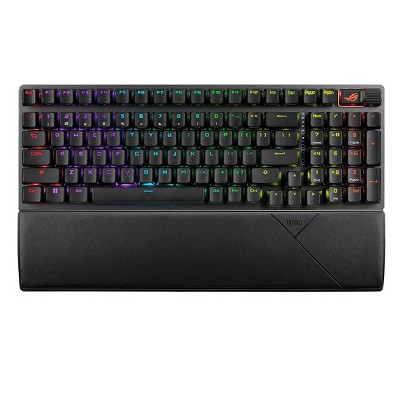
- Which is better for typing and work?
- The Asus, because the 96% layout keeps the number pad and function keys. The Alienware Pro drops the numpad, which slows spreadsheet and data entry.
- Which has better battery life?
- The Asus. It is rated up to 1,500 hours on 2.4 GHz SpeedNova. The Alienware Pro is rated up to 70 hours on 2.4 GHz and 75 hours on Bluetooth.
- Which is better for competitive gaming?
- The Asus, due to its 8000 Hz polling with the ROG Polling Rate Booster and its hot-swappable NX switches. The Alienware Pro's linear switches are fine but its polling rate is not specified.
- Which has a better user rating?
- The Alienware Pro at 4.7 from 66 ratings, against 4.1 from 229 ratings for the Asus. The Asus sample is larger, so treat the gap with some caution.
- Do both work wirelessly with multiple devices?
- The Asus supports Bluetooth across up to three devices plus 2.4 GHz and wired USB. The Alienware Pro offers Bluetooth, 2.4 GHz RF and wired USB.
- Is the Alienware Pro worth stepping up to?
- Only if you want a lighter tenkeyless board and a higher user rating. The Asus matches it on switches and beats it on battery life and features.
- Which is quieter to type on?
- The Asus is built for it, with sound-dampening foam and pre-lubed stabilizers. The Alienware Pro uses POM switch stems to cut grinding noise but does not state any foam.
- Can I change the switches on either board?
- Yes on both. The Alienware Pro's hot-swappable PCBA takes nearly all 3-pin and 5-pin switches. The Asus is hot-swappable too, and ships with pre-lubed switches.
- Does the Asus work with a Mac?
- Yes. Asus lists cross-platform compatibility with both PC and Mac. The Alienware Pro lists Windows only.
- Which comes with a wrist rest?
- The Asus ships with a detachable wrist rest and adjustable tilt. The Alienware Pro does not list a wrist rest.