StoreDeal.ai store
Shop
  • Deals
  • Deal checker
  • Black Friday
  • Buying guides
  • Brands
  • Stores
Travel
  • Flight deals
  • Hotel deals
Company
  • Research
  • Press
  • deal.ai apps
Black Friday 2026
  • Walmart
  • Best Buy
  • Target
  • TVs
  • Laptops
  • Headphones
  • Apple
  • Gaming
  • Vacuums
  • Kitchen
  • Toys
  • Smartwatches
  • Tablets
  • Furniture
  • Mattresses
© Deal.ai Inc.
TermsPrivacy
Deal.ai › Compare

Aura Carver Digital Photo Frame vs Skylight Digital Picture Frame

Buy the Skylight if you want a touchscreen frame that family can send photos to by email with no app. Buy the Aura Carver if you want a matted, classic-looking frame that blends into a shelf and is simple to set up. The Skylight has the sharper, more interactive display and more storage; the Aura has the more furniture-like look and a simpler, app-driven sharing flow. Owners of both praise easy setup, though the Skylight's touchscreen draws more mixed notes on responsiveness.

  • Choose the Aura Carver if you want a matted, classic frame that looks like a real picture frame on a table and you're fine sharing through the Aura app.
  • Choose the Skylight if you want a touchscreen you can swipe and a frame relatives can email photos to without installing anything.

Prices

  • Aura Carver Digital Photo Frame: $149.00 at Amazon (last seen Nov 10)
  • Skylight Digital Picture Frame: $139.99 at Best Buy (checked today)
  • Difference: the Skylight Digital Picture Frame is $9.01 cheaper than the Aura Carver Digital Photo Frame at the latest prices (Nov 10 and Nov 11)
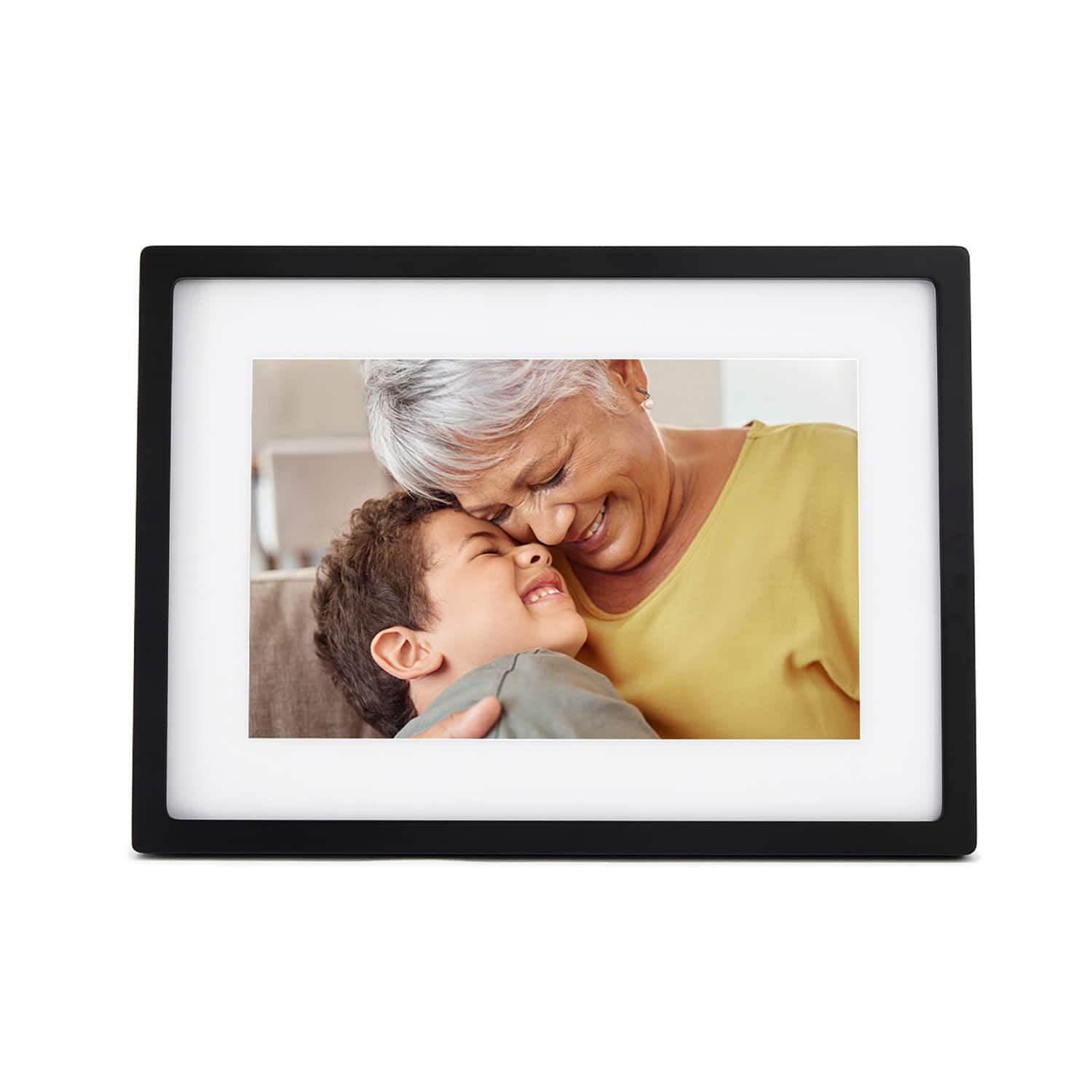
Aura
Aura Carver Digital Photo Frame

Aura Carver Digital Photo Frame

$149.00at AmazonChecked 10 h ago
See all prices and details
Visit Amazon

As an Amazon Associate, Deal.ai earns from qualifying purchases.

Pros
  • Matted frame look reads as a real picture frame
  • Simple app-based setup
  • 10.1-inch screen suits family photo viewing
  • Good fit as a personalized gift for parents and grandparents
Cons
  • No touchscreen
  • Landscape and tabletop only
  • Sharing depends on the Aura app
  • Plastic body
Skylight
Skylight Digital Picture Frame

Skylight Digital Picture Frame

4.6(67 ratings)
$139.99at Best BuyChecked 9 h ago
See all prices and details
Visit Best Buy

Store links may earn us a commission. Price via Klarna.

Pros
  • Touchscreen makes browsing and deleting easy
  • Senders can email photos with no app
  • 8GB holds roughly 8,000 photos
  • 1280x800 IPS panel is sharp
  • Sleep schedule saves power
Cons
  • Plain slab look, no matted frame
  • Slimmer build feels less like furniture
  • Touchscreen response gets mixed owner notes

What separates them

Aura Carver Digital Photo FrameSkylight Digital Picture Frame
Display10.1-inch digital screen with a matted border10-inch 1280x800 IPS touchscreen
SharingPhotos sent through the Aura appFree Skylight app or a unique email address, no app needed for senders
StorageNot stated in the listing8GB, about 8,000 photos
Build and lookPlastic body with a classic matted frame look, bottom-heavy triangular shapeSlim 0.9-inch profile, plain modern slab
ControlsNo touchscreen; managed from the appSwipe, browse, delete and pause with a tap
Orientation and mountingLandscape only, tabletop onlyLandscape tabletop
Sleep scheduleNot statedSet a schedule that works for you
Offline viewingPhotos stored on the frameReceived photos viewable without Wi-Fi

Price history

  • Aura Carver Digital Photo Frame: lowest $149.00 on Nov 11 at Aura Frames.
  • Skylight Digital Picture Frame: lowest $139.99 on Nov 11 at Best Buy.

Prices at every store

Aura Carver Digital Photo Frame

  • The Home DepotNew

    In stock

    $149.99Free shippingChecked 10 h ago
    Visit The Home Depot
  • NordstromNew

    In stock

    $179.00Free shippingChecked 10 h ago
    Visit Nordstrom
  • AmazonNew

    Availability unknown

    As an Amazon Associate, Deal.ai earns from qualifying purchases.

    $149.00Free shippingChecked 10 h ago
    Visit Amazon

Also available at

  • Aura FramesCheck price at Aura Frames
  • BabylistCheck price at Babylist
  • Best BuyCheck price at Best Buy
All 3 stores and price history →

Skylight Digital Picture Frame

  • Best BuyNew

    In stock

    $139.99Free shippingChecked 9 h ago
    Visit Best Buy
  • TargetNew

    In stock

    $139.99Free shippingChecked 9 h ago
    Visit Target

Store links may earn us a commission. Some prices via Klarna.

All 2 stores and price history →

Specs compared

SpecAura Carver Digital Photo FrameSkylight Digital Picture Frame
TypeDigital Picture Frame—
Opening Size10.1"—
Opening TypeMatted border—
MaterialPlastic—
OrientationLandscape—
ShapeWidescreen shape, Bottom-heavy pointed triangul…—
Mounting TypeTabletop—
Mounting OrientationLandscape—
Height7.3 in—
Width10.5 in—
Depth2.1 in—
StyleClassic-frame look (Carver Mat), Classic look, …—
Show all 30 specsShow fewer specs
SpecAura Carver Digital Photo FrameSkylight Digital Picture Frame
Display TypeDigital—
Included ComponentsPower adapter—
Quantity1—
SetNo—
Suitable LocationTabletop—
Suitable OccasionPersonalized gift—
Typical UsersParents, Grandparents—
Suitable RecipientsFamily, Friends—
Screen size—10'' Diagonal
Resolution

What reviewers say

Aura Carver Digital Photo Frame

Reviewers and owners generally praise the Aura Carver for its ease of use and the joy it brings to recipients, especially grandparents. The app-based photo sharing is frequently highlighted as a standout feature. Criticisms often mention the plastic construction and the lack of portrait orientation.

What people mention
  • Ease of usePraisedUsers find the frame and app very easy to set up and use, even for those not tech-savvy.
  • Gift appealPraisedMany buyers report it makes an excellent gift, particularly for grandparents who enjoy receiving photos.
  • Build qualityCriticisedSome reviewers feel the plastic frame looks and feels less premium than expected.
  • OrientationCriticisedThe frame only displays photos in landscape mode, which limits flexibility for portrait shots.

Skylight Digital Picture Frame

  • 4.6 / 567 ratings

Owners rate it highly and mostly praise how easy it is to set up and how quickly photos reach the frame. The common complaints are about the fixed storage and the lack of video.

What people mention
  • SetupPraisedOwners say plugging it in, joining Wi-Fi and picking the frame's email address takes only a few minutes.
  • Photo sharingPraisedSenders can email pictures straight to the frame, and they show up in under a minute.
  • TouchscreenPraisedReviewers find swiping, deleting and pausing the slideshow simple, even for older users.
Reviews
  • The Best Gifts for Grandparents in 2026 - CNET
  • We Found the 20 Best Gifts Grandparents Will Love in 2026 - CNET

Questions and answers

Which is better for grandparents who aren't tech-savvy?
The Skylight. Relatives can email photos to the frame's address, so the owner only needs to plug it in and connect Wi-Fi. The Aura needs the app for sharing, which is fine if the family is comfortable with it.
Which has the better screen?
The Skylight. Its 1280x800 IPS touchscreen is sharper and lets you swipe through photos. The Aura's 10.1-inch screen is larger but not touch.
Which holds more photos?
The Skylight states 8GB, about 8,000 photos. Aura does not publish a storage figure, so compare that against how many photos you plan to load.
Which looks better on a shelf?
The Aura Carver. Its matted border and classic frame shape look like a traditional photo frame. The Skylight is a slim, plain slab.
Is the Skylight worth stepping up to?
If you want a touchscreen and email sharing, yes. If you mainly want a good-looking frame that quietly cycles family photos, the Aura covers that.
Can either frame show photos without Wi-Fi?
The Skylight can display photos it has already received without a connection. The Aura stores photos on the frame, so it keeps showing what is loaded.

Ask our shopping agent

It checks today's price at every store, compares the alternatives and answers in about a minute.

Enter to send, Shift+Enter for a new line

Buying guides that pick them

  • Best gifts for grandparents
—
1280x800 IPS display
Dimensions—12'' x 8.5'' x 0.9''
Storage space—8GB (up to 8,000 photos)
Photo file formats—JPEG, BMP, PNG, GIF
Photo receive time—<60 seconds
Touchscreen—10” color touchscreen
Connectivity—Wi-Fi
Sharing method—free Skylight mobile app or email
Sleep mode—Set a schedule that works for you
  • StorageCriticisedThe 8GB is fixed with no card slot, so heavy senders eventually have to delete photos.