StoreDeal.ai store
Shop
  • Deals
  • Deal checker
  • Black Friday
  • Buying guides
  • Brands
  • Stores
Travel
  • Flight deals
  • Hotel deals
Company
  • Research
  • Press
  • Use in AI assistants
  • Contact
  • deal.ai apps
Black Friday 2026
  • Walmart
  • Best Buy
  • Target
  • TVs
  • Laptops
  • Headphones
  • Apple
  • Gaming
  • Vacuums
  • Kitchen
  • Toys
  • Smartwatches
  • Tablets
  • Furniture
  • Mattresses
© Deal.ai Inc.·2222 Ponce de Leon Blvd, Miami, FL 33134·support@deal.ai
TermsPrivacy
Deal.ai › Compare

Dell 32 Plus 4K Monitor S3225QS vs Lenovo ThinkVision P34WD-40

Buy the Dell 32 Plus for sharp 4K detail, deeper VA contrast and built-in speakers at a desk where one screen does everything. Buy the Lenovo ThinkVision P34WD-40 if you run a laptop and a desktop together, want the wider 21:9 canvas, or need USB-C and Ethernet through one cable. The Dell wins on pixel density and black levels; the Lenovo wins on connectivity, panel uniformity and workspace width. Owners of the Dell praise the picture and eye comfort but miss height-and-swivel flexibility, while ThinkVision buyers value the KVM and dock features over raw sharpness.

  • Choose the Dell 32 Plus if you want a single sharp 4K screen for movies, games and everyday work with speakers built in.
  • Choose the Lenovo ThinkVision P34WD-40 if you switch between two computers and want a wide curved screen with USB-C, Ethernet and a KVM switch.

Prices

  • Dell 32 Plus 4K Monitor S3225QS: $279.99 at Dell Home & Home Office (last seen Nov 26)
  • Lenovo ThinkVision P34WD-40: $419.00 at Newegg (last seen Nov 26)
  • Difference: the Dell 32 Plus 4K Monitor S3225QS is $139.01 cheaper than the Lenovo ThinkVision P34WD-40 at the latest prices (Nov 26)
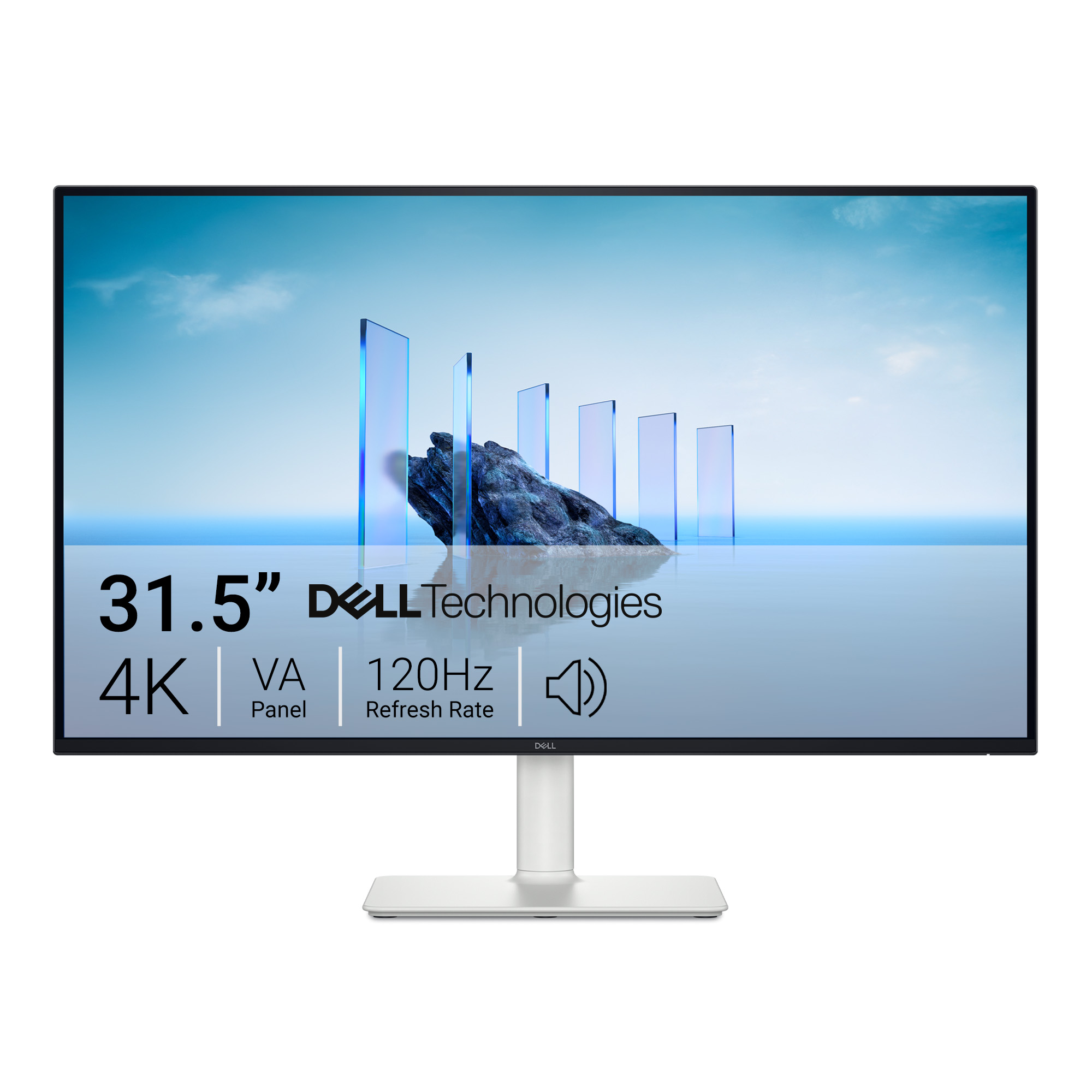
Dell
Dell 32 Plus 4K Monitor

Dell 32 Plus 4K Monitor S3225QS

Dell 32 Plus 4K Monitor

4.7(306 ratings)
$279.99at Dell Home & Home OfficeChecked 5 h ago
See all prices and details
Visit Dell Home & Home Office

Store links may earn us a commission. Price via Klarna.

Pros
  • True 4K sharpness for text and photos
  • High 3000:1 contrast from the VA panel
  • 120 Hz refresh with HDMI 2.1 inputs
  • Built-in speakers and VESA mount
Cons
  • No USB-C, so no one-cable laptop docking
  • No swivel or pivot adjustment
  • VA viewing angles are narrower than IPS
  • No Ethernet or KVM for multi-PC setups
Lenovo
Lenovo ThinkVision P34WD-40 34 Inch Monitor with KVM Switch

Lenovo ThinkVision P34WD-40

Lenovo ThinkVision P34WD-40 34 Inch Monitor with KVM Switch

4.1(1 rating)
$419.00at NeweggChecked 5 h ago
See all prices and details
Visit Newegg

Store links may earn us a commission. Price via Klarna.

Pros
  • Ultrawide 21:9 canvas suits spreadsheets and timelines
  • USB-C, Ethernet and KVM switch in one hub
  • IPS panel holds color across wide angles
  • Curved screen keeps edges in view
Cons
  • Lower pixel density than 4K at this size
  • No built-in speakers
  • IPS contrast is weaker in dark scenes
  • Fewer HDMI ports than the Dell

What separates them

Dell 32 Plus 4K Monitor S3225QSLenovo ThinkVision P34WD-40
Resolution and pixel density3840x2160 on 31.5 inches, about 140 ppi3440x1440 on 34 inches, about 110 ppi
Panel type and contrastVA with 3000:1 contrast, deep blacks, narrower viewing anglesIPS with roughly 1000:1 contrast, wider 178-degree viewing angles
Screen shape and aspectFlat 16:9Curved 21:9 ultrawide
Connectivity and docking2x HDMI 2.1, DisplayPort 1.4, no USB-C hubUSB-C, RJ-45 Ethernet, USB hub, DisplayPort and HDMI, plus KVM switch
ErgonomicsHeight and tilt only, no swivel or pivotHeight and tilt on a curved stand
AudioBuilt-in speakersNo speakers listed
BrightnessNot specified by the maker350 nits
Certifications4-star eye comfort ratingEnergy Star and EPEAT certified

Price history

$494.00$249.95
Nov 10Nov 27
  • Dell 32 Plus 4K Monitor S3225QS: lowest $249.95 on Nov 12 at Heartland Computers; $279.99 on Nov 27.
  • Lenovo ThinkVision P34WD-40: lowest $419.00 on Nov 27 at Newegg.com.

Prices at every store

Dell 32 Plus 4K Monitor S3225QS

  • Dell Home & Home OfficeNew

    In stock

    $279.99Free shippingChecked 5 h ago
    Visit Dell Home & Home Office
  • Best BuyNew

    In stock

    $299.99Free shippingChecked 5 h ago
    Visit Best Buy
  • Heartland ComputersNew

    In stock

    $249.95+ $59.95 shippingChecked Nov 19
    Visit Heartland Computers
  • AmazonNew

    Availability unknown

    As an Amazon Associate, Deal.ai earns from qualifying purchases.

    $299.99Free shippingChecked 5 h ago
    Visit Amazon

Store links may earn us a commission. Some prices via Klarna.

All 16 stores and price history →

Lenovo ThinkVision P34WD-40

  • NeweggNew

    In stock

    $419.00Free shippingChecked 5 h ago
    Visit Newegg
  • WalmartNew

    In stockSold by Beach Audio IncReturns: Sold by a Walmart Marketplace seller; returns go to the seller under the seller's returns policy.

    $580.99Free shippingChecked 5 h ago
    Visit Walmart
  • WalmartNew

    In stock

    $580.99Checked 5 h ago
    Visit Walmart
  • AntonlineNew

    In stock

    $662.10Free shippingChecked 5 h ago
    Visit Antonline

Store links may earn us a commission. Some prices via Klarna.

All 4 stores and price history →

Specs compared

SpecDell 32 Plus 4K Monitor S3225QSLenovo ThinkVision P34WD-40
colorGrayBlack
Response Time4 ms4 ms
DisplayPortYesYes
HDRYesYes
TiltableYesYes
Height With Stand (")21.4921.61 in
VESA-MountYesYes
Screen Size (")31.534.0
Aspect Ratio16:921:9
Refresh Rate (Hz)120120
Adjustable HeightYesYes
Panel TypeVAIPS/PLS
Show all 40 specsShow fewer specs
SpecDell 32 Plus 4K Monitor S3225QSLenovo ThinkVision P34WD-40
HDMIYesYes
Resolution3840x2160 (4K)3440x1440 (UltraWide)
DisplayLEDLED
Brightness300 cd/m²350 Nits
Refresh rate120 Hz120 Hz
Aspect16:921:9
FeaturesAnti-Glare, Adjustable Stand Height, TiltableAdjustable Stand Height
Backlight typeEdge LitDirect Lit
Inputs/OutputsOutputs - HDMI, DisplayPortInputs - USB, RJ-45, USB Type-C & Outputs - HDM…

What reviewers say

Dell 32 Plus 4K Monitor S3225QS

  • 4.7 / 5306 ratings

Rated 4.7 out of 5 across 306 ratings, owners are largely satisfied with the size, picture and contrast for the money. Complaints center on the VA panel's viewing angles and the stand's limited adjustment.

What people mention
  • Picture qualityPraisedOwners describe a sharp 4K image with strong contrast and deep blacks.
  • Viewing anglesCriticisedColors and brightness shift when viewed off-center, a known VA trait.
  • Stand adjustmentCriticisedHeight and tilt work, but there is no swivel or pivot for portrait use.
  • GamingMixed120 Hz is welcome, but the 4 ms response and VA smearing limit fast play.

Lenovo ThinkVision P34WD-40

Owners and reviewers describe the P34WD-40 as a well-built productivity ultrawide whose KVM and USB-C docking are the real draw. The 120 Hz IPS panel is praised for smooth everyday use and decent color, while gamers and HDR fans are told to look elsewhere.

What people mention
  • KVM switchPraisedOwners say switching keyboard and mouse between two machines is quick and reliable.
  • USB-C dockingPraisedA single cable carries video, USB devices and laptop charging, which reviewers find convenient.
  • Refresh ratePraisedThe 120 Hz panel is described as noticeably smoother than 60 Hz for everyday desktop work.
  • HDRCriticisedReviewers say HDR adds little and looks washed out compared with proper HDR displays.

Questions and answers

Which is better for office work and spreadsheets?
The Lenovo. Its 21:9 curve fits more columns side by side and the KVM switch lets one keyboard and mouse drive two computers. The Dell is sharper for fine text but narrower.
Which is better for movies and gaming?
The Dell. 4K resolution, 3000:1 VA contrast and 120 Hz with HDMI 2.1 give deeper blacks and sharper detail. The Lenovo is wider and smoother in motion but less contrasty.
Do I need USB-C docking?
Only the Lenovo has it, along with Ethernet and a KVM switch. If you plug in a laptop daily, that single cable replaces a separate dock. The Dell has no USB-C hub.
Which has better viewing angles?
The Lenovo. Its IPS panel is rated to 178 degrees, so colors hold up from the side. The Dell's VA panel shifts and darkens when viewed off-center.
Is the Lenovo worth stepping up to over the Dell?
Yes if you run two machines or want an ultrawide with a built-in hub. No if you mainly want maximum sharpness and contrast for one PC.
Which lasts longer?
Neither maker publishes a lifespan figure. Both use 4 ms panels, 120 Hz refresh and VESA mounting, and both carry standard manufacturer warranties, so build quality is close.

Ask our shopping agent

It checks today's price at every store, compares the alternatives and answers in about a minute.

Enter to send, Shift+Enter for a new line

More comparisons

  • Dell 32 Plus 4K Monitor vs BenQ MA320U 32-inch 4K
  • Dell 32 Plus 4K Monitor vs Samsung ViewFinity S7
  • Dell 32 Plus 4K Monitor vs Dell S32 Series 4K
  • Dell 32 Plus 4K Monitor vs Samsung ViewFinity S7 4K UHD IPS HDR10 Monitor
  • Dell 32 Plus 4K Monitor vs BenQ GW2790QT
  • Lenovo ThinkVision P34WD-40 34 Inch Monitor with KVM Switch vs Samsung ViewFinity S7
  • Lenovo ThinkVision P34WD-40 34 Inch Monitor with KVM Switch vs Dell S32 Series 4K

Buying guides that pick them

  • Best monitors for work
  • Best computer monitors for everyday use and work
Mount pattern
100 x 100
100 x 100
BrandDellLenovo
Power typeCorded ElectricCorded Electric
ModelS3225QS64ADGAR1UZ
Electronics certificationsEnergy Star-CertifiedEnergy Star-Certified, EPEAT
Horizontal viewing angle178 º178 degrees
Vertical viewing angle178 º178 degrees
Input/output typeHDMIHDMI
Input/output quantity118
Input/output directionBi-DirectionalBi-Directional
Assembled product weight19.33 lb35 lb
Weight With Stand (lb)19.33—
Pivot‎ 90°‎No—
HDMI Ports2—
Energy Consumption (In Use) (W)32—
HDMI Version2.1—
VGA PortsNo—
Weight With Stand (kg)8.8—
SpeakersYes—