StoreDeal.ai store
Shop
  • Deals
  • Deal checker
  • Black Friday
  • Buying guides
  • Brands
  • Stores
Travel
  • Flight deals
  • Hotel deals
Company
  • Research
  • Press
  • Use in AI assistants
  • Contact
  • deal.ai apps
Black Friday 2026
  • Walmart
  • Best Buy
  • Target
  • TVs
  • Laptops
  • Headphones
  • Apple
  • Gaming
  • Vacuums
  • Kitchen
  • Toys
  • Smartwatches
  • Tablets
  • Furniture
  • Mattresses
© Deal.ai Inc.·2222 Ponce de Leon Blvd, Miami, FL 33134·support@deal.ai
TermsPrivacy
Deal.ai › Compare

Dell Plus S2725QC 27" 4K Monitor vs Dell S2721QS 27" 4K Monitor

Buy the S2725QC if you want a faster, more modern panel with USB-C and HDMI 2.1 for a laptop or a mixed work setup. Buy the S2721QS if you mainly watch video or do office work and value built-in speakers and AMD FreeSync. The S2725QC is the newer 2025 model with a 120Hz ceiling and USB-C docking, while the S2721QS is the long-running 60Hz workhorse with a huge owner base and dual 3W speakers. Owners of both praise the sharp 4K IPS image; the S2721QS has the deeper track record, the S2725QC the better connectivity.

  • Choose the Dell Plus S2725QC if you connect a laptop over USB-C, want 120Hz smoothness, or need HDMI 2.1 and DisplayPort 1.4 for current devices.
  • Choose the Dell S2721QS if you want built-in speakers, AMD FreeSync for light gaming, and a monitor with a long, well-documented owner history.

Prices

  • Dell Plus S2725QC 27" 4K Monitor: $217.99 at PayMore West Boise (last seen Nov 13)
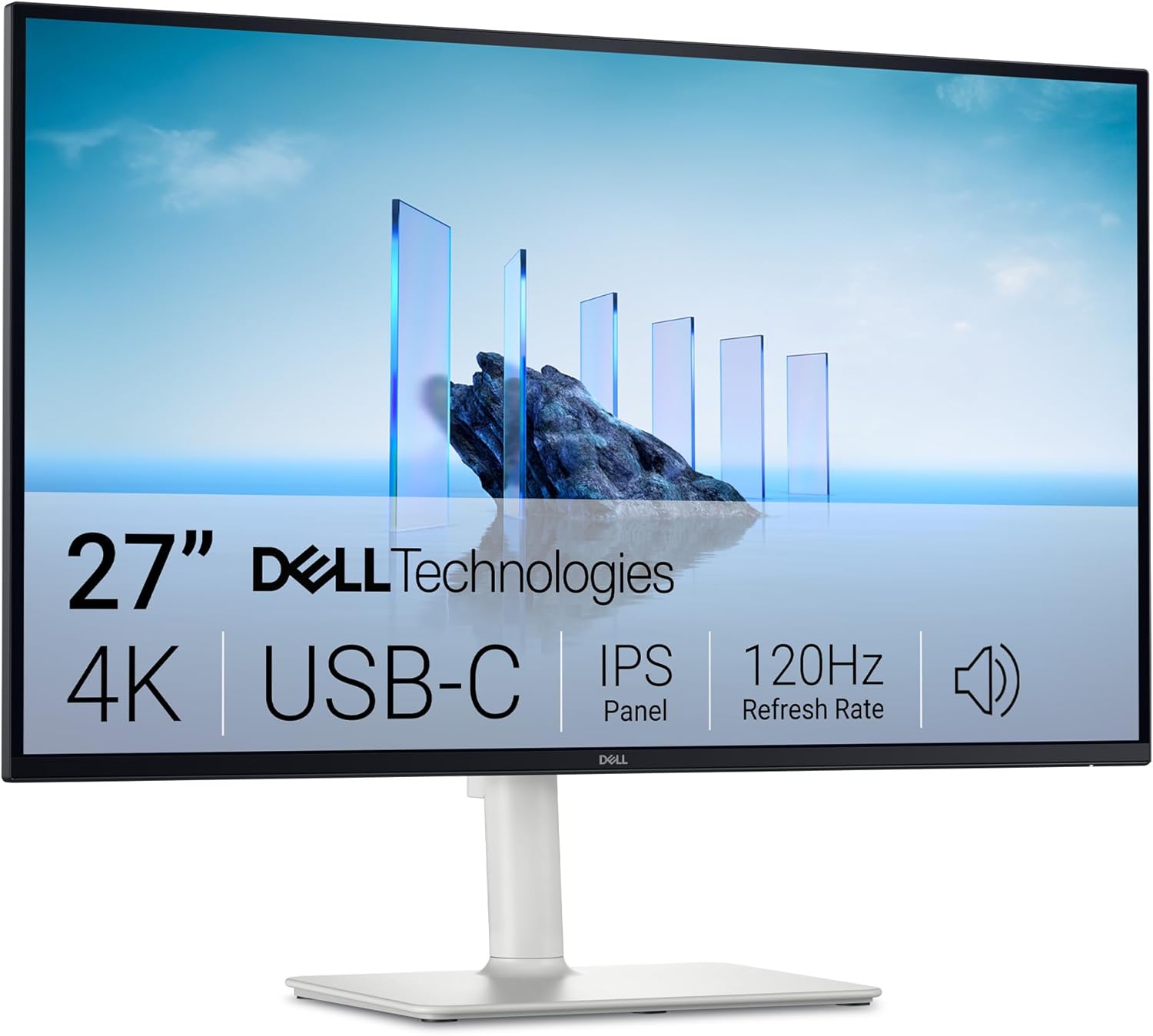
Dell
Dell Plus S2725QC 27" Class 4K UHD LED Monitor

Dell Plus S2725QC 27" 4K Monitor

Dell Plus S2725QC 27" Class 4K UHD LED Monitor

4.7(236 ratings)
$217.99at PayMore West BoiseChecked Nov 13
See all prices and details
Visit PayMore West Boise
Pros
  • 120Hz refresh makes scrolling and motion noticeably smoother than 60Hz
  • USB-C carries video and data, so one cable can drive a laptop
  • HDMI 2.1 and DisplayPort 1.4 suit current consoles and GPUs
  • IPS 4K panel with VESA mounting and a USB-A hub
Cons
  • No built-in speakers
  • 8 ms response time is slower on paper than the S2721QS
  • No adaptive sync listed
  • 60Hz is the listed spec on some retailer sheets, so confirm the 120Hz mode
Dell
Dell Monitor LED 27 4K UHD S2721QS

Dell S2721QS 27" 4K Monitor

Dell Monitor LED 27 4K UHD S2721QS

5(54,106 ratings)
See all prices and details
Pros
  • Dual 3W speakers save desk space and cables
  • AMD FreeSync reduces tearing in games
  • 4 ms response time and 99% sRGB coverage
  • Very large, long-standing owner base with high ratings
Cons
  • No USB-C and no USB hub
  • HDMI 2.0 and DisplayPort 1.2 cap bandwidth at 4K 60Hz
  • 60Hz only
  • Older model with fewer modern ports

What separates them

Dell Plus S2725QC 27" 4K MonitorDell S2721QS 27" 4K Monitor
Refresh rateUp to 120Hz60Hz
Response time8 ms4 ms
USB-CUSB-C 3.2 with video and dataNone
Video inputs2x HDMI 2.1, DisplayPort 1.4HDMI 2.0, DisplayPort 1.2
SpeakersNoneDual 3W built in
Adaptive syncNot listedAMD FreeSync
USB hubUSB-A 3.0 portsNo USB hub
Owner ratings4.7 from 236 ratings5.0 from 54,106 ratings

Price history

  • Dell Plus S2725QC 27" 4K Monitor: lowest $217.99 on Nov 12 at PayMore West Boise; $349.99 on Nov 13.

Prices at every store

Dell Plus S2725QC 27" 4K Monitor

  • PayMore West BoiseNew

    In stock

    $217.99Checked Nov 13
    Visit PayMore West Boise
  • DellNew

    In stock

    $349.99Free shippingChecked Nov 13
    Visit Dell
  • Enervee NYNew

    In stock

    $349.99Free shippingChecked Nov 13
    Visit Enervee NY
  • DoorDashNew

    In stockSold by Best Buy US

    $349.99+ $5.99 shippingChecked Nov 13
    Visit DoorDash
All 13 stores and price history →

Dell S2721QS 27" 4K Monitor

No priced offers right now.

Prices and history →

Specs compared

SpecDell Plus S2725QC 27" 4K MonitorDell S2721QS 27" 4K Monitor
Response Time8 ms4 ms
SpeakersNodual 3W speakers
colorGray—
3.5 mm In (AUX)No—
USBYes—
USB TypeUSB-A—
VESA-MountYes—
Aspect Ratio16:9—
Refresh Rate (Hz)60—
VGANo—
TypeStandard—
DVINo—
Show all 26 specsShow fewer specs
SpecDell Plus S2725QC 27" 4K MonitorDell S2721QS 27" 4K Monitor
EthernetNo—
HDMIYes—
DVI PortsNo—
VGA PortsNo—
Screen size—27 inch
Resolution—3840 x 2160
Panel type—IPS
Color coverage—99% sRGB
Refresh rate—60hz
Sync technology—AMD FreeSync

What reviewers say

Dell Plus S2725QC 27" 4K Monitor

  • 4.7 / 5236 ratings

Rated 4.7 out of 5 across 236 ratings, owners are largely pleased with the sharp 4K picture and smooth high-refresh scrolling. Complaints center on the lack of speakers and audio output.

What people mention
  • Picture qualityPraisedOwners describe sharp 4K detail and good color from the IPS panel.
  • Refresh ratePraisedThe 120Hz mode is called out as noticeably smoother than 60Hz for scrolling and everyday use.
  • AudioCriticisedBuyers note there are no built-in speakers and no 3.5mm jack, so sound needs a separate solution.
  • Response timeMixedThe 8ms figure is fine for work but some say it is not the pick for fast-paced gaming.

Dell S2721QS 27" 4K Monitor

  • 5 / 554,106 ratings

With over 54,000 ratings averaging near the top of the scale, owners are largely very satisfied. They praise the sharp 4K image, accurate colors and clean design. The main complaints center on the 60Hz refresh rate and modest HDR performance.

What people mention
  • Picture sharpnessPraisedOwners say 4K resolution makes text and photos noticeably crisp on the 27-inch screen.
  • Color accuracyPraisedReviewers report colors look accurate and consistent, which suits photo and video work in sRGB.
  • Refresh rateCriticisedGamers note the 60Hz panel is not suited to fast competitive play.
  • HDRMixed

Questions and answers

Which is better for working from a laptop?
The S2725QC. Its USB-C port carries video and data over one cable, and 120Hz makes everyday motion smoother. The S2721QS needs a separate video cable and has no hub.
Which has better picture quality?
Both are 27-inch 4K IPS panels, so sharpness and viewing angles are close. The S2721QS lists 99% sRGB and 350 cd/m² brightness; the S2725QC lists a faster panel but no color figures, so the S2721QS is the safer bet for color-critical office work.
Do I need speakers in the monitor?
Only the S2721QS has them, as dual 3W drivers. They are fine for calls and casual video but thin for music. If you use headphones or desk speakers, the S2725QC's lack of speakers costs you nothing.
Which is better for gaming?
The S2725QC for smoothness, thanks to 120Hz and HDMI 2.1. The S2721QS has a lower 4 ms response time and AMD FreeSync, which helps on a 60Hz panel. Neither is a dedicated gaming monitor.
Is the S2725QC worth stepping up to over the S2721QS?
Yes if you want USB-C, 120Hz or HDMI 2.1 for a laptop or current console. If you just need a sharp 4K screen for documents and video, the S2721QS covers it and adds speakers.
Which lasts longer?
Both are Dell IPS panels with VESA mounting and no reported reliability gap. The S2721QS has a much larger owner base over more years, so its track record is better documented; the S2725QC is a 2025 model with less history.

Ask our shopping agent

It checks today's price at every store, compares the alternatives and answers in about a minute.

Enter to send, Shift+Enter for a new line

More comparisons

  • Dell Plus S2725QC 27" Class 4K UHD LED Monitor vs LG 27 Inch 4K UHD UltraFine IPS Monitor
  • Samsung 27" ViewFinity S7 (S70D) 4K UHD HDR10 High Resolution Monitor vs Dell Plus S2725QC 27" Class 4K UHD LED Monitor
  • Samsung 27" ViewFinity S7 (S70D) 4K UHD HDR10 High Resolution Monitor vs Dell Monitor LED 27 4K UHD S2721QS
  • LG 27 Inch 4K UHD UltraFine IPS Monitor vs Dell Monitor LED 27 4K UHD S2721QS

Buying guides that pick them

  • Best 27-inch 4K monitors for office work
HDMI ports
—
HDMI 2.0 ports
DisplayPort—DisplayPort 1.2
VESA size—100 x 100
Included cables—Power Cable | HDMI Cable
HDR content plays, but owners say the effect is subtle given the panel's brightness.