StoreDeal.ai store
Shop
  • Deals
  • Deal checker
  • Black Friday
  • Buying guides
  • Brands
  • Stores
Travel
  • Flight deals
  • Hotel deals
Company
  • Research
  • Press
  • Use in AI assistants
  • Contact
  • deal.ai apps
Black Friday 2026
  • Walmart
  • Best Buy
  • Target
  • TVs
  • Laptops
  • Headphones
  • Apple
  • Gaming
  • Vacuums
  • Kitchen
  • Toys
  • Smartwatches
  • Tablets
  • Furniture
  • Mattresses
© Deal.ai Inc.·2222 Ponce de Leon Blvd, Miami, FL 33134·support@deal.ai
TermsPrivacy
Deal.ai › Compare

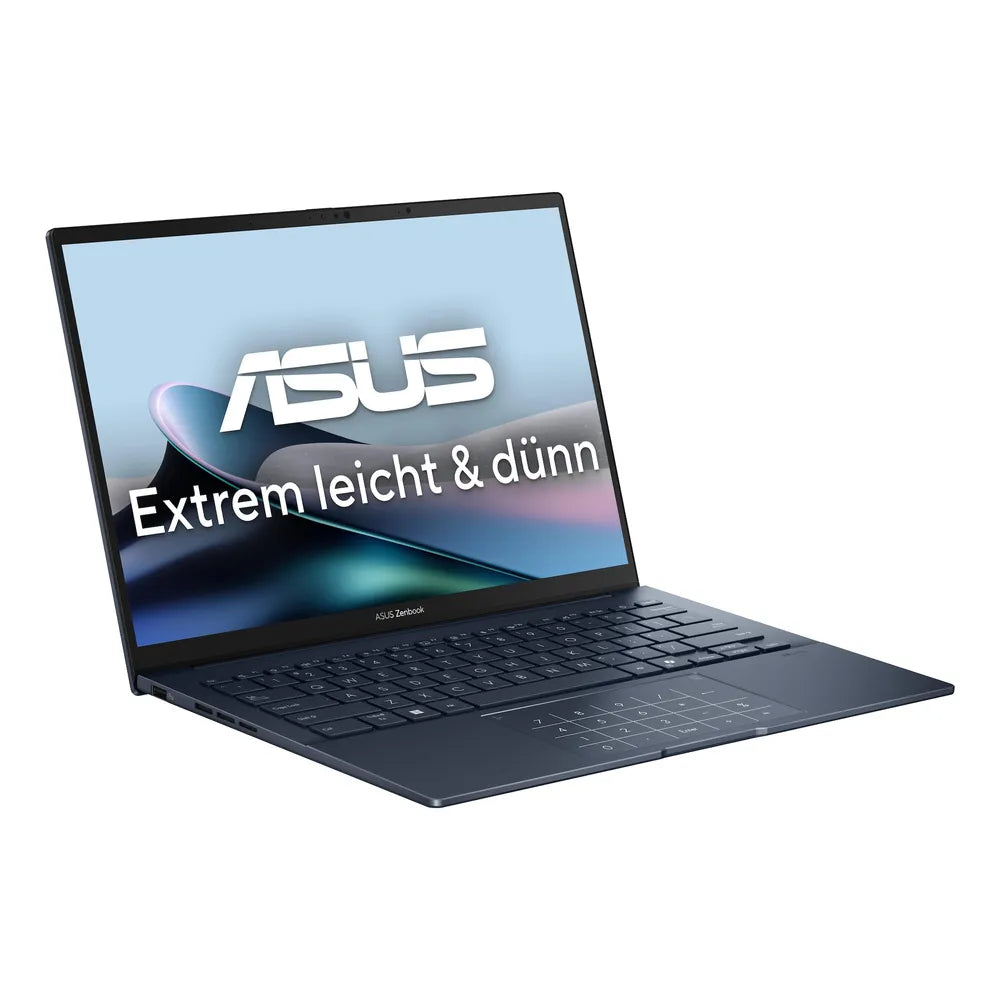
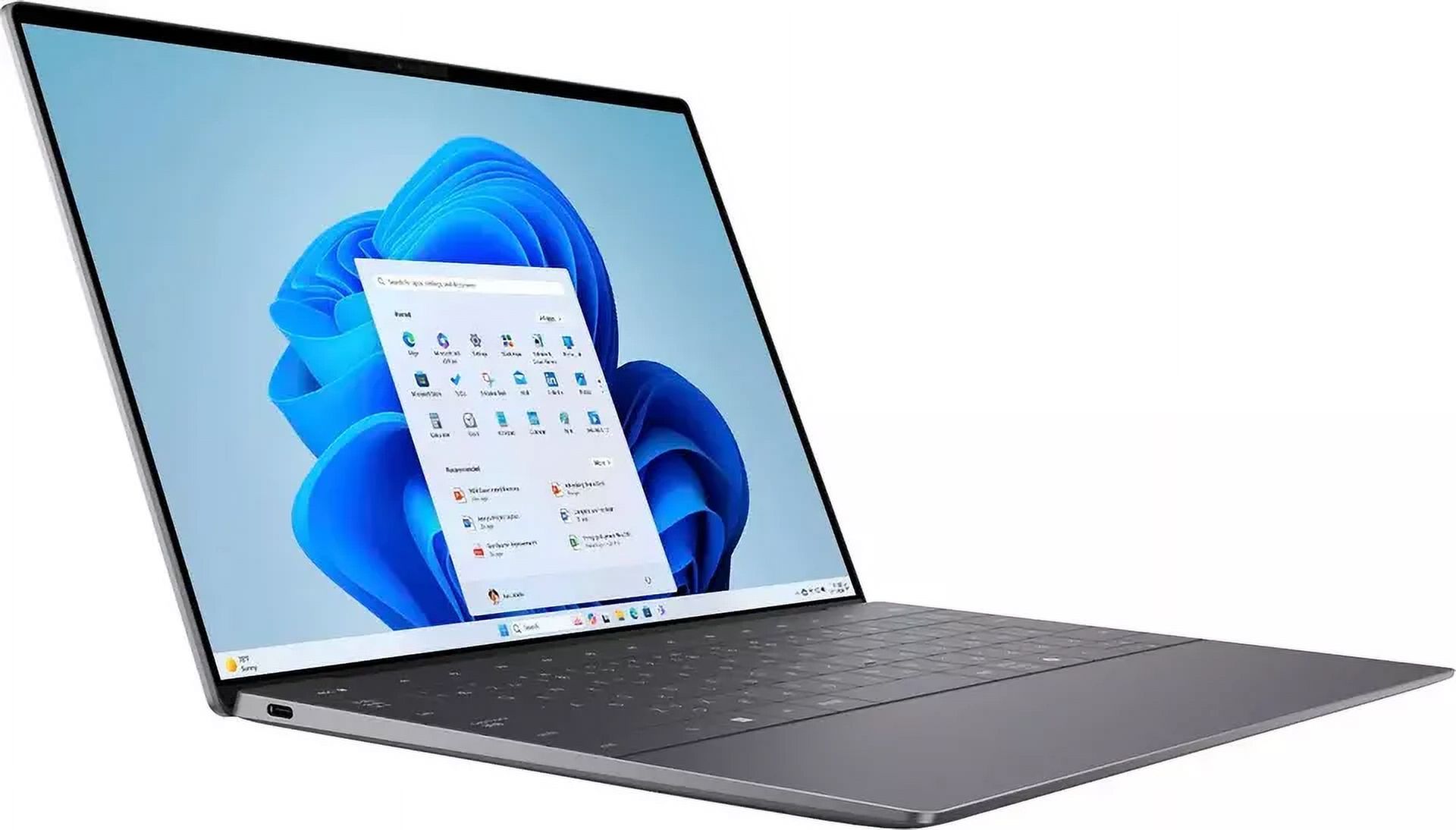
Dell XPS 13 (9350) vs ASUS Zenbook 14 OLED (2025)

The XPS 13 suits people who want a small, light 13-inch convertible with a sharp 2.8K touchscreen and long battery life. The Zenbook 14 OLED gives you a bigger 14-inch screen, more storage, stronger graphics and a faster Core Ultra 9 chip. The XPS is the more portable pick and has a fingerprint reader; the Zenbook is the better all-rounder for heavier work and media. Owners of both praise the screens and build, but the XPS draws complaints about its limited two USB-C ports and the Zenbook about its weight and fan noise under load.

  • Choose the Dell XPS 13 if you want the smallest, lightest 2-in-1 with a high-resolution touchscreen and all-day battery.
  • Choose the ASUS Zenbook 14 OLED if you want a larger screen, more storage and stronger graphics for heavier multitasking.

Prices

  • Dell XPS 13 (9350): $799.99 at Uber Eats (last seen Nov 17)
  • ASUS Zenbook 14 OLED (2025): $812.99 at Newegg (checked today)
  • Difference: the Dell XPS 13 (9350) is $13.00 cheaper than the ASUS Zenbook 14 OLED (2025) at the latest prices (Nov 17 and Nov 28)
Dell
Dell XPS 13 (9350)

Dell XPS 13 (9350)

1(1 rating)
$799.99at Uber EatsChecked Nov 17
See all prices and details
Visit Uber Eats
Pros
  • Very light and compact for a convertible
  • Sharp 2.8K touchscreen that folds flat
  • Long battery life, rated up to 20 hours
  • Fingerprint sign-in
Cons
  • Only two USB-C ports and no headphone jack
  • 512GB storage is the smaller option
  • Integrated graphics limit gaming and heavy editing
ASUS
ASUS Zenbook 14 OLED (2025)

ASUS Zenbook 14 OLED (2025)

3.7(1 rating)
$812.99at NeweggChecked 45 min ago
See all prices and details
Visit Newegg

Store links may earn us a commission. Price via Klarna.

Pros
  • Faster Core Ultra 9 processor
  • Discrete NVIDIA graphics for creative work
  • 1TB storage as standard
  • Larger 14-inch non-glare screen with HDMI
Cons
  • Heavier and bulkier than the XPS
  • Lower 1920 x 1200 resolution
  • Fans can get loud under sustained load

What separates them

Dell XPS 13 (9350)ASUS Zenbook 14 OLED (2025)
Form factor2-in-1 convertible with a 360-degree hinge and touchscreenStandard clamshell laptop
Screen13.4-inch 2880 x 1800 touchscreen at 60Hz14-inch 1920 x 1200 panel, non-glare, touch option
ProcessorIntel Core Ultra 7 (Series 2), 8 coresIntel Core Ultra 9, hexa-core, up to 5.1 GHz
GraphicsIntegrated Intel Arc GPUDiscrete NVIDIA GPU
Storage512GB SSD1TB SSD
PortsTwo USB-C only, no headphone jackUSB-C plus HDMI
SecurityFingerprint readerFacial recognition
WeightAbout 1.17 kgAbout 2.7 lb (1.2 kg)

Price history

$1,682.99$139.99
Oct 29Nov 28
  • Dell XPS 13 (9350): lowest $139.99 on Nov 19 at eBay; $1,039.99 on Nov 28.
  • ASUS Zenbook 14 OLED (2025): lowest $565.00 on Nov 11 at eBay; $812.99 on Nov 28.

Prices at every store

Dell XPS 13 (9350)

  • Best BuyNew

    In stock

    $1,259.99Free shippingChecked Nov 20
    Visit Best Buy
  • Uber EatsNew

    Availability unknown

    $799.99Checked Nov 17
    Visit Uber Eats
  • AmazonNew

    Availability unknown

    As an Amazon Associate, Deal.ai earns from qualifying purchases.

    $1,039.99Free shippingChecked 9 h ago
    Visit Amazon
  • AZ Discount USANew

    Availability unknown

    $1,119.99Checked Nov 20
    Visit AZ Discount USA

Store links may earn us a commission.

All 20 stores and price history →

ASUS Zenbook 14 OLED (2025)

  • NeweggNew

    In stock

    $812.99Free shippingChecked 45 min ago
    Visit Newegg
  • Best BuyNew

    In stock

    $829.99Free shippingChecked 45 min ago
    Visit Best Buy
  • inpexopcion.comNew

    In stock

    $1,167.00+ $1,100.00 shippingChecked Nov 24
    Visit inpexopcion.com
  • eBayNew

    Availability unknownSold by nextphaseelectronics (97.6% positive, 241 ratings)Returns: Set by the eBay seller; the eBay Money Back Guarantee covers an item that doesn't arrive or isn't as described.

    $1,060.00Free shippingChecked 1 h ago
    Visit eBay

Store links may earn us a commission. Some prices via Klarna.

All 15 stores and price history →

Specs compared

SpecDell XPS 13 (9350)ASUS Zenbook 14 OLED (2025)
Weight1.17 kg2.7 lb
Resolution2880 x 18001920 x 1200
Operating SystemWindows OSWindows OS
TouchscreenYesYes
Drive TypeSolid State DriveSolid State Drive
Number Of CoresDual CoreHexa Core
ColorPlatinumBlack, Silver, Gold, Blue
LanguageEnglish / North AmericaEnglish / North America
With Backlit KeyboardYesYes
Refresh Rate60Hz60Hz
Available PortsUSB-CUSB-C, HDMI
Biometric SecurityFingerprint ScanFacial Recognition
Show all 40 specsShow fewer specs
SpecDell XPS 13 (9350)ASUS Zenbook 14 OLED (2025)
Drive Capacity512 GB drive1 TB drive
Screen Size13.4 inches14 inches
Installed Memory16 GB RAM16 GB RAM, 32 GB RAM
Processor Speed4 GHz CPU5.1 GHz CPU
Processor BrandIntel CPUIntel CPU
Graphics ProcessorIntel GPUNVIDIA GPU
Battery Life20 hours battery life15 hours battery life
Display Size13 in—
Main Storage1 TB SSD—

What reviewers say

Dell XPS 13 (9350)

Owners of the XPS 13 line generally praise the screen, the light build and the keyboard backlight, while complaining about the limited port selection and the modest performance for the class.

What people mention
  • DisplayPraisedOwners like the sharp 2K panel and its 500 nits of brightness for documents and media.
  • PortsCriticisedBuyers complain that USB-C only means carrying adapters for USB-A and HDMI.
  • WeightPraisedAt 2.7 lb it is easy to carry, which owners mention often.
  • PerformanceMixedFine for everyday tasks, but heavy work feels slow for the class.

Questions and answers

Which is better for photo and video editing?
The Zenbook 14 OLED, because its discrete NVIDIA GPU and Core Ultra 9 chip handle rendering and effects faster. The XPS 13 relies on integrated Intel Arc graphics, which is fine for light edits only.
Which is more portable?
The XPS 13. It weighs about 1.17 kg and is smaller in every dimension, so it fits in smaller bags. The Zenbook is roughly the same weight class but a wider 14-inch chassis.
Do I need the touchscreen?
Only if you want tablet-style use or pen input. The XPS 13 is a 2-in-1 with touch as standard; the Zenbook is a clamshell, and touch depends on the configuration you pick.
Which lasts longer on a charge?
Dell rates the XPS 13 at up to 20 hours and ASUS rates the Zenbook at up to 15 hours. Real-world results depend on screen brightness and workload, but the XPS generally edges ahead.
Is the Zenbook worth stepping up to?
Yes if you need more storage, a discrete GPU or an HDMI port. If you mainly browse, write and stream, the XPS 13 covers that with less weight.
Which has better security?
Both are solid. The XPS 13 uses a fingerprint reader; the Zenbook uses facial recognition. Pick whichever login method you prefer.

Ask our shopping agent

It checks today's price at every store, compares the alternatives and answers in about a minute.

Enter to send, Shift+Enter for a new line

More comparisons

  • Apple MacBook Air 13-inch (M4, 2025) vs Dell XPS 13 (9350)
  • Dell XPS 13 (9350) vs Lenovo Yoga 7i 2-in-1 (2024)
  • Lenovo ThinkPad X1 Carbon Gen 13 vs Dell XPS 13 (9350)
  • Apple MacBook Air 13-inch (M4, 2025) vs ASUS Zenbook 14 OLED (2025)

Buying guides that pick them

  • Best laptops for college
  • Best laptops for students
  • Best everyday laptops for home and school
  • Best everyday laptops
  • Best laptop Black Friday deals
Storage Type
SSD
—
Dimensions295.40 mm (width)—
Design Style2-in-1—
LocalizationEU Plug 220V—
Neural Processor UnitIntel AI Boost—
Processor ComponentNPU—
Processor Generation12th Gen—
Processor LineCore Ultra—
Processor Base Power17 W—
Cpu Model256V—
Cpu Series2—
Processor Series2—
ChipsetIntegrated in processor—
Processor FeaturesIntel—
Display TechnologyInfinity Edge Display, Anti-glare, Wide Viewing…—
Display Diagonal34 cm—
Ssd InterfacePCIe 4.0—
Ssd Form FactorM.2—
Hard Drive TypeM.2 SSD—
Best laptops under $2000
  • Best multitasking laptops for everyday work
  • Best all-around laptops for everyday use