StoreDeal.ai store
Shop
  • Deals
  • Deal checker
  • Black Friday
  • Buying guides
  • Brands
  • Stores
Travel
  • Flight deals
  • Hotel deals
Company
  • Research
  • Press
  • Use in AI assistants
  • Contact
  • deal.ai apps
Black Friday 2026
  • Walmart
  • Best Buy
  • Target
  • TVs
  • Laptops
  • Headphones
  • Apple
  • Gaming
  • Vacuums
  • Kitchen
  • Toys
  • Smartwatches
  • Tablets
  • Furniture
  • Mattresses
© Deal.ai Inc.·2222 Ponce de Leon Blvd, Miami, FL 33134·support@deal.ai
TermsPrivacy
Deal.ai › Compare

Dell XPS 13 vs HP Chromebook x360 14 2-in-1

Buy the Dell XPS 13 if you need a fast Windows laptop for real work: it has a much stronger processor, more memory and storage, a sharper touchscreen and a lighter body. Buy the HP Chromebook x360 if your day is browsing, email, video and Google apps, and you want a 2-in-1 that folds into a tablet. The XPS 13 is the better-built, longer-lasting machine and owners rate it highly, but it runs Windows and costs far more. The Chromebook is simpler, tougher to break with malware and has far more owner reviews behind it, though 4 GB of RAM and 64 GB of storage limit it.

  • Choose the Dell XPS 13 if you run Windows apps, juggle many tabs and documents, or want a light premium laptop with a high-resolution touchscreen and a fingerprint reader.
  • Choose the HP Chromebook x360 if you live in the browser and Google apps, want a convertible touchscreen for notes and streaming, and prefer a low-maintenance machine.

Prices

  • Dell XPS 13: $329.99 at R3NEW (last seen Nov 10)
  • HP Chromebook x360 14 2-in-1: $189.99 at Dataforge (last seen Nov 10)
  • Difference: the HP Chromebook x360 14 2-in-1 is $140.00 cheaper than the Dell XPS 13 at the latest prices (Nov 10)
Dell
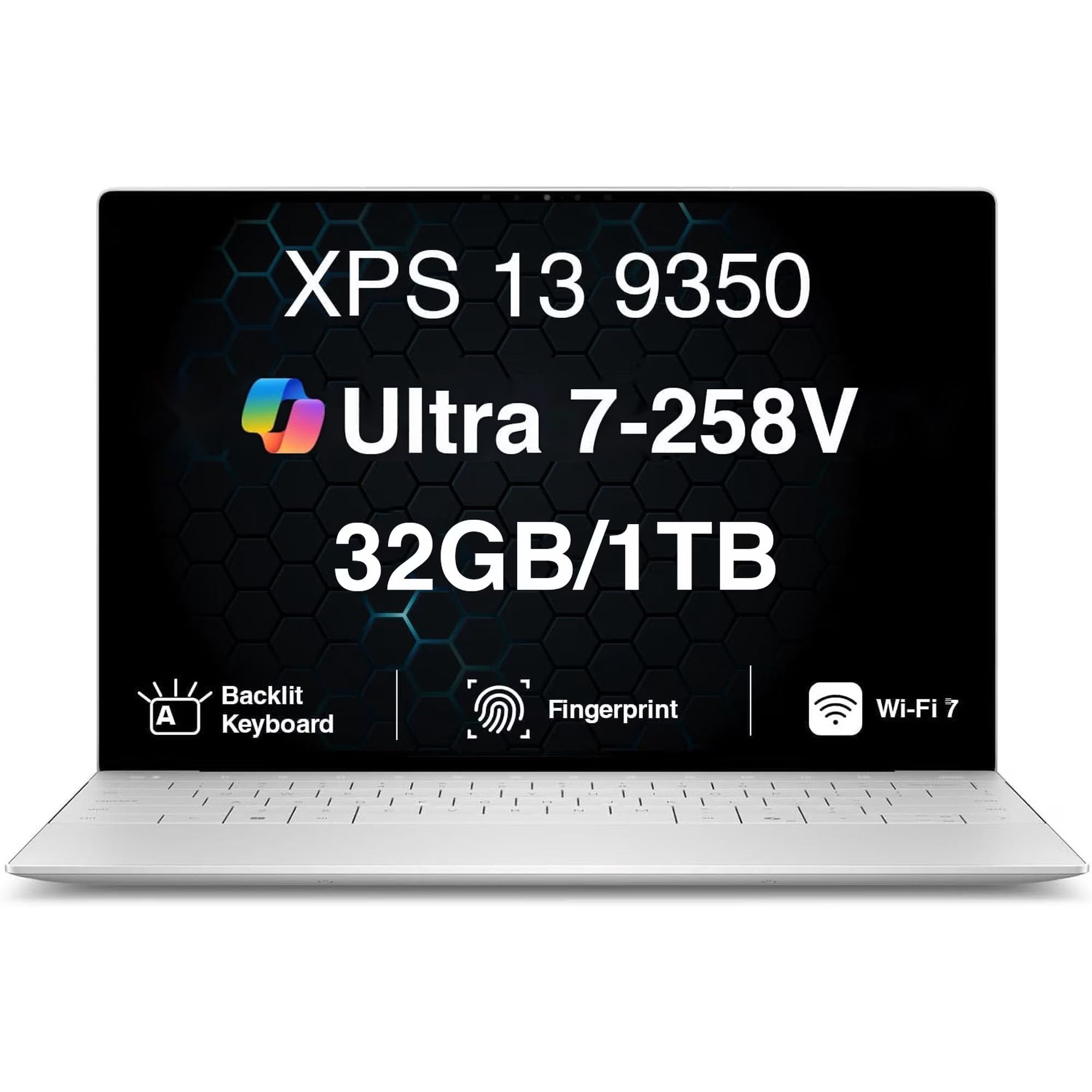
Dell XPS 13

Dell XPS 13

5(22 ratings)
$329.99at R3NEWChecked Nov 10
See all prices and details
Visit R3NEW
Pros
  • Fast Snapdragon X Elite chip handles heavy multitasking
  • Sharp 3K OLED touchscreen at 120Hz
  • Light at 2.7 lb with a backlit keyboard and fingerprint login
  • Long rated battery life and EPEAT and Energy Star certified
Cons
  • USB-C ports only, so older accessories need adapters
  • Windows on Arm can trip up some older apps
  • Base configurations ship with only 8 GB RAM and 128 GB storage
  • Few owner ratings compared with the HP
HP
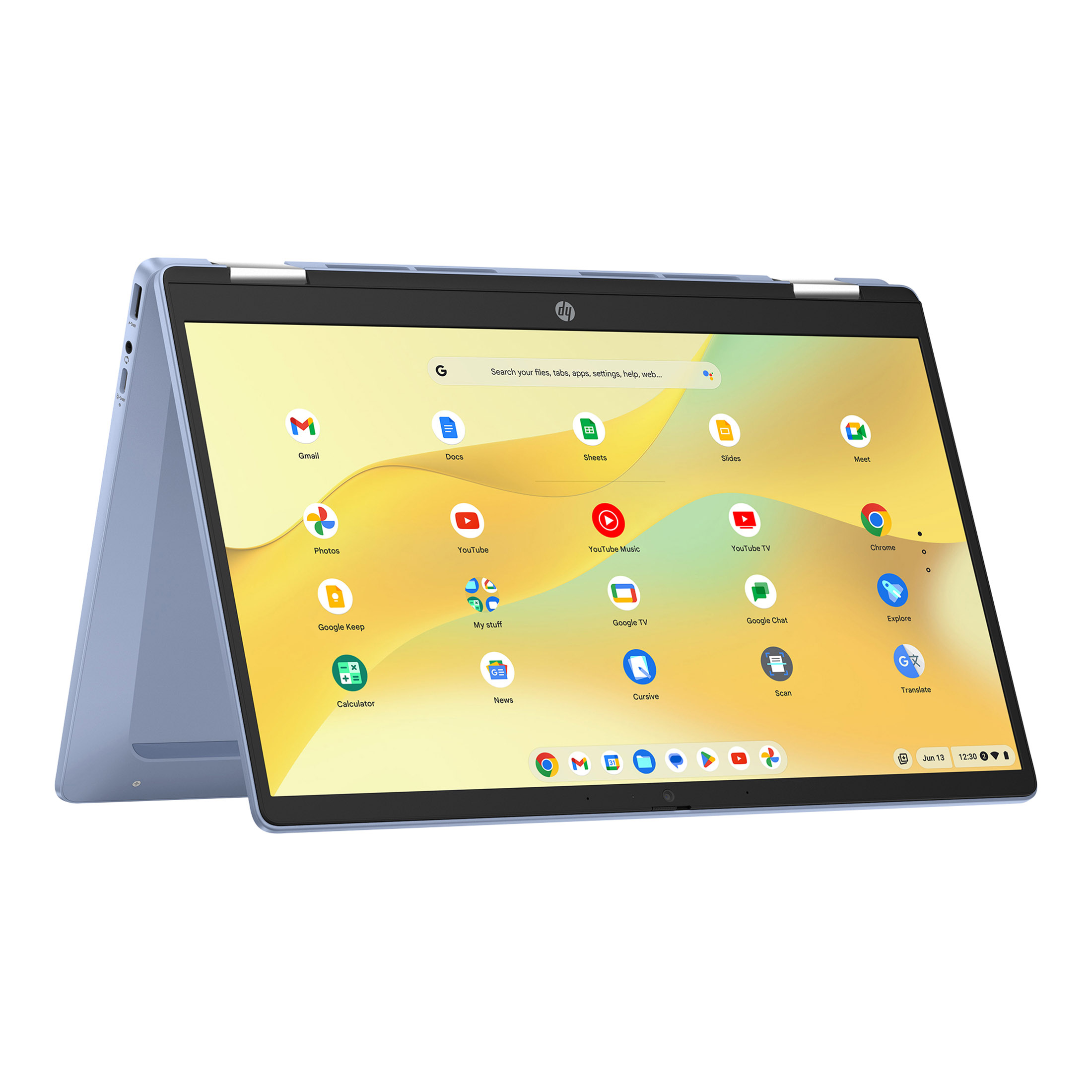
HP Chromebook x360 14 inch FHD IPS Touch 2-in-1 Laptop

HP Chromebook x360 14 2-in-1

HP Chromebook x360 14 inch FHD IPS Touch 2-in-1 Laptop

4.4(5,849 ratings)
$189.99at DataforgeChecked Nov 10
See all prices and details
Visit Dataforge
Pros
  • 2-in-1 hinge works as laptop, tablet or stand
  • Chrome OS boots fast and resists malware
  • USB-A and USB-C ports plus a headphone jack
  • Thousands of owner ratings and a strong average score
Cons
  • 4 GB RAM and 64 GB eMMC fill up and slow down quickly
  • No backlit keyboard, a common owner complaint
  • Intel N100 is slow for heavy work
  • Chrome OS cannot run most Windows desktop programs

What separates them

Dell XPS 13HP Chromebook x360 14 2-in-1
Operating systemWindows 11, runs full desktop softwareChrome OS, runs web apps and Android apps from Google Play
ProcessorSnapdragon X Elite, 12 cores, up to 4 GHzIntel N100, 4 cores, up to 3.4 GHz
Memory and storageUp to 32 GB RAM and 512 GB SSD in the top configuration4 GB RAM and 64 GB eMMC
Display13.3-inch 3K OLED touch, 120Hz, 400 nits14-inch FHD IPS touch, 60Hz
Weight and build2.7 lb, aluminum chassisAbout 3.3 lb, plastic and recycled aluminum, 2-in-1 hinge
FlexibilityClamshell only360-degree hinge folds into tablet, tent and stand modes
PortsUSB-C only, no USB-A or card readerUSB-A, USB-C, headphone jack
Keyboard and securityBacklit keyboard, fingerprint readerNo backlight, no fingerprint reader, Titan C2 security chip

Price history

$1,499.99$134.25
Oct 28Nov 16
  • Dell XPS 13: lowest $134.25 on Nov 9 at Interlight; $721.00 on Nov 16.
  • HP Chromebook x360 14 2-in-1: lowest $189.99 on Nov 10 at Dataforge; $338.00 on Nov 16.

Prices at every store

Dell XPS 13

  • InterlightNew

    In stock

    $134.25+ $14.30 shippingChecked Nov 9
    Visit Interlight
  • R3NEWNew

    In stock

    $329.99Checked Nov 10
    Visit R3NEW
  • AmazonNew

    Availability unknown

    As an Amazon Associate, Deal.ai earns from qualifying purchases.

    $721.00Free shippingChecked 11 h ago
    Visit Amazon
  • Best BuyNew

    Availability unknown

    $1,299.00Checked 11 h ago
    Visit Best Buy

Also available at

  • WalmartCheck price at Walmart
  • Newegg.comCheck price at Newegg.com
  • TargetCheck price at Target

Store links may earn us a commission.

All 20 stores and price history →

HP Chromebook x360 14 2-in-1

  • DataforgeNew

    In stock

    $189.99Checked Nov 10
    Visit Dataforge
  • WalmartNew

    In stock

    $320.00Checked Nov 12
    Visit Walmart
  • WalmartNew

    In stockSold by VeloCore Tech USReturns: Sold by a Walmart Marketplace seller; returns go to the seller under the seller's returns policy.

    $324.98Checked 2 h ago
    Visit Walmart
  • TalkShopLiveNew

    In stock

    $324.98Checked Nov 11
    Visit TalkShopLive
All 6 stores and price history →

Specs compared

SpecDell XPS 13HP Chromebook x360 14 2-in-1
Resolution3840 x 2160FHD (1920 x 1080)
Operating SystemWindows OSChrome OS
Processor BrandIntel CPUIntel
TouchscreenYesYes
ColorSilverBlue
Available PortsUSB-CUSB-A, USB-C
Weight2.7 lb3.32 lb
Drive Capacity128 GB drive, 256 GB drive64 GB drive
Screen Size13.3 inches14 Inches
Installed Memory8 GB RAM4 GB RAM
Processor Speed1.8 GHz CPU3.4 GHz CPU
Battery Life19 hours battery lifeUp to 10 hours and 15 minutes
Show all 40 specsShow fewer specs
SpecDell XPS 13HP Chromebook x360 14 2-in-1
Refresh Rate120Hz3200 Hz
Screen TypeWVAIPS
Screen Resolution2880 x 18001920x1080 (Full HD)
Touch Screentruetrue
Processor ModelSnapdragon X EliteN100
Storage TypeSSDeMMC
Total Storage Capacity512 gigabytes64 gigabytes
System Memory (RAM)16 gigabytes4 gigabytes
GraphicsQualcomm AdrenoIntel UHD Graphics

What reviewers say

Dell XPS 13

  • 5 / 522 ratings

Rated 5 out of 5 from 22 ratings. Owners like the light build, the screen and the battery life; the main complaints are the limited ports and the cost of higher configurations.

What people mention
  • PortabilityPraisedOwners say the 2.7 lb chassis is easy to carry all day.
  • DisplayPraisedThe InfinityEdge screen is called sharp and bright, with a smooth 120Hz option.
  • BatteryPraisedReviewers report all-day battery life on the Intel and Snapdragon builds.
  • PortsCriticisedBuyers complain that USB-C only means carrying adapters for USB-A and HDMI.

HP Chromebook x360 14 2-in-1

  • 4.4 / 55,849 ratings

Owners rate it well overall, praising the screen, the convertible design and the battery for the money. Complaints center on the modest 4 GB of RAM and the slow 64 GB eMMC drive, which fill up and slow down with many tabs or apps open.

What people mention
  • DisplayPraisedOwners like the sharp, bright 14-inch 1080p touchscreen for streaming and note-taking.
  • PerformanceMixedThe N100 handles browsing and video fine, but 4 GB of RAM slows things with many tabs open.
  • StorageCriticisedThe 64 GB eMMC drive is small and slow, and owners say it fills up fast.
  • BatteryPraised
Reviews
  • Best Laptops of 2026: Top Picks Tested by CNET
  • The Best Ultraportable Laptops for 2026
  • The best laptops for graphic designers in 2026: Expert tested and reviewed - ZDNET
  • The Best Touch-Screen Laptops for 2026

Questions and answers

Which is better for schoolwork?
For essays, research and Google Classroom, the Chromebook x360 is enough and its tablet mode helps with notes. If your course needs Windows-only software such as full Office, statistics packages or CAD, get the XPS 13.
Which lasts longer?
The XPS 13 has the sturdier aluminum build and the stronger components, so it should stay useful for more years. The Chromebook's 4 GB of RAM and 64 GB of storage will feel tight sooner, though Chrome OS itself stays light.
Is the XPS 13 worth stepping up to?
Yes if you need Windows programs, a sharper screen or heavy multitasking. The Snapdragon X Elite, more RAM and SSD storage are a large jump over the N100. If you only browse and stream, the Chromebook covers it.
Can the Chromebook run Microsoft Office?
Yes, through the web versions and the Google Play app, which cover most everyday editing. Full desktop Office with macros and add-ins needs the Windows XPS 13.
Which is better for travel?
The XPS 13 is lighter at 2.7 lb and has a brighter, sharper screen. The Chromebook's USB-A port saves carrying a dongle, but it is heavier and its keyboard is not backlit.
Does the XPS 13 have a touchscreen?
Yes, the 13.3-inch OLED panel is touch and runs at 120Hz. The Chromebook's 14-inch screen is also touch and folds flat, but it is standard 60Hz IPS.

Ask our shopping agent

It checks today's price at every store, compares the alternatives and answers in about a minute.

Enter to send, Shift+Enter for a new line

More comparisons

  • Dell XPS 13 vs Acer Swift 16 AI
  • Dell XPS 13 vs Apple 13-inch MacBook Neo
  • HP Chromebook x360 14 inch FHD IPS Touch 2-in-1 Laptop vs Acer Swift 16 AI
  • Dell XPS 13 vs Dell 14S
  • Dell XPS 13 vs Dell Inspiron 15 Touchscreen Laptop
  • Dell XPS 13 vs MSI Cyborg 15.6" 144Hz Gaming Laptop
  • Dell XPS 13 vs Dell 14 Plus (2025)
  • Dell XPS 13 vs Asus ProArt PZ13

Buying guides that pick them

  • Best laptops for everyday use
  • Best Chromebooks
  • Best everyday laptops
  • Best laptops for students
  • Best everyday laptops for home and school
Display Connector(s)
Display connection via USB port
1 x DisplayPort
Battery ChemistryLithium-ionLithium
Backlit KeyboardtrueNo
BrandDellHP
Year of Release20242025
Display TypeOLEDLCD
Processor Model Number5 320N100
Type Of Memory (RAM)LPDDR5DDR
Graphics TypeIntegratedIntegrated
GPU BrandIntelIntel
SSD Size512 GB64 GB
WebcamYesYes
Processor Speed (GHz)3.41.0
Memory TypeLPDDR5XDDR4
NumpadNoNo
Processor Cores124
Dedicated Graphic CardNoNo
SeriesDell XPSHP Chromebook x360
RAM16 GB4 GB LPDDR5 RAM
Reviewers report it lasting most of a day of light use on a charge.
  • Best laptops for college
  • Best Windows laptops under $1,000
  • Best Dell laptops for everyday use