StoreDeal.ai store
Shop
  • Deals
  • Deal checker
  • Black Friday
  • Buying guides
  • Brands
  • Stores
Travel
  • Flight deals
  • Hotel deals
Company
  • Research
  • Press
  • Use in AI assistants
  • Contact
  • deal.ai apps
Black Friday 2026
  • Walmart
  • Best Buy
  • Target
  • TVs
  • Laptops
  • Headphones
  • Apple
  • Gaming
  • Vacuums
  • Kitchen
  • Toys
  • Smartwatches
  • Tablets
  • Furniture
  • Mattresses
© Deal.ai Inc.·2222 Ponce de Leon Blvd, Miami, FL 33134·support@deal.ai
TermsPrivacy
Deal.ai › Compare

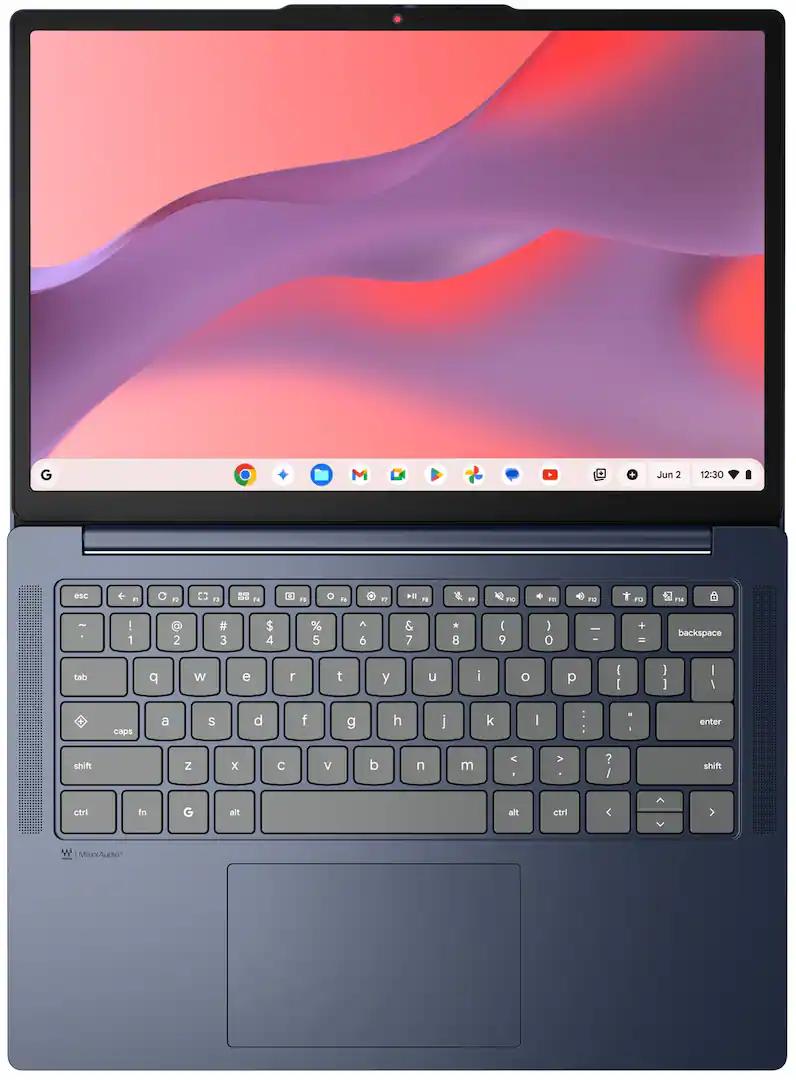
Dell XPS 13 vs Lenovo IdeaPad Slim 3 Chromebook 14

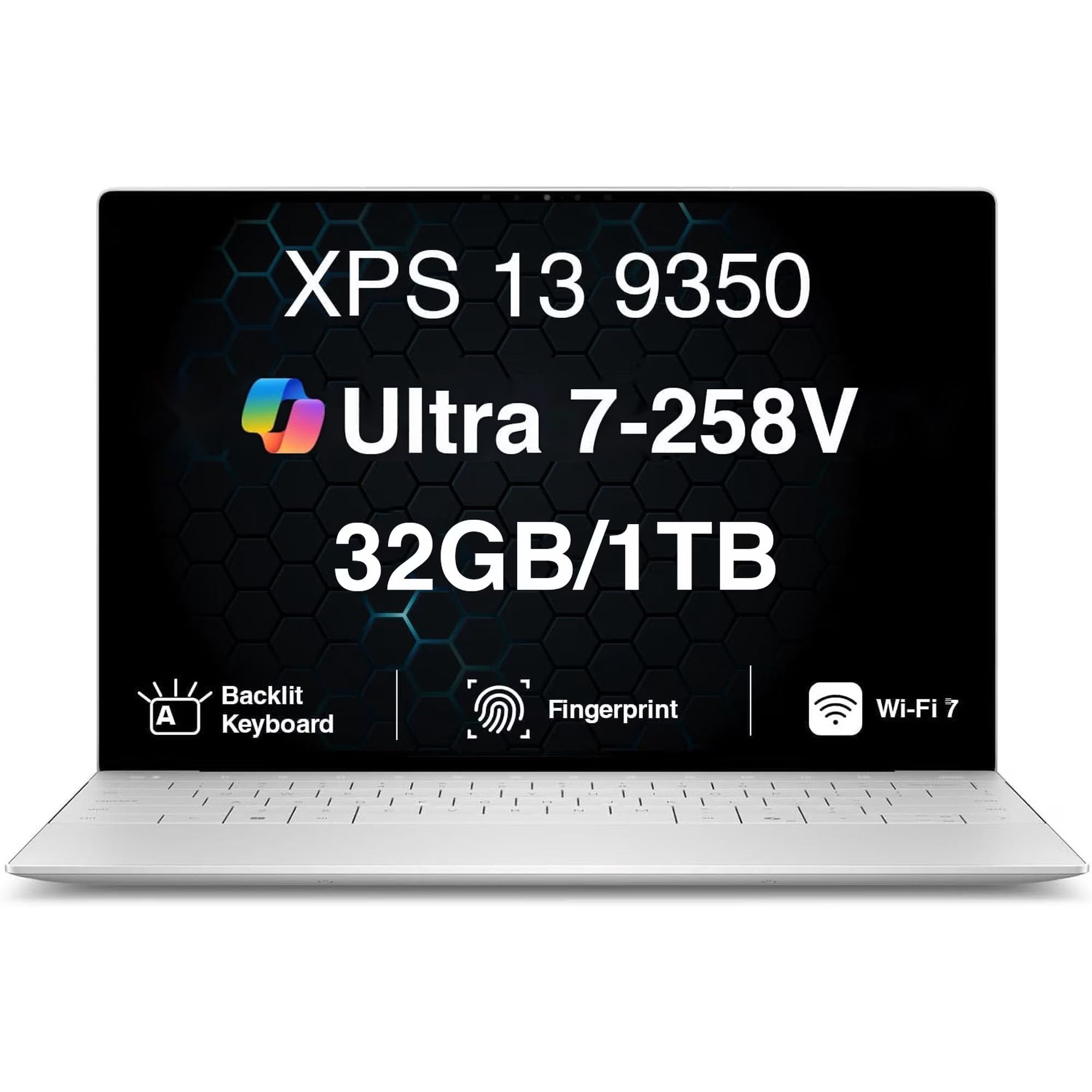
Buy the Dell XPS 13 for real work: it has a 13.4-inch 2K 120Hz display, 16GB RAM, a 512GB SSD and an Intel Core Ultra 7. The Lenovo IdeaPad Slim 3 is a light Chrome OS machine for browsing, streaming and school basics. The XPS 13 is the better-built, faster machine, and its 2.7 lb body and 500-nit screen draw praise from owners; the IdeaPad is a budget Chromebook whose 4GB RAM and 64GB eMMC are its first limits. Note that Dell also sells XPS 13 variants with a Snapdragon X Elite chip, 32GB RAM and a 2880x1800 OLED touchscreen, so the exact configuration decides the comparison. The Verge calls the XPS 13 the first real competitor to the MacBook Neo and says even the base model is excellent, but it and TechRadar both warn that 8GB RAM is not enough for complex workloads.

  • Choose the Dell XPS 13 if you need Windows apps, multitasking headroom or a sharper, faster screen.
  • Choose the Lenovo IdeaPad Slim 3 if your work lives in a browser and you want to spend as little as possible.

Prices

  • Dell XPS 13: $799.99 at Amazon (last seen Nov 20)
  • Lenovo IdeaPad Slim 3 Chromebook 14: $299.00 at Poshmark (last seen Nov 18)
  • Difference: the Lenovo IdeaPad Slim 3 Chromebook 14 is $500.99 cheaper than the Dell XPS 13 at the latest prices (Nov 18 and Nov 20)
Dell
Dell XPS 13

Dell XPS 13

5(22 ratings)
$799.99at AmazonChecked Nov 20
See all prices and details
Visit Amazon

Store links may earn us a commission. As an Amazon Associate, Deal.ai earns from qualifying purchases.

Pros
  • Fast Core Ultra 7 with 16GB RAM handles many tabs and apps at once.
  • Sharp 2K 120Hz display at 500 nits.
  • 512GB SSD leaves room for files and programs.
  • Light at 2.7 lb with a fingerprint reader.
  • Intel Arc graphics and a backlit keyboard.
  • Snapdragon X Elite variants offer up to 32GB RAM and an OLED touchscreen.
  • Reviewers rate it a genuine rival to the MacBook Neo, with the base model already called excellent.
Cons
  • USB-C only, so older USB-A devices need an adapter.
  • Some listings show 8GB RAM and 128GB drives, so check the configuration before you buy.
  • The 2K 120Hz panel draws more power than a plain 60Hz screen.
  • Dell's own listings mix Intel, Snapdragon and older Core i5 models under the XPS 13 name.
  • Reviewers say 8GB RAM is not enough for complex or varied workloads, and some performance tests failed to complete.
Lenovo
Lenovo IdeaPad Slim 3

Lenovo IdeaPad Slim 3 Chromebook 14

Lenovo IdeaPad Slim 3

5(6 ratings)
$299.00at PoshmarkChecked Nov 18
See all prices and details
Visit Poshmark
Pros
  • Touchscreen and anti-glare 1920x1200 IPS panel.
  • USB-A, USB-C and HDMI built in.
  • Fingerprint reader and 18-hour rated battery.
  • Runs Android apps from Google Play alongside web apps.
  • Larger 14-inch screen than the XPS 13.
Cons
  • 4GB RAM and 64GB eMMC fill up fast.
  • Chrome OS cannot run most Windows desktop software.
  • MediaTek Kompanio 540 is slow for heavy multitasking.
  • Heavier at 3.6 lb.
  • No backlit keyboard.
  • Lenovo also sells a 15.6-inch IdeaPad Slim 3 with an Intel Core i3-N305 and a non-touch screen, so check which model you are buying.

What separates them

Dell XPS 13Lenovo IdeaPad Slim 3 Chromebook 14
Operating systemWindows 11 Home (Copilot+ PC)Chrome OS
ProcessorIntel Core Ultra 7 256V, 8 cores up to 4.8 GHz; Snapdragon X Elite variants have 12 cores up to 4 GHzMediaTek Kompanio 540, 8 cores up to 2.6 GHz
Memory16GB LPDDR5X at 8533MT/s; Snapdragon variants offer up to 32GB LPDDR5X at 4224 MHz4GB LPDDR5X at 6400MT/s
Storage512GB PCIe NVMe SSD64GB eMMC
Display13.4-inch 2K, 30-120Hz, 500 nits; Snapdragon variants offer a 2880x1800 OLED touchscreen with Eyesafe14-inch 1920x1200 IPS touch, 60Hz, 400 nits
Weight2.7 lb3.6 lb
PortsUSB-CUSB-A, USB-C, HDMI
GraphicsIntel Arc integrated graphicsMediaTek integrated graphics
KeyboardBacklitNot backlit
Battery ratingUp to 19 hours on some XPS 13 configurationsUp to 18 hours

Price history

$1,499.99$134.25
Oct 28Nov 24
  • Dell XPS 13: lowest $134.25 on Nov 9 at Interlight; $1,299.99 on Nov 24.
  • Lenovo IdeaPad Slim 3 Chromebook 14: lowest $224.00 on Nov 11 at Walmart; $359.99 on Nov 24.

Prices at every store

Dell XPS 13

  • MacrotronicsNew

    In stock

    $1,260.00Checked Nov 19
    Visit Macrotronics
  • Microless.comNew

    In stockShips from abroad · duties may apply

    $1,396.99+ $49.19 shippingChecked Nov 16
    Visit Microless.com
  • AmazonNew

    Availability unknown

    As an Amazon Associate, Deal.ai earns from qualifying purchases.

    $799.99Free shippingChecked Nov 20
    Visit Amazon
  • Best BuyNew

    Availability unknown

    $1,299.00Checked Nov 16
    Visit Best Buy

Also available at

  • WalmartCheck price at Walmart
  • DellCheck price at Dell
  • eBayCheck price at eBay

Store links may earn us a commission.

All 17 stores and price history →

Lenovo IdeaPad Slim 3 Chromebook 14

  • DirectDialNew

    In stock

    $331.00+ $100.00 shippingChecked Nov 18
    Visit DirectDial
  • PoshmarkNew

    Availability unknown

    $299.00Checked Nov 18
    Visit Poshmark
  • PayMore ShoptonNew

    Availability unknown

    $299.99Checked Nov 12
    Visit PayMore Shopton
  • mercari.comNew

    Availability unknown

    $319.00Checked Nov 16
    Visit mercari.com

Also available at

  • WalmartCheck price at Walmart
  • Lowe'sCheck price at Lowe's
  • Macy'sCheck price at Macy's

Store links may earn us a commission.

All 41 stores and price history →

Specs compared

SpecDell XPS 13Lenovo IdeaPad Slim 3 Chromebook 14
Resolution3840 x 21601920 x 1200
Operating SystemWindows OSChrome OS
Processor BrandIntel CPUIntel CPU
TouchscreenYesYes
Drive TypeSolid State DriveSolid State Drive
Number Of CoresQuad CoreOcta Core
ColorSilverBlue
LanguageEnglish / North AmericaEnglish / North America
Available PortsUSB-CUSB-A, USB-C, HDMI
Biometric SecurityFingerprint ScanFingerprint Scan
Weight2.7 lb3.6 lb
Drive Capacity128 GB drive, 256 GB drive64 GB drive
Show all 40 specsShow fewer specs
SpecDell XPS 13Lenovo IdeaPad Slim 3 Chromebook 14
Screen Size13.3 inches14 inches
Installed Memory8 GB RAM4 GB RAM
Processor Speed1.8 GHz CPU2.6 GHz CPU
Battery Life19 hours battery life18 hours battery life
With Backlit KeyboardYesYes
EPEAT-RegisteredYesYes
Refresh Rate120Hz60Hz
Graphics ProcessorIntel GPUIntel GPU
Energy StarYesYes
Storage Type

What reviewers say

Dell XPS 13

  • 5 / 522 ratings

Rated 5 out of 5 from 22 ratings. Owners like the light build, the screen and the battery life; the main complaints are the limited ports and the cost of higher configurations. Reviewers also call the XPS 13 the first real competitor to the MacBook Neo, while warning that the 8GB base configuration is a real limitation.

What people mention
  • PortabilityPraisedOwners say the 2.7 lb chassis is easy to carry all day.
  • DisplayPraisedThe InfinityEdge screen is called sharp and bright, with a smooth 120Hz option.
  • BatteryPraisedReviewers report all-day battery life on the Intel and Snapdragon builds.
  • PortsCriticisedBuyers complain that USB-C only means carrying adapters for USB-A and HDMI.
A reviewer's verdict
  • The Verge

    The XPS 13 is the first real competitor to the MacBook Neo and even the base model is excellent, though buyers should still opt for the 16GB version.

    Read the review
Reviews
  • Best Laptops of 2026: Top Picks Tested by CNET
  • The Best Ultraportable Laptops for 2026
  • The best laptops for graphic designers in 2026: Expert tested and reviewed - ZDNET
  • The Best Touch-Screen Laptops for 2026
  • Ranking: Best affordable office laptops (under 1,000 dollars/euros)
  • The Dell XPS 13 is the first real competitor to the MacBook Neo
  • Dell XPS 13 (2026) review: we need to have a serious chat about RAM - The simple fact is that in the current age of computer software, 8GB o

Questions and answers

Which is better for schoolwork?
The XPS 13, unless all your work is in Google Docs and a browser. Its 16GB RAM and 512GB SSD handle Office, PDFs and many tabs; the IdeaPad's 4GB RAM and 64GB eMMC run out quickly.
Which lasts longer?
The XPS 13 has better hardware for a long life: a Core Ultra 7, 16GB RAM and an NVMe SSD. The IdeaPad's 64GB eMMC and 4GB RAM are the first limits you will hit.
Can the IdeaPad Slim 3 run Windows apps?
No. It ships with Chrome OS, so you use web apps and Android apps from Google Play, not Windows installers.
Which is lighter to carry?
The XPS 13 at 2.7 lb versus 3.6 lb for the IdeaPad Slim 3.
Does the IdeaPad have ports the XPS lacks?
Yes. The IdeaPad has USB-A and HDMI; the XPS 13 lists USB-C only, so plan on a hub or adapter.
Is the XPS 13 worth stepping up to?
Yes if you need Windows programs or heavy multitasking. The IdeaPad only makes sense for browser-only use, where its touchscreen and HDMI port are enough.
Which has the better screen?
The XPS 13. Its 2K panel runs 30-120Hz at 500 nits; the IdeaPad's 1920x1200 IPS touchscreen is 60Hz at 400 nits, though it is anti-glare and larger at 14 inches.
Do all XPS 13 models have the same chip?
No. Dell sells XPS 13 versions with an Intel Core Ultra 7, with a Snapdragon X Elite and up to 32GB RAM, and older Core i5 models. Check the processor and memory on the exact model.
Is the IdeaPad Slim 3 always a Chromebook?
No. Lenovo also sells a 15.6-inch IdeaPad Slim 3 with an Intel Core i3-N305, 8GB RAM and a non-touch anti-glare screen. The 14-inch Kompanio model is the Chrome OS one.
Is 8GB RAM enough on the XPS 13?
Reviewers say no for complex or varied workloads. The Verge recommends the 16GB version, and TechRadar reports that some tests failed to complete on 8GB.

Ask our shopping agent

It checks today's price at every store, compares the alternatives and answers in about a minute.

Enter to send, Shift+Enter for a new line

More comparisons

  • Dell XPS 13 vs Dell Inspiron 15 Touchscreen Laptop
  • Dell XPS 13 vs Apple 13-inch MacBook Neo
  • Dell XPS 13 vs Dell XPS 16
  • Dell XPS 13 vs Dell 16 Plus Laptop
  • Dell XPS 13 vs Dell Inspiron 14 2-in-1 (7445)
  • Dell XPS 13 vs Dell XPS 13 (2026)
  • Dell XPS 13 vs MacBook Neo
  • Dell XPS 13 vs Acer Aspire 16 AI

Buying guides that pick them

  • Best laptops under $1,100
  • Best everyday laptops for home and school
  • Best laptops
  • Best laptops for college
  • Best laptops under $1000 for everyday use
SSD
SSD, Harddrive
Main Storage256GB SSD512 GB SSD
Integrated GPUYesIntegrated
Display Size13.3"15.3 in
Display ResolutionFHD (1920 x 1080), 1080pWUXGA
With No-Glare ScreenYesYes
hard_drive_capacity1 TB—
Screen TypeWVA—
Screen Resolution2880 x 1800—
Touch Screentrue—
Brightness400 nits—
Processor ModelSnapdragon X Elite—
Total Storage Capacity512 gigabytes—
System Memory (RAM)16 gigabytes—
GraphicsQualcomm Adreno—
Display Connector(s)Display connection via USB port—
Battery ChemistryLithium-ion—
2-in-1 Designfalse—
Backlit Keyboardtrue—
  • Best Dell laptops for everyday home and work use
  • Best Dell XPS laptops under $700
  • Best Dell laptops for everyday use