StoreDeal.ai store
Shop
  • Deals
  • Deal checker
  • Black Friday
  • Buying guides
  • Brands
  • Stores
Travel
  • Flight deals
  • Hotel deals
Company
  • Research
  • Press
  • Use in AI assistants
  • Contact
  • deal.ai apps
Black Friday 2026
  • Walmart
  • Best Buy
  • Target
  • TVs
  • Laptops
  • Headphones
  • Apple
  • Gaming
  • Vacuums
  • Kitchen
  • Toys
  • Smartwatches
  • Tablets
  • Furniture
  • Mattresses
© Deal.ai Inc.·2222 Ponce de Leon Blvd, Miami, FL 33134·support@deal.ai
TermsPrivacy
Deal.ai › Compare

Dell XPS 14 vs Dell 15.3-inch 2K Touchscreen Laptop

The XPS 14 is the stronger machine for anyone doing real work: 32GB of fast RAM, a 1TB SSD, a 3.2K 120Hz OLED panel and a Core Ultra 7 outclass the Dell 15 on every spec that matters for multitasking, editing and build quality. The Dell 15.3 is a simpler, larger-screen touch laptop with 8GB RAM and a 512GB SSD, fine for browsing, documents and light study. Owners praise the XPS 14's screen and keyboard but knock its battery life and the capacitive function row; the Dell 15.3 draws fewer complaints but is a plainer plastic-feeling machine with a dimmer 60Hz panel.

  • Choose the Dell XPS 14 if you edit photos or video, run many apps at once, or want a premium 14-inch laptop with a bright high-refresh OLED screen and plenty of memory and storage.
  • Choose the Dell 15.3 if you want a bigger touchscreen for spreadsheets, PDFs and browsing, and your workload is email, documents and a handful of tabs rather than heavy multitasking.

Prices

  • Dell XPS 14: $1,499.99 at Dell Home & Home Office (checked today)
  • Dell 15.3-inch 2K Touchscreen Laptop: $449.99 at Best Buy (checked today)
  • Difference: the Dell 15.3-inch 2K Touchscreen Laptop is $1,050.00 cheaper than the Dell XPS 14 today
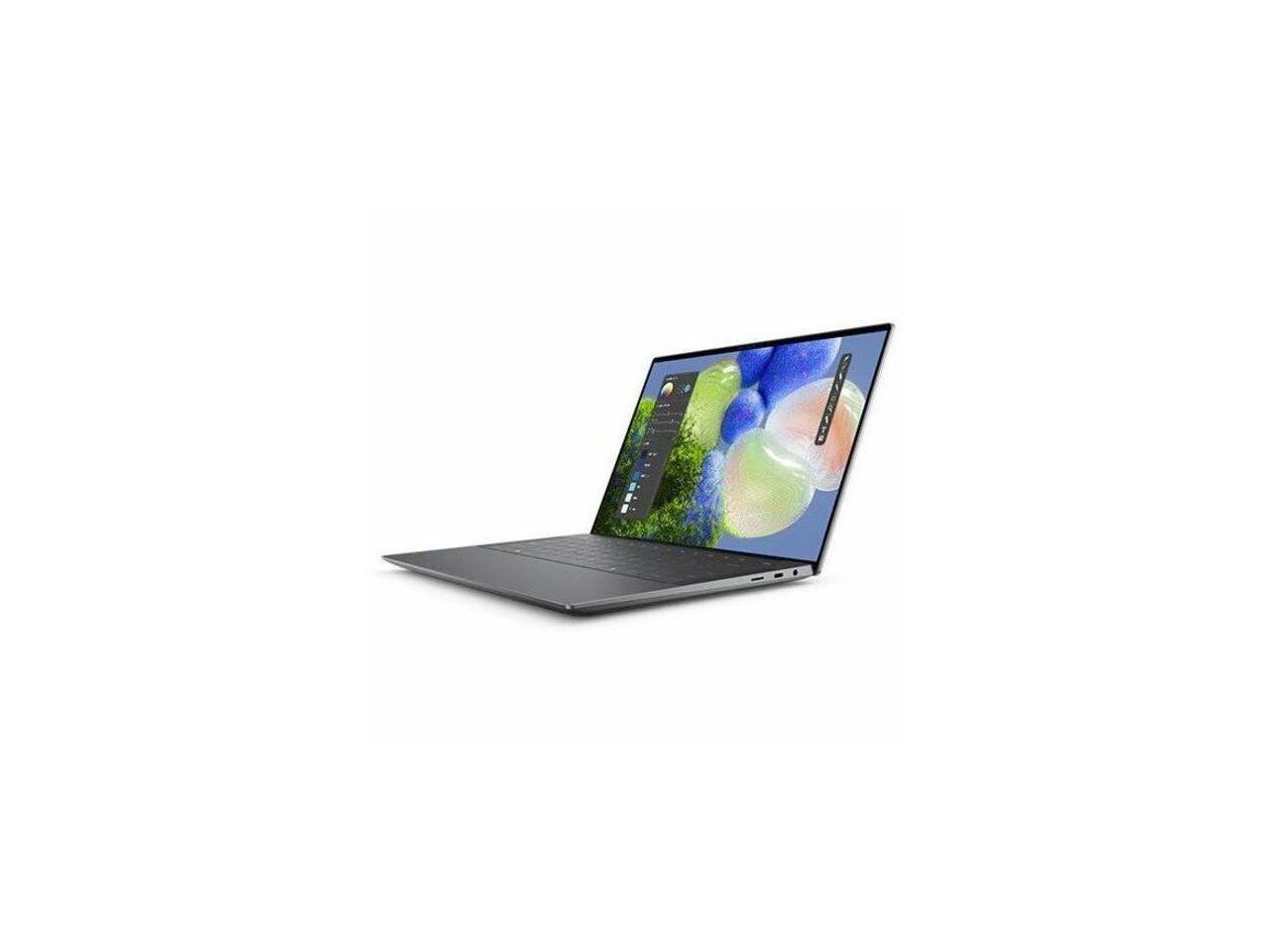
Dell
Dell XPS 14

Dell XPS 14

3.6(124 ratings)
$1,499.99at Dell Home & Home OfficeChecked 1 h ago
See all prices and details
Visit Dell Home & Home Office

Store links may earn us a commission. Price via Klarna.

Pros
  • 32GB RAM and 1TB SSD handle heavy multitasking and large files
  • 3.2K 120Hz OLED screen is bright, sharp and smooth
  • Core Ultra 7 with Arc graphics outpaces the Core 5 by a wide margin
  • Backlit keyboard, Wi-Fi 7 and an 8MP 4K webcam
  • Compact 1.38 kg body for a 14.5-inch laptop
Cons
  • Battery life is short under load; gaming run time is rated around 2.7 hours
  • Capacitive function row and hidden trackpad take getting used to
  • Rated 3.6 out of 5 from 124 ratings, with complaints about battery and thermals
  • OLED panel costs more than an LCD and can show burn-in over years
Dell
Dell 15.3-inch 2K Touchscreen Laptop

Dell 15.3-inch 2K Touchscreen Laptop

5(8 ratings)
$449.99at Best BuyChecked 5 min ago
See all prices and details
Visit Best Buy

Store links may earn us a commission. Price via Klarna.

Pros
  • Large 15.3-inch touchscreen makes spreadsheets and PDFs easy to navigate
  • Anti-glare IPS panel resists fingerprints and reflections
  • Simple Core 5 setup suits browsing, email and documents
  • Two USB-C and two USB-A ports cover everyday peripherals
  • 2026 model with Windows AI and Copilot built in
Cons
  • 8GB RAM limits heavy multitasking and browser tabs
  • 512GB SSD fills quickly with photos and video
  • 60Hz, 400-nit, 45% NTSC panel looks dull next to the XPS OLED
  • No backlit keyboard

What separates them

Dell XPS 14Dell 15.3-inch 2K Touchscreen Laptop
ProcessorIntel Core Ultra 7 155H, up to 4.8 GHz, with Intel Arc graphicsIntel Core 5 Series 3, 1.4 GHz base, Intel integrated graphics
Memory32GB LPDDR5x at 9600 MT/s8GB
Storage1TB PCIe NVMe SSD512GB SSD
Display14.5-inch 3.2K OLED, 120Hz, 500 nits, 100% sRGB15.3-inch 1920x1200 IPS touch, 60Hz, 400 nits, 45% NTSC
TouchscreenNon-touch on the listed 2K configTouch, anti-glare
Portability1.38 kg, 15.2 mm thick, 14-inch chassis15.3-inch chassis, thin and light design
KeyboardBacklit keyboardNo backlit keyboard
Wireless and webcamWi-Fi 7, Bluetooth 6.0, 8MP 4K HDR webcamStandard wireless, no 4K webcam listed

Price history

$2,249.99$449.99
Oct 30Nov 23
  • Dell XPS 14: lowest $1,299.00 on Oct 31 at ThePCWholesale.com; $1,499.99 on Nov 23.
  • Dell 15.3-inch 2K Touchscreen Laptop: lowest $449.99 on Nov 22 at Best Buy; $449.99 on Nov 23.

Prices at every store

Dell XPS 14

  • Dell Home & Home OfficeNew

    In stock

    $1,499.99Free shippingChecked 1 h ago
    Visit Dell Home & Home Office
  • dell.comNew

    In stock

    $1,499.99Free shippingChecked 2 h ago
    Visit dell.com
  • Star PromotionNew

    Availability unknown

    $1,500.00Checked Nov 20
    Visit Star Promotion
  • MacrotronicsNew

    Availability unknown

    $1,575.00Checked Nov 20
    Visit Macrotronics

Store links may earn us a commission. Some prices via Klarna.

All 18 stores and price history →

Dell 15.3-inch 2K Touchscreen Laptop

  • Best BuyNew

    In stock

    $449.99Free shippingChecked 5 min ago
    Visit Best Buy
  • WalmartNew

    In stockSold by Velztorm PCReturns: Sold by a Walmart Marketplace seller; returns go to the seller under the seller's returns policy.

    $590.99Free shippingChecked 1 h ago
    Visit Walmart
  • NeweggNew

    In stock

    $599.99Free shippingChecked 5 min ago
    Visit Newegg

Store links may earn us a commission. Some prices via Klarna.

All 3 stores and price history →

Specs compared

SpecDell XPS 14Dell 15.3-inch 2K Touchscreen Laptop
GraphicsIntel® Arc™ GraphicsIntel Graphics
Storage TypeSSDSSD
Processor BrandIntelIntel
colorOtherBlue
Screen Resolution1920x1080 (Full HD)1920 x 1200 (Full HD+)
ProcessorIntel Core Ultra 7Intel Core 5
Refresh Rate120Hz60Hz
SSD Size512 GB512 GB
Screen Size (")14.015.3
RAM16 GB8 GB
Brightness400 Nits, 500-Nits400 nits
Screen TypeIps, OledIPS
Show all 40 specsShow fewer specs
SpecDell XPS 14Dell 15.3-inch 2K Touchscreen Laptop
Display14.0", Non-Touch, 2K, 1-120Hz, 500 nits—
Memory32GB LPDDR5x Dual Channel at 9600 MT/s—
Storage1 TB, M.2, PCIe NVMe, SSD—
Battery capacity3Cell, 70Whr—
AC adapter100W AC adapter, USB Type-C—
Height15.20 mm (0.60 in.) for 2K LCD—
Width309.52 mm (12.19 in.)—
Depth209.71 mm (8.26 in.)—
Starting weight1.38 kg (3.05 lb) for 2K LCD—
Wireless

What reviewers say

Dell XPS 14

  • 3.6 / 5124 ratings

Reviewers describe the XPS 14 as a well-rounded 14-inch laptop with a sleek build, impressive performance and fantastic battery life, and ZDNET calls it the best Windows laptop for work. Owners also like the screen and the light chassis. Complaints center on battery life under load, the limited port selection and fan noise when pushed.

What people mention
  • DisplayPraisedOwners call the 2K and 3.2K OLED 120Hz panels bright and sharp for work and media.
  • PortabilityPraisedAt about 3.05 lb and 15.2 mm it is easy to carry all day.
  • BatteryCriticisedHeavy use drains the 70Whr battery quickly, with gaming rated around 2.7 hours.
  • PortsCriticisedUSB-C-only connectivity forces dongles for USB-A and HDMI.
Reviews
  • Laptops: Buying Advice, Tips, and News - PCMag editors select and review products independently
  • The best laptops of 2026: Expert tested and reviewed - ZDNET
  • The best Windows laptops of 2026: Expert tested and reviewed - ZDNET - Who should look elsewhere: This isn’t a laptop for casual users or fr
  • Best Laptops
  • Best Touch-Screen Laptops - The reviews on this page have been selected by our editors, but have been optimized by our commerce team
  • The Best Touch-Screen Laptops for 2026

Questions and answers

Which is better for photo and video editing?
The XPS 14. Its 32GB RAM, 1TB SSD, Core Ultra 7 and 100% sRGB OLED panel are built for color-accurate editing and large files. The Dell 15.3's 8GB RAM and 45% NTSC screen hold it back.
Which lasts longer on a charge?
The Dell 15.3 likely runs longer per charge because its 60Hz IPS panel and Core 5 chip draw less power. The XPS 14's 120Hz OLED and 70Wh battery are rated for only about 2.7 hours under gaming load.
Is the XPS 14 worth stepping up to?
Yes if you multitask heavily, edit media or want a premium screen and keyboard. For email, documents and light browsing, the Dell 15.3 covers the basics and gives you a larger touchscreen.
Which is better for students?
The Dell 15.3 suits note-taking, readings and slides on its big touchscreen. Students running design software, virtual machines or many tabs should pick the XPS 14 for its memory and storage.
Does the XPS 14 have a touchscreen?
The listed 2K configuration is non-touch, though Dell sells other XPS 14 panels. The Dell 15.3 includes a touchscreen as standard.
Which has better build quality?
The XPS 14 uses a machined aluminum and glass design with a backlit keyboard and Wi-Fi 7. The Dell 15.3 is a plainer plastic-bodied laptop without a backlit keyboard.

Ask our shopping agent

It checks today's price at every store, compares the alternatives and answers in about a minute.

Enter to send, Shift+Enter for a new line

More comparisons

  • Dell XPS 14 vs Dell XPS 16
  • Dell XPS 14 vs Apple 13-inch MacBook Neo
  • Dell XPS 13 vs Dell XPS 14
  • Dell XPS 14 vs HP 14-inch HD Windows 11 Laptop
  • Dell XPS 14 vs 15-inch MacBook Air - M5 10-core CPU 10-core GPU - 32GB Memory - 512GB Storage
  • Dell XPS 14 vs MacBook Neo
  • Dell XPS 14 vs Dell XPS 13 (DX13260)
  • Dell XPS 14 vs Apple MacBook Air 13-inch (M4, 2025)

Buying guides that pick them

  • Best everyday laptops for home and school
  • Best Dell laptops for everyday use
  • Best Dell laptops for everyday home and work use
  • Best Black Friday laptop deals
  • Best value everyday laptops
Intel®Wi-Fi 7 BE211 2x2 + Bluetooth 6.0 Wireles…
—
Camera8MP/4K HDR webcam—
OS VersionWindows 11 Pro—
Main StorageSSD—
Storage InterfaceM.2 PCIe NVMe—
Storage Read Speed3,668.6 MB/s—
Battery Run Time2.7 hrs (Gaming)—
Battery Type6-cell—
Display Size14.5 in—
Display Resolution3.2K—
Display Aspect Ratio16:10—
Display Brightness500 cd/m²—
Display HighlightsInfinityEdge—
LCD TechnologyOLED—
Display BacklightLED backlight—
Display Refresh Rate120 Hz—
Display Color Support100% sRGB—
Input TypeKeyboard—
Backlit InputYes (Keyboard)—
  • Best Dell laptops