StoreDeal.ai store
Shop
  • Deals
  • Deal checker
  • Black Friday
  • Buying guides
  • Brands
  • Stores
Travel
  • Flight deals
  • Hotel deals
Company
  • Research
  • Press
  • Use in AI assistants
  • Contact
  • deal.ai apps
Black Friday 2026
  • Walmart
  • Best Buy
  • Target
  • TVs
  • Laptops
  • Headphones
  • Apple
  • Gaming
  • Vacuums
  • Kitchen
  • Toys
  • Smartwatches
  • Tablets
  • Furniture
  • Mattresses
© Deal.ai Inc.·2222 Ponce de Leon Blvd, Miami, FL 33134·support@deal.ai
TermsPrivacy
Deal.ai › Compare

Dell XPS 14 vs Dell XPS 13 Snapdragon X Elite

The XPS 14 is the stronger all-round machine: a bigger 14.5-inch 3.2K OLED, a faster Core Ultra 7 with Intel Arc graphics, and 32GB of faster memory. The XPS 13 is the lighter, longer-lasting pick at 2.6 lb, but its Snapdragon X Elite runs on Arm, so some Windows apps need emulation and heavy creative or gaming work suffers. Buy the 14 for performance and screen size, the 13 for travel and battery.

  • Choose the XPS 14 if you edit video, run CAD or other heavy Windows apps, or want a larger screen and full x86 compatibility.
  • Choose the XPS 13 if you mostly browse, write and take calls, and want the lightest, longest-running XPS.

Prices

  • Dell XPS 14: $1,499.99 at Dell Home & Home Office (checked today)
  • Dell XPS 13 Snapdragon X Elite: $1,299.99 at Best Buy (checked today)
  • Difference: the Dell XPS 13 Snapdragon X Elite is $200.00 cheaper than the Dell XPS 14 today
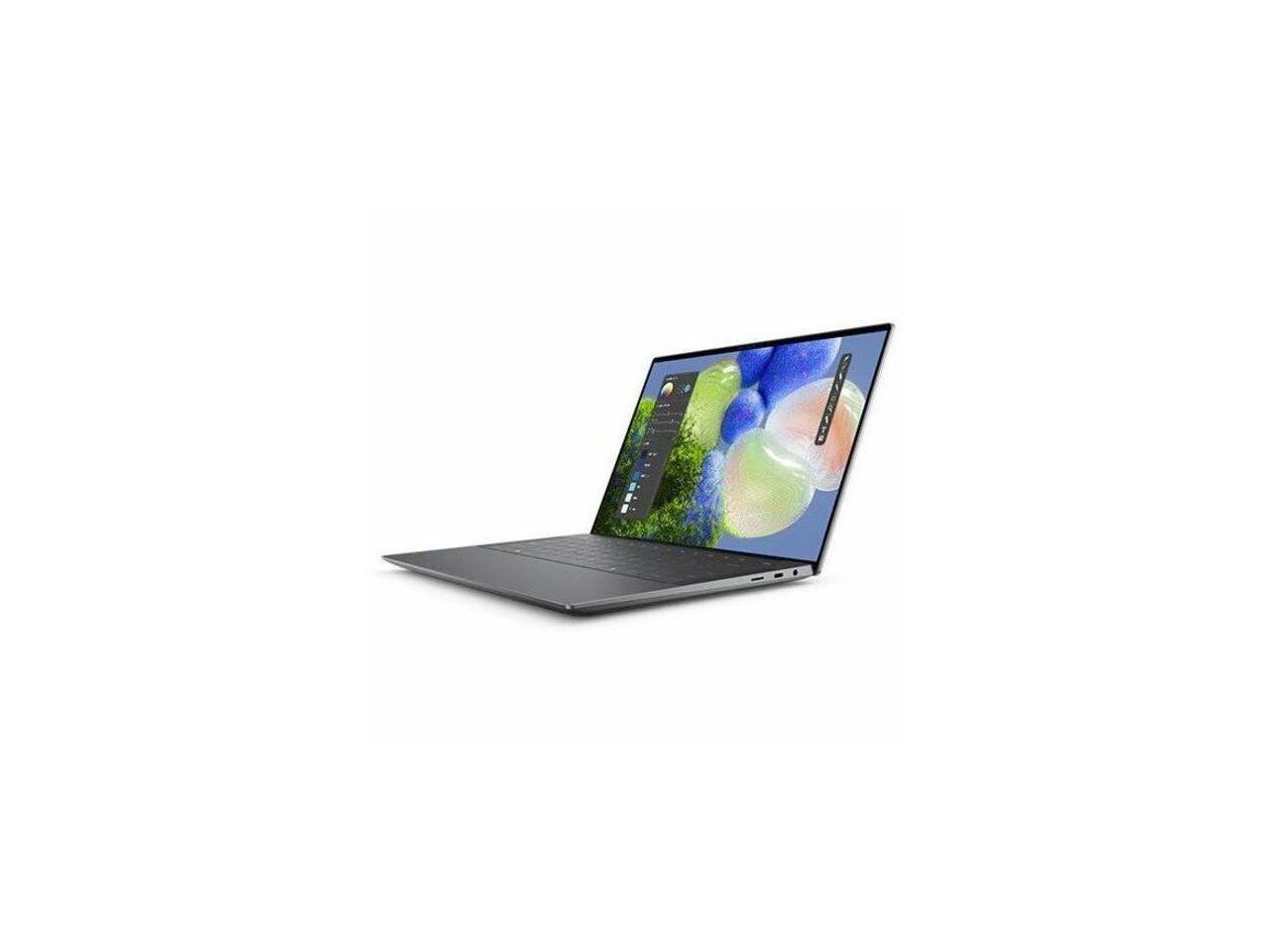
Dell
Dell XPS 14

Dell XPS 14
3.6(124 ratings)
$1,499.99at Dell Home & Home OfficeChecked 2 h ago
See all prices and details
Visit Dell Home & Home Office

Store links may earn us a commission. Price via Klarna.

Pros
  • Fast Core Ultra 7 with Intel Arc graphics for real work
  • Large 3.2K 120 Hz OLED at 500 nits
  • 32GB of fast memory and a 1TB SSD
  • 8MP 4K webcam and Wi-Fi 7
  • Runs standard Windows software natively
Cons
  • Heavier at 3.05 lb
  • Short battery life under sustained gaming loads
  • Rated 3.6 out of 5 by owners
  • Costs more than the 13 for the same storage
Dell
Dell XPS Copilot+ PC 13.4" 3K OLED Touchscreen Laptop Snapdragon X Elite X1E-80

Dell XPS 13 Snapdragon X Elite

Dell XPS Copilot+ PC 13.4" 3K OLED Touchscreen Laptop Snapdragon X Elite X1E-80

$1,299.99at Best BuyChecked 6 h ago
See all prices and details
Visit Best Buy

Store links may earn us a commission. Price via Klarna.

Pros
  • Very light at 2.6 lb and thin at 0.58 in
  • Snapdragon X Elite is efficient, so battery lasts longer
  • Sharp 3K OLED touchscreen
  • Quiet, cool running for everyday tasks
Cons
  • Arm chip means emulation for some apps and weaker gaming
  • Adreno graphics trail Intel Arc
  • Smaller 13.4-inch screen
  • Listings vary between 16GB and 32GB memory and 512GB and 1TB storage, so check the exact config

What separates them

Dell XPS 14Dell XPS 13 Snapdragon X Elite
ProcessorIntel Core Ultra 7 155H, x86, up to 4.8 GHzQualcomm Snapdragon X Elite X1E-80, Arm-based
GraphicsIntel Arc integrated graphicsQualcomm Adreno integrated graphics
Display14.5-inch 3.2K OLED, 120 Hz, 500 nits13.4-inch 3K OLED touchscreen
WeightFrom 3.05 lb (1.38 kg)From 2.60 lb (1.17 kg)
Battery70 Wh, 100W adapter; about 2.7 hours in gaming runs55 Wh, 60W adapter; Arm chips draw less power
App compatibilityRuns all standard Windows x86 software nativelyArm chip needs emulation for some x86 apps; check yours first
Memory32GB LPDDR5x at 9600 MT/s32GB LPDDR5X at 8448 MT/s
Webcam8MP 4K HDR1080p-class camera

Price history

$2,249.99$1,299.00
Oct 30Nov 21
  • Dell XPS 14: lowest $1,299.00 on Oct 31 at ThePCWholesale.com; $1,499.99 on Nov 21.
  • Dell XPS 13 Snapdragon X Elite: lowest $1,299.99 on Nov 18 at Best Buy; $1,299.99 on Nov 20.

Prices at every store

Dell XPS 14

  • Dell Home & Home OfficeNew

    In stock

    $1,499.99Free shippingChecked 2 h ago
    Visit Dell Home & Home Office
  • DellNew

    In stock

    $1,499.99Checked Nov 19
    Visit Dell
  • Star PromotionNew

    Availability unknown

    $1,500.00Checked 2 h ago
    Visit Star Promotion
  • MacrotronicsNew

    Availability unknown

    $1,575.00Checked 2 h ago
    Visit Macrotronics

Store links may earn us a commission. Some prices via Klarna.

All 19 stores and price history →

Dell XPS 13 Snapdragon X Elite

  • Best BuyNew

    In stock

    $1,299.99Free shippingChecked 6 h ago
    Visit Best Buy
  • AmazonRefurbished

    Availability unknown

    As an Amazon Associate, Deal.ai earns from qualifying purchases.

    $1,099.99Free shippingChecked 8 h ago
    Visit Amazon
  • AmazonNew

    Availability unknown

    As an Amazon Associate, Deal.ai earns from qualifying purchases.

    $1,699.00Free shippingChecked 8 h ago
    Visit Amazon

Store links may earn us a commission. Some prices via Klarna.

All 2 stores and price history →

Specs compared

SpecDell XPS 14Dell XPS 13 Snapdragon X Elite
Memory32GB LPDDR5x Dual Channel at 9600 MT/s32GB, LPDDR5X, 8448MT/s, integrated
Storage1 TB, M.2, PCIe NVMe, SSD1TB M.2 PCIe NVMe Solid State Drive
GraphicsIntel® Arc™ GraphicsQualcomm Adreno GPU
Height15.20 mm (0.60 in.) for 2K LCD0.58 in. (14.80 mm)
Width309.52 mm (12.19 in.)11.62 in. (295.30 mm)
Depth209.71 mm (8.26 in.)7.84 in. (199.10 mm)
Starting weight1.38 kg (3.05 lb) for 2K LCD2.60 lb (1.17 kg)
colorOtherGray
ProcessorIntel Core Ultra 7Qualcomm Snapdragon X Elite
Windows VersionWindows 11, Windows 11 Home, Windows 11 ProWindows 11 Pro
SSD Size512 GB512 GB
Hard Drive TypeSSDSSD
Show all 40 specsShow fewer specs
SpecDell XPS 14Dell XPS 13 Snapdragon X Elite
Screen Size (")14.013.4
SeriesDell XPSDell XPS
Operating SystemWindowsWindows
RAM16 GB16 GB
Screen TypeIps, OledOLED
Display14.0", Non-Touch, 2K, 1-120Hz, 500 nits—
Battery capacity3Cell, 70Whr—
AC adapter100W AC adapter, USB Type-C—
WirelessIntel®Wi-Fi 7 BE211 2x2 + Bluetooth 6.0 Wireles…—
Camera

What reviewers say

Dell XPS 14

  • 3.6 / 5124 ratings

Reviewers describe the XPS 14 as a well-rounded 14-inch laptop with a sleek build, impressive performance and fantastic battery life, and ZDNET calls it the best Windows laptop for work. Owners also like the screen and the light chassis. Complaints center on battery life under load, the limited port selection and fan noise when pushed.

What people mention
  • DisplayPraisedOwners call the 2K and 3.2K OLED 120Hz panels bright and sharp for work and media.
  • PortabilityPraisedAt about 3.05 lb and 15.2 mm it is easy to carry all day.
  • BatteryCriticisedHeavy use drains the 70Whr battery quickly, with gaming rated around 2.7 hours.
  • PortsCriticisedUSB-C-only connectivity forces dongles for USB-A and HDMI.

Dell XPS 13 Snapdragon X Elite

Owners of the Snapdragon XPS 13 praise its light build, bright OLED screen and all-day battery, and most everyday apps feel fast. The recurring complaints are app compatibility on Arm and the premium price for the performance you get.

What people mention
  • Battery lifePraisedOwners report it lasting a full workday of browsing and office work on a charge.
  • DisplayPraisedThe 3K OLED touchscreen is called sharp and vivid, with strong contrast.
  • App compatibilityCriticisedSome x86 programs and games either don't run or need emulation on the Arm chip.
  • Weight and buildPraisedReviewers like the 2.6 lb weight and the rigid, premium feel of the chassis.
Reviews
  • Laptops: Buying Advice, Tips, and News - PCMag editors select and review products independently
  • The best laptops of 2026: Expert tested and reviewed - ZDNET
  • The best Windows laptops of 2026: Expert tested and reviewed - ZDNET - Who should look elsewhere: This isn’t a laptop for casual users or fr
  • Best Laptops
  • Best Touch-Screen Laptops - The reviews on this page have been selected by our editors, but have been optimized by our commerce team
  • The Best Touch-Screen Laptops for 2026

Questions and answers

Which is better for video editing?
The XPS 14. Its Core Ultra 7 and Intel Arc graphics handle encoding and GPU effects far better, and the 14.5-inch 120 Hz OLED gives more room to scrub timelines. The XPS 13 can edit light clips but slows on 4K multicam.
Does the Snapdragon X Elite run all my Windows programs?
Most mainstream apps run, but older or niche x86 software runs through emulation and can be slower or fail. Check the maker's site for an Arm-native or supported version before buying the XPS 13.
Which lasts longer on a charge?
The XPS 13. Its Arm chip and 55 Wh battery are more efficient for browsing, Office and video calls. The XPS 14's 70 Wh pack drains faster under heavy CPU or GPU load.
Is the XPS 14 worth stepping up to?
Yes if you need x86 compatibility, dedicated-class graphics or a larger screen. If your work is web, email and documents, the XPS 13 covers it in a lighter body.
Which is better for travel?
The XPS 13 at 2.6 lb and 0.58 in thick slips into a bag more easily and needs fewer charges. The XPS 14 is still portable at 3.05 lb but noticeably bigger.
Can either play games?
The XPS 14 with Intel Arc runs older and lighter titles at modest settings; the XPS 13's Adreno GPU is weaker and suited to casual games. Neither is a gaming laptop.

Ask our shopping agent

It checks today's price at every store, compares the alternatives and answers in about a minute.

Enter to send, Shift+Enter for a new line

More comparisons

  • Dell XPS 14 vs Apple 13-inch MacBook Neo
  • Dell XPS 14 vs Apple MacBook Pro 14-Inch (2025, M5)
  • Dell XPS 14 vs HP 14-inch HD Windows 11 Laptop
  • Dell XPS 14 vs Apple MacBook Air 13-inch (M4, 2025)
  • Dell XPS 14 vs 15-inch MacBook Air - M5 10-core CPU 10-core GPU - 32GB Memory - 512GB Storage
  • Dell XPS 14 vs Dell XPS 13 (DX13260)
  • Dell XPS 14 vs MacBook Neo
  • Dell XPS 14 vs Lenovo Chromebook Plus 14

Buying guides that pick them

  • Best laptops
  • Best everyday laptops
  • Best everyday laptops for home and school
  • Best Dell laptops for everyday use
  • Best Dell laptops for everyday home and work use
8MP/4K HDR webcam
—
OS VersionWindows 11 Pro—
Main StorageSSD—
Storage TypeSSD—
Storage InterfaceM.2 PCIe NVMe—
Storage Read Speed3,668.6 MB/s—
Battery Run Time2.7 hrs (Gaming)—
Battery Type6-cell—
Display Size14.5 in—
Display Resolution3.2K—
Display Aspect Ratio16:10—
Display Brightness500 cd/m²—
Display HighlightsInfinityEdge—
LCD TechnologyOLED—
Display BacklightLED backlight—
Display Refresh Rate120 Hz—
Display Color Support100% sRGB—
Input TypeKeyboard—
Backlit InputYes (Keyboard)—
  • Best Black Friday laptop deals
  • Best value everyday laptops