
Insta360 Link 2 vs Logitech MX Brio
Both are 4K USB-C webcams for meetings and streaming, but they solve different problems. The Link 2 adds a 2-axis gimbal with AI tracking, Whiteboard and DeskView modes, and phase-detection autofocus, which suits teachers, presenters and anyone who moves while talking. The MX Brio is a fixed 4K webcam with a larger sensor and Logitech's tuning, better for a stationary desk setup. No current prices were provided for either, so compare live store prices on Deal.ai before buying.
Ask our shopping agent
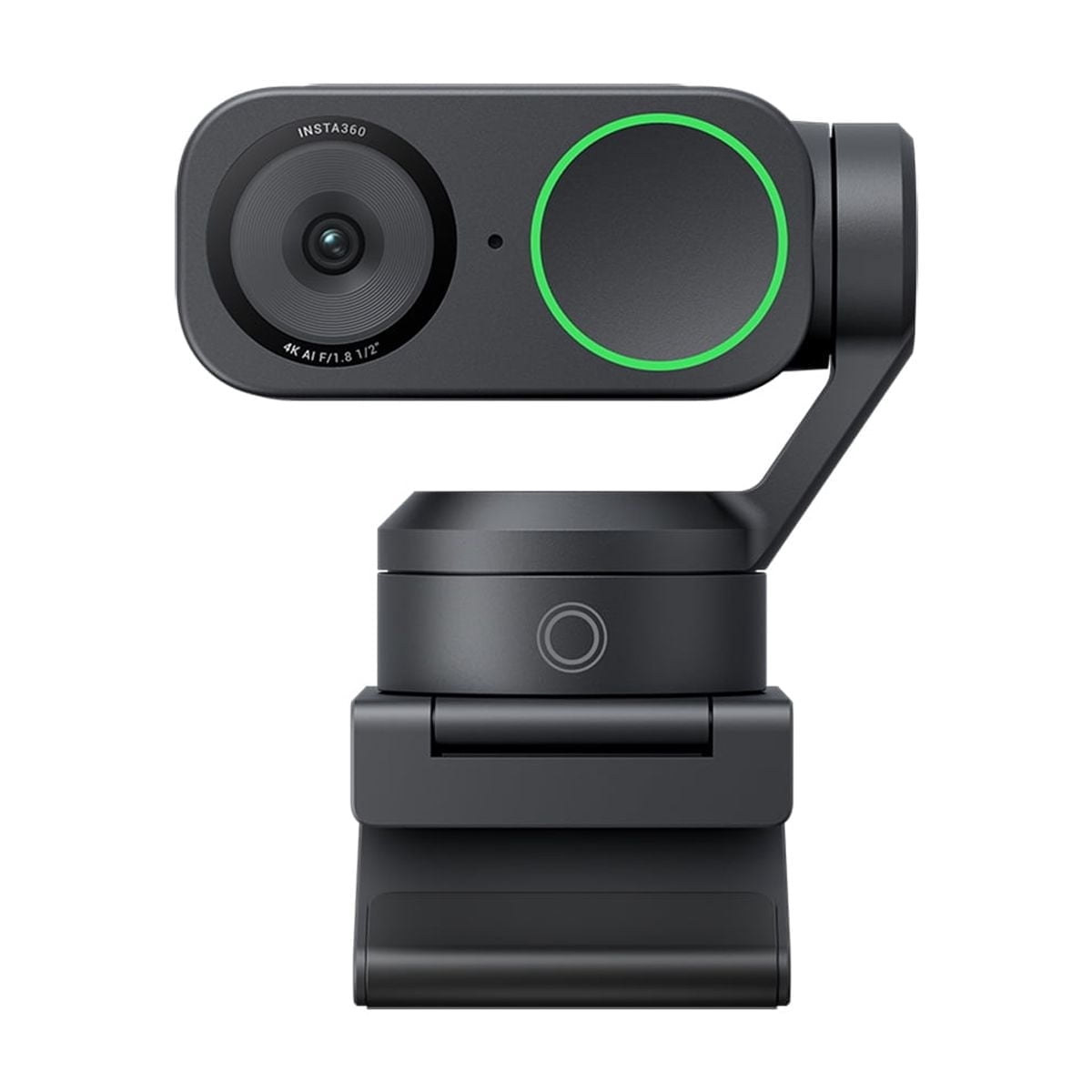
Insta360 Link 2
Choose the Insta360 Link 2 if you move around while presenting, teach at a whiteboard, or want the camera to follow you and reframe automatically.
Pros
- AI tracking keeps you framed as you move
- Whiteboard and DeskView modes fit teaching and demos
- Phase-detection autofocus and 4x digital zoom
- Three mic modes for different room setups
Cons
- 4K limited to 30 fps
- Motorized gimbal adds a wear point
- Most features depend on the Insta360 app
- No written warranty stated on the listing
What separates them
| Insta360 Link 2 | Logitech MX Brio | |
|---|---|---|
| Mount and movement | 2-axis gimbal pans and tilts to track the speaker, with settable tracking fences | Fixed lens on a clip/stand mount; no motorized movement |
| Max resolution and frame rate | 4K at 30 fps; 1080p and 720p up to 60 fps | 4K at 30 fps; 1080p at 60 fps |
| Sensor | 1/2" CMOS | Larger sensor than typical webcams, tuned for low light |
| Autofocus | Phase-detection autofocus with 4x digital zoom | Autofocus, fixed field of view |
| Presentation features | Whiteboard Mode, DeskView, background blur, bokeh and replacement | Standard framing; background effects handled in software |
| Microphones | Built-in AI noise-canceling mics with Voice Focus, Voice Suppression and Music Balance | Dual noise-reducing mics |
| Software | Insta360 Link controller app for Windows and Mac; needed for tracking and modes |
Price history
- Insta360 Link 2: lowest $199.99 on Oct 31 at Adorama.
- Logitech MX Brio: lowest $199.99 on Oct 31 at Amazon.
Prices at every store
Insta360 Link 2
- WalmartCheck price at Walmart
- The Pixel HubCheck price at The Pixel Hub
- AdoramaCheck price at Adorama
Logitech MX Brio
- AmazonCheck price at Amazon
- Best BuyCheck price at Best Buy
- B&H Photo-Video-AudioCheck price at B&H Photo-Video-Audio
Specs compared
| Spec | Insta360 Link 2 | Logitech MX Brio |
|---|---|---|
| AI tracking | Keeps the speaker framed during movement. | — |
| Auto framing | Helps avoid awkward headroom or off-center comp… | — |
| AI noise reduction | Reduces distracting background sound. | — |
| Presentation modes | Useful for whiteboard, teaching, and visual exp… | — |
| Maximum video resolution | 3840 x 2160 | — |
| Frame rate | 60 FPS | — |
| Focus type | Auto Focus | — |
| Field of view | 79º | — |
| Brand | Insta360 | — |
| Electronics feature | Adjustable Field of View, Low Light Correction | — |
Questions and answers
- Which is better for teaching or whiteboard demos?
- The Link 2. Whiteboard Mode squares and focuses the board, DeskView tilts down to your desk, and the gimbal follows you. The MX Brio has no equivalent modes.
- Which has better low-light image quality?
- The MX Brio generally wins here. Its larger sensor and Logitech's image tuning hold up better in dim rooms, while the Link 2 relies on HDR and a 1/2" sensor.
- Which is better for streaming while moving around?
- The Link 2, because its 2-axis gimbal tracks you and tracking fences stop it at set boundaries. The MX Brio stays fixed, so you must stay in frame.
- Does the Link 2 record 4K at 60 fps?
- No. It does 4K at 30 fps, and reaches 60 fps only at 1080p and 720p. The MX Brio is also 4K at 30 fps, with 1080p at 60 fps.
- Which lasts longer?
- The MX Brio likely lasts longer because it has no motors. The Link 2's gimbal is the part most prone to wear, though Insta360 covers it with a 1-year limited warranty.
- Is the Link 2 worth the extra cost?
- Only if you use tracking, whiteboard or desk views regularly. If you sit still on calls, the MX Brio covers the basics with fewer moving parts.
