StoreDeal.ai store
Shop
  • Deals
  • Deal checker
  • Black Friday
  • Buying guides
  • Brands
  • Stores
Travel
  • Flight deals
  • Hotel deals
Company
  • Research
  • Press
  • Use in AI assistants
  • Contact
  • deal.ai apps
Black Friday 2026
  • Walmart
  • Best Buy
  • Target
  • TVs
  • Laptops
  • Headphones
  • Apple
  • Gaming
  • Vacuums
  • Kitchen
  • Toys
  • Smartwatches
  • Tablets
  • Furniture
  • Mattresses
© Deal.ai Inc.·2222 Ponce de Leon Blvd, Miami, FL 33134·support@deal.ai
TermsPrivacy
Deal.ai › Compare

LG UltraGear 32G60WA-B vs KTC H32T13 32-Inch QHD Monitor

The LG 32G60WA is the gaming pick: 180Hz, 1ms, a 1000R curve and HDR10 suit fast shooters and racing games. The KTC H32T13 is a flat IPS panel at 100Hz with wider color coverage and two HDMI ports, better for mixed work and media. Owners of the LG praise the curve and motion handling but note VA black smearing and only one HDMI input; KTC buyers like the IPS colors and connectivity but find 100Hz limiting for competitive play.

  • Choose the LG UltraGear if you play fast games and want high refresh, low response time and an immersive curve.
  • Choose the KTC H32T13 if you want accurate IPS colors, a flat panel for work and two HDMI inputs for consoles and a PC.

Prices

  • LG UltraGear 32G60WA-B: $179.00 at Walmart (last seen Nov 26)
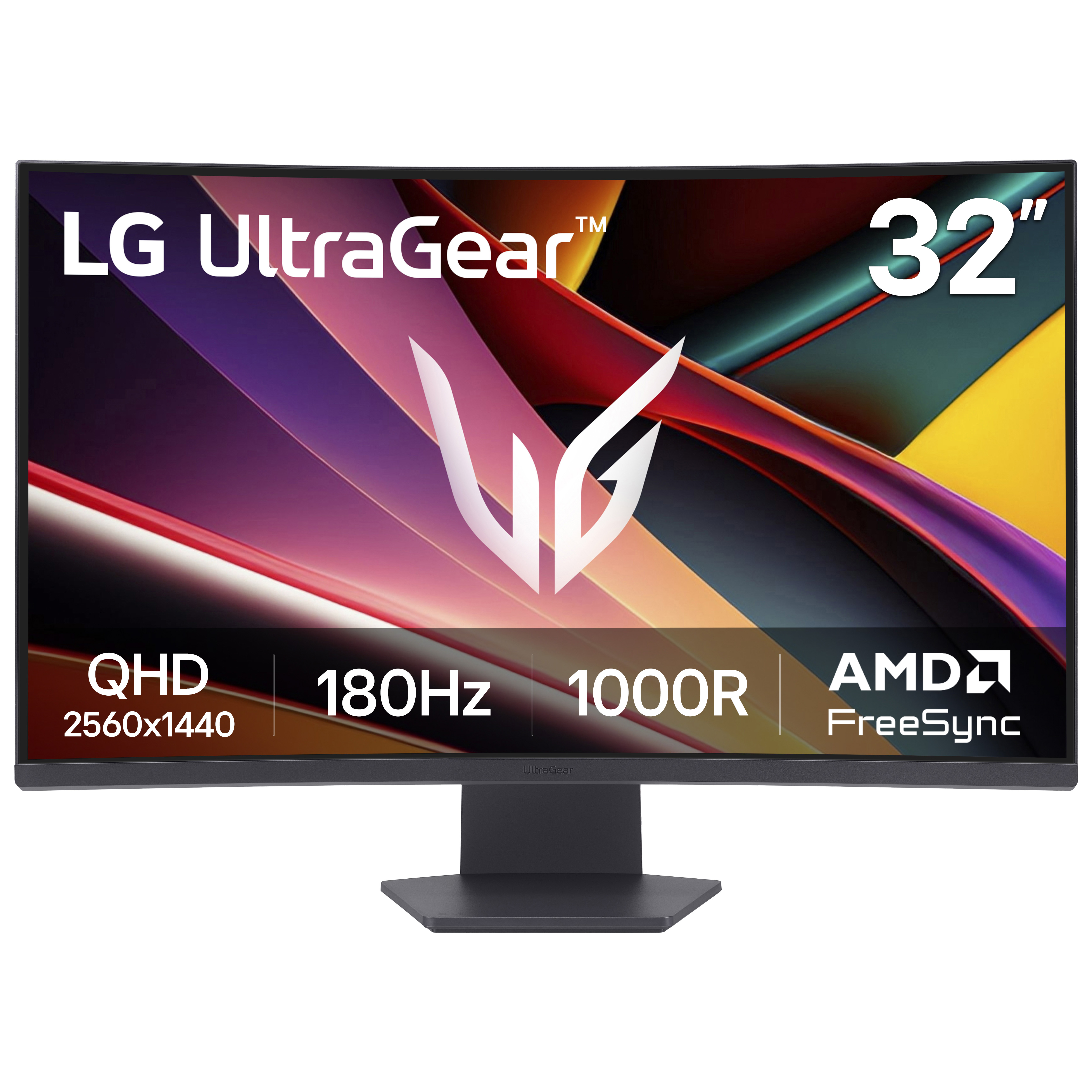
LG
LG 32" UltraGear QHD AMD FreeSync Curved Gaming Monitor

LG UltraGear 32G60WA-B

LG 32" UltraGear QHD AMD FreeSync Curved Gaming Monitor

4.4(1,350 ratings)
$179.00at WalmartChecked Nov 26
See all prices and details
Visit Walmart

Store links may earn us a commission. Price via Klarna.

Pros
  • 180Hz refresh with 1ms response suits competitive games
  • 1000R curve fills the field of view at 32 inches
  • HDR10 and 99% sRGB coverage
  • AMD FreeSync reduces tearing
Cons
  • VA panel can smear in dark, fast scenes
  • Only one HDMI port
  • Curve is awkward for spreadsheets and straight-line work
  • No listed height or swivel adjustment
KTC
KTC H32T13

KTC H32T13 32-Inch QHD Monitor

KTC H32T13

See all prices and details
Pros
  • IPS panel gives consistent color at wide angles
  • 109% sRGB covers more of the color space
  • Two HDMI 2.0 ports plus DisplayPort 1.4
  • Flat 32-inch panel works well for office and creative tasks
Cons
  • 100Hz refresh is modest for gaming
  • No HDR or adaptive sync listed
  • No curve for immersion
  • Response time not published

What separates them

LG UltraGear 32G60WA-BKTC H32T13 32-Inch QHD Monitor
Refresh rate180Hz100Hz
Panel typeVA, deeper blacks, some smearing in dark scenesIPS, better color and off-angle consistency
Response time1ms GtG at Faster settingNot specified by the maker
Curvature1000R curve wraps the viewFlat panel
HDRHDR10 supportedNot listed
Color gamut99% sRGB109% sRGB
InputsOne HDMI, one DisplayPortTwo HDMI 2.0, one DisplayPort 1.4
Stand adjustmentNot listed beyond basic tiltTilt -5° to 15°

Price history

$189.99$145.00
Nov 11Nov 26
  • LG UltraGear 32G60WA-B: lowest $145.00 on Nov 13 at vipoutlet.com; $179.00 on Nov 26.
  • KTC H32T13 32-Inch QHD Monitor: lowest $189.99 on Nov 24.

Prices at every store

LG UltraGear 32G60WA-B

  • WalmartNew

    In stock

    $179.00Free shippingChecked Nov 26
    Visit Walmart
  • WalmartNew

    In stock

    $179.00Free shippingChecked Nov 24
    Visit Walmart
  • LGNew

    In stock

    $179.99+ $5.00 shippingChecked Nov 24
    Visit LG
  • AmazonNew

    Availability unknown

    As an Amazon Associate, Deal.ai earns from qualifying purchases.

    $309.00Free shippingChecked Nov 24
    Visit Amazon

Also available at

  • WalmartCheck price at Walmart

Store links may earn us a commission. Some prices via Klarna.

All 4 stores and price history →

KTC H32T13 32-Inch QHD Monitor

No priced offers right now.

Prices and history →

Specs compared

SpecLG UltraGear 32G60WA-BKTC H32T13 32-Inch QHD Monitor
Screen size32 in32 Inch
Resolution2560 x 14402560 x 1440
Refresh rate180 Hz100Hz
HDMI portsone HDMI porttwo HDMI 2.0 ports
DisplayPortone DisplayPortone DP 1.4 port
Panel TypeVAIPS
colorBlack—
Response time1 ms—
Display typeLED—
Aspect ratio16:9—
Curvature1000R—
HDRHDR10—
Show all 39 specsShow fewer specs
SpecLG UltraGear 32G60WA-BKTC H32T13 32-Inch QHD Monitor
Color accuracy99% sRGB—
Headphone jackheadphone jack—
HD FormatQHD—
Horizontal Resolution2560—
Vertical Resolution1440—
Connector TypeDisplayPort, HDMI, Headphone Out, Headphone jack—
Number Of HDMI Ports1—
HDCP CompatibleYes (HDMI HDCP Version 2.2), Yes (DisplayPort H…—
GTG Response Time1ms (at Faster)—

What reviewers say

LG UltraGear 32G60WA-B

  • 4.4 / 51,350 ratings

Owners rate the monitor 4.4 out of 5, praising its smooth 180Hz performance, immersive curve, and sharp QHD image. Common complaints include black smearing in dark scenes, a basic tilt-only stand, and lack of built-in speakers.

What people mention
  • Refresh ratePraisedReviewers say the 180Hz refresh rate makes motion look very smooth and responsive.
  • CurvePraisedThe 1000R curve is often described as immersive for gaming, though a few find it odd for productivity.
  • Panel smearingCriticisedSome owners notice black smearing in dark, fast-moving scenes.
  • StandCriticisedThe stand only tilts, so users cannot adjust height or swivel, which some find limiting.

Questions and answers

Which is better for competitive gaming?
The LG. Its 180Hz refresh and 1ms response give smoother motion and less blur than the KTC's 100Hz. The KTC is fine for casual play but trails in fast shooters.
Which has better picture quality for work and photos?
The KTC. Its IPS panel holds color across wide angles and covers 109% sRGB, while the LG's VA panel shifts and can smear in dark content. The LG wins on contrast and immersion instead.
Does the curve matter at 32 inches?
At 32 inches a 1000R curve pulls the edges into your field of view, which helps immersion in games. For documents and straight lines, the KTC's flat panel is easier to work on.
Which is easier to connect multiple devices to?
The KTC, with two HDMI 2.0 ports and a DisplayPort 1.4. The LG has one HDMI and one DisplayPort, so a console plus a PC fills it up.
Is the LG worth stepping up to over the KTC?
If gaming is the main use, yes: double the refresh rate, faster response and HDR are real gains. If you mostly work, read and watch video, the KTC's IPS colors and extra port are the better fit.
Which lasts longer?
Neither maker publishes a lifespan figure, and both use LED backlights rated for years of normal use. Panel type and stand quality matter more than brand here; check the warranty terms, since the LG listing shows no manufacturer warranty.

Ask our shopping agent

It checks today's price at every store, compares the alternatives and answers in about a minute.

Enter to send, Shift+Enter for a new line

More comparisons

  • MSI 31.5" Curved WQHD HDMI DP 180Hz 0.5ms FreeSync LCD Gaming Monitor - MAG 321CQF E18W vs LG 32" UltraGear QHD AMD FreeSync Curved Gaming Monitor
  • MSI 31.5" Curved WQHD HDMI DP 180Hz 0.5ms FreeSync LCD Gaming Monitor - MAG 321CQF E18W vs KTC H32T13
  • ViewSonic VA3209M 32 Inch 1080p IPS Computer Monitor vs KTC H32T13
  • LG 32" UltraGear QHD AMD FreeSync Curved Gaming Monitor vs Samsung 32" Odyssey G5 QHD 165Hz Curved Gaming Monitor
  • Samsung 34" Odyssey G55T WQHD 165Hz 1ms(MPRT) AMD FreeSync HDR Curved Gaming Monitor - LC34G55TWDNXZA vs LG 32" UltraGear QHD AMD FreeSync Curved Gaming Monitor
  • LG 32" UltraGear QHD AMD FreeSync Curved Gaming Monitor vs Acer Nitro ED340CUR 34" Curved QHD 200Hz Gaming Monitor
  • LG 32" UltraGear QHD AMD FreeSync Curved Gaming Monitor vs ViewSonic VA3209M 32 Inch 1080p IPS Computer Monitor
  • Samsung 27" Odyssey G55C QHD 165Hz 1ms Curved Gaming Monitor vs LG 32" UltraGear QHD AMD FreeSync Curved Gaming Monitor

Buying guides that pick them

  • Best 32-inch monitors under $200
  • Best curved QHD monitors
Maximum Refresh Rate
180Hz
—
Backlight TechnologyLED—
Display HighlightsHDR10—
Display Viewing Angle178º (R/L, U/D)—
Horizontal Viewing Angle178º—
Vertical Viewing Angle178º—
Color Support16.7M—
Pixel Per Inch94—
Display ModesReader Mode—
Pixel Pitch0.272 x 0.272 mm—
Max Brightness250 cd/m² (Minimum), 300 cd/m² (Typical)—
Display Position AdjustmentsTilt—
Brightness—350 cd/m²
Color gamut—109% sRGB
Display colors—16.7 million
Viewing angle—178°
Tilt—-5° to 15°
Audio jack—earphone jack