StoreDeal.ai store
Shop
  • Deals
  • Deal checker
  • Black Friday
  • Buying guides
  • Brands
  • Stores
Travel
  • Flight deals
  • Hotel deals
Company
  • Research
  • Press
  • Use in AI assistants
  • Contact
  • deal.ai apps
Black Friday 2026
  • Walmart
  • Best Buy
  • Target
  • TVs
  • Laptops
  • Headphones
  • Apple
  • Gaming
  • Vacuums
  • Kitchen
  • Toys
  • Smartwatches
  • Tablets
  • Furniture
  • Mattresses
© Deal.ai Inc.·2222 Ponce de Leon Blvd, Miami, FL 33134·support@deal.ai
TermsPrivacy
Deal.ai › Compare

Logitech Crayon for iPad (USB-C) vs GATATOL iPad Pencil

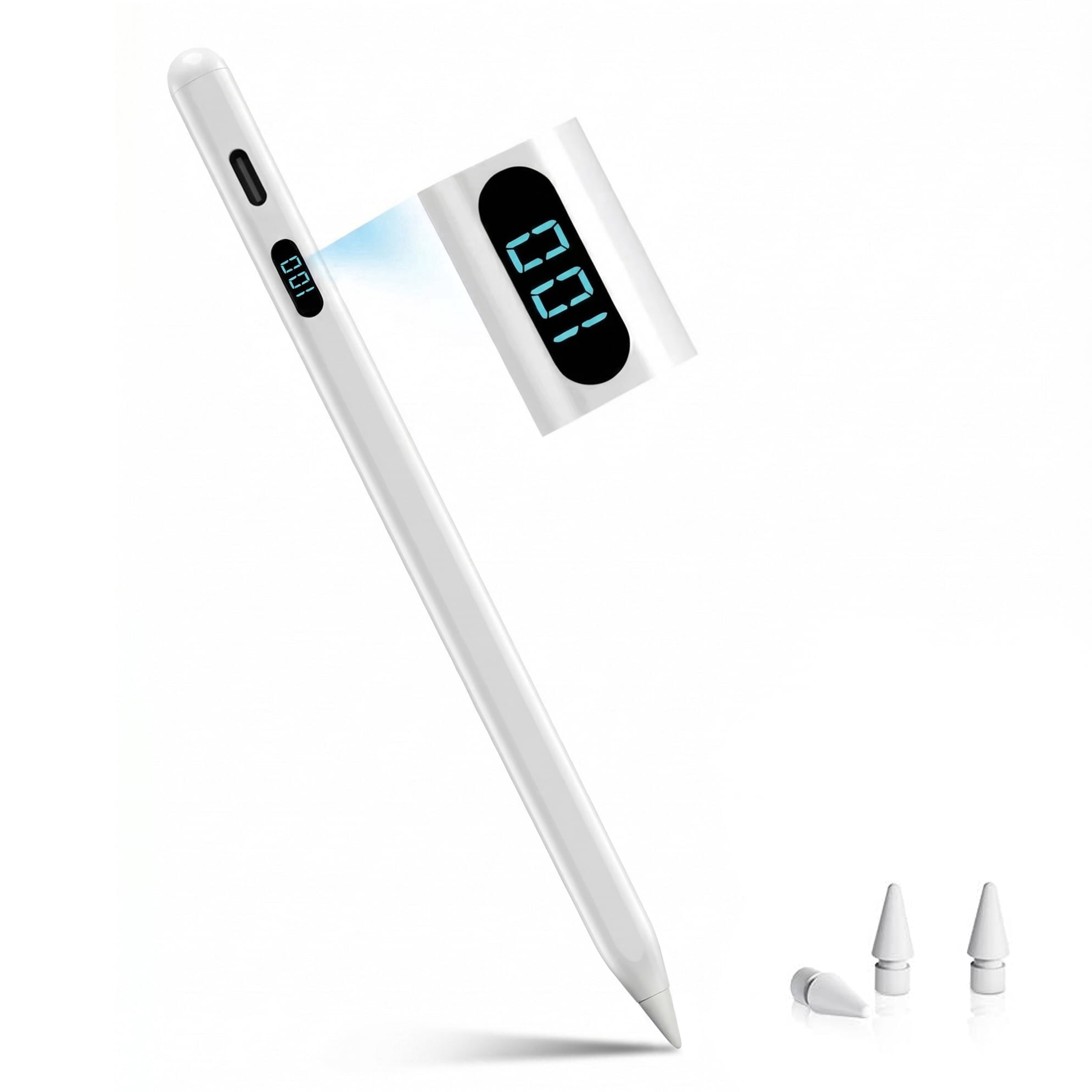
The Logitech Crayon is the safer pick for most iPad owners who write or draw daily. It is built from aluminum, survives a 4 ft drop, and carries Logitech's track record for reliability, while the GATATOL is a lighter-duty stylus with a longer battery and a battery display. The GATATOL adds magnetic attach, Bluetooth and spare tips, but its 4.8 rating comes from a small pool of 74 owners, so treat it as a budget alternative rather than a peer.

  • Choose the Logitech Crayon if you want a durable aluminum stylus with drop protection and a brand with a long support record for daily note-taking and sketching.
  • Choose the GATATOL iPad Pencil if you want longer battery life, a battery display, magnetic storage and spare tips at the lower end of the stylus market.

Prices

  • Logitech Crayon for iPad (USB-C): $25.00 at eBay (last seen Nov 16)
  • GATATOL iPad Pencil: $11.63 at Walmart (checked today)
  • Difference: the GATATOL iPad Pencil is $13.37 cheaper than the Logitech Crayon for iPad (USB-C) at the latest prices (Nov 16 and Nov 23)
Logitech
Logitech Crayon for iPad (USB-C)

Logitech Crayon for iPad (USB-C)

$25.00at eBayChecked Nov 16
See all prices and details
Visit eBay

Store links may earn us a commission.

Pros
  • Aluminum body holds up to daily use
  • Survives a 4 ft drop
  • Tilt sensitivity and palm rejection for natural writing
  • Charges from the iPad's own USB-C cable
  • Logitech support and replacement parts are easy to find
Cons
  • Shorter 7-hour writing time
  • No battery display
  • No magnetic attach or spare tips in the box
GATATOL
GATATOL iPad Pencil

GATATOL iPad Pencil

4.8(74 ratings)
$11.63at WalmartChecked 1 h ago
See all prices and details
Visit Walmart
Pros
  • Up to 10 hours per charge
  • Fast USB-C charging in about 20–30 minutes
  • LED battery display shows remaining power
  • Magnetic attach keeps it on the iPad
  • Three spare tips included
Cons
  • No stated drop rating or aluminum build
  • Bluetooth pairing adds a step some users don't need
  • Small review base of 74 ratings
  • Not compatible with pre-2018 iPads, iPhone or Android

What separates them

Logitech Crayon for iPad (USB-C)GATATOL iPad Pencil
Build materialAluminum tubeNot stated as aluminum
Drop protectionRated to 4 ft (1.2 m)Not rated
Battery lifeUp to 7 hours of active writingUp to 10 hours
ChargingVia iPad USB-C cableUSB-C, about 20–30 minutes to full
Battery indicatorNoneDigital LED display
Magnetic attachNot listedYes, attaches to iPad side
Extra tipsNot included3 spare tips included
Track recordLogitech brand with wide owner base4.8 from 74 ratings, small sample

Price history

$36.00$18.40
Nov 9Nov 24
  • Logitech Crayon for iPad (USB-C): lowest $18.40 on Nov 9 at PADI-Dja; $36.00 on Nov 24.

Prices at every store

Logitech Crayon for iPad (USB-C)

  • eBayNew

    In stock

    $25.00Checked Nov 16
    Visit eBay
  • WalmartNew

    In stockSold by Tech2Date

    $29.99Free shippingChecked Nov 16
    Visit Walmart
  • AmazonNew

    Availability unknown

    As an Amazon Associate, Deal.ai earns from qualifying purchases.

    $36.00Free shippingChecked 1 h ago
    Visit Amazon
  • KijeroNew

    Availability unknown

    $47.48Checked Nov 16
    Visit Kijero

Store links may earn us a commission.

All 9 stores and price history →

GATATOL iPad Pencil

  • WalmartNew

    In stockSold by Haoyi HKReturns: Sold by a Walmart Marketplace seller; returns go to the seller under the seller's returns policy.

    $11.63Checked 1 h ago
    Visit Walmart
Prices and history →

Specs compared

SpecLogitech Crayon for iPad (USB-C)GATATOL iPad Pencil
Palm rejectionPalm rejection technology ignores stray touchesPalm Rejection
Height159 mm—
Width12 mm—
Depth8 mm—
Weight20 g—
Drop protection4 ft (1.2 m) drop—
Battery typeLithium battery—
Writing timeUp to 7 hours of active writing time—
ChargingCharge via iPad USB-C cable—
Tube materialAluminum—
color—White
actual_color—White
Show all 21 specsShow fewer specs
SpecLogitech Crayon for iPad (USB-C)GATATOL iPad Pencil
Battery life—10 hours
Charging time—30-minute USB-C charge
Charging port—USB-C
Tilt sensitivity—Tilt sensitivity
Magnetic attach—Magnetic Attach
Connectivity—Bluetooth
Auto-sleep—Auto-sleep after 5 minutes
Extra tips—3 extras included
iPad compatibility—iPad 6th–11th Gen

What reviewers say

Logitech Crayon for iPad (USB-C)

Reviewers treat the Crayon as the sensible budget pick for USB-C iPads. They praise its accuracy, tilt response and palm rejection for notes and sketching, and note the missing pressure sensitivity as the main gap versus the Apple Pencil.

What people mention
  • Pressure sensitivityCriticisedReviewers say the lack of pressure sensitivity limits it for drawing compared with the Apple Pencil.
  • TiltPraisedOwners find tilt response good for shading and varying line weight in notes and sketches.
  • Palm rejectionPraisedHandwriting users report stray palm touches are ignored reliably.
  • ChargingMixedCharging over the iPad's USB-C cable avoids a separate charger but blocks the port while in use.

GATATOL iPad Pencil

  • 4.8 / 574 ratings

With 74 ratings averaging 4.8 out of 5, owners are largely positive. They praise smooth writing, palm rejection and the battery display for the money. Complaints center on the lack of pressure sensitivity and the manual power button.

What people mention
  • Writing feelPraisedOwners describe smooth, low-lag writing that suits notes and handwriting.
  • Palm rejectionPraisedReviewers say they can rest their hand on the screen without stray marks.
  • BatteryPraisedThe LED display and long runtime are called out as convenient.

Questions and answers

Which is better for taking notes in class all day?
The GATATOL lasts longer per charge at up to 10 hours, so it suits long days away from a charger. The Crayon's 7 hours is still enough for most class days, and its aluminum body handles being tossed in a bag.
Which one lasts longer?
The Crayon is the more durable of the two on paper. It has an aluminum tube and a 4 ft drop rating, while GATATOL publishes no drop rating. Battery life favors the GATATOL, but batteries wear out before housings usually do.
Do both work with the same iPads?
Check your model. The GATATOL lists iPads from 2018 onward, including iPad 6th–11th Gen, recent Air and Pro models, and Mini 5th Gen and later. The Crayon USB-C version is made for USB-C iPads, so older Lightning models need the other Crayon.
Is the GATATOL worth stepping up to over the Crayon?
It is a step sideways, not up. You gain battery life, a battery display, magnetic attach and spare tips. You give up the aluminum build, the drop rating and Logitech's support network.
Do I need Bluetooth for either one?
No for the Crayon, which pairs through the iPad. The GATATOL lists Bluetooth but also says no app is needed; you double-click the end button to power it on and off.
Which is better for drawing?
Both offer tilt sensitivity and palm rejection, so line weight responds to angle on either. The Crayon's sturdier build and Logitech's consistency make it the safer choice for heavy sketching.

Ask our shopping agent

It checks today's price at every store, compares the alternatives and answers in about a minute.

Enter to send, Shift+Enter for a new line

Buying guides that pick them

  • Best budget styluses for iPad A16 under $70
  • Pressure sensitivityCriticisedBuyers note it cannot vary line weight by pressing harder, unlike the Apple Pencil.