StoreDeal.ai store
Shop
  • Deals
  • Deal checker
  • Black Friday
  • Buying guides
  • Brands
  • Stores
Travel
  • Flight deals
  • Hotel deals
Company
  • Research
  • Press
  • Use in AI assistants
  • Contact
  • deal.ai apps
Black Friday 2026
  • Walmart
  • Best Buy
  • Target
  • TVs
  • Laptops
  • Headphones
  • Apple
  • Gaming
  • Vacuums
  • Kitchen
  • Toys
  • Smartwatches
  • Tablets
  • Furniture
  • Mattresses
© Deal.ai Inc.·2222 Ponce de Leon Blvd, Miami, FL 33134·support@deal.ai
TermsPrivacy
Deal.ai › Compare

NOEARR 22 Inch Computer Monitor vs Dell UltraSharp 40 Curved Thunderbolt Hub Monitor

These are not close rivals. The Dell UltraSharp U4025QW is a 40-inch 5K curved IPS panel at 120Hz with Thunderbolt hub docking, USB-C power delivery and a factory color-calibrated screen. The NOEARR is a basic 22-inch 1080p IPS monitor at 75Hz with HDMI and VGA only. Buy the NOEARR for a second screen, a kid's desk or a spare workstation on a tight budget. Buy the Dell if you do color work, want one cable to a laptop, or need screen space for multitasking. Owners of the Dell rate it highly; the NOEARR sits at 3.6 out of 5, which points to mixed satisfaction on build and panel consistency.

  • Choose the NOEARR if you need a small, simple 1080p screen for email, documents or a secondary display and do not need USB-C, high resolution or wide color.
  • Choose the Dell UltraSharp U4025QW if you want one large 5K screen to replace a dual-monitor setup, with Thunderbolt docking, 120Hz motion and accurate color for photo or video work.

Prices

  • NOEARR 22 Inch Computer Monitor: $68.29 at Walmart (checked today)
  • Dell UltraSharp 40 Curved Thunderbolt Hub Monitor: $1,300.00 at eBay (checked today)
  • Difference: the NOEARR 22 Inch Computer Monitor is $1,231.71 cheaper than the Dell UltraSharp 40 Curved Thunderbolt Hub Monitor today
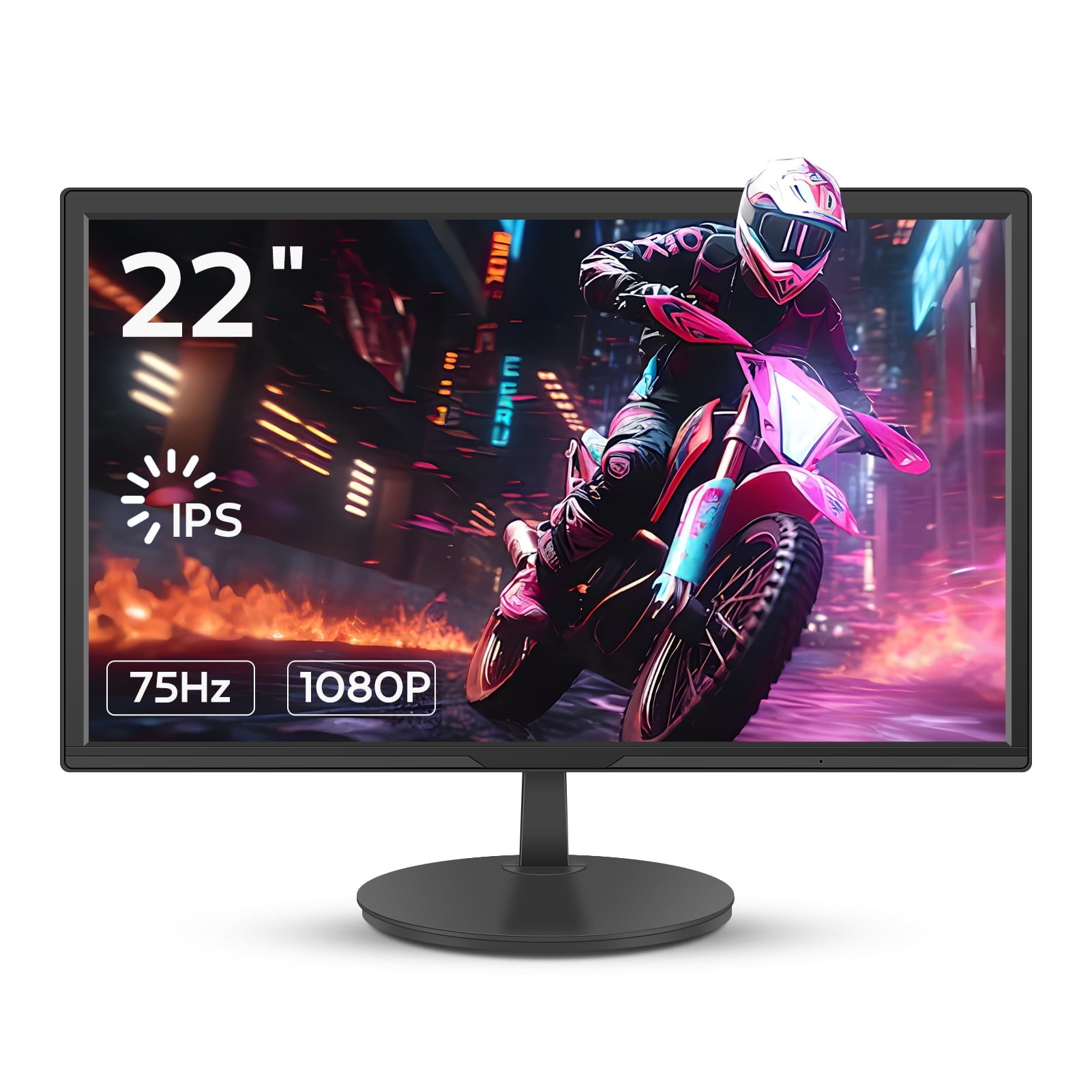
NOEARR
NOEARR 22 Inch Computer Monitor

NOEARR 22 Inch Computer Monitor

3.6(59 ratings)
$68.29at WalmartChecked 50 min ago
See all prices and details
Visit Walmart
Pros
  • Small footprint suits tight desks and secondary setups
  • 1080p IPS panel with 99% sRGB coverage
  • 75Hz refresh with Adaptive Sync reduces tearing
  • HDMI and VGA cover older PCs and consoles
  • VESA mount and detachable base for flexible placement
Cons
  • Only 1080p on a 22-inch screen, limited workspace
  • No USB-C, DisplayPort or USB hub
  • No stated height or pivot adjustment
  • 3.6 out of 5 from 59 ratings suggests inconsistent quality
  • No speakers or HDR
Dell
Dell UltraSharp 40 Curved Thunderbolt Hub Monitor (U4025QW) 40-inch

Dell UltraSharp 40 Curved Thunderbolt Hub Monitor

Dell UltraSharp 40 Curved Thunderbolt Hub Monitor (U4025QW) 40-inch

$1,300.00at eBayChecked 1 h ago
See all prices and details
Visit eBay

Store links may earn us a commission.

Pros
  • 40-inch 5K curved panel gives huge usable workspace
  • 120Hz refresh makes scrolling and motion smoother
  • Thunderbolt hub replaces a separate dock with one cable
  • 600 cd/m² brightness and factory-calibrated color
  • Height, tilt and swivel adjustment plus built-in speakers
Cons
  • Very large; needs a deep desk and strong GPU for 5K gaming
  • 5ms response time is fine for work, not a competitive gaming panel
  • Curved screen can distort straight lines for CAD work
  • Overkill for basic office tasks

What separates them

NOEARR 22 Inch Computer MonitorDell UltraSharp 40 Curved Thunderbolt Hub Monitor
Screen size and resolution22 inches at 1920x108040 inches curved at 5120x2160 (5K)
Refresh rate75Hz with Adaptive Sync120Hz
Brightness and HDR headroomTypical office-level brightness, no HDR claim600 cd/m², suitable for brighter rooms and HDR content
Color accuracy99% sRGB coverageWide-gamut IPS with factory calibration for professional color work
Connectivity and dockingHDMI and VGA onlyThunderbolt hub with USB-C, HDMI, DisplayPort and USB downstream ports
ErgonomicsDetachable base, VESA mount, no height or pivot adjustment statedCurved stand with height, tilt and swivel adjustment plus VESA support
Built-in speakersNot statedYes
Footprint and desk spaceSmall 22-inch panel fits narrow desksLarge 40-inch curved panel needs a deep desk

Price history

  • Dell UltraSharp 40 Curved Thunderbolt Hub Monitor: lowest $1,393.00 on Nov 14 at Amazon; $2,929.00 on Nov 20.

Prices at every store

NOEARR 22 Inch Computer Monitor

  • WalmartNew

    In stockSold by NOEARR StoreReturns: Sold by a Walmart Marketplace seller; returns go to the seller under the seller's returns policy.

    $68.29Checked 50 min ago
    Visit Walmart
Prices and history →

Dell UltraSharp 40 Curved Thunderbolt Hub Monitor

  • WalmartNew

    In stockSold by Technology Traders Inc

    $1,399.00Free shippingChecked Nov 14
    Visit Walmart
  • Best BuyNew

    In stock

    $1,424.99Free shippingChecked Nov 14
    Visit Best Buy
  • eBayNew

    Availability unknownSold by thebmcg_0 (0% positive, 4 ratings)Returns: Set by the eBay seller; the eBay Money Back Guarantee covers an item that doesn't arrive or isn't as described.

    $1,300.00+ $35.55 shippingChecked 1 h ago
    Visit eBay
  • AmazonNew

    Availability unknown

    As an Amazon Associate, Deal.ai earns from qualifying purchases.

    $1,393.00Free shippingChecked Nov 14
    Visit Amazon

Store links may earn us a commission.

All 15 stores and price history →

Specs compared

SpecNOEARR 22 Inch Computer MonitorDell UltraSharp 40 Curved Thunderbolt Hub Monitor
size22"40 in
colorBlack—
Display Type—LED
With Speakers—Yes
Connector Type—HDMI, DisplayPort, USB-C
HD Format—5K
Curved—Yes
Energy Star—Yes
Panel Type—IPS
EPEAT-Registered—Yes
Maximum Refresh Rate—120 Hz
Response Time—5 milliseconds
Show all 13 specsShow fewer specs
SpecNOEARR 22 Inch Computer MonitorDell UltraSharp 40 Curved Thunderbolt Hub Monitor
Brightness—600 cd/m²

What reviewers say

NOEARR 22 Inch Computer Monitor

  • 3.6 / 559 ratings

Buyers give the NOEARR 22 Inch monitor a middling 3.6 out of 5 across 59 ratings.

What people mention
  • Picture qualityPraisedBuyers find the 1080p IPS panel sharp and color-accurate for office work and video.
  • MotionPraisedThe 75Hz refresh rate with Adaptive Sync is seen as smooth for casual gaming.
  • Build qualityMixedSome owners report uneven panels or backlight issues, while others have no problems.
  • StandCriticisedThe included stand is basic and offers little adjustment beyond tilt.

Dell UltraSharp 40 Curved Thunderbolt Hub Monitor

Owners and reviewers rate the U4025QW highly for its sharp 5K panel, single-cable Thunderbolt docking and bright, color-consistent screen. Most criticism centers on its size and price relative to simpler 4K monitors, and on the modest built-in speakers.

What people mention
  • ResolutionPraisedReviewers highlight the sharp 5K detail for spreadsheets, photos and video timelines.
  • DockingPraisedOwners like running video, data and charging through one Thunderbolt cable.
  • BrightnessPraisedThe 600 cd/m² panel is described as bright and consistent across the screen.
  • SizeMixedThe wide curved panel is loved for workspace but noted as needing a deep desk.

Questions and answers

Which is better for photo or video editing?
The Dell. Its 5K resolution, wide-gamut calibrated IPS panel and 600 cd/m² brightness give accurate color and room for timelines and palettes. The NOEARR covers sRGB only and tops out at 1080p.
Can the NOEARR replace a laptop screen for work?
Yes for basic tasks. It adds a 1080p IPS display over HDMI or VGA, but it has no USB-C docking, so you still need separate cables for power and peripherals.
Is the Dell worth stepping up to from a small monitor?
If you multitask heavily or connect a laptop with one cable, yes. The 5K panel, Thunderbolt hub and 120Hz refresh replace a dock and a second screen. For email and spreadsheets, the NOEARR is enough.
Which is better for gaming?
The Dell is smoother at 120Hz, but its 5ms response and 5K resolution demand a strong GPU. The NOEARR's 75Hz and Adaptive Sync suit casual play at 1080p on modest hardware.
Does the Dell work with a Mac?
Yes. Thunderbolt over USB-C carries video, data and charging to a Mac laptop, and the hub ports handle peripherals. The NOEARR needs an HDMI or VGA adapter for most Macs.
Which lasts longer?
The Dell has a sturdier adjustable stand and a higher-rated panel, and owners report long service life. The NOEARR's 3.6 rating and basic stand suggest shorter or less consistent durability.

Ask our shopping agent

It checks today's price at every store, compares the alternatives and answers in about a minute.

Enter to send, Shift+Enter for a new line

More comparisons

  • 27 Inch Curved VA Computer Monitor vs NOEARR 22 Inch Computer Monitor
  • 27 Inch Curved VA Computer Monitor vs Dell UltraSharp 40 Curved Thunderbolt Hub Monitor (U4025QW) 40-inch