StoreDeal.ai store
Shop
  • Deals
  • Deal checker
  • Black Friday
  • Buying guides
  • Brands
  • Stores
Travel
  • Flight deals
  • Hotel deals
Company
  • Research
  • Press
  • Use in AI assistants
  • Contact
  • deal.ai apps
Black Friday 2026
  • Walmart
  • Best Buy
  • Target
  • TVs
  • Laptops
  • Headphones
  • Apple
  • Gaming
  • Vacuums
  • Kitchen
  • Toys
  • Smartwatches
  • Tablets
  • Furniture
  • Mattresses
© Deal.ai Inc.·2222 Ponce de Leon Blvd, Miami, FL 33134·support@deal.ai
TermsPrivacy
Deal.ai › Compare

Samsung Essential S3 27" Curved Monitor vs Dell UltraSharp 27 Monitor U2724D

Buy the Dell UltraSharp U2724D for color-accurate work, sharp text and a stand that adjusts to you. Buy the Samsung Essential S3 for a cheap, immersive curved screen for casual use. The Dell wins on resolution, panel quality and connectivity; the Samsung wins on curve, built-in speakers and a lower entry point. Owners rate both well, though the Dell's sample is smaller and skews toward professional users.

  • Choose the Samsung Essential S3 if you want a curved 27-inch screen for movies, light gaming and everyday browsing and do not need sharp text or color accuracy.
  • Choose the Dell UltraSharp U2724D if you edit photos or video, stare at spreadsheets all day, or want USB-C, DisplayPort daisy-chaining and a height-adjustable stand.

Prices

  • Samsung Essential S3 27" Curved Monitor: $98.00 at Walmart (checked today)
Samsung
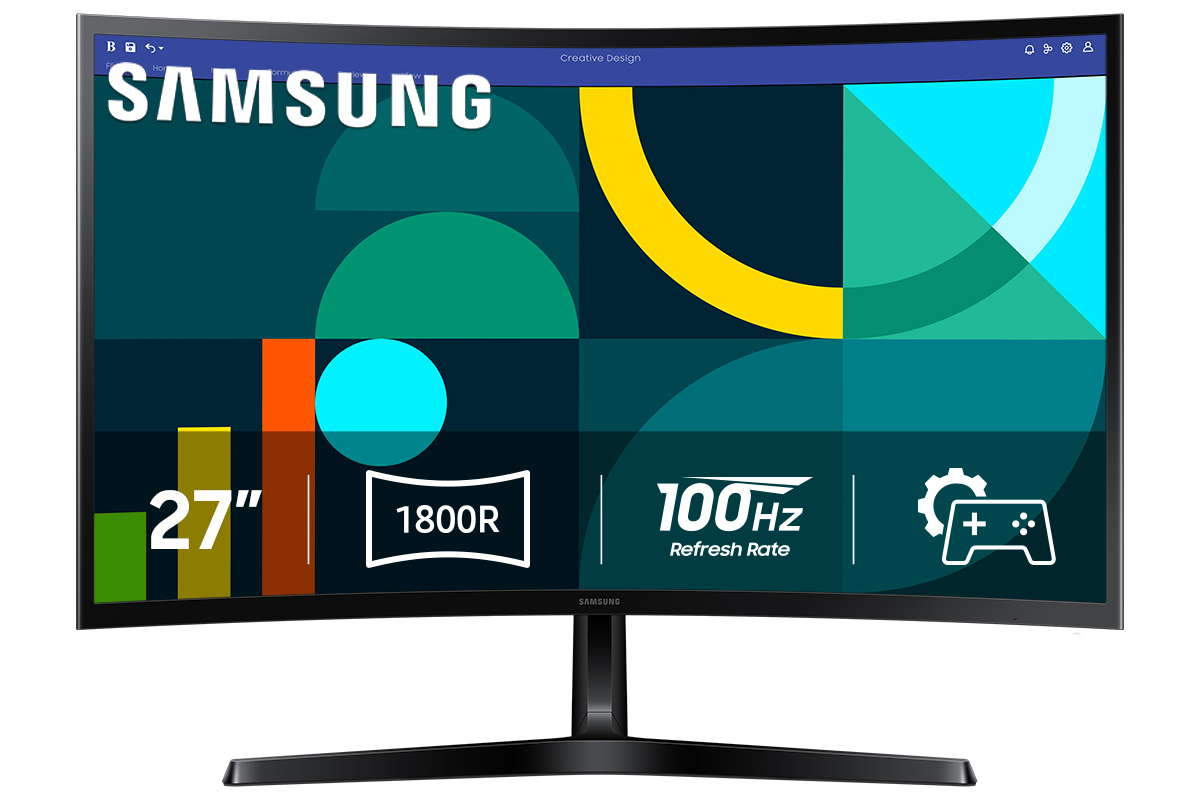
Samsung 27" Essential S3 (S36GD) FHD 100Hz Curved Monitor

Samsung Essential S3 27" Curved Monitor

Samsung 27" Essential S3 (S36GD) FHD 100Hz Curved Monitor

4.4(2,811 ratings)
$98.00at WalmartChecked 3 h ago
See all prices and details
Visit Walmart
Pros
  • Curved 1800R screen feels more immersive for video and games
  • 100Hz refresh is smoother than standard 60Hz office panels
  • Built-in speakers save desk space
  • HDMI and VGA cover older PCs and laptops
Cons
  • 1080p on 27 inches looks soft next to QHD
  • VA panel shows color shift at wide angles
  • Tilt-only stand limits ergonomics
  • No DisplayPort or USB hub
Dell
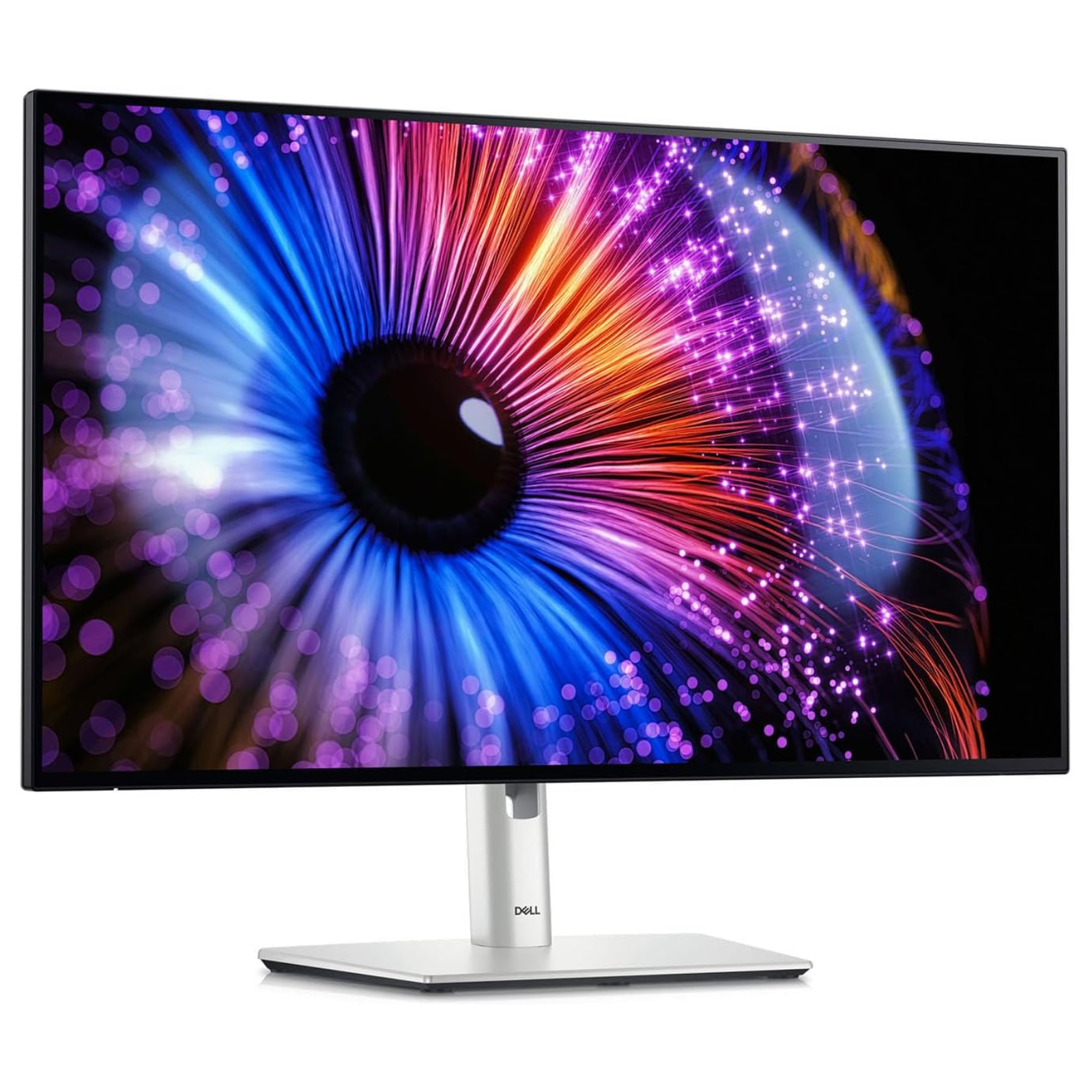
Dell UltraSharp 27 Monitor - U2724D

Dell UltraSharp 27 Monitor U2724D

Dell UltraSharp 27 Monitor - U2724D

4.6(155 ratings)
See all prices and details
Pros
  • QHD resolution gives noticeably sharper text and detail
  • IPS Black panel with wide color coverage suits editing work
  • USB-C hub and DisplayPort out simplify multi-device setups
  • Fully adjustable stand and VESA mount
Cons
  • No built-in speakers
  • 8ms response is slower on paper than the Samsung's 4ms
  • No VGA for legacy machines
  • Flat screen offers less immersion for casual viewing

What separates them

Samsung Essential S3 27" Curved MonitorDell UltraSharp 27 Monitor U2724D
Resolution1920x1080 Full HD2560x1440 QHD
PanelVA, 1800R curve, 4ms responseIPS Black, flat, 8ms response, 2000:1 contrast
Color coverageStandard sRGB, no factory calibration claims100% sRGB, 98% DCI-P3, 1.07 billion colors
Refresh rate100Hz120Hz
PortsHDMI and VGA onlyHDMI, DisplayPort in and out, USB-C upstream, 5-port USB hub
StandTilt only, no height or pivot adjustmentHeight, tilt, swivel and pivot, VESA mount
SpeakersBuilt-inNone, headphone out only
Eye comfortTÜV-certified low blue light and flicker reductionComfortView Plus plus ambient light sensor, TÜV 5-star

Price history

$349.99$98.00
Nov 10Nov 20
  • Samsung Essential S3 27" Curved Monitor: lowest $98.00 on Nov 20 at Amazon.
  • Dell UltraSharp 27 Monitor U2724D: lowest $349.99 on Nov 20.

Prices at every store

Samsung Essential S3 27" Curved Monitor

  • Before It Sells OutNew

    In stockReturn policy

    $39.99Checked 3 h ago
    Visit Before It Sells Out
  • WalmartNew

    In stock

    $98.00Checked 3 h ago
    Visit Walmart
  • AmazonNew

    Availability unknown

    As an Amazon Associate, Deal.ai earns from qualifying purchases.

    $98.00Free shippingChecked 3 h ago
    Visit Amazon
  • PC Richard & SonNew

    Availability unknown

    $109.99Checked Nov 14
    Visit PC Richard & Son

Store links may earn us a commission.

All 8 stores and price history →

Dell UltraSharp 27 Monitor U2724D

No priced offers right now.

Prices and history →

Specs compared

SpecSamsung Essential S3 27" Curved MonitorDell UltraSharp 27 Monitor U2724D
colorBlackSilver
Refresh Rate (Hz)10060
HDMIYesNo
Resolution1920x1080 (Full HD)2560 x 1440
Display TypeLEDLED
Connector TypeHDMI, VGAHDMI, VGA, DisplayPort, USB-C
HD Format1080p1080p
Panel TypeVAIPS
Size27 in, 32 in27 in
Maximum Refresh Rate100 Hz120 Hz
Response Time4 milliseconds8 milliseconds
Screen Size (")27.0—
Show all 40 specsShow fewer specs
SpecSamsung Essential S3 27" Curved MonitorDell UltraSharp 27 Monitor U2724D
With SpeakersYes—
CurvedYes—
Energy Star—Yes
Brightness—350 cd/m²
Pivot‎ 90°‎—No
3.5 mm In (AUX)—No
Color Depth—8 Bit
Memory Card Reader—No
DisplayPort—Yes
HDR—No

What reviewers say

Samsung Essential S3 27" Curved Monitor

  • 4.4 / 52,811 ratings

Owners rate it well as a budget everyday monitor, praising the smooth 100Hz panel and the immersive curve for the money. Complaints center on pixel density at 27 inches and the limited stand.

What people mention
  • Refresh ratePraisedOwners say the 100Hz panel feels noticeably smoother than 60Hz for scrolling and games.
  • CurveMixedMany like the wrap-around immersion, but some find the curve awkward for documents and straight-line work.
  • SharpnessCriticisedReviewers note that 1080p stretched over 27 inches looks soft, especially for text.
  • Eye comfortPraisedThe flicker-free, low blue light mode is credited with reducing strain in long sessions.

Dell UltraSharp 27 Monitor U2724D

  • 4.6 / 5155 ratings

Owners rate the U2724D highly, praising its color accuracy, deep blacks for an IPS panel and the smooth 120Hz refresh. Complaints center on the lack of HDR and the modest brightness.

What people mention
  • Color accuracyPraisedOwners say colors look accurate and consistent, which suits photo and design work.
  • ContrastPraisedThe IPS Black panel gives deeper blacks than most IPS monitors reviewers have used.
  • Refresh ratePraisedThe 120Hz refresh is described as a clear step up from 60Hz for everyday desktop use.
  • BrightnessMixed

Questions and answers

Which is better for photo or video editing?
The Dell. Its QHD IPS Black panel covers 100% sRGB and 98% DCI-P3 with far better color accuracy than the Samsung's VA panel.
Which is better for gaming?
The Samsung is fine for casual games thanks to its 100Hz refresh and curve. The Dell's 120Hz is smoother, but its 8ms response and lack of adaptive sync make neither a serious gaming monitor.
Is the Dell worth stepping up to over the Samsung?
Yes if you work with text, spreadsheets or images all day. The jump to QHD, the adjustable stand and the USB-C hub change daily use more than the curve does.
Which has better build and ergonomics?
The Dell. It has a height, tilt, swivel and pivot stand and VESA mounting. The Samsung tilts only and cannot be height-adjusted.
Do I need the Samsung's speakers?
Only if you want sound without separate speakers. The Dell has no speakers, just a headphone output.
Which suits an older PC or laptop?
The Samsung, which still has VGA. The Dell drops VGA and expects HDMI, DisplayPort or USB-C.

Ask our shopping agent

It checks today's price at every store, compares the alternatives and answers in about a minute.

Enter to send, Shift+Enter for a new line

More comparisons

  • Samsung 27" Essential S3 (S36GD) FHD 100Hz Curved Monitor vs LG 27 inch IPS Gaming Monitor FHD 155Hz 1ms G-Sync FreeSync, 27G41WB
  • Samsung Odyssey G3 Gaming Monitor vs Samsung 27" Essential S3 (S36GD) FHD 100Hz Curved Monitor
  • Samsung 27" Essential S3 (S36GD) FHD 100Hz Curved Monitor vs TUF GAMING VG27AQ5AZ 27" QHD Gaming Monitor
  • Insignia Class IPS FHD 144Hz Monitor with AMD FreeSync vs Samsung 27" Essential S3 (S36GD) FHD 100Hz Curved Monitor

Buying guides that pick them

  • Best monitors for work
  • Best computer monitors under $120
  • Best curved monitors for work and gaming
  • Best computer monitors
Tiltable—Yes
Curved Screen—No
USB Type—USB-A
USB—Yes
VESA-Mount—Yes
Headphone Out—Yes
Picture-By-Picture—No
Aspect Ratio—16:9
VGA—No
Type—Standard
Adjustable Height—Yes
Contrast (:1)—1000
VESA-Measurements—100x100 mm
DVI—No
Ethernet—No
TCO Certification—No
EPEAT Rating—No
DVI Ports—No
Some find 350 cd/m² adequate indoors but dim in bright, sunlit rooms.