StoreDeal.ai store
Shop
  • Deals
  • Deal checker
  • Black Friday
  • Buying guides
  • Brands
  • Stores
Travel
  • Flight deals
  • Hotel deals
Company
  • Research
  • Press
  • Use in AI assistants
  • Contact
  • deal.ai apps
Black Friday 2026
  • Walmart
  • Best Buy
  • Target
  • TVs
  • Laptops
  • Headphones
  • Apple
  • Gaming
  • Vacuums
  • Kitchen
  • Toys
  • Smartwatches
  • Tablets
  • Furniture
  • Mattresses
© Deal.ai Inc.·2222 Ponce de Leon Blvd, Miami, FL 33134·support@deal.ai
TermsPrivacy
Deal.ai › Compare

Samsung Odyssey G3 Gaming Monitor vs LG 27G41WB 27" Gaming Monitor

Buy the LG 27G41WB if color accuracy and wide viewing angles matter, since its IPS panel beats the Samsung's VA on both. Buy the Samsung Odyssey G3 if you want the higher 180Hz refresh rate and a curved screen for immersion. Both are 1080p gaming monitors with 1ms response and adaptive sync, so the real split is panel type: IPS for color and angles, VA for contrast and curve. Owners rate both highly, though the LG has far fewer ratings behind its score.

  • Choose the Samsung Odyssey G3 if you want a curved VA panel with a faster 180Hz refresh and deeper blacks for dark-room gaming.
  • Choose the LG 27G41WB if you need accurate colors and consistent picture from off-center angles, such as for creative work or a shared desk.

Prices

  • Samsung Odyssey G3 Gaming Monitor: $99.99 at DoorDash (checked today)
  • LG 27G41WB 27" Gaming Monitor: $89.00 at Walmart (checked today)
  • Difference: the LG 27G41WB 27" Gaming Monitor is $10.99 cheaper than the Samsung Odyssey G3 Gaming Monitor today
Samsung
Samsung Odyssey G3 Gaming Monitor

Samsung Odyssey G3 Gaming Monitor

4.7(1,900 ratings)
$99.99at DoorDashChecked 8 h ago
See all prices and details
Visit DoorDash
Pros
  • 180Hz refresh is the fastest of the two
  • Curved VA panel gives strong contrast in dark scenes
  • Height-adjustable stand suits long sessions
  • Large base of owner ratings backs the score
Cons
  • VA color shifts when viewed off-center
  • 250 nits is dim for bright rooms
  • 1080p at 27 inches looks soft up close
LG
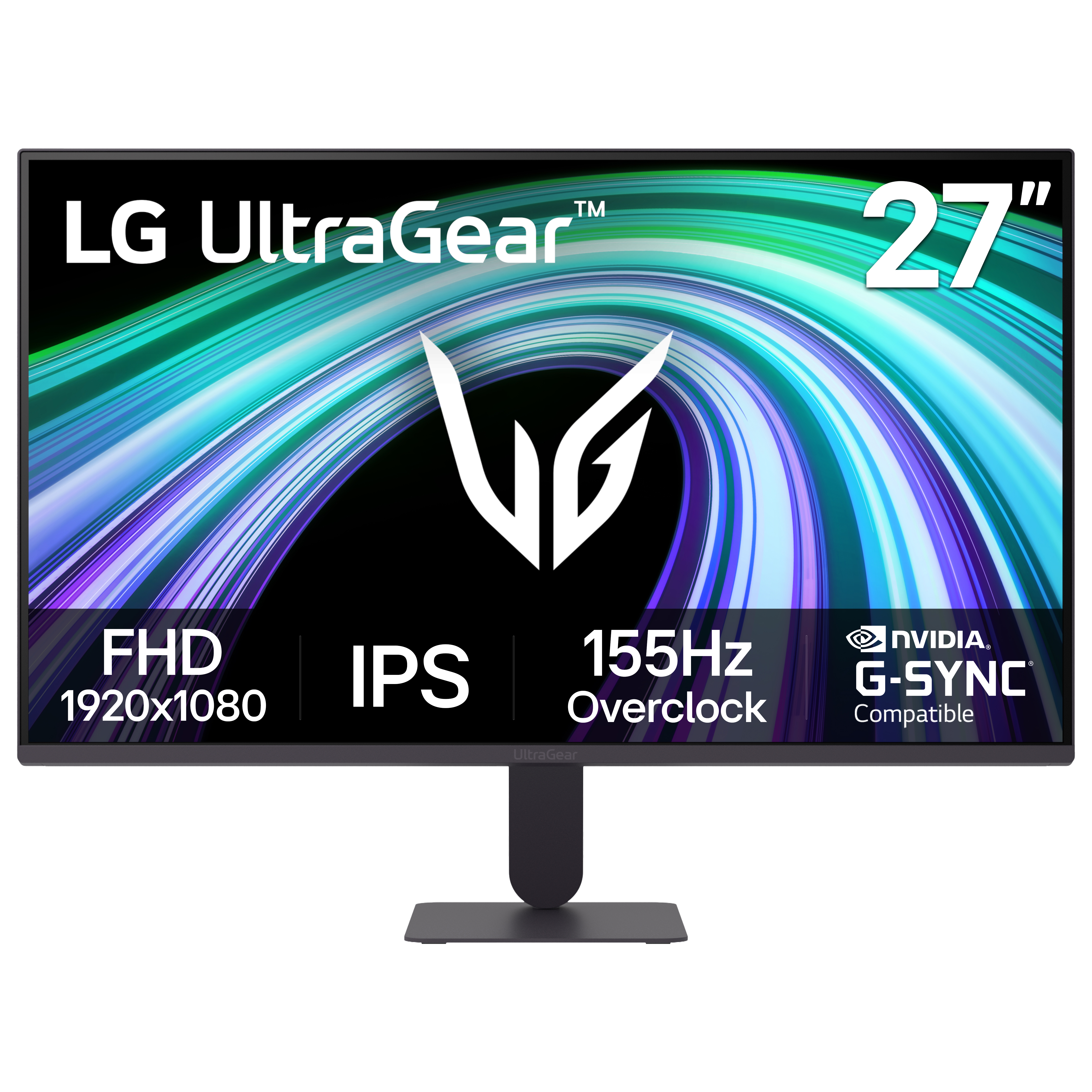
LG 27 inch IPS Gaming Monitor FHD 155Hz 1ms G-Sync FreeSync, 27G41WB

LG 27G41WB 27" Gaming Monitor

LG 27 inch IPS Gaming Monitor FHD 155Hz 1ms G-Sync FreeSync, 27G41WB

4.8(52 ratings)
$89.00at WalmartChecked 56 min ago
See all prices and details
Visit Walmart
Pros
  • IPS panel gives accurate color and stable viewing angles
  • Works with both FreeSync and G-Sync
  • 1ms response keeps motion clean
  • Flat IPS suits color-sensitive work as well as games
Cons
  • 155Hz is lower than the Samsung's 180Hz
  • Basic stand offers little adjustment
  • Only 52 ratings, so the score is less settled

What separates them

Samsung Odyssey G3 Gaming MonitorLG 27G41WB 27" Gaming Monitor
Panel typeVA, deeper blacks and higher contrastIPS, more accurate color and wider color consistency
Refresh rate180Hz155Hz
Screen shapeCurvedFlat
Adaptive syncAMD FreeSyncAMD FreeSync and G-Sync compatible
Viewing anglesRated 178 degrees, but VA shifts color off-axisIPS holds color and contrast from the side
Brightness250 nitsNot specified, typical IPS brightness
Stand ergonomicsHeight-adjustable ergonomic standBasic tilt stand
Owner feedback volume4.7 from about 1,900 ratings4.8 from 52 ratings

Price history

$154.99$99.00
Oct 30Nov 16
  • Samsung Odyssey G3 Gaming Monitor: lowest $99.00 on Nov 3; $154.99 on Nov 16.

Prices at every store

Samsung Odyssey G3 Gaming Monitor

  • DoorDashNew

    Availability unknownSold by Best Buy US

    $99.99Checked 8 h ago
    Visit DoorDash

Also available at

  • AntonlineCheck price at Antonline
  • Best BuyCheck price at Best Buy
  • eBayCheck price at eBay

Store links may earn us a commission.

Prices and history →

LG 27G41WB 27" Gaming Monitor

  • WalmartNew

    In stock

    $89.00Checked 56 min ago
    Visit Walmart
Prices and history →

Specs compared

SpecSamsung Odyssey G3 Gaming MonitorLG 27G41WB 27" Gaming Monitor
Resolution1920 x 1080—
HD FormatFHD—
Horizontal Resolution1920—
Vertical Resolution1080—
Response Time1 ms—
MPRT Response Time1 ms—
Display TypeLED—
Maximum Refresh Rate180 Hz—
Aspect Ratio16:9—
Panel TypeVA—
Backlight TechnologyLED—
Display HighlightsEye Saver Mode, HDR10—
Show all 31 specsShow fewer specs
SpecSamsung Odyssey G3 Gaming MonitorLG 27G41WB 27" Gaming Monitor
Display Viewing Angle178°(H)/178°(V)—
Horizontal Viewing Angle178°—
Vertical Viewing Angle178°—
Color SupportMax 16.7M—
Pixel Density92.56 PPI (24'' 1080p display)—
Pixel Per Inch92.56 PPI (24'' 1080p display)—
Color TemperatureColor temperature control—
Display ModesCustom Picture Mode—
Max Brightness250 nits—

What reviewers say

Samsung Odyssey G3 Gaming Monitor

  • 4.7 / 51,900 ratings

Rated 4.7 out of 5 from 1,900 ratings, buyers largely see the Odyssey G3 as a strong value gaming monitor. The high refresh rate and adjustable stand come up often as reasons to keep it.

What people mention
  • Refresh ratePraisedOwners say the 180Hz panel makes fast games feel smooth and responsive.
  • StandPraisedBuyers like the height, tilt and swivel adjustment at this price.
  • BrightnessCriticisedReviewers find 250 nits dim, especially in bright rooms.
  • Panel blurMixedSome owners notice smearing in dark, fast-moving scenes typical of VA panels.

LG 27G41WB 27" Gaming Monitor

  • 4.8 / 552 ratings

Rated 4.8 out of 5 from 52 ratings, buyers are largely satisfied with the smooth high refresh rate and the IPS picture.

What people mention
  • Refresh ratePraisedBuyers highlight the smooth 155Hz motion in fast games.
  • Picture qualityPraisedThe IPS panel is noted for vivid color and wide viewing angles.
  • Adaptive syncPraisedOwners like that it works with both FreeSync and G-Sync systems.

Questions and answers

Which is better for competitive shooters?
The Samsung Odyssey G3, mainly for its 180Hz refresh and 1ms response. The LG is close at 155Hz, so the gap is small.
Which has better picture quality?
The LG. Its IPS panel keeps colors accurate and stable from the side, while the Samsung's VA panel shifts color off-axis but wins on contrast.
Does the LG work with an Nvidia card?
Yes. LG lists G-Sync alongside FreeSync, so it pairs with Nvidia GPUs. The Samsung lists FreeSync only.
Is 1080p enough at 27 inches?
It is workable for gaming but looks soft for text and detail. At 24 inches, 1080p is sharper; the Samsung comes in both sizes.
Which lasts longer?
Neither brand publishes a lifespan figure. Both use LED backlights and carry standard warranties, so treat them as similar.
Is the curved screen worth it?
The Samsung's curve adds immersion at 27 inches and is a matter of taste. The LG is flat, which some prefer for work.

Ask our shopping agent

It checks today's price at every store, compares the alternatives and answers in about a minute.

Enter to send, Shift+Enter for a new line

More comparisons

  • Samsung Odyssey G3 Gaming Monitor vs Samsung 27" Essential S3 (S36GD) FHD 100Hz Curved Monitor
  • Samsung 27" Essential S3 (S36GD) FHD 100Hz Curved Monitor vs LG 27 inch IPS Gaming Monitor FHD 155Hz 1ms G-Sync FreeSync, 27G41WB
  • Samsung Odyssey G3 Gaming Monitor vs Insignia Class IPS FHD 144Hz Monitor with AMD FreeSync
  • Insignia Class IPS FHD 144Hz Monitor with AMD FreeSync vs LG 27 inch IPS Gaming Monitor FHD 155Hz 1ms G-Sync FreeSync, 27G41WB

Buying guides that pick them

  • Best computer monitors under $120
Sync Technology
AMD FreeSync
—
Connector TypeDisplayPort, HDMI—
Number Of HDMI Ports1—
With SpeakersYes—
Size24 in, 27 in—
CurvedYes—
Energy StarYes—
Weight12.1 lb weight—
Brightness250 cd/m²—
color—Black