StoreDeal.ai store
Shop
  • Deals
  • Deal checker
  • Black Friday
  • Buying guides
  • Brands
  • Stores
Travel
  • Flight deals
  • Hotel deals
Company
  • Research
  • Press
  • Use in AI assistants
  • Contact
  • deal.ai apps
Black Friday 2026
  • Walmart
  • Best Buy
  • Target
  • TVs
  • Laptops
  • Headphones
  • Apple
  • Gaming
  • Vacuums
  • Kitchen
  • Toys
  • Smartwatches
  • Tablets
  • Furniture
  • Mattresses
© Deal.ai Inc.·2222 Ponce de Leon Blvd, Miami, FL 33134·support@deal.ai
TermsPrivacy
Deal.ai › Compare

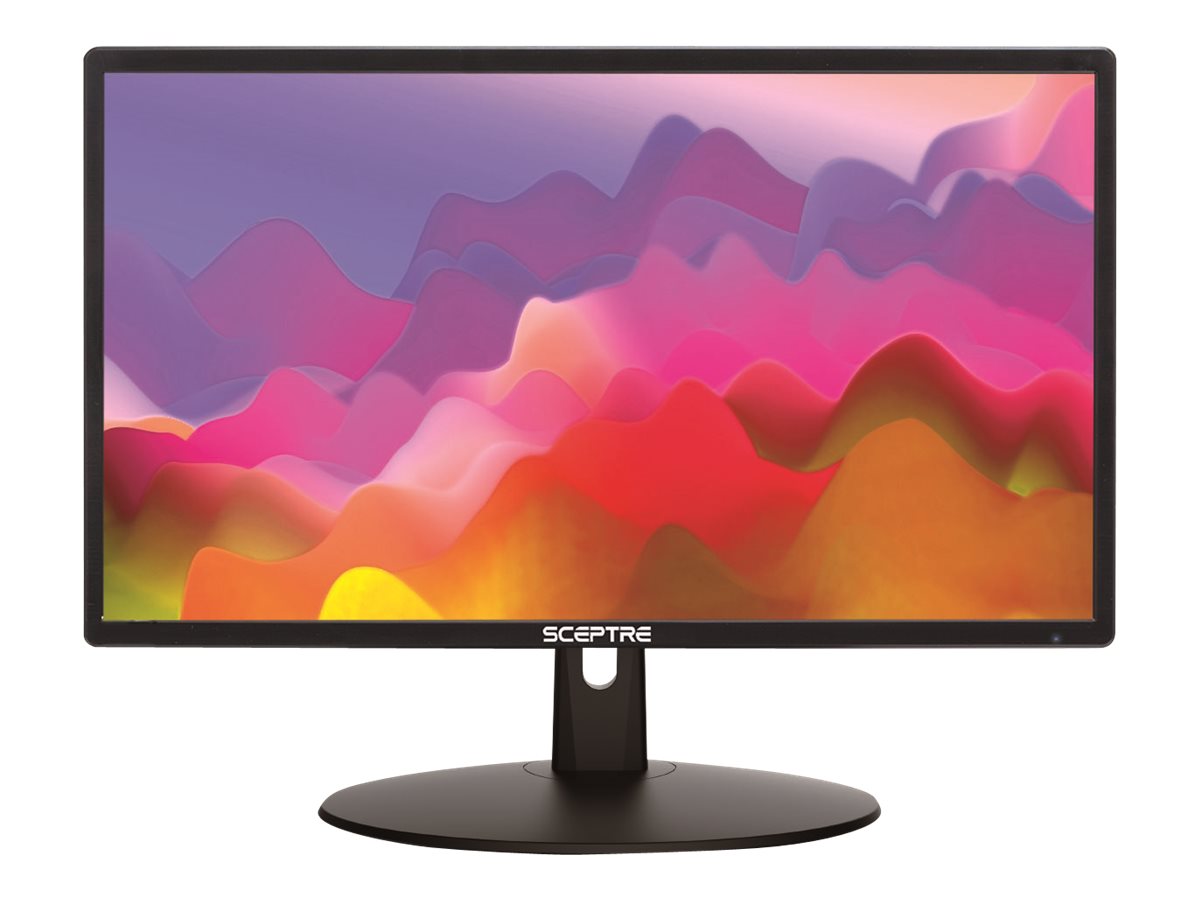
Sceptre E205W-16003RTT 20" Monitor vs Dell Pro 20 E2026H Monitor

The Dell Pro 20 E2026H is the better-built choice for desk work: it adds DisplayPort, HDCP, a 100Hz refresh and Dell's eye-comfort tuning, and Dell's business monitors are widely reported to hold up over years of daily use. The Sceptre is the pick for tight budgets and small desks, since it includes built-in speakers and an IPS panel with wider viewing angles. Neither is a gaming monitor; both are 1600 x 900 panels, so expect HD+ sharpness, not full HD.

  • Choose the Sceptre if you want built-in speakers, an IPS panel with wide viewing angles, and a compact screen for a small desk or a secondary display.
  • Choose the Dell Pro 20 if you want DisplayPort, HDCP, a 100Hz refresh, and a business-grade monitor with eye-comfort features for long workdays.

Prices

  • Sceptre E205W-16003RTT 20" Monitor: $68.97 at Walmart (last seen Nov 13)
Sceptre
Sceptre LED monitor 20"

Sceptre E205W-16003RTT 20" Monitor

Sceptre LED monitor 20"

4.2(63 ratings)
$68.97at WalmartChecked Nov 13
See all prices and details
Visit Walmart
Pros
  • IPS panel with wide viewing angles
  • Built-in speakers save desk space
  • HDMI and VGA cover most laptops and desktops
  • Light and compact for small desks
Cons
  • Only 75Hz
  • No DisplayPort or HDCP
  • Glossy-listed screen can reflect light
  • Budget build and support
Dell
Dell Pro 20 E2026H

Dell Pro 20 E2026H Monitor

Dell Pro 20 E2026H

See all prices and details
Pros
  • 100Hz refresh for smoother motion
  • DisplayPort, HDMI and VGA inputs with HDCP
  • Blue-light reduction for long sessions
  • Dell business build and service reputation
Cons
  • TN panel with narrower viewing angles
  • No built-in speakers
  • Tilt-only stand
  • 5ms response is fine for work, not competitive gaming

What separates them

Sceptre E205W-16003RTT 20" MonitorDell Pro 20 E2026H Monitor
Panel typeIPS, wider viewing angles and steadier color off-axisTN, faster and cheaper but colors shift when viewed from the side
Refresh rate75Hz100Hz, smoother scrolling and motion
PortsHDMI and VGAHDMI, DisplayPort and VGA, plus HDCP support
SpeakersBuilt-in 2 x 2W speakersNo built-in speakers
ErgonomicsTilt only, 15° back and 5° forwardTilt only
Eye comfortAnti-glare coating, no blue-light mode listedDell eye-comfort solutions that cut blue light
Build and supportBudget brand, limited service reputationDell business line with a long track record in offices
FootprintAbout 1.95 kg, compact 20-inch bodyStandard 20-inch desktop footprint

Price history

  • Sceptre E205W-16003RTT 20" Monitor: lowest $79.99 on Nov 13 at Walmart.
  • Dell Pro 20 E2026H Monitor: lowest $89.99 on Nov 13.

Prices at every store

Sceptre E205W-16003RTT 20" Monitor

  • WalmartNew

    In stockSold by Genesis Official StoreReturns: Sold by a Walmart Marketplace seller; returns go to the seller under the seller's returns policy.

    $68.97Free shippingChecked Nov 13
    Visit Walmart
  • Wireless PlaceNew

    In stockReturn policy

    $127.50Checked Nov 13
    Visit Wireless Place

Also available at

  • WalmartCheck price at Walmart

Store links may earn us a commission.

All 2 stores and price history →

Dell Pro 20 E2026H Monitor

No priced offers right now.

Prices and history →

Specs compared

SpecSceptre E205W-16003RTT 20" MonitorDell Pro 20 E2026H Monitor
Resolution1600 x 9001600 x 900
Aspect ratio1.77:116:9
Response time5 Milliseconds5 ms GTG
Display TypeLEDLED
Connector TypeHDMI, VGA, DVI, DisplayPortVGA, DisplayPort, HDMI
Panel TypeIPSTN
Maximum Refresh Rate75 Hz100 Hz
colorBlack—
Screen size20 inch—
Refresh rate75Hz—
Ports1 x HDMI Ports & 1 VGA Port—
SpeakersBuilt-In Speakers—
Show all 37 specsShow fewer specs
SpecSceptre E205W-16003RTT 20" MonitorDell Pro 20 E2026H Monitor
Tilt15° backward and 5° forward—
Screen surfaceGlossy—
Power consumption20.45 Watts—
Product dimensions45.75 x 34.49 x 17.83 cm—
Weight1.95 kg—
With SpeakersYes—
Energy StarYes—
Size20 in—
HD Format—HD+
Horizontal Resolution

What reviewers say

Sceptre E205W-16003RTT 20" Monitor

  • 4.2 / 563 ratings

Buyers rate it around 4.2 out of 5 across 63 ratings. Most are satisfied with the picture for the size and with the built-in speakers, while some find the resolution and glossy finish limiting.

What people mention
  • Picture qualityPraisedOwners say the IPS panel looks bright and colorful for an HD+ screen.
  • ResolutionCriticisedSome buyers find 1600 x 900 soft compared with full-HD monitors.
  • SpeakersPraisedReviewers like having built-in speakers that are loud enough for basic use.
  • Screen surfaceCriticisedThe glossy finish reflects lamps and windows in some rooms.

Questions and answers

Which is better for office work?
The Dell Pro 20. Its 100Hz refresh, DisplayPort, HDCP and blue-light reduction suit long desk sessions, and Dell's business line is built for daily office use. The Sceptre works for basic tasks but offers less.
Which has better picture quality?
The Sceptre's IPS panel keeps colors steadier from the side, which matters if several people view the screen. The Dell's TN panel is fine head-on but shifts color at an angle. Both are 1600 x 900, so sharpness is similar.
Do I need speakers in the monitor?
Only the Sceptre has them. If you want audio without separate speakers, it saves desk space. The Dell has no speakers, so plan on headphones or desktop speakers.
Which lasts longer?
Dell's business monitors are widely reported to hold up over years of daily use, and Dell backs them with business support. The Sceptre is a budget model with a shorter track record. Either can last, but the Dell is the safer bet for heavy use.
Is the Dell worth stepping up to?
Yes if you use DisplayPort, want 100Hz, or stare at the screen all day. The Sceptre makes more sense for a secondary screen or a tight desk where built-in speakers help.
Can either handle gaming?
Only casually. The Sceptre's 75Hz and Adaptive Sync and the Dell's 100Hz both smooth motion, but 1600 x 900 and 5ms response put both below dedicated gaming monitors.

Ask our shopping agent

It checks today's price at every store, compares the alternatives and answers in about a minute.

Enter to send, Shift+Enter for a new line

More comparisons

  • JBL Samsung 20 Inch PC Monitor vs Sceptre LED monitor 20"
  • JBL Samsung 20 Inch PC Monitor vs Dell Pro 20 E2026H

Buying guides that pick them

  • Best 20-inch computer monitors
—
1600 pixels
Vertical Resolution—900 pixels
GTG Response Time—5 ms
Number Of HDMI Ports—1
Analog Video Input—VGA
HDCP Compatible—Yes
Backlight Technology—LED Edgelight System
Display Highlights—Eye comfort solutions that reduce blue light em…
Horizontal Viewing Angle—170 °
Vertical Viewing Angle—160 °
Color Support—16.7 million colors
Pixel Per Inch—94
Display Modes—HD+
Pixel Pitch—0.2706 mm x 0.2645 mm
Max Brightness—250 cd/m²
Display Position Adjustments—Tilt