StoreDeal.ai store
Shop
  • Deals
  • Deal checker
  • Black Friday
  • Buying guides
  • Brands
  • Stores
Travel
  • Flight deals
  • Hotel deals
Company
  • Research
  • Press
  • Use in AI assistants
  • Contact
  • deal.ai apps
Black Friday 2026
  • Walmart
  • Best Buy
  • Target
  • TVs
  • Laptops
  • Headphones
  • Apple
  • Gaming
  • Vacuums
  • Kitchen
  • Toys
  • Smartwatches
  • Tablets
  • Furniture
  • Mattresses
© Deal.ai Inc.·2222 Ponce de Leon Blvd, Miami, FL 33134·support@deal.ai
TermsPrivacy
Deal.ai › Compare

Synology DiskStation DS925+ vs Synology BeeStation

Buy the DS925+ if you want a real NAS: four bays, RAID, 2.5GbE and room to grow. Buy the BeeStation if you want a personal cloud that works minutes after unboxing and never think about drives again. The DS925+ is the stronger, more flexible machine; the BeeStation wins on simplicity and setup. Reviewers call the BeeStation easy but shallow, and the DS925+ is the one that scales.

  • Choose the DiskStation DS925+ if you want RAID protection, multiple drives, 2.5GbE networking and the option to expand to nine bays later.
  • Choose the BeeStation if you want one box with storage already inside, a QR-code setup and no interest in managing RAID or drives.

Prices

  • Synology DiskStation DS925+: $694.00 at Walmart (last seen Nov 24)
  • Synology BeeStation: $364.99 at Amazon (last seen Nov 19)
  • Difference: the Synology BeeStation is $329.01 cheaper than the Synology DiskStation DS925+ at the latest prices (Nov 19 and Nov 24)
Synology
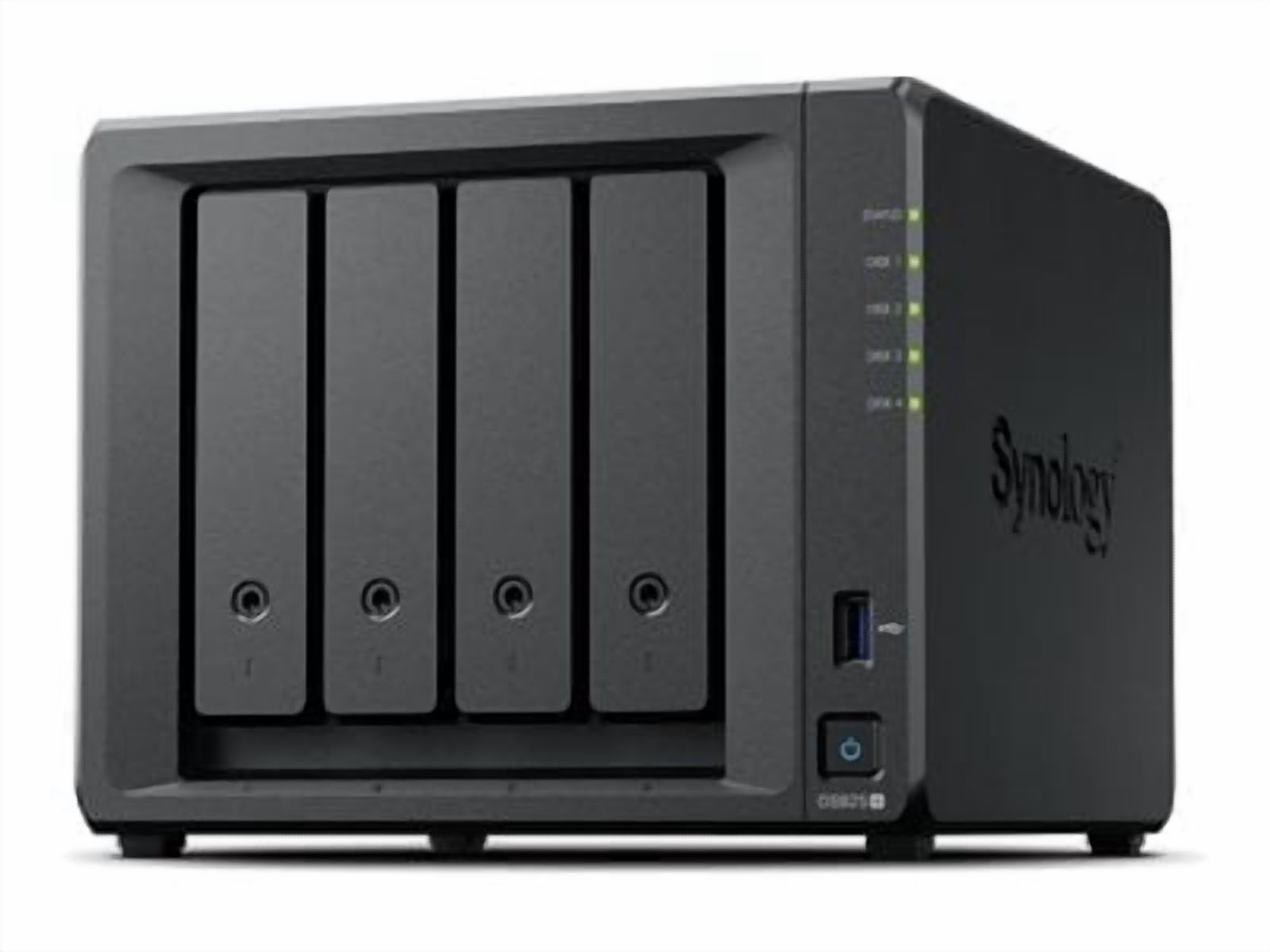
Synology 4-bay DiskStation DS925+

Synology DiskStation DS925+

Synology 4-bay DiskStation DS925+

3.5(4 ratings)
$694.00at WalmartChecked Nov 24
See all prices and details
Visit Walmart
Pros
  • Four bays with RAID 5/6 protection
  • 2.5GbE dual ports for fast transfers
  • ECC memory upgradable to 32 GB
  • Two M.2 NVMe slots for cache or storage
  • Expands to nine bays with a DX525
  • Surveillance Station for up to 40 IP cameras
Cons
  • No drives included; you buy and install them
  • Setup and RAID configuration take real effort
  • Bigger, louder and needs a wired network
  • Overkill if you only want photo backup
Synology
Synology BeeStation

Synology BeeStation

4(1 rating)
$364.99at AmazonChecked Nov 19
See all prices and details
Visit Amazon

Store links may earn us a commission. As an Amazon Associate, Deal.ai earns from qualifying purchases.

Pros
  • Ready to use out of the box with 4 TB inside
  • QR-code setup, no storage expertise needed
  • Backs up phones, computers and cloud accounts
  • AI photo search by person or object
  • Small and quiet
  • Views over 100 file formats in the browser, including RAW images and video
Cons
  • Single drive, no RAID, no redundancy
  • 1 GB RAM and ARM CPU limit heavy workloads
  • 1GbE only, 4 TB fixed capacity
  • Reviewers say it lacks the depth of a real NAS

What separates them

Synology DiskStation DS925+Synology BeeStation
Drive bays4 bays, empty, drives bought separately1 fixed 4 TB drive, nothing to install
Data protectionRAID 0/1/5/6/10 and JBODNo RAID; single drive is a single point of failure
CPU and RAMAMD Ryzen V1500B, 4 cores/8 threads, 4 GB ECC, up to 32 GBRealtek ARM quad-core, 1 GB DDR4, not upgradable
Network speedTwo 2.5GbE portsOne 1GbE port
Expansion2 M.2 NVMe slots, USB 3.2, up to 9 bays via DX525USB-A and USB-C only, capacity fixed at 4 TB
Setup effortInstall drives, create a volume, configure RAID and usersScan a QR code and go
Software depthFull DSM: snapshots, virtualization, Docker, media and backup appsBeeStation app for photos, files and cloud sync; reviewers say it lacks a typical NAS feature set
Form factorDesktop 4-bay enclosureSmall 5.8 x 2.4 x 7.7 inch box
Usable capacityDepends on the drives you install; up to 180 TB raw with a DX525 expansion unitAbout 3.45 TiB usable from the 4 TB drive
Cloud syncDSM backup tools can pull from cloud accountsBuilt in: backs up Google Drive, OneDrive, Dropbox and external drives to one place

Price history

$899.99$361.90
Nov 8Nov 24
  • Synology DiskStation DS925+: lowest $819.99 on Nov 8 at Amazon; $899.99 on Nov 24.
  • Synology BeeStation: lowest $361.90 on Nov 8 at eBay; $389.99 on Nov 24.

Prices at every store

Synology DiskStation DS925+

  • WalmartNew

    In stockSold by Newegg Inc.Returns: Sold by a Walmart Marketplace seller; returns go to the seller under the seller's returns policy.

    $694.00Free shippingChecked Nov 24
    Visit Walmart
  • NAS MarketplaceNew

    In stockReturn policy

    $728.00Checked Nov 24
    Visit NAS Marketplace
  • Best BuyNew

    In stock

    $829.99Free shippingChecked Nov 16
    Visit Best Buy
  • AdoramaNew

    Availability unknown

    $829.99Checked Nov 16
    Visit Adorama

Also available at

  • WalmartCheck price at Walmart
  • eBayCheck price at eBay
  • Altex ElectronicsCheck price at Altex Electronics

Store links may earn us a commission.

All 15 stores and price history →

Synology BeeStation

  • B&H Photo-Video-AudioNew

    In stock

    $364.99Free shippingChecked Nov 19
    Visit B&H Photo-Video-Audio
  • Newegg.comNew

    In stock

    $365.99+ $9.99 shippingChecked Nov 19
    Visit Newegg.com
  • AmazonNew

    Availability unknown

    As an Amazon Associate, Deal.ai earns from qualifying purchases.

    $364.99Free shippingChecked Nov 19
    Visit Amazon
  • Newegg BusinessNew

    Availability unknown

    $365.99Checked Nov 19
    Visit Newegg Business

Also available at

  • eBayCheck price at eBay

Store links may earn us a commission.

All 14 stores and price history →

Specs compared

SpecSynology DiskStation DS925+Synology BeeStation
USB portsUSB 3.2 Gen 1 PortUSB 3.2, USB-C
Built-In Hard DriveNoNo
USB-AYesYes
RAIDYesNo
SATAYesNo
RAID LevelRAID 0, RAID 1, RAID 5, RAID 6, RAID 1+0None
colorMulticolor—
CPU modelAMD Ryzen V1500B—
CPU cores4—
CPU threads8—
CPU frequency2.2 GHz—
System memory4 GB DDR4 ECC SODIMM—
Show all 40 specsShow fewer specs
SpecSynology DiskStation DS925+Synology BeeStation
Maximum memory32 GB (16 GB × 2)—
Drive bays4 × 3.5" SATA HDD or 2.5" SATA SSD—
M.2 slots2 × M.2 2280 NVMe SSD—
Max bays with expansion9 (DX525 × 1)—
Network ports2.5GbE RJ-45 Ports—
Raw capacity with expansionup to 180 TB—
Form Factor2.5", 3.5"—
RAID LevelsRAID 10, RAID 0, RAID 1, RAID 5, RAID 6, JBOD—
sizeOne Size—

What reviewers say

Synology DiskStation DS925+

Owners of the DS925+ line praise the build quality, the dual 2.5GbE networking and the stable DSM software. The most common complaints concern the tighter drive compatibility list and the modest stock memory for virtualization.

What people mention
  • Drive compatibilityCriticisedOwners complain that only Synology-listed drives get full feature support, limiting cheaper third-party options.
  • Network speedPraisedReviewers highlight the dual 2.5GbE ports as a real step up for large file transfers.
  • MemoryMixedECC support is welcome, but the 4 GB stock configuration is seen as thin for virtualization.
  • Build qualityPraisedThe chassis and drive trays are described as sturdy and easy to service.

Synology BeeStation

Reviewers find the BeeStation quick to set up and a convenient substitute for subscription cloud storage. They also say it is much less capable than a typical NAS, with a thin feature set.

What people mention
  • Ease of usePraisedReviewers say setup takes minutes and the interface is simple enough for non-technical users.
  • Cloud replacementPraisedOwners like consolidating phone photos and cloud accounts in one private place without a subscription.
  • FeaturesCriticisedReviewers say it lacks the apps, settings and depth of a typical Synology NAS.
  • RedundancyCriticisedWith one fixed drive and no RAID, a drive failure means data loss unless you keep a separate backup.
Reviews
  • Network Attached Storage Reviews From Our Experts - PCMag editors select and review products independently
  • Best NAS (Network Attached Storage) Devices - The reviews on this page have been selected by our editors, but have been optimized by our com

Questions and answers

Which is better for backing up photos from phones?
Both do it. The BeeStation is simpler: scan a code, install the app and photos sync with AI search. The DS925+ uses Synology Photos with more control and RAID protection, but you set it up yourself.
Which lasts longer?
The DS925+ has the longer service life. You replace drives as they age and keep the chassis for years. The BeeStation's single fixed drive is the whole storage, so when it fails the unit is done.
Is the DS925+ worth stepping up to from the BeeStation?
Yes if you want RAID, more capacity, faster networking or room to grow. Stay with the BeeStation if simplicity matters more than redundancy and speed.
Can the BeeStation protect against a drive failure?
No. It has one drive and no RAID. A separate backup is your only protection. The DS925+ with RAID 5 survives one drive failure without data loss.
Which is faster on a wired network?
The DS925+. Its 2.5GbE ports and Ryzen CPU move large files much faster than the BeeStation's single 1GbE port and ARM chip.
Do either need a subscription?
No. Both are one-time hardware purchases with no cloud storage subscription. Synology's optional services are not required for local storage and backup.
How much usable space does each give me?
The BeeStation gives about 3.45 TiB from its 4 TB drive. The DS925+ has no drives, so usable space depends on what you install; with a DX525 it reaches 180 TB raw.
Which is easier to set up?
The BeeStation. Scan a QR code and it is ready, with no storage or network expertise. The DS925+ needs drives installed, a volume created and RAID and users configured.
Which is better for a small business?
The DS925+. It supports RAID, ECC memory, dual 2.5GbE, snapshots and up to 40 surveillance cameras. The BeeStation is built for personal files and photos, not shared business workloads.
Does the DS925+ come with drives?
No. The DS925+ ships empty, with the main unit, accessory pack, power adapter, power cord and two RJ-45 cables. You choose and install the drives yourself.

Ask our shopping agent

It checks today's price at every store, compares the alternatives and answers in about a minute.

Enter to send, Shift+Enter for a new line

More comparisons

  • Synology 4-bay DiskStation DS925+ vs UGREEN NAS DH4300 Plus 4-Bay NAS Storage
  • Synology 4-bay DiskStation DS925+ vs QNAP TS-233
  • UGREEN NAS DH4300 Plus 4-Bay NAS Storage vs Synology BeeStation
  • QNAP TS-233 vs Synology BeeStation

Buying guides that pick them

  • Best NAS devices for home use
Without Hard Drive
Yes
—
Hot SwappableYes—
TypeNAS—
Network ConnectivityGigabit Ethernet, 10/100 Ethernet—
Personal Cloud StorageYes—
Installed RAM4 GB RAM—
Write Speed565 MB/s write speed—
Read Speed522 MB/s read speed—
Maximum number of hard drives4—
ProcessorAMD Ryzen Embedded V1500B with 4 cores—
Internal storage—4 TB
Usable capacity—approximately 3.45 TiB
Number of bays—1
Hard disk configuration—Fixed Single
Wired network speed—10/100/1000
Connection type—1GbE
Dimensions—5.8 by 2.4 by 7.7 inches
CPU—2GHz Realtek ARM quad-core
RAM—1GB of DDR4