- Is the M4 Mac mini enough for video editing?
- Yes for 4K editing in common apps. The 10-core M4 and 24GB of memory handle timelines and exports well. Heavy 8K or many effects layers will want more memory.
- Can I upgrade the RAM or storage later?
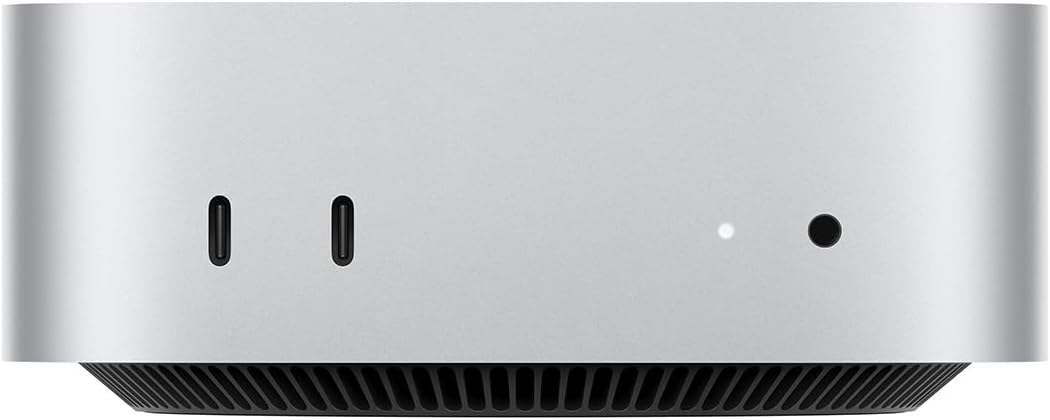
- No. Memory and SSD are soldered to the board, so choose the configuration you need at purchase. External SSDs over Thunderbolt are the workaround for storage.
- How does it compare with the M2 Mac mini?
- The M4 is faster in CPU and graphics work and adds front USB-C ports. If you already own an M2 model, everyday tasks feel similar; the gap shows in exports and heavy apps.
- What do I need to use it?
- A monitor, a keyboard and a mouse, none of which are included. It also has no built-in display or battery, so it is a desk computer only.
- How many displays can it drive?
- Up to three displays depending on resolution and port type, using Thunderbolt and HDMI together. Check Apple's display support table for your exact monitor mix.
- Is it good for gaming?
- It runs many Mac-native and Apple Arcade games well, but Windows-only titles need workarounds. Gamers are better served by a dedicated PC.
- Where is the Apple Mac mini M4 10-Core CPU 24GB RAM 512GB SSD cheapest?
- At Ricky Cell, for $700.00, 30% under what the other stores charge, as of our latest check.
- Where can I buy the Apple Mac mini M4 10-Core CPU 24GB RAM 512GB SSD?
- 11 stores we checked sell it, including Amazon, Best Buy, Ricky Cell, Usedmac, Techable.