ASUS ProArt PA279CV 27 UHD 3840 x 2160 4K
Last price we saw
Prices change often: ask the agent below to check today's price at every store.
Prices differ by screen size, and this one may be for a smaller size: check the size at the store.
Prices are checked against each store and labelled with when.
Ask our agent about this product
It checks today's price at every store, compares the alternatives and answers in about a minute.
In stock now from ASUS

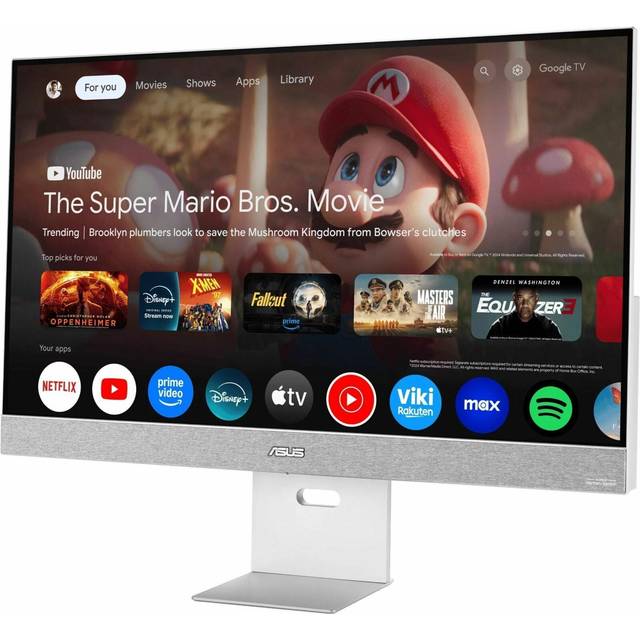

Our take on the ASUS ProArt PA279CV 27 UHD 3840 x 2160 4K
The ASUS ProArt PA279CV is a 27-inch 4K IPS monitor built for creators rather than gamers. It pairs a 3840x2160 panel with USB-C connectivity, a USB hub and VESA mounting, and ASUS calibrates it at the factory for color accuracy. Its 60Hz refresh rate and 1000:1 contrast are ordinary next to premium 4K panels, but the color-focused tuning and USB-C docking set it apart from basic office monitors. It suits photographers, video editors and designers who want accurate color and a single-cable laptop setup without paying for a reference-grade display.
- Sharp 4K resolution on a 27-inch IPS panel
- Factory-calibrated color aimed at creative work
- USB-C connection carries video and data to a laptop
- Built-in USB hub for peripherals
- VESA mount and tilt adjustment for flexible setup
What reviewers say
Owners and reviewers treat the PA279CV as a solid entry point into color-accurate 4K work. They praise the sharp panel, the out-of-box color and the convenience of USB-C, while noting the modest contrast and 60Hz limit.
- Color accuracyPraisedReviewers say colors look accurate without heavy tweaking, which suits photo and design work.
- ContrastCriticisedOwners note the panel's modest contrast makes blacks look gray in dim rooms.
- USB-CPraisedUsers like running video and data to a laptop over a single USB-C cable.
Questions and answers
- Is the ASUS ProArt PA279CV good for photo editing?
- Yes. It is a 4K IPS panel with factory calibration aimed at creative work, so color and detail hold up for photo and video editing.
- Can I connect a laptop with one cable?
- Yes. USB-C carries the display signal and connects the monitor's USB hub, so a compatible laptop needs only one cable.
- Is it good for gaming?
- It works for casual play, but the 60Hz refresh rate and modest contrast make it a work monitor first, not a gaming one.
- Does it support HDR?
- It accepts HDR signals, but the panel's contrast and brightness are basic, so HDR looks modest rather than dramatic.
- Can I mount it on a monitor arm?
- Yes. It has VESA mounting points, and the included stand also tilts.
- Does it have built-in speakers?
- It has basic built-in speakers, but they are thin, so most owners use external speakers or headphones.