- Is the 4GB model enough, or should I get 8GB?
- 4GB covers browsing, coding, retro gaming and light servers. Choose 8GB if you plan to run virtual machines, many browser tabs or local AI models.
- Does it come ready to use out of the box?
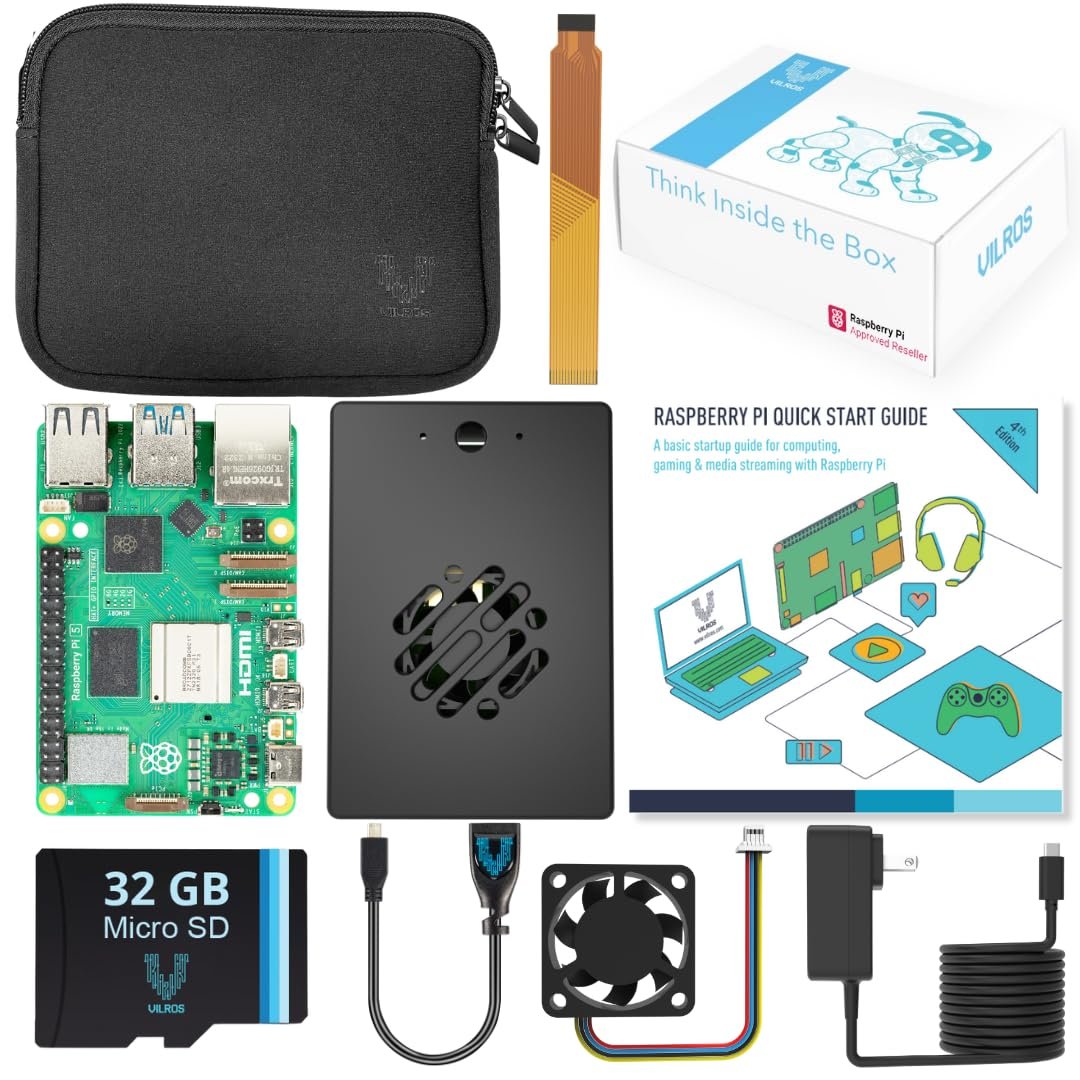
- Yes. The 32GB microSD card has PiOS preloaded, and the kit includes a case, power supply and micro-HDMI cable, so you can boot once you add a monitor, keyboard and mouse.
- How does the Pi 5 compare with the Pi 4?
- The Pi 5 uses a faster 2.4GHz Cortex-A76, adds a PCIe header and a power button, and has two USB 3.2 ports. It needs a stronger power supply than the Pi 4.
- Can I use a standard HDMI cable?
- No. The Pi 5 has two micro-HDMI ports, so you need micro-HDMI to HDMI cables or adapters. One cable is included.
- What is in the box?
- A Raspberry Pi 5 with 4GB RAM, a case, a 32GB microSD card with PiOS, a micro-HDMI cable and a power supply.
- Can I add an SSD?
- Yes. The Pi 5 has a PCIe connector, so with an M.2 HAT and an NVMe drive you can boot from faster storage instead of the microSD card.
- Where is the Canakit Raspberry Pi 5 4GB RAM Complete Kit w/ Case, 32GB mSD, mHDMI, Power cheapest?
- At Amazon, for $179.99, as of our latest check.
- Where can I buy the Canakit Raspberry Pi 5 4GB RAM Complete Kit w/ Case, 32GB mSD, mHDMI, Power?
- 2 stores we checked sell it, including eBay, Amazon.