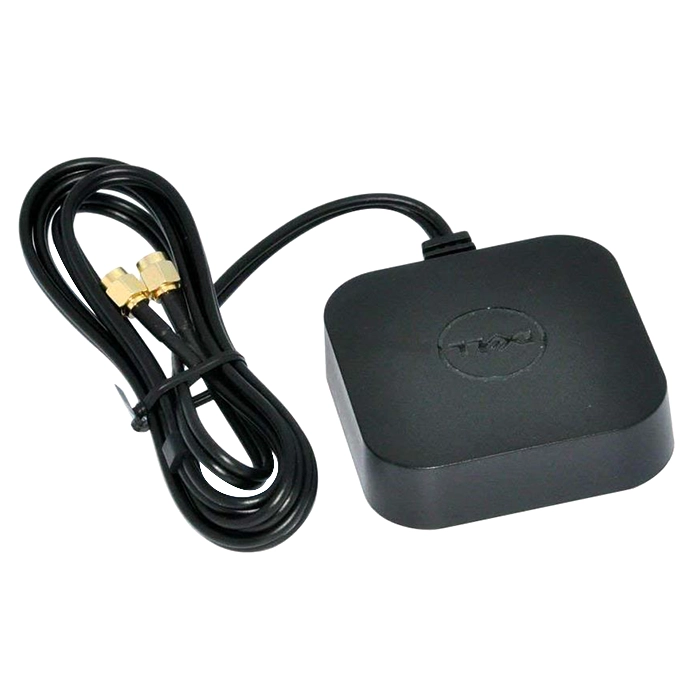
- Will this fit my OptiPlex?
- It fits OptiPlex desktops that have an external threaded antenna connector on the rear for the installed Wi-Fi card. Check your model's spec sheet or the port itself before ordering, since not every OptiPlex has one.
- Do I need to install drivers?
- No. It is a passive antenna, so it only needs to be screwed onto the connector. The Wi-Fi card and its drivers stay as they are.
- Will it improve my Wi-Fi range?
- It restores the reception your system had with its original antenna. If your signal was already weak with the stock antenna, a USB adapter with a larger antenna or a mesh node will help more.
- Is it a genuine Dell part?
- Yes, 0GJRH7 is a Dell part number for this antenna. Genuine parts match the connector and mounting of the systems Dell lists it for.
- What is in the box?
- The antenna itself. No cable, bracket or documentation is included, and the Wi-Fi card is not part of this part.
- Can I use it on a non-Dell desktop?
- Only if the machine has the same threaded antenna connector and the antenna physically clears the chassis. Otherwise it will not mount properly.
- Where is the Dell 0GJRH7 Digital Wireless Antenna Aerial for OptiPlex Systems cheapest?
- At Amazon, for $10.36, as of our latest check.
- Where can I buy the Dell 0GJRH7 Digital Wireless Antenna Aerial for OptiPlex Systems?
- 2 stores we checked sell it, including Gotodirect, Amazon.