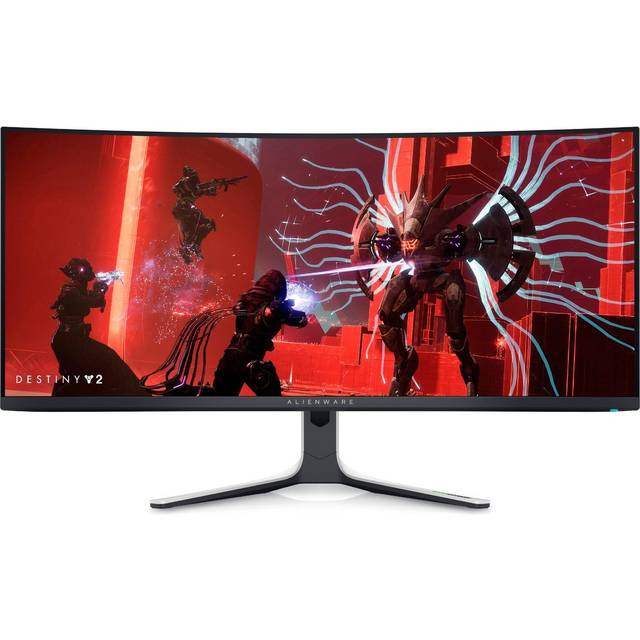
Dell Alienware AW3423DW
Last price we saw
Prices change often: ask the agent below to check today's price at every store.
Prices differ by screen size, and this one may be for a smaller size: check the size at the store.
Prices are checked against each store and labelled with when.
In stock now from Dell


Our take on the Dell Alienware AW3423DW
The Alienware AW3423DW is a 34-inch curved ultrawide gaming monitor built on a QD-OLED panel at 3440x1440. Its main draw is self-lit OLED pixels: near-infinite contrast, deep blacks and fast pixel response, plus a 175Hz refresh rate that makes motion look clean without the smearing of LCD panels. It suits gamers who want an immersive ultrawide and can live with the care OLED demands. Against LCD ultrawides it wins on contrast and response but gives up some peak brightness and carries burn-in risk, which reviewers and owners mention often.
- QD-OLED panel with effectively infinite contrast and true blacks
- 175Hz refresh with very fast pixel response
- 34-inch 3440x1440 ultrawide curve fills the field of view
- Height, tilt and swivel adjustment plus VESA mounting
- Two HDMI 2.0 and one DisplayPort 1.4 input, four USB ports
What reviewers say
- 4.2 / 5191 ratings
Owners and reviewers rate the AW3423DW highly for its contrast, color and motion handling in games and films. Common complaints are OLED burn-in worry, limited full-screen brightness and the matte screen finish.
- Picture qualityPraisedReviewers call the contrast and color the best part of the monitor, especially in dark scenes.
- MotionPraisedOwners say fast games look clean with little smearing or ghosting.
Ask our agent about this product
It checks today's price at every store, compares the alternatives and answers in about a minute.
Questions and answers
- Is the AW3423DW good for gaming?
- Yes. The QD-OLED panel gives fast pixel response and deep blacks, and the 175Hz refresh keeps fast motion clean. It is built for PC gaming on an ultrawide.
- Does it suffer from OLED burn-in?
- It uses an OLED panel, so static elements like HUDs and taskbars can leave marks over time. Owners limit static content and use the built-in panel care features to reduce the risk.
- What connections does it have?
- It has two HDMI 2.0 ports, one DisplayPort 1.4, four USB ports and a headphone out. There is no USB-C video input and no Ethernet.
- Can I mount it on an arm?
- Yes. It supports VESA mounting, and the included stand adjusts for height, tilt and swivel. It does not pivot to portrait.
- Is it bright enough for a sunny room?
- Highlights are punchy, but full-screen brightness is modest compared with bright LCD monitors. It looks best in a room where you can control the light.
- What is in the box?
- The monitor, its stand and the cabling needed to connect it. Check the listing for the exact cables included.
- What do buyers say about the Dell Alienware AW3423DW?
- Rated 4.2 out of 5 from 191 ratings.