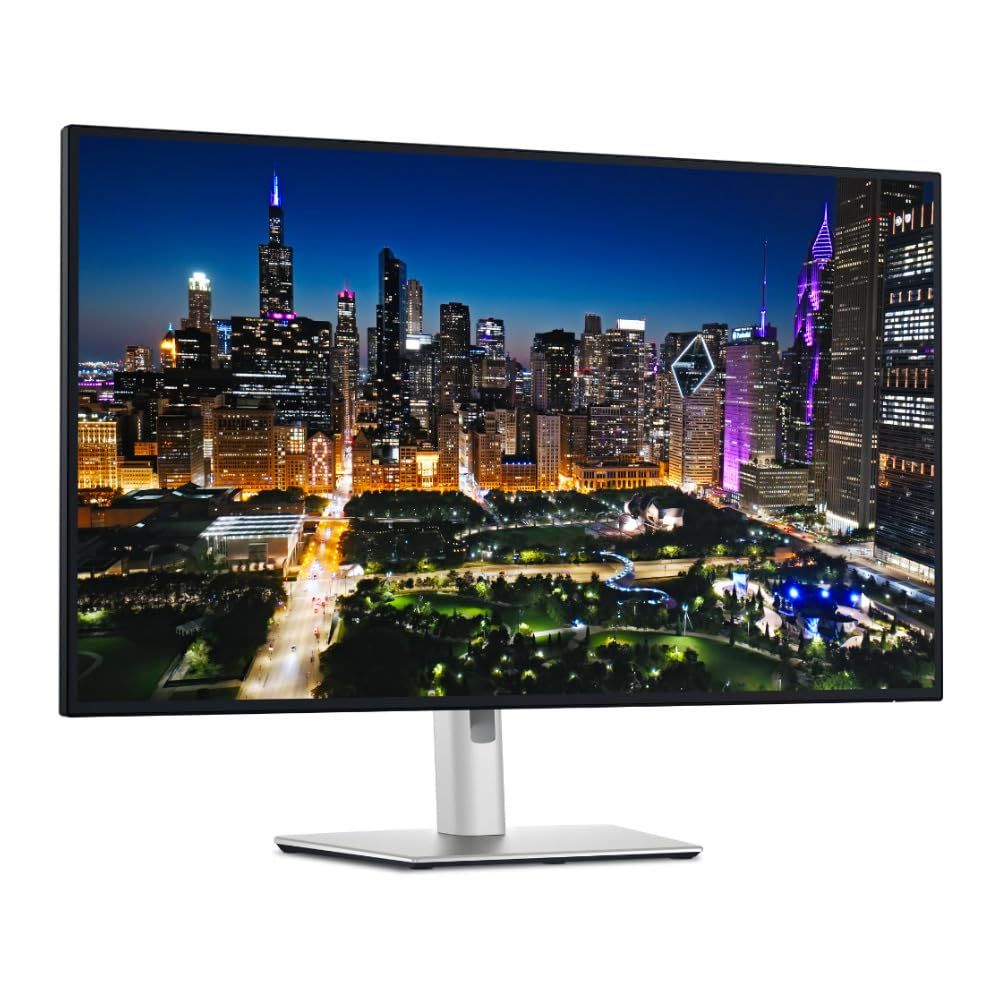
Dell UltraSharp 32 4K UHD 120Hz Thunderbolt 4 Hub Monitor
Last price we saw
Prices change often: ask the agent below to check today's price at every store.
Prices differ by screen size, and this one may be for a smaller size: check the size at the store.
Prices are checked against each store and labelled with when.
Ask our agent about this product
It checks today's price at every store, compares the alternatives and answers in about a minute.
In stock now from Dell


Our take on the Dell UltraSharp 32 4K UHD 120Hz Thunderbolt 4 Hub Monitor
The Dell UltraSharp 32 is a 32-inch 4K UHD monitor with a 120Hz refresh rate and a built-in Thunderbolt 4 hub. It carries two HDMI ports, DisplayPort 1.4 and USB-C, so a laptop, desktop and console can share one screen. The hub and high refresh rate set it apart from 60Hz 4K office monitors, which are cheaper but slower and offer fewer connections. It suits people who want one large sharp screen for work and play, and it costs more than a plain 4K panel because of the Thunderbolt dock and 120Hz panel.
- Sharp 4K resolution on a large 32-inch panel
- 120Hz refresh rate makes motion and scrolling smoother than 60Hz
- Thunderbolt 4 hub connects and charges a laptop over one cable
- Two HDMI ports plus DisplayPort and USB-C cover several devices
- USB-C and USB ports for peripherals
About the Dell UltraSharp 32 4K UHD 120Hz Thunderbolt 4 Hub Monitor
- Color
- Black
- Video inputs
- 2 x HDMI, DisplayPort 1.4
- USB
- USB-C
Specifications
Questions and answers
- Is 120Hz worth it on a 4K monitor?
- Yes for mixed use. At 120Hz scrolling, cursor movement and games look smoother than on a 60Hz 4K screen. For static office work alone, a 60Hz panel does the same job for less.
- Can one Thunderbolt cable run my laptop and the display?
- Yes. The Thunderbolt 4 hub carries video, data and power to a compatible laptop over a single cable, and the USB and USB-C ports handle peripherals.
- How many devices can I connect at once?
- Two HDMI sources, one DisplayPort source and a USB-C or Thunderbolt source can all be plugged in. The monitor switches between them, so a PC, a console and a laptop can share the screen.
- Is 32 inches too big for a normal desk?
- It is large. You want roughly an arm's length or more between you and the screen, so a desk at least 60 cm deep works better than a shallow one.
- Does it work with a Mac?
- Yes over Thunderbolt or USB-C, and over HDMI. Check that your Mac supports 4K at 120Hz over the connection you use; some older models cap at 60Hz.
- What is in the box?
- The monitor, its stand and the cabling Dell ships with it. Check the listed accessories for the exact cables included before you buy.