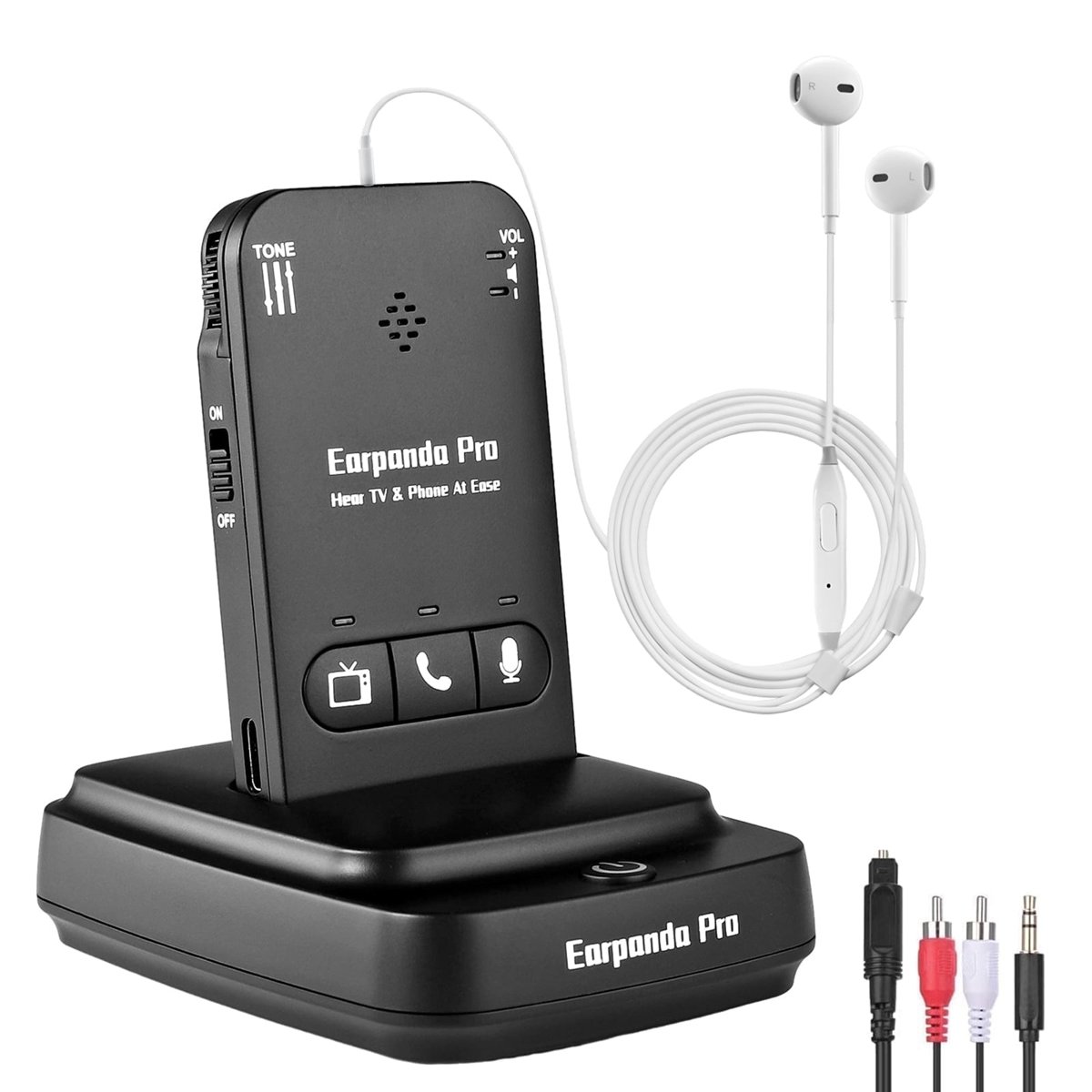
These wireless TV headphones are made for people who are hard of hearing. They come with a transmitter that also works as a charging stand. The transmitter connects to the TV and sends the sound to the headphones. Balance (left/right volume) and tone (bass/treble) controls let you adjust the sound.
The headphones include detachable wired in-ear earphones with a line-in microphone for phone calls. You can also use your own on-ear or over-ear headset. They connect to a phone over Bluetooth for calls, music and video streaming, and an internal microphone picks up your voice.
Setup is plug and play, with no pairing, and the audio has no lip-sync delay or cross-talk. The included digital optical, RCA and AUX cables work with digital smart TVs and older analog TVs. Dolby and DTS audio are not supported, so turn Dolby/DTS off on the TV. If you connect with the optical cable, set the TV's audio output to PCM.
- Color
- Black
- Type
- Wireless TV headphones with transmitter and charging stand
- Wireless range
- 100 feet
- Sound controls
- Balance (L/R volume) and tone (bass/treble)
- Earphones
- Detachable wired in-ear earphones with line-in microphone; other on-ear or over-ear headsets can be used
- TV connections
- Digital optical, RCA and AUX cables included
- TV compatibility
- Digital smart TVs and old analog TVs
- Audio formats
- Dolby and DTS not supported; set Dolby/DTS off. For optical connection, set TV audio out to PCM
- Phone use
- Bluetooth calls, music and video streaming, with internal microphone
- Battery life
- 9-10 hours TV watching; 15-16 hours phone calls and chat
- Charge time
- 2 hours for a full charge
- Charging
- Magnetic charging station
- Battery protection
- Automatic stop when fully charged, low power reminder, NTC protection
- Multiple headphones
- One transmitter and charging dock connects many headphones
- In the box
- Headphones, transmitter and charging stand, digital optical, RCA and AUX cables, detachable in-ear earphones