

Gigabyte MO27Q28G 27" WQHD 280Hz Gaming Monitor
Where to buy
No store is showing a current price right now. The stores below sell it; ask the agent to check today's prices.
Prices are checked against each store and labelled with when.
Check today's price at PzDealsIn stock now from Gigabyte


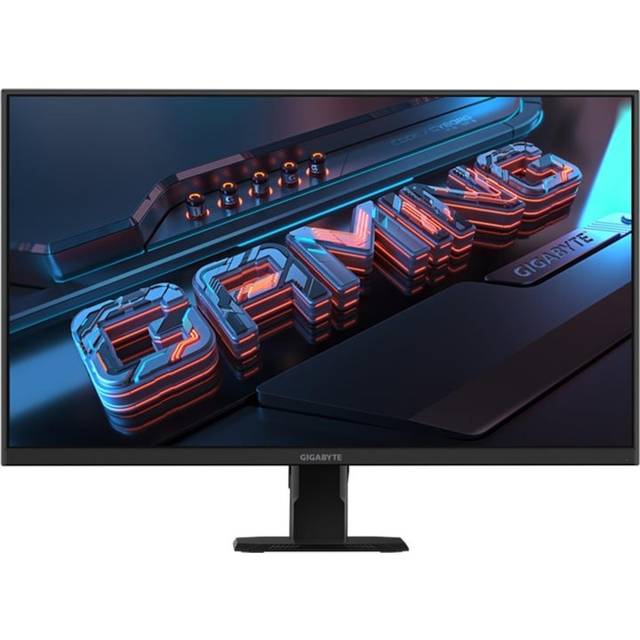
Our take on the Gigabyte MO27Q28G 27" WQHD 280Hz Gaming Monitor
The Gigabyte MO27Q28G is a 27-inch gaming monitor with a 2560x1440 (WQHD) IPS panel and a 280Hz refresh rate. It supports AMD FreeSync and is G-SYNC compatible, so both AMD and Nvidia graphics cards can run it with adaptive sync to cut tearing and stutter. The combination of IPS color, 1440p sharpness and a very high refresh rate suits competitive and mixed-use gamers who want one screen for play and work. Against 240Hz 1440p rivals it trades a little extra speed for the usual IPS trade-offs: modest contrast and response that is fast but not OLED-fast.
- 280Hz refresh rate gives very smooth motion
- WQHD 1440p resolution balances sharpness and frame rates
- IPS panel offers wide viewing angles and solid color
- Works with both FreeSync and G-SYNC compatible setups
- 27-inch size fits most desks without scaling
Gigabyte MO27Q28G 27" WQHD 280Hz Gaming Monitor prices at every store
- PzDealsCheck price at PzDeals
About the Gigabyte MO27Q28G 27" WQHD 280Hz Gaming Monitor
The Gigabyte MO27Q28G is a 27-inch gaming monitor with a WQHD resolution and a 280Hz refresh rate. It uses an IPS panel.
The monitor supports FreeSync and is G-SYNC compatible, so the display's refresh rate can follow the graphics card's frame rate for smoother motion.
- Brand
- Gigabyte
- Model
- MO27Q28G
- Screen size
- 27 inches
- Resolution
- WQHD
- Refresh rate
- 280Hz
- Panel type
- IPS
- Adaptive sync
- FreeSync and G-SYNC compatible
Ask our agent about this product
It checks today's price at every store, compares the alternatives and answers in about a minute.
Questions and answers
- Is 280Hz worth it over a 240Hz monitor?
- The jump from 240Hz to 280Hz is small and hard to notice. The bigger gains come from moving up from 60Hz, 144Hz or 165Hz. Choose this for its 1440p IPS panel as much as its refresh rate.
- Does it work with an Nvidia graphics card?
- Yes. It supports AMD FreeSync and is G-SYNC compatible, so Nvidia cards can use adaptive sync over DisplayPort. Check that adaptive sync is enabled in the monitor menu and the GPU driver.
- Can my GPU drive 280Hz at 1440p?
- Only in lighter esports titles. In demanding games most cards will sit well below 280 fps at 1440p, and adaptive sync keeps the image smooth at lower frame rates. A high-end card gets the most from it.
- Is this a good monitor for both gaming and office work?
- Yes. The 27-inch 1440p IPS panel gives sharp text and wide viewing angles for work, and the high refresh rate helps in games. Its modest contrast is the main weakness for dark-room viewing.
- How does it compare with an OLED gaming monitor?
- OLED offers deeper blacks, better contrast and faster pixel response. This IPS panel avoids OLED's burn-in risk and typically holds brighter full-screen images, but it cannot match OLED contrast in dark scenes.
- What connections does it have?
- It is a DisplayPort and HDMI gaming monitor, and adaptive sync works best over DisplayPort. Confirm the exact port list for your model before buying if you need USB-C or extra inputs.


