It checks today's price at every store, compares the alternatives and answers in about a minute.
Availability unknown
Lowest price we've seen: $214.06 on Nov 1 at Walmart. Tracked across 1 store since Nov 1.
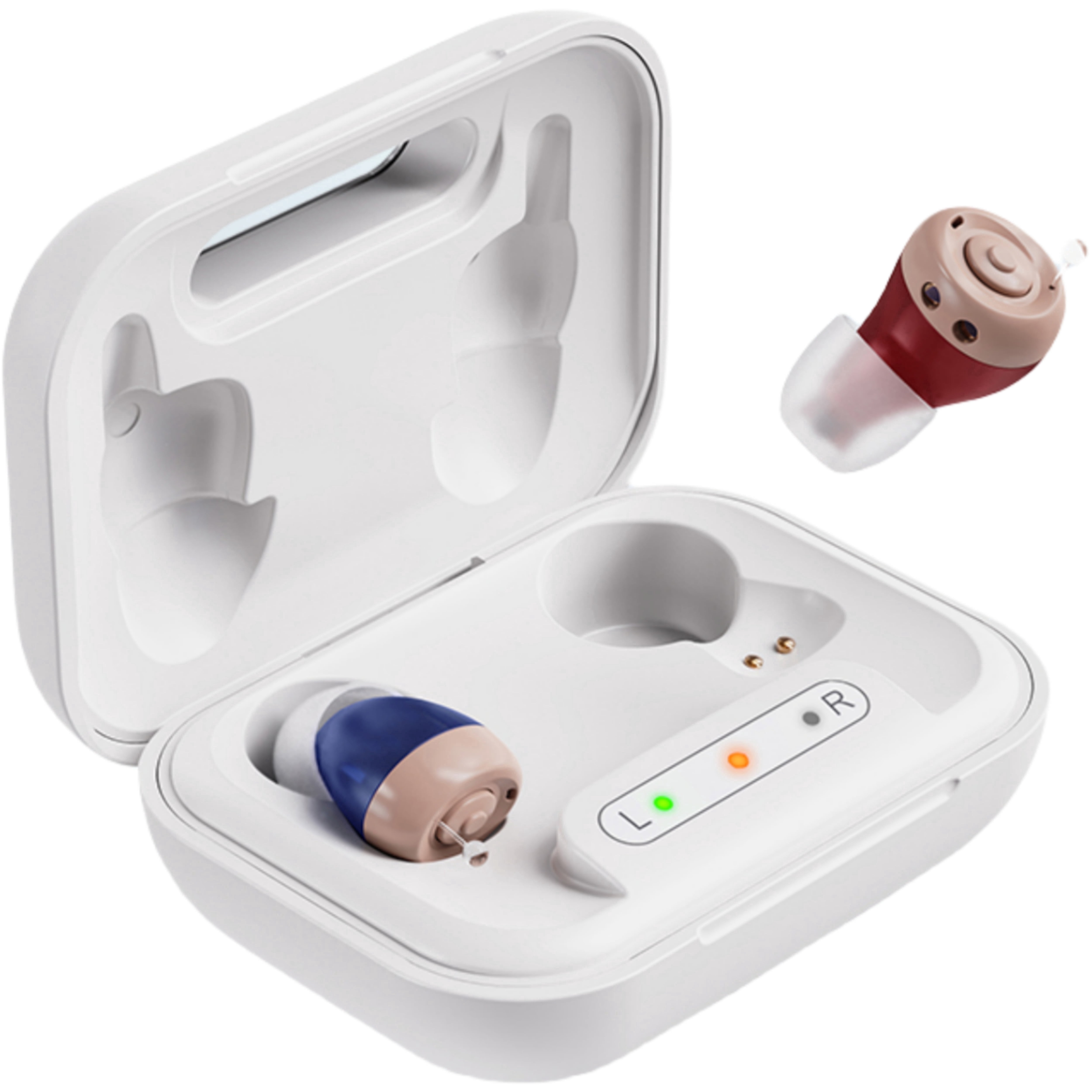
iadr Hearing Aids - Complete User Guide iadr Hearing Aids Complete User Guide Thank you for choosing iadr hearing aids. Please read this guide before use and keep it for future reference. 📦 What’s in the Box iadr Hearing Aids 2 devices (L/R) Pair Ear Plugs 6 pairs (various sizes) Recharging Case 1 USB Cable (Type-C) 1 Cleaning Brush 1 User Manual 1 Product Description This iadr Pro device is easy to wear, conforms to your ear shape, and ensures stable, comfortable wearing. The soft silicone material is gentle on the ear while providing lasting stability. Directly insert into the recharging base for convenient USB recharging. Never miss a moment with the iadr OTC In-Ear Hearing Aids. These advanced, digital hearing aids make better hearing simple – no prescription required, no app required, set up in seconds, rechargeable, and ready to wear. Simple single one-touch control operation to change environment and volume settings. 4 pre-programmed environment settings and 6 volume levels with active noise reduction for exceptional listening clarity. Enjoy the freedom and confidence of this in-canal design that doesn’t interfere with wearing eyeglasses. High quality and made to last with durable drop-proof material. ✨ Key Features Intelligent & High Quality Clear sound quality, intelligent noise reduction, adjustable amplification. Lightweight & Comfortable 6 volume levels, ideal for conversations, music, and TV. Portable Charging Case 4h charge = ~60h use, pocket-sized. Professional Modes 4 pre-programmed modes for any environment. Simple One-Touch Operation Single button for volume, power, and program selection. 🔋 Charging Instructions Place hearing aids into the charging case – ensure left and right are correctly aligned. Indicator lights: Center green = charging case battery level; side lights: blue = charging, green = fully charged. Charging time: approx. 4 hours for a full charge → ~60 hours of use. The charging case can recharge hearing aids 3–4 times before needing a recharge. Charge the case via USB Type-C cable (adapter not included). 💡 The hearing aids automatically power off when placed in the charger and power on when removed. 🦻 Operating Instructions Step 1: Choose the Right Ear Plug Select the size that fits comfortably from the 6 pairs included. Step 2: Turn On Take hearing aids out of the charging case – they turn on automatically. Step 3: Adjust Volume Press the Volume button to cycle through 6 volume levels. One press increases by one level; at max volume you hear two beeps; next press returns to min volume. Step 4: Change Programs (Modes) Long press the Volume button for 3 seconds, then release. An indicator sound plays: 1 beep → Program 1: Normal living environment 2 beeps → Program 2: Quiet environment 3 beeps → Program 3: Noisy environment 4 beeps → Program 4: Music environment Step 5: Turn Off Place hearing aids back into the charging case – they turn off automatically and begin charging. ⚠️ Important Safety & Care Instructions ❌ Keep Hearing Aids Away From These Appliances Appliance Why It Matters Induction cooktops Strong magnetic fields can permanently damage internal components. Microwave ovens May cause static, buzzing, or temporary malfunction. Do not place on top of a running microwave. Wireless chargers (third-party) Non-compatible chargers may cause overheating or circuit damage. Only use included case. Ultrasonic cleaners Never use — vibrations destroy internal microphones and receivers. Large speakers / subwoofers Strong magnets can cause permanent distortion or damage. Hair dryers / electric shavers May cause loud interference noise. Keep a safe distance while using. Electric blankets / space heaters Static discharge may freeze device; high heat can melt or damage components. Welding machines / heavy power tools Strong electromagnetic pulses may interfere with performance or damage circuits. ✅ Daily Use Best Practices Store safely: Keep in charging case away from kitchen, bathroom, and direct sunlight. Avoid magnetic fields: Do not place on induction cooktops, large speakers, or refrigerator magnetic seals. Avoid static and heat: Keep away from electric blankets, heaters, and hair dryers. Use only the included charger: Only use the provided charging case and USB cable. Interference noise: Buzzing or static while using appliances is usually temporary; remove hearing aids if disruptive. ❌ Never Place Hearing Aids On or Near: Induction cooktops (active or recently used) Running microwave ovens Wireless charging pads (unless designed for your device) Ultrasonic cleaning machines Large speakers or subwoofers Electric blankets (especially under pillows) 🔧 Quick Troubleshooting Issue Possible Cause What to Do Static / buzzing noise Nearby appliance (microwave, hair dryer, etc.) Move away from the appliance; noise should stop. Device won’t turn on Low battery or poor charging contact Place in charger for 30 minutes, then try again. Distorted or weak sound Exposure to strong magnetic field Contact customer support if issue persists. Discomfort when wearing Incorrect ear plug size Try a different size from the 6 pairs included. Whistling / feedback Ear plug not seated properly Re-insert earbud firmly or try a different size. 📋 Specifications Max Sound Output (OSPL90) ≤104 ± 3dB Full-On Gain (HFA FOG@50) 29dB ± 5dB Total Harmonic Distortion (THD) ≤2% + 3% Equivalent Input Noise Level (EIN) ≤20dB + 3dB Frequency Range (f1–f2) 200Hz – 5500Hz ❓ Why Choose Our Hearing Aids? Designed for seniors & adults Superior chip for clear sound & stable transmission Full digital circuitry, low power consumption Adaptive noise reduction & anti-whistling Soft silicone material, gentle & stable One-key operation for volume, on/off, program Indicator lights for charging status Drop-proof durable material 🧼 Cleaning & Maintenance Use the included cleaning brush to gently remove earwax or debris from earbuds and microphone openings. Do not use water, alcohol, or ultrasonic cleaners. Al