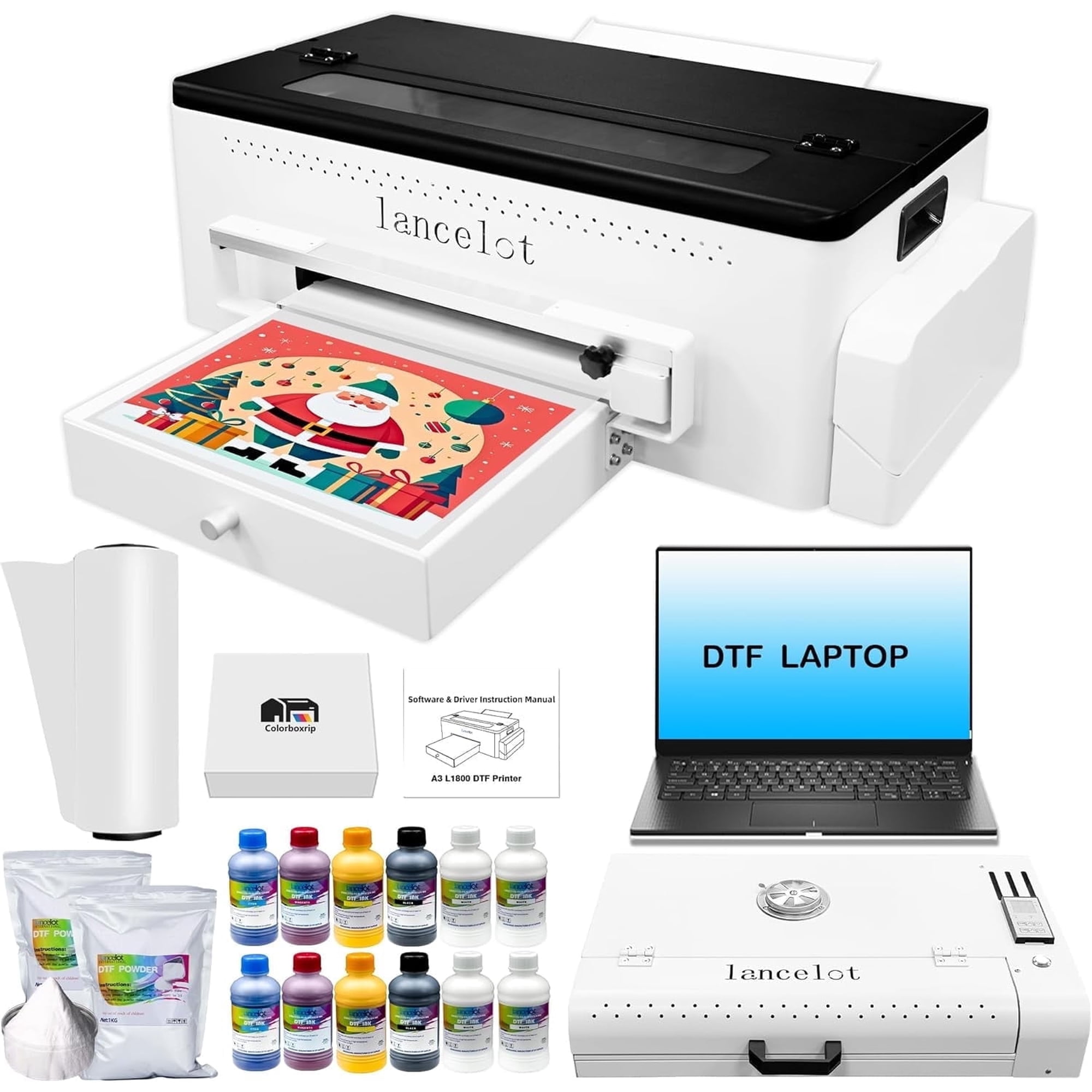
The Lancelot Bright L1800 DTF printer is suitable for printing on both dark and light clothing, bringing your designs to life. Whether for personalized T-shirts or unique home decor, it delivers professional print quality. This desktop printer is designed for small printing studios, making it easy for DTF beginners to operate. There’s no need to worry about computer and software installation; all consumables have been tested by Lancelot to ensure compatibility with the L1800 printer. Lancelot L1800 DTF Printer Bundles Included: L1800 A3 size printer *1 Dtf Computer *1 A3 Oven *1 12*250ml ink (c m y k w w) PET film 1 roll ( 30cm *100M) 1000g white powder *2 Why You Need a Special Laptop for Direct to Film printer/DTF Printer Machine? Many customers believe that they already have a computer, so a dedicated one is unnecessary. However, based on our long-term after-sales experience, we have found that many customers' computers are not suitable for DTF printers. 1. Some customers' computers are IOS systems, which do not support our printer drivers. 2. Some customers have installed many printer software on their computers, causing conflicts and preventing the installation of our drivers. 3. Some customers use their daily computers for our dtf printers, which inevitably leads to a lot of personal information being stored on the same computer. If we need to solve problems remotely for them, they often worry about their privacy being leaked. 4. DTF printers need to transfer a large number of images. A dedicated device can better organize and sort them, clean up in a timely manner, and run fewer programs, ensuring smooth printing. 5. Our computers are given as gifts to customers and are not sold as separate products. In other words, they are freebies. 6. The software, drivers, and tutorials are all pre-installed on the computer, so customers can start using it right away. matters needing attention Prevent Print-Head Clogging lf the dtf printer machine hasn't been used for long time, it's important to clean the ink inside and add a moisturizing fluid to the print head Shake The ink Before Use When adding new white ink, it is necessary to shake the white ink to prevent ink sedimentation and print head clogging The Ideal Operating Environment Typically, the ideal temperature range is from 15°C to 30°C (59°F to 86°F), and the recommended humidity range is between 30% and 70% Recommend To Use Lancelot dtf Ink We suggest utilizing Lancelot dtf ink and dtf film since using ink from different brands may lead to print head clogging. Lifelong Technical Support Services The DTF Printer Only Supports For Windows 7/10/11 System,Not Mac.When you purchase a Lancelot dtf printer bundles, please provide your whatsAPP and we will provide you with a high-quality remote service. *Note: More details,Please contact us to explain for you. Warranty Policy 1. 3-month warranty is provided for the nozzle and mainboard, allowing for once replacement during this period. 2. All other accessories are covered by a one-year warranty. A complete ink path set is included in the package. Should any other components develop issues, we will provide replacements free of charge. 3. During warranty period, If customers are unable to perform maintenance themselves, they can return the product to our warehouse for repair at their own expense regarding round-trip shipping costs. 4. Once the ink has been filled in the printer, there will be no full refund. For unused products that customers wish to return, the customer is responsible for the shipping cost. 5. Customers who need on-site repair services should contact our customer service. The cost and availability of these services will depend on the distance from our service centers. 6. The warranty is void if Lancelot ink, film, or powder is not used exclusively.