- Is the Lenovo 300 Wireless Compact good for everyday use?
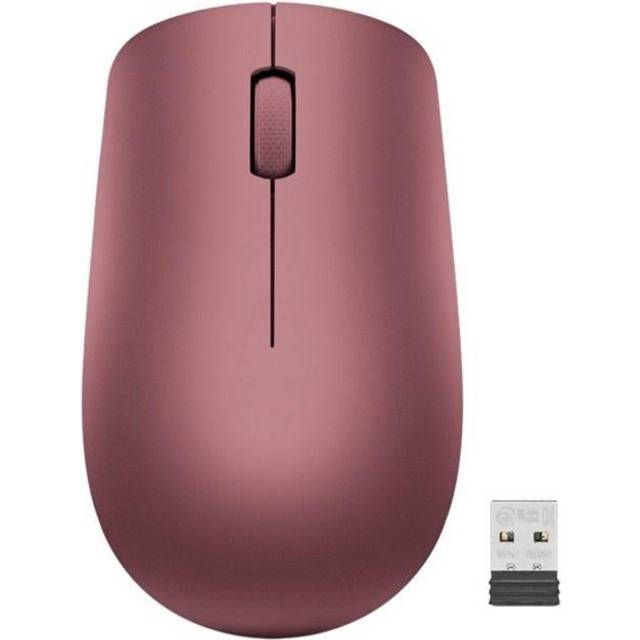
- Yes for browsing, email and office work. The 1600 DPI sensor and three buttons cover basic tasks, but there are no side buttons or DPI switching.
- Can I change the sensitivity?
- No. The sensor is fixed at 1600 DPI, so you adjust cursor speed in your operating system settings instead of on the mouse.
- Does it work for left-handed users?
- No. It is shaped for the right hand, so left-handed users should look for an ambidextrous model.
- Is it good for gaming?
- Not really. It lacks adjustable DPI, side buttons and a gaming-grade sensor, so it suits casual use rather than fast-paced games.
- What is in the box?
- You get the mouse itself and the wireless receiver needed to connect it. Check that your device has a free USB port for the receiver.
- How does it compare with a full-size ergonomic mouse?
- It is smaller and simpler. Full-size ergonomic mice add palm support and extra buttons, while this one trades those for a compact, basic design.
- Where is the Lenovo 300 Wireless Compact cheapest?
- At Adorama, for $10.49, 44% under what the other stores charge, as of our latest check.
- Where can I buy the Lenovo 300 Wireless Compact?
- 5 stores we checked sell it, including Walmart, Adorama, Newegg, Antonline, Best Buy.