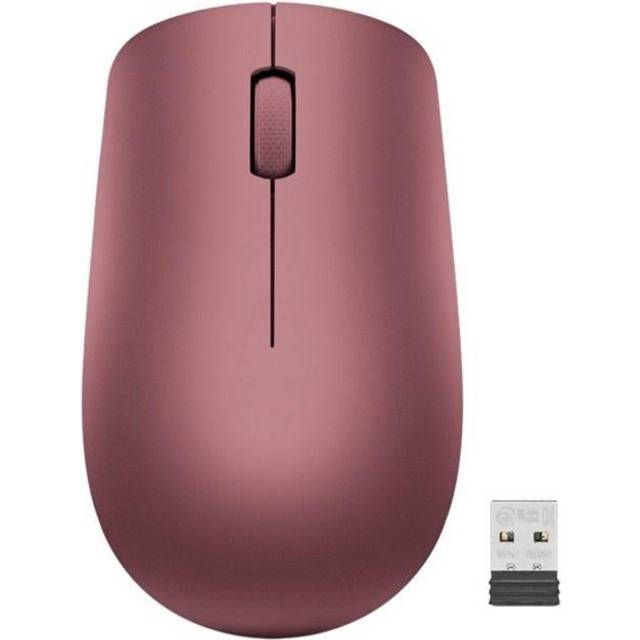
- Does it work with a Mac?
- Yes. It pairs over standard Bluetooth, so it works with macOS, Windows and most Bluetooth-enabled devices. The USB receiver is for machines without Bluetooth.
- How do I change the sensitivity?
- Press the DPI button on top to cycle through preset sensitivity levels up to 2400 dpi. There is no software needed for the basic steps.
- What battery does it take?
- It runs on one AA battery. There is no charging port, so keep a spare cell for long trips.
- Can left-handed users use it?
- Yes. The shape is symmetrical enough to use in either hand, though the main buttons are laid out for right-hand use.
- Does it have side buttons?
- No. It has three buttons: left, right and the scroll wheel click, plus the DPI button.
- Is it good for gaming?
- No. The sensor and three-button layout suit office work and browsing, not fast-paced games.
- Where is the Lenovo ThinkBook Bluetooth Silent Mouse cheapest?
- At Newegg, for $26.95, 27% under what the other stores charge, as of our latest check.
- What do buyers say about the Lenovo ThinkBook Bluetooth Silent Mouse?
- Rated 4.1 out of 5 from 36 ratings.
- Where can I buy the Lenovo ThinkBook Bluetooth Silent Mouse?
- 5 stores we checked sell it, including Newegg, Shop Simon, Best Buy, Quill, Antonline.