LG 39-Inch OLED Curved Gaming Monitor
Where to buy
No store is showing a current price right now. The stores below sell it; ask the agent to check today's prices.
Prices are checked against each store and labelled with when.
In stock now from LG


Our take on the LG 39-Inch OLED Curved Gaming Monitor
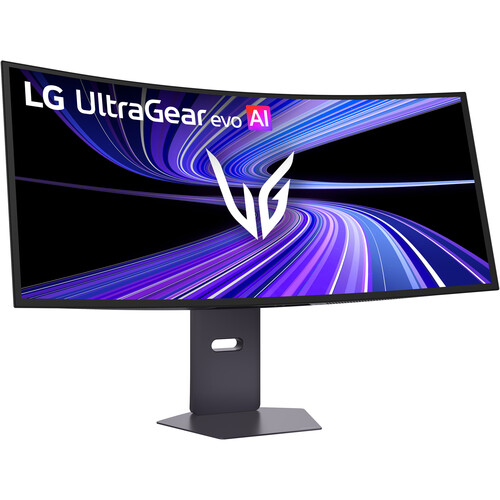
This is LG's 39-inch curved OLED gaming monitor, built around a 21:9 ultrawide panel that curves around the viewer for immersive play and film watching. OLED gives it per-pixel dimming, so blacks are true black and contrast is far beyond what IPS or VA ultrawides reach. It suits gamers and media watchers who want a wide, cinematic screen and accept the care OLED needs. Against LCD ultrawides it wins on contrast and motion clarity but gives up some peak brightness and carries burn-in risk.
- OLED panel with per-pixel dimming and near-infinite contrast
- 21:9 ultrawide curve fills peripheral vision
- Very fast pixel response with little motion blur
- Wide field of view suits racing and flight sims
- OLED brightness is lower than bright LCD rivals in a lit room
LG 39-Inch OLED Curved Gaming Monitor prices at every store
- PzDealsCheck price at PzDeals
About the LG 39-Inch OLED Curved Gaming Monitor
The LG 39-Inch OLED Curved Gaming Monitor is a gaming monitor with a 39-inch curved OLED screen. It is built for gaming and media use.
- Brand
- LG
- Screen size
- 39 inches
- Panel type
- OLED
- Screen shape
- Curved
- Use
- Gaming and media
Ask our agent about this product
It checks today's price at every store, compares the alternatives and answers in about a minute.
Questions and answers
- Is OLED worth it over an IPS ultrawide?
- Yes if contrast and motion matter most: OLED dims each pixel, so dark scenes stay black instead of glowing gray. IPS ultrawides get brighter in a sunlit room and carry no burn-in risk.
- Can it burn in?
- OLED can develop permanent marks from static elements like HUDs, taskbars and channel logos. Vary content, hide the taskbar and use the panel's screen-care features to lower the risk.
- How does the curve affect desk setup?
- A 39-inch 21:9 screen is wide, so it needs a deep desk and a viewing distance of roughly an arm's length. The curve keeps the edges angled toward you rather than off to the sides.
- Will my games fill the screen?
- Many modern games support 21:9, but some show black bars at the sides or stretch the image. Check the game's ultrawide support before relying on it.
- Does it work for console gaming?
- Consoles output 16:9, so the sides stay black and you lose the ultrawide benefit. It is best paired with a PC.
- What should I connect it with?
- Use DisplayPort from a PC for the full resolution and refresh rate. HDMI works too, but check the port version supports the mode you want.