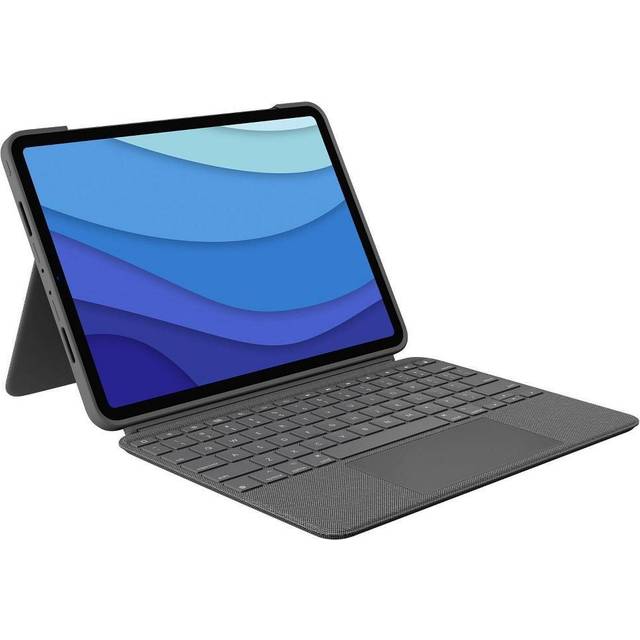
- Does it work with every 12.9-inch iPad Pro?
- It is made for the 12.9-inch iPad Pro. Check your iPad's generation against Logitech's compatibility list, since the camera cutout and magnet layout differ between generations.
- How does it connect?
- It connects wirelessly over Bluetooth, so there is no dongle and no Smart Connector pin alignment to worry about. You pair it once in iPadOS settings.
- Does it have a trackpad?
- Yes. The built-in touchpad supports the iPadOS pointer, including tap-to-click and two-finger scrolling.
- Is the keyboard backlit?
- Yes, with a single-color backlight. Brightness is adjusted from the keyboard.
- What is in the box?
- The keyboard case with its attached kickstand and a charging cable. The iPad is not included.
- How does it compare with Apple's Magic Keyboard?
- The Combo Touch detaches and folds into a kickstand at several angles, while the Magic Keyboard uses a floating cantilever hinge. The Magic Keyboard's scissor keys feel crisper; the Combo Touch protects the screen and works as a tablet case.
- Where is the Logitech Combo Touch for iPad Pro 12.9" cheapest?
- At Newegg, for $164.34, 36% under what the other stores charge, as of our latest check.
- What do buyers say about the Logitech Combo Touch for iPad Pro 12.9"?
- Rated 4.3 out of 5 from 33 ratings.
- Where can I buy the Logitech Combo Touch for iPad Pro 12.9"?
- 8 stores we checked sell it, including Newegg, Walmart, Verizon, Antonline, Office Depot.