Black FridayDealsBuying guidesBrandsStoresTermsPrivacydeal.ai apps

© Deal.ai Inc.

Deal.ai
Lunar Artefacts
Lunar Artefacts Pointer Instrument

Lunar Artefacts Pointer Instrument

Last price we saw

$170.00at Lunar Artefacts, last seen Nov 2

Prices change often: ask the agent below to check today's price at every store.

Prices are checked against each store and labelled with when.

Ask our shopping agent

Enter to send, Shift+Enter for a new line

Our take on the Lunar Artefacts Pointer Instrument

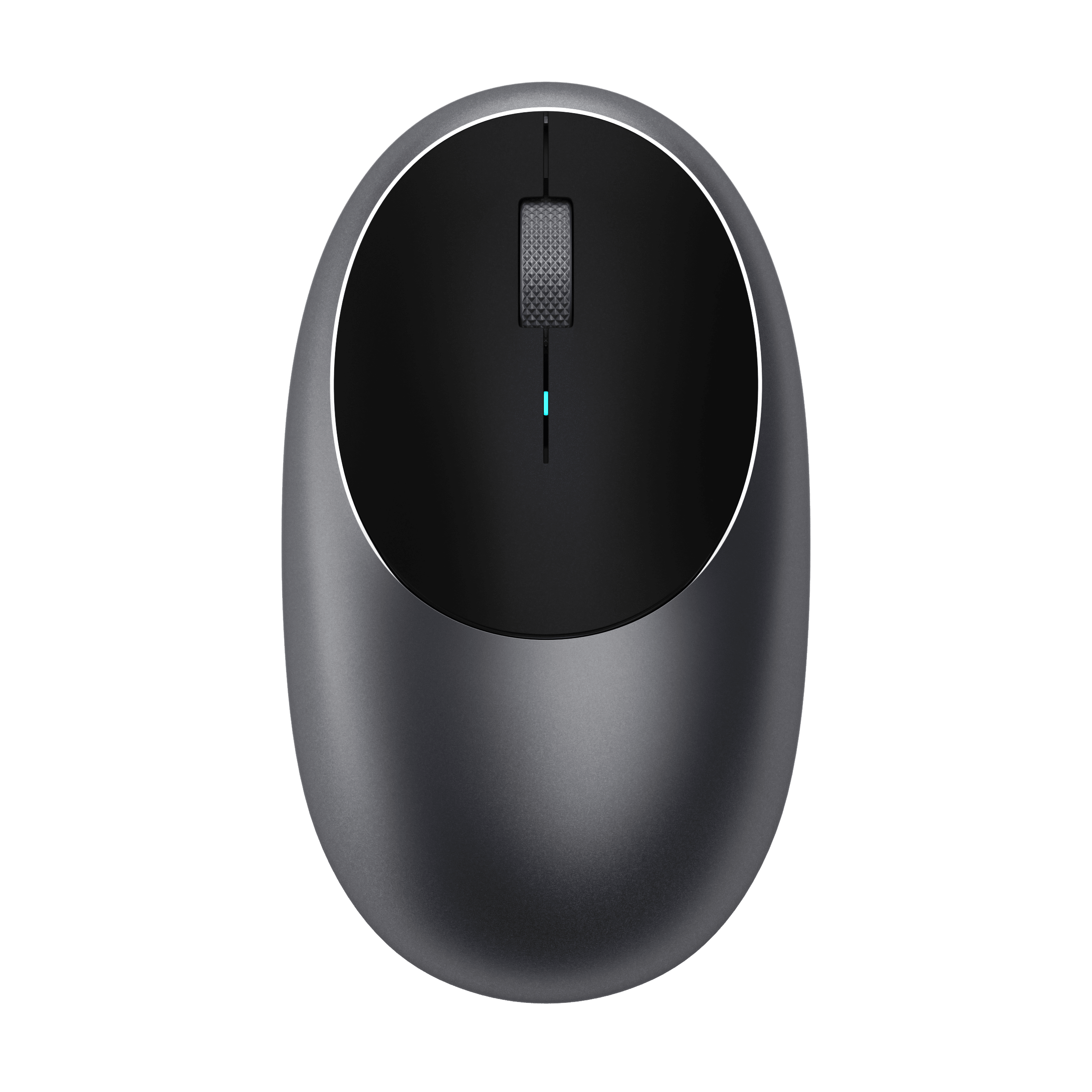
The Pointer Instrument is a hand-assembled wireless mouse from Lunar Artefacts, built around a powder-coated solid aluminium base and a translucent top shell in the Emerald Noire finish. It uses Bluetooth 5.0 or a USB-C cable, tracks up to 4000 DPI, and runs on an 850 mAh rechargeable battery. Its ambidextrous shape suits either hand, and the top shell and Omron switches are replaceable. It is a design-led desk piece more than a gaming mouse.

Best forDesign-conscious desk setupsLeft- and right-handed usersBuyers who want repairable hardware
Light everyday office and browsing use
Pros
  • Solid aluminium base and wheel feel substantial
  • Ambidextrous shape works for either hand
  • Replaceable top shell and Omron switches extend life
  • Bluetooth 5.0 plus USB-C wired option
  • Hand-assembled with a distinctive translucent finish
Cons
  • 4000 DPI is modest next to gaming mice that reach 16,000–26,000 DPI
  • 110 g is heavy for fast gaming or long sessions
  • No 2.4 GHz dongle listed, so Bluetooth latency applies
  • Premium materials likely carry a premium price
  • Translucent shell may show wear and dust

Lunar Artefacts Pointer Instrument prices at every store

  • Lunar ArtefactsCheck price at Lunar Artefacts

Lunar Artefacts Pointer Instrument price history

Lowest price we've seen: $170.00 on Nov 2 at Lunar Artefacts. Tracked across 1 store since Nov 2.

From Lunar Artefacts

  • Translucent green top cover with minimalistic detailing
  • Powder-coated solid aluminium wheel and base
  • Replaceable translucent top shell
  • Ambidextrous design for left- and right-handed users
  • Replaceable Omron switches
  • Bluetooth 5.0 or USB-C cable connection with cable charging
Materials
Powder coated aluminium; composite top
Fit
Ambidextrous grip; optional ergonomic side grips provide added support for larger hands
Sizing
Ambidextrous, balanced for both left- and right-handed users; optional ergonomic side grips offer a wider grip for larger hands
Care
Consult FAQs or Customer Support before maintenance, cleaning or repairs for guidance on keeping the product in pristine condition
Shipping
US Express delivery in 3-5 days; duties and taxes included on orders above a threshold; global shipping to over 150 countries

About the Lunar Artefacts Pointer Instrument

The Emerald Noire black computer mouse features a translucent green top cover with minimalistic detailing and a powder-coated solid aluminium base, which requires little to no maintenance.

This wireless computer mouse is designed to fit any desktop environment, from an urban gaming setting to corporate headquarters. The Emerald Noire ambidextrous computer mouse is meticulously hand-assembled, featuring easily replaceable components for lifelong durability.

Specifications

Sensitivity
4000 DPI
Connectivity Type
Wireless
Interface
USB-C, Bluetooth 5.0
Compatibility
Windows, Android, Linux, MacOs
Wireless Technology
Bluetooth 5.0
Typical Users
UNISEX, Men
Vertical Design
No
Mouse Type
Computer mouse
Accessory Type
Desk accessory
Power Source
Rechargeable Battery, Battery-powered
Battery Type
3.7V - 850 mAh Li-ion Rechargeable Battery
Charging Type
USB-C, Cable charging
Weight
110 gr
Width
72 mm
Height
40 mm
Build Quality
Hand-assembled
Hand Orientation
Ambidextrous
Shape
Ambidextrous
Design Highlights
Solid aluminium base, Ambidextrous design, Hand-assembled
Grip Type
Ambidextrous grip
Material
Aluminium (base)
Finish
Translucent
Scroll Type
Powder-coated solid aluminium wheel

Questions and answers

Is the Pointer Instrument good for gaming?
It can handle casual games, but 4000 DPI and 110 g put it behind dedicated gaming mice. Competitive players should look at lighter mice with higher sensors and a 2.4 GHz dongle.
How does it connect?
It pairs over Bluetooth 5.0 or runs wired through USB-C. The USB-C port also charges the 850 mAh battery.
Does it work with Mac, Linux and Android?
Yes. Lunar Artefacts lists Windows, macOS, Linux and Android support, so it works across desktops, laptops and tablets.
Can I repair it instead of replacing it?
Yes. The translucent top shell and the Omron switches are replaceable, which is unusual for a mouse at this size.
Is it suitable for left-handed users?
Yes. The body and grip are ambidextrous, so it fits either hand without a separate left-handed version.
What is in the box?
Expect the mouse and a USB-C charging cable. Check the listing for any extras before ordering.

Shoppers also compared

  • R
    Razer Basilisk V3 Pro Wireless Mouse
    Razer Basilisk V3 Pro Wireless Mouse
  • H
    HYPERLIGHT
    HYPERLIGHT
  • S
    Slim EX Wireless Mouse
    Slim EX Wireless Mouse
  • M
    M1 Bluetooth Mouse
    M1 Bluetooth Mouse
  • M
    Mercury X Pro 8KHz Wireless Gaming Mouse
    Mercury X Pro 8KHz Wireless Gaming Mouse
  • M
    Mercury M2
    Mercury M2
  • K
    Keychron M3 Wireless Mouse
    Keychron M3 Wireless Mouse
  • E
    EPOMAKER Click Mouse
    EPOMAKER Click Mouse