- Is 180 Hz worth it over a 144 Hz monitor?
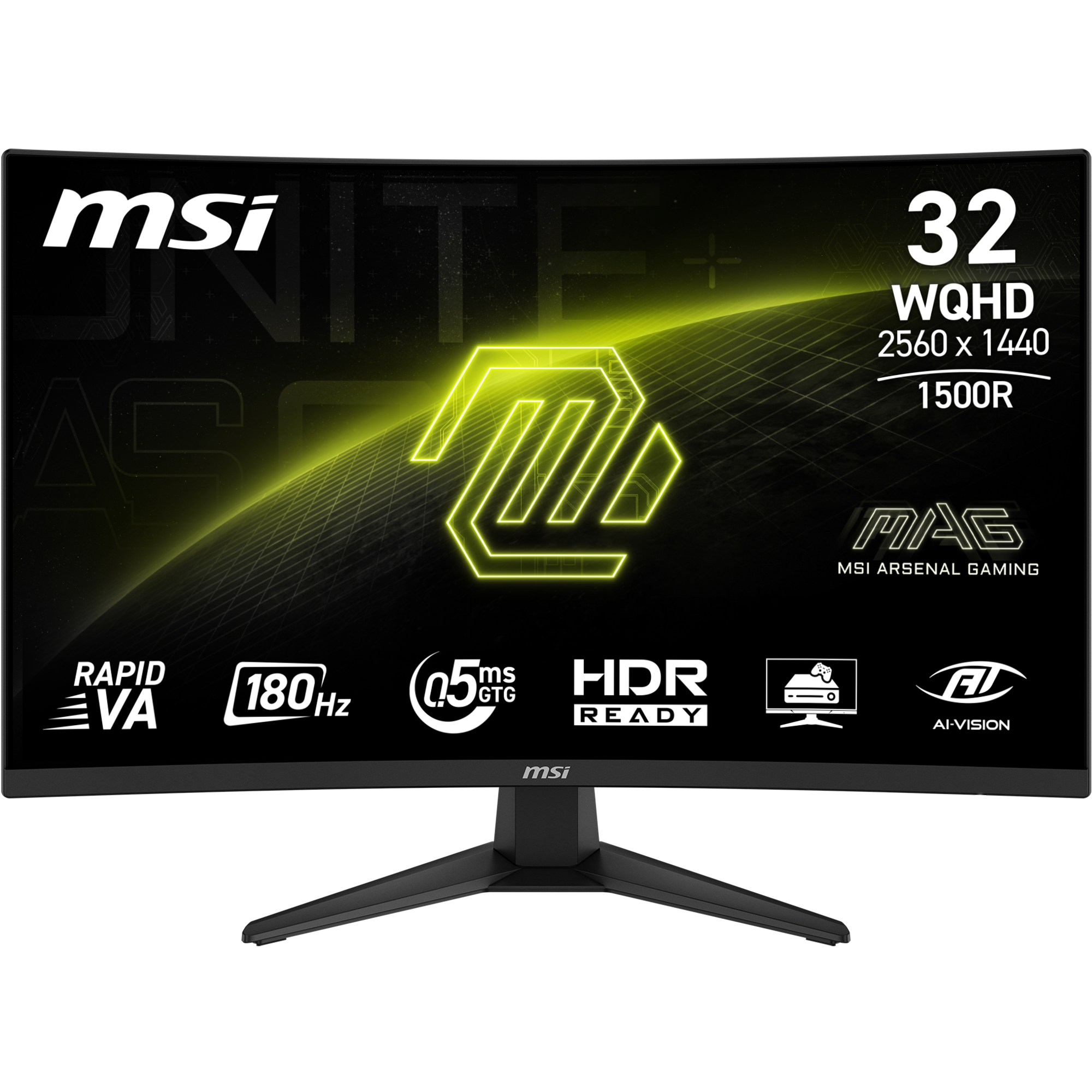
- Yes for fast shooters: 180 Hz cuts frame persistence further and pairs well with Adaptive-Sync. The gain over 144 Hz is smaller than the jump from 60 Hz, so it matters most to competitive players.
- How does VA compare with IPS on this monitor?
- VA gives deeper blacks and higher contrast, which suits dark games and movies. IPS offers wider viewing angles and usually less dark-scene smearing, so multi-monitor or off-angle setups may prefer IPS.
- Does it work with both AMD and Nvidia graphics cards?
- Adaptive-Sync works with compatible AMD and Nvidia cards over DisplayPort. Check that your card and cable support the refresh rate you want at 1440p.
- What is included in the box?
- Expect the monitor, a stand, and DisplayPort or HDMI cabling as MSI ships it. Confirm the exact bundle with the seller, since regional packs vary.
- Is the 1500R curve a problem for work?
- The curve is mild and mostly felt at the edges, so documents and spreadsheets stay usable. For precise color work, a flat IPS panel is the safer pick.
- Can it run 1440p at 180 Hz over HDMI?
- HDMI 2.0b bandwidth limits high refresh at 1440p. Use DisplayPort 1.4 to reach the full 180 Hz.
- Where is the MSI MAG 32CQ6F 32-Inch Curved Gaming Monitor cheapest?
- At Connection, for $246.95, as of our latest check.
- What do buyers say about the MSI MAG 32CQ6F 32-Inch Curved Gaming Monitor?
- Rated 5 out of 5 from 2 ratings.
- Where can I buy the MSI MAG 32CQ6F 32-Inch Curved Gaming Monitor?
- 14 stores we checked sell it, including Connection, Amazon, MSI Online Store, Newegg.com, Abt Electronics & Appliances.