MSI MPG 321CURX
Last price we saw
Prices change often: ask the agent below to check today's price at every store.
Prices differ by screen size, and this one may be for a smaller size: check the size at the store.
Prices are checked against each store and labelled with when.
In stock now from MSI



Our take on the MSI MPG 321CURX
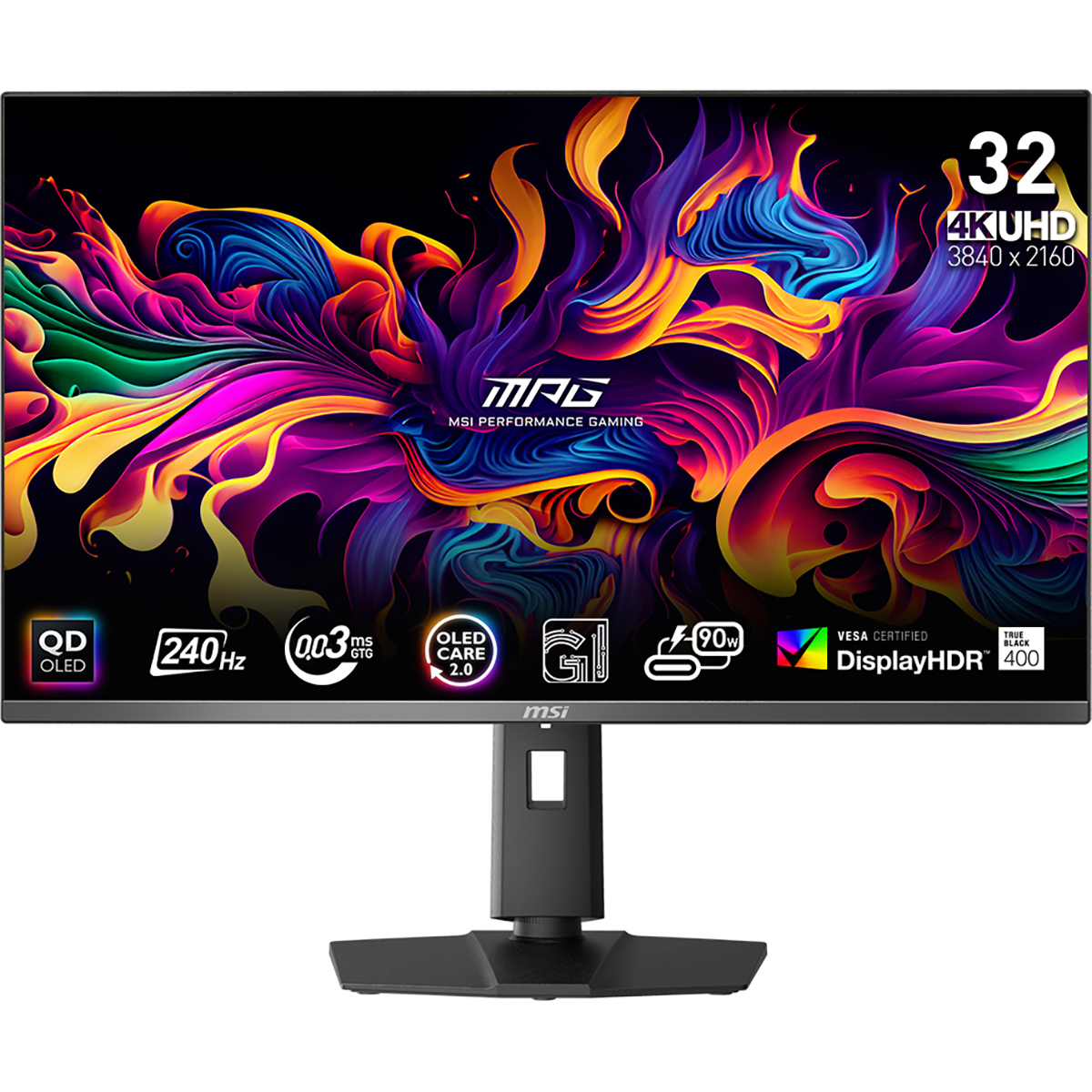
The MSI MPG 321CURX is a 32-inch curved 4K OLED gaming monitor with a 240 Hz refresh rate and a rated 0.03 ms gray-to-gray response. It combines the deep blacks and per-pixel contrast of OLED with 4K sharpness on a curved panel, and it adds USB-C connectivity that many gaming rivals lack. It suits players who want one screen for both high-frame-rate games and desktop work. Against 4K OLED rivals, its edge is the 240 Hz panel plus USB-C, while its main trade-offs are OLED burn-in risk and a large, heavy build.
- 4K OLED panel with true blacks and strong contrast
- 240 Hz refresh rate suits fast competitive games
- USB-C input adds laptop docking convenience
- Curved 32-inch screen fills the field of view
- HDMI and DisplayPort cover PC and console setups
About the MSI MPG 321CURX
The MSI MPG 321CURX is a 32-inch curved OLED monitor with a 4K resolution of 3840 x 2160. Its panel reaches a maximum refresh rate of 240 Hz and a response time of 0 milliseconds.
Brightness is rated at 1,000 cd/m². The monitor connects through HDMI, DisplayPort and USB-C. It weighs 27 lb.
- Display Type
- OLED
- Resolution
- 3840 x 2160
- HD Format
- 4K
- Size
- 32 in
- Curved
- Yes
- Maximum Refresh Rate
- 240 Hz
- Response Time
- 0 milliseconds
- Brightness
- 1,000 cd/m²
- Weight
- 27 lb
- Ports
- HDMI, DisplayPort, USB-C
Specifications
- Display Type
- OLED
- Resolution
Ask our agent about this product
It checks today's price at every store, compares the alternatives and answers in about a minute.
Questions and answers
- Is the MPG 321CURX good for competitive gaming?
- Yes. The 240 Hz refresh rate and near-instant OLED pixel response keep motion clear in fast shooters. Its 4K resolution also makes distant targets easier to spot than on a 1440p screen.
- Can I use it with a laptop over USB-C?
- Yes. The monitor has a USB-C input, so a compatible laptop can send video over a single cable. Check that your laptop's USB-C port supports DisplayPort Alt Mode.
- Does OLED burn-in affect this monitor?
- OLED can retain static images over long periods, such as taskbars or HUDs left on screen for hours. Vary content and use the panel's built-in OLED care features to reduce the risk.
- Is 32 inches too big for a 4K desktop monitor?
- At 32 inches, 4K gives a sharp image without scaling text too small for most desks. The curve brings the edges closer, which helps on a single-screen setup.
- What do I need to drive 4K at 240 Hz?
- You need a recent high-end graphics card and a DisplayPort 1.4 or HDMI 2.1 connection with DSC support. Older GPUs will be limited to lower refresh rates at 4K.
- Does it work with PS5 and Xbox Series X?
- Yes, over HDMI. Those consoles cap at 4K 120 Hz, so the monitor's full 240 Hz is only reachable from a capable PC.