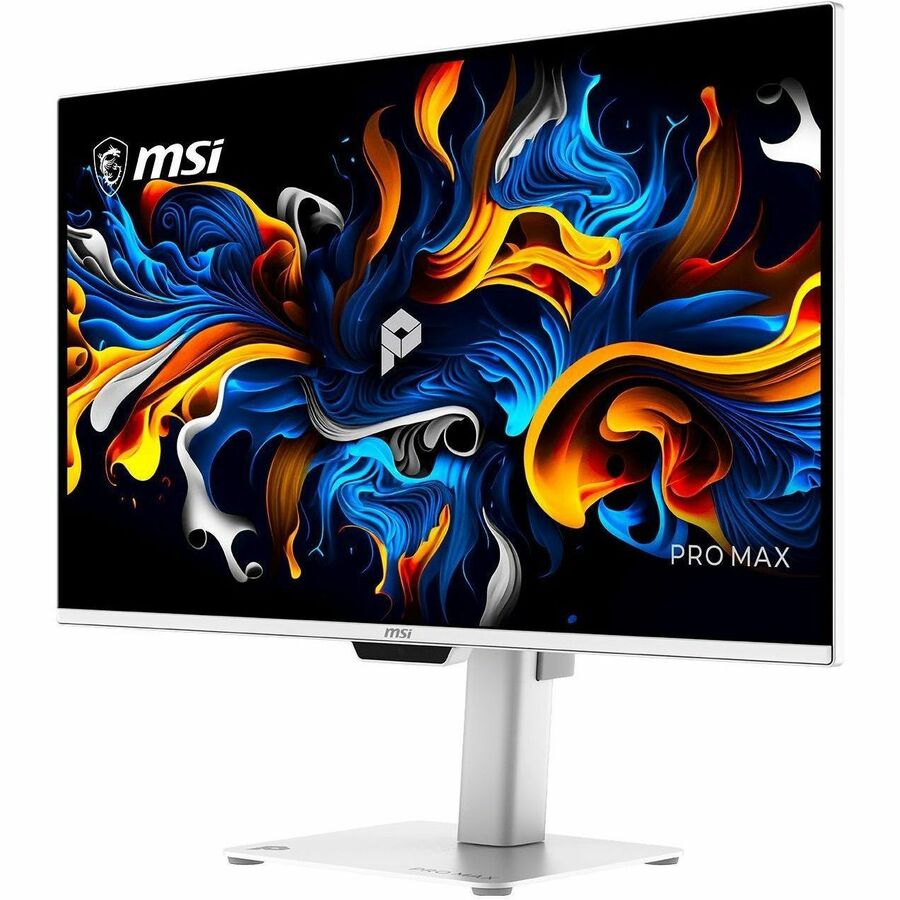
MSI PRO MAX 271UPXW12G 27 QDOLED 3840x2160 Monitor
Last price we saw
Prices change often: ask the agent below to check today's price at every store.
Prices differ by screen size, and this one may be for a smaller size: check the size at the store.
Prices are checked against each store and labelled with when.
Ask our agent about this product
It checks today's price at every store, compares the alternatives and answers in about a minute.
In stock now from MSI


Our take on the MSI PRO MAX 271UPXW12G 27 QDOLED 3840x2160 Monitor
The MSI PRO MAX 271UPXW12G is a 27-inch 4K QD-OLED monitor aimed at Mac users. Its 166 PPI panel gives sharp text, and the M-Mate app lets you tune color and brightness from a MacBook. A 98W USB-C port charges a laptop and carries 4K video over one cable, with a second 15W USB-C port for a phone or tablet. Rivals like Apple's Studio Display and Samsung's 4K OLEDs offer similar sharpness, but few match the single-cable charging plus OLED contrast at this size. Reviewers praise the picture and text clarity; some note the 120Hz cap and modest built-in speakers.
- 4K QD-OLED panel with deep blacks and strong contrast
- 166 PPI keeps text crisp at 27 inches
- 98W USB-C powers a MacBook and carries video over one cable
- Second 15W USB-C port charges a phone or tablet
- 0.03ms response and 120Hz suit casual gaming
What reviewers say
Owners and reviewers describe a sharp, color-rich 4K OLED that fits neatly into a Mac desk. Most praise the single-cable charging and text clarity; complaints center on the 120Hz refresh cap and thin speakers.
- Text clarityPraisedOwners say the high pixel density makes small text noticeably sharper than on 1440p displays.
- ColorPraisedReviewers report vivid, well-saturated color and deep blacks from the QD-OLED panel.
- USB-C chargingPraisedUsers like powering a MacBook and sending video over a single cable.
Questions and answers
- Is this monitor good for MacBook users?
- Yes. It was designed around Mac workflows, with 166 PPI for sharp text, a Mac-only M-Mate app for color and brightness control, and 98W USB-C charging over one cable.
- Does it charge a laptop over USB-C?
- Yes. The main USB-C port delivers up to 98W of power and carries 4K video, so a MacBook runs from one cable. A second 15W USB-C port charges a phone or tablet.
- Is 120Hz enough for gaming?
- It handles casual and competitive gaming well thanks to the 0.03ms response and OLED motion clarity. Serious players who want 240Hz should look at gaming-focused OLEDs instead.
- Does it have a webcam or speakers?
- It has two 2.5W speakers but no webcam or microphone. Most buyers add an external camera for calls.
- Can Windows PCs use it?
- Yes, over HDMI 2.1 or DisplayPort 1.4a. The M-Mate control app is Mac-only, so Windows users adjust settings through the monitor's own menu.
- What is in the box?
- The monitor, a stand, and the usual video and power cables. Check the listing for the exact cable bundle before ordering.