- Is QHD worth it on a 27-inch screen?
- Yes. At 27 inches, 2560x1440 is noticeably sharper than 1080p and shows more of a document or spreadsheet at once. Text looks cleaner and you rarely need scaling.
- Can I use it for gaming?
- It works for casual games, but it is not built for competitive play. The panel is aimed at office and everyday use, so fast-motion games will look less smooth than on a high-refresh gaming monitor.
- Does it have USB-C?
- No. The listed connections are HDMI, so plan on HDMI from your laptop or desktop. There is no USB-C docking or power delivery.
- Is the stand adjustable?
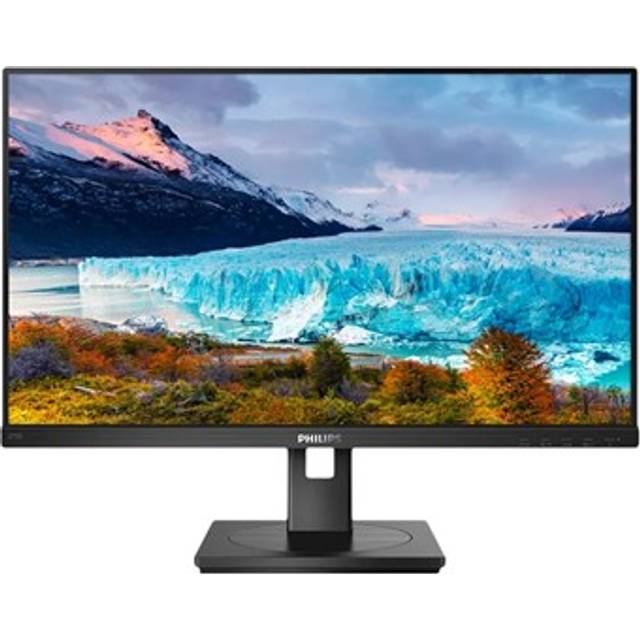
- The monitor uses a standard desktop stand, but height and pivot adjustment are limited. If you need a lot of ergonomic range, budget for a VESA arm or a monitor with a full ergonomic stand.
- What is in the box?
- You get the monitor, its stand and the usual cables for the listed HDMI connection. Check the box contents for the exact cable bundle before you buy.
- How does it compare with a 1080p monitor?
- It is sharper and fits more on screen, which helps with documents and multitasking. A good 1080p screen is cheaper, but at 27 inches its pixels are more visible.
- Where is the Philips 27B2U4601 Computer Monitor 27 Inch Qhd cheapest?
- At Tiny Lux, for $375.79, as of our latest check.
- What do buyers say about the Philips 27B2U4601 Computer Monitor 27 Inch Qhd?
- Rated 4.5 out of 5 from 2 ratings.