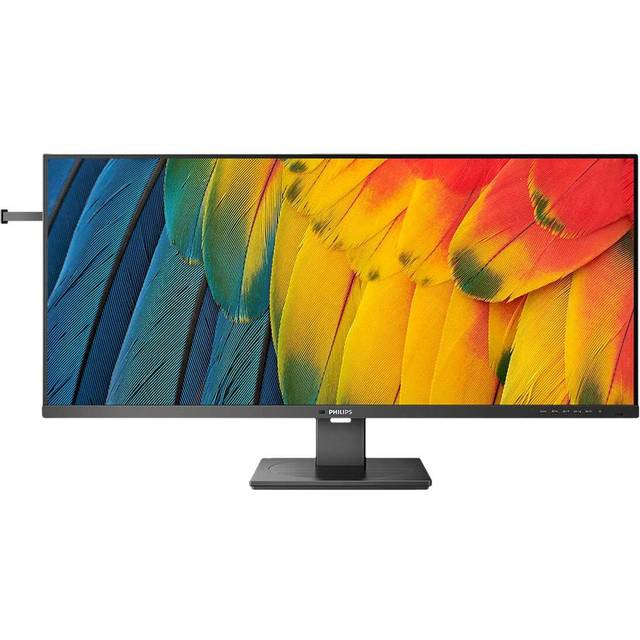
Philips 3000 Series 27B2N3200A Computer Monitor
Last price we saw
Prices change often: ask the agent below to check today's price at every store.
Prices differ by screen size, and this one may be for a smaller size: check the size at the store.
Prices are checked against each store and labelled with when.
In stock now from Philips


Our take on the Philips 3000 Series 27B2N3200A Computer Monitor
The Philips 3000 Series 27B2N3200A is a 27-inch IPS monitor with a 1920x1080 Full HD panel and a 120 Hz refresh rate. The IPS panel gives wide viewing angles and stable colors, and 120 Hz makes scrolling and motion smoother than a standard 60 Hz screen. It suits desk work, study and casual gaming on a budget, but at 27 inches Full HD looks soft next to 1440p rivals and the pixel density is low. It is a basic office-grade monitor, not a color-critical or high-frame-rate gaming display.
- IPS panel with wide viewing angles
- 120 Hz refresh rate for smoother motion
- 27-inch screen gives a roomy desktop
- Full HD is easy to drive from modest laptops and integrated graphics
- Simple, familiar Philips build
About the Philips 3000 Series 27B2N3200A Computer Monitor
The Philips 3000 Series 27B2N3200A is a 27-inch computer monitor with a Full HD resolution of 1920x1080 and a 16:9 aspect ratio. It uses an IPS/PLS panel and has a refresh rate of 120 Hz.
The monitor is finished in black.
- Screen Size
- 27.0 inches
- Resolution
- 1920x1080 (Full HD)
- Panel Type
- IPS/PLS
- Refresh Rate
- 120 Hz
- Aspect Ratio
- 16:9
- Color
- Black
Specifications
- Refresh Rate (Hz)
- 120klarna.com
- Color
- Blackklarna.com
- Panel Type
Ask our agent about this product
It checks today's price at every store, compares the alternatives and answers in about a minute.
Questions and answers
- Is 1080p sharp enough on a 27-inch screen?
- It is usable for documents and video, but pixel density is low for this size. Text and fine detail look softer than on a 24-inch 1080p screen or a 27-inch 1440p one.
- Is 120 Hz worth it over a 60 Hz monitor?
- Yes for everyday use. Scrolling, window movement and cursor motion look smoother, and casual games feel more responsive. Competitive gamers may want 144 Hz or more.
- Does the IPS panel matter?
- It gives wide viewing angles and fairly consistent colors across the screen, which helps when several people view it or you sit off-center. Contrast is typical for IPS, so dark scenes are not deep.
- Can a laptop with integrated graphics run it?
- Yes. Full HD at 120 Hz is light for modern integrated graphics, and the monitor works at 60 Hz on older or limited ports.
- Is it good for photo or video editing?
- It is fine for casual editing, but it is not a color-critical display. Serious editors should look for a panel with wider color coverage and better uniformity.
- What is in the box?
- The monitor, a stand and the usual cables for its inputs. Check the port list for the connections your devices need.