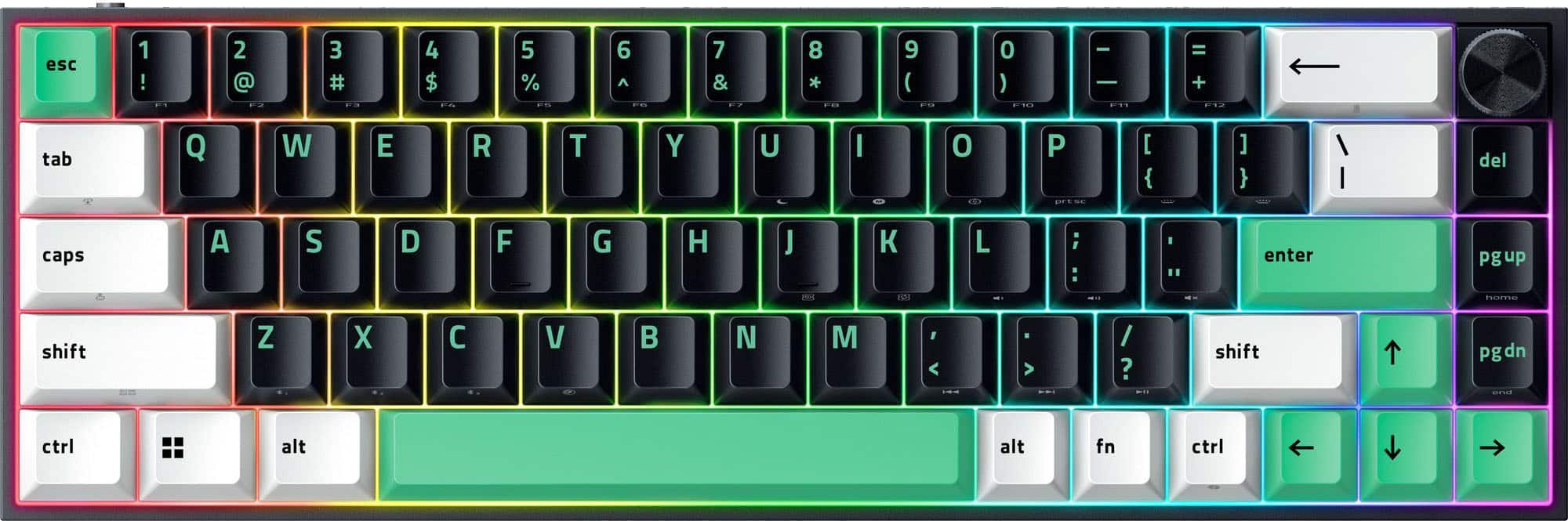
Razer BlackWidow V3 Mini Wireless Mechanical Gaming Keyboard
Where to buy
No store is showing a current price right now. The stores below sell it; ask the agent to check today's prices.
Prices are checked against each store and labelled with when.
Check today's price at PzDealsIn stock now from Razer


Our take on the Razer BlackWidow V3 Mini Wireless Mechanical Gaming Keyboard
The Razer BlackWidow V3 Mini is a 65% wireless mechanical keyboard: it keeps the arrow keys and a right-hand column of keys but drops the function row and number pad to save desk space. It connects over Razer HyperSpeed 2.4 GHz wireless, Bluetooth, or USB-C, and runs Razer's green or yellow mechanical switches with per-key Chroma RGB lighting. It suits gamers and desk-space savers who want a small board that still has arrows, though its compact layout and price put it against rivals like the Corsair K65 RGB Mini and Logitech G715.
- 65% layout keeps arrow keys and a right column
- Three connection modes: 2.4 GHz, Bluetooth, USB-C
- Per-key Chroma RGB with Razer Synapse control
- Doubleshot ABS keycaps with a sturdy frame
- Razer green (clicky) or yellow (linear) switch options
Razer BlackWidow V3 Mini Wireless Mechanical Gaming Keyboard prices at every store
- PzDealsCheck price at PzDeals
What reviewers say
Owners generally like the compact layout, solid build and low-latency wireless, and many praise the switch feel. Complaints center on battery life with RGB on, the loud clicky switches and the reliance on Synapse software.
- Battery lifeMixedOwners say runtime is fine with lighting off but drops fast with Chroma RGB on.
- Switch soundMixedThe green switches are praised for their click but called too loud for shared rooms; the yellow switches are quieter.
- Build qualityPraisedReviewers describe a solid, weighty frame with little flex.
Ask our agent about this product
It checks today's price at every store, compares the alternatives and answers in about a minute.
Questions and answers
- Is the BlackWidow V3 Mini good for gaming?
- Yes. Its 2.4 GHz HyperSpeed wireless is built for low latency, and the mechanical switches give fast, consistent actuation. It is a solid pick for competitive play if you can live without a number pad.
- What is the difference between the green and yellow switches?
- Green switches are clicky and tactile with an audible click; yellow switches are linear and quieter with a smooth press. Pick green for feedback, yellow for speed and less noise.
- Does it work with a Mac or PlayStation?
- It connects over Bluetooth and USB, so it works as a basic keyboard on Mac and consoles, but Razer Synapse lighting and macro features are Windows-focused.
- How long does the battery last?
- Razer rates it for roughly 200 hours over Bluetooth with lighting off, and far less with Chroma RGB on. Expect to charge more often if you keep the lights bright.
- What is in the box?
- The keyboard, a USB-C cable and a wireless dongle. It does not include a wrist rest.
- Is it worth it over a full-size BlackWidow?
- Choose the Mini if desk space and portability matter and you rarely use a number pad. A full-size board gives you the function row and numpad for the same or less.