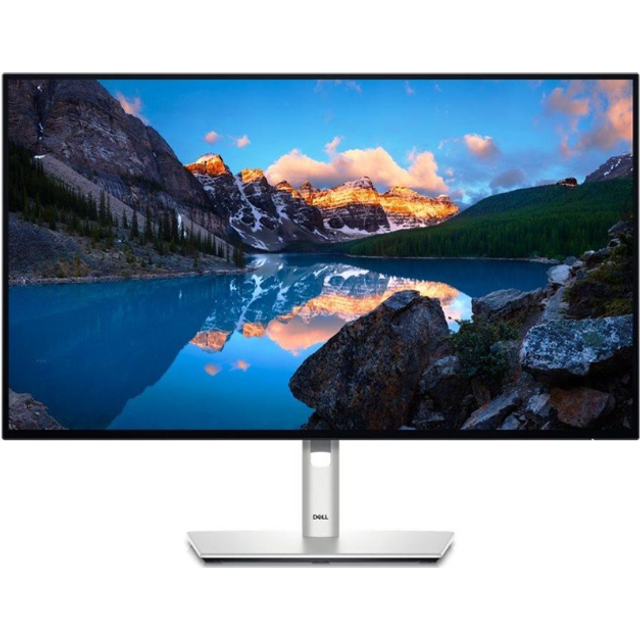
Samsung 27 Inch IPS 60Hz USB-C Hub
Last price we saw
Prices change often: ask the agent below to check today's price at every store.
Prices are checked against each store and labelled with when.
Check today's price at QuillAsk our agent about this product
It checks today's price at every store, compares the alternatives and answers in about a minute.
Price facts
- Last seen at $472.79 at Quill on Nov 11.
Our take on the Samsung 27 Inch IPS 60Hz USB-C Hub
This is a 27-inch 4K IPS monitor with a built-in USB-C hub, aimed at people who want one cable to a laptop for video, data and charging. The 3840x2160 panel at 60Hz suits documents, spreadsheets, photo editing and everyday work more than fast gaming. HDR support is listed but the panel has no local dimming or wide-gamut claim, so treat it as a mild boost, not a true HDR experience. Against cheaper 4K office monitors it wins on connectivity; against 27-inch 4K displays built for color work it gives up gamut and calibration controls.
- Sharp 4K resolution on a 27-inch IPS panel
- USB-C hub with USB-A ports cuts desk clutter
- DisplayPort and HDMI inputs cover a desktop plus a laptop
- IPS panel keeps colors stable at wide viewing angles
- HDR support, though modest in effect
Samsung 27 Inch IPS 60Hz USB-C Hub prices at every store
- QuillNew
Out of stock
$472.79Free shippingChecked 39 min ago
Store links may earn us a commission. Price via Klarna.
Samsung 27 Inch IPS 60Hz USB-C Hub price history
Lowest price we've seen: $444.79 on Nov 10 at Quill; highest $472.79 on Nov 11. Tracked across 1 store since Nov 10.
Specifications
Questions and answers
- Is 60Hz a problem for gaming?
- For fast shooters, yes. A 60Hz panel shows motion less smoothly than 120Hz or 144Hz screens. For strategy games, casual play and console use it is fine.
- Can one USB-C cable carry video and charge my laptop?
- That is the point of the hub design: video, USB data and charging over one cable. Confirm the power delivery wattage for your laptop model before relying on it as the only charger.
- Does it work with a MacBook?
- USB-C video and the hub ports generally work with USB-C Macs. Check that your Mac supports DisplayPort Alt Mode over USB-C, which most recent models do.
- Is the HDR worth paying for?
- Only mildly. Without local dimming or a high brightness rating, HDR content looks a little more contrasty but not like a premium HDR TV or monitor.
- What is in the box?
- Typically the monitor, a stand, a power cable and a video cable. Cable type varies by region, so check the listing for whether USB-C or HDMI is included.
- Can I mount it on an arm?
- Most Samsung 27-inch monitors of this type use a standard VESA mount, but confirm the pattern and screw size for this model before buying an arm.