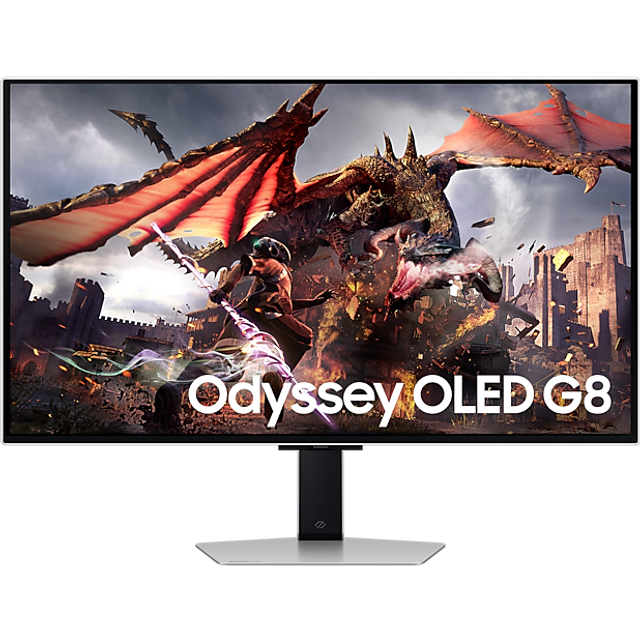
Samsung 32" QD-OLED 4K UHD 240Hz Smart Gaming Monitor
Where to buy
No store is showing a current price right now. The stores below sell it; ask the agent to check today's prices.
Prices are checked against each store and labelled with when.
In stock now from Samsung


Our take on the Samsung 32" QD-OLED 4K UHD 240Hz Smart Gaming Monitor
This is Samsung's 32-inch QD-OLED gaming monitor: a 4K UHD panel with a 240Hz refresh rate, built for high-frame-rate play on PC and current consoles. QD-OLED gives it near-instant pixel response, deep blacks and wide color, which puts it ahead of most IPS and VA 4K monitors on motion clarity and contrast. It is a premium, large-format display aimed at serious gamers who also want a bright, colorful screen for everyday work and media. The main trade-offs are OLED care habits and the fact that 4K at 240Hz demands a strong GPU and DisplayPort 2.1-class bandwidth.
- 4K resolution at 240Hz for smooth, sharp play
- QD-OLED contrast with per-pixel blacks
- Very fast pixel response and low motion blur
- Wide color coverage suited to HDR games and video
- Smart TV apps built in, so it works without a PC
Samsung 32" QD-OLED 4K UHD 240Hz Smart Gaming Monitor prices at every store
- PzDealsCheck price at PzDeals
About the Samsung 32" QD-OLED 4K UHD 240Hz Smart Gaming Monitor
Price Comparison:
Woot: $799.99
Samsung: $1,299.99
Ask our agent about this product
It checks today's price at every store, compares the alternatives and answers in about a minute.
Questions and answers
- Is 4K at 240Hz worth it over 1440p?
- If you have a GPU that can drive high frame rates at 4K, the extra sharpness and smoothness are noticeable. On weaker hardware, a 1440p OLED will feel smoother for less money.
- Can a console use the full 240Hz?
- No. Current consoles cap at 4K 120Hz over HDMI 2.1, which this monitor supports. The 240Hz mode is for PCs over DisplayPort.
- Is burn-in a real concern?
- OLED pixels can degrade with static logos, taskbars and HUDs left on screen for long periods. Vary content, use dark mode and let the panel run its care routines.
- Does it have built-in speakers and smart apps?
- It is a smart monitor with streaming apps built in, so it can run media without a PC. Check the port list for the inputs your devices need.
- What do I need to hit 240Hz at 4K?
- A recent high-end graphics card and a DisplayPort 2.1 connection. HDMI 2.1 tops out lower at 4K on most cards.