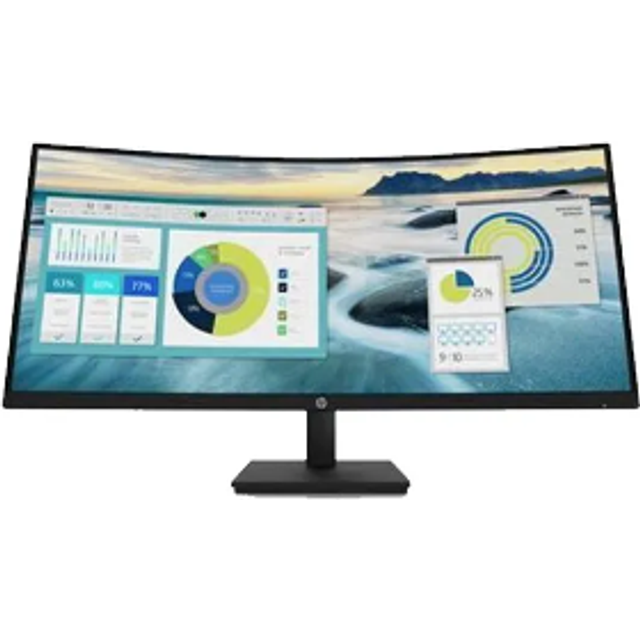
Samsung 49 QHD 120Hz Business Curved Ultra-wide Monitor
Last price we saw
Prices change often: ask the agent below to check today's price at every store.
Prices differ by screen size, and this one may be for a smaller size: check the size at the store.
Prices are checked against each store and labelled with when.
Ask our agent about this product
It checks today's price at every store, compares the alternatives and answers in about a minute.
In stock now from Samsung


Our take on the Samsung 49 QHD 120Hz Business Curved Ultra-wide Monitor
A 49-inch super-ultrawide with a 5120x1440 VA panel, a 120Hz refresh rate and HDR support. It replaces a two-monitor setup with one seamless curve and adds USB-C, DisplayPort, HDMI and VESA mounting for docking and desk arms. It suits multitaskers, traders and spreadsheet-heavy office users more than color-critical editors, since VA contrast is strong but viewing angles and color uniformity trail IPS rivals. Reviewers of this class of Samsung panel praise the immersion and the built-in KVM-style USB-C hub, while some note text sharpness and black smearing at high refresh rates.
- 5120x1440 gives the width of two 1440p screens without a bezel gap
- 120Hz makes scrolling and motion noticeably smoother than 60Hz panels
- USB-C, DisplayPort and HDMI cover laptops, desktops and consoles
- VESA mount lets you swap the wide stand for an arm
- HDR support adds punch to video and games, though peak brightness is modest
What reviewers say
Owners of Samsung's 49-inch curved ultrawides tend to love the immersion and the single-cable USB-C docking, and call the 120Hz step-up worthwhile. Complaints center on VA smearing in fast games, off-angle color shift and the desk space the curve demands.
- ImmersionPraisedOwners say the deep curve pulls them into games and makes wide spreadsheets feel natural.
- USB-C dockingPraisedReviewers like connecting a laptop with one cable for video, data and charging.
- Motion handlingCriticisedFast-paced games show dark smearing and ghosting typical of VA panels.
Questions and answers
- Is this good for gaming?
- Yes for immersive, slower-paced games: 120Hz and the wide field of view are strong. Competitive shooters suffer from VA smearing and the high GPU load at 5120x1440.
- Can one USB-C cable run my laptop and charge it?
- USB-C carries video and USB data, so a compatible laptop docks with one cable. Check your laptop's USB-C power delivery rating, since charging wattage varies by model.
- Do I need a special GPU for 120Hz at this resolution?
- Yes. Driving 5120x1440 at 120Hz needs a recent high-end graphics card and DisplayPort or USB-C; HDMI may cap the refresh rate depending on version.
- How does it compare with two 27-inch 1440p monitors?
- It gives the same combined width with no bezel gap and a single curve. Two separate monitors offer more flexibility in angle and height and are easier to drive.
- Can I mount it on an arm?
- Yes, it has VESA mounting points. Use an arm rated for the monitor's weight and width, since a 49-inch panel puts leverage on the mount.
- Is the VA panel a problem for photo or video editing?
- It is workable but not ideal. Contrast is excellent, yet off-axis color shift and limited calibration controls make IPS or professional panels safer for color-critical work.