
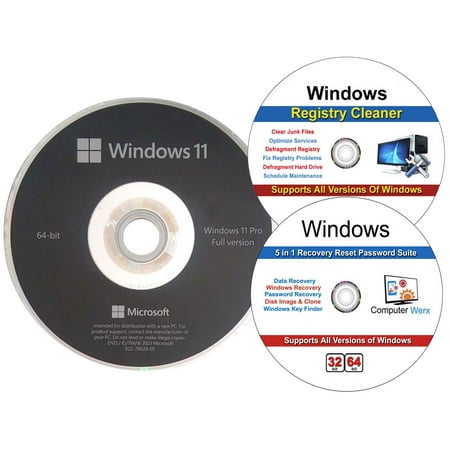
Windows 11 Professional OEM 64 Bit DVD, Registry Cleaner & 5 in 1 Recovery Reset Password Suite
Where to buy
No store is showing a current price right now. The stores below sell it; ask the agent to check today's prices.
Prices are checked against each store and labelled with when.
Check today's price at WalmartAsk our agent about this product
It checks today's price at every store, compares the alternatives and answers in about a minute.
Windows 11 Professional OEM 64 Bit DVD, Registry Cleaner & 5 in 1 Recovery Reset Password Suite prices at every store
- WalmartCheck price at Walmart
About the Windows 11 Professional OEM 64 Bit DVD, Registry Cleaner & 5 in 1 Recovery Reset Password Suite
Windows 11 Pro 64 Bit OEM DVD, Registry Cleaner & 5 in 1 Recovery Reset Password Suite. Windows 11 Pro can be used to do a fresh install or upgrade from Windows 11 Home & Windows 10 Pro Windows registry cleaner that include these features: Clear junk files, optimize services, defragment registry, fix registry problems, defragment hard drive & schedule maintenance 5 in 1 Recovery Reset password suite is a great utility software that has five different functions. Password reset & recovery, Windows key finder, data recovery, disk image and cloning & Windows recovery Windows 11 helps you reduce cognitive load. Enjoy a centered Start and effortless navigation. Search across the web, your work, and Windows directly from your taskbar. Make tasks easier with a clean layout and fresh icons, wallpaper, and sounds.It includes enhanced familiar tools to boost your productivity. For example, Microsoft Edge is designed to be the fastest browser on Windows 11 and to work seamlessly with Microsoft 365 including Microsoft Teams, Outlook, and Office apps. Intelligent desktop - New features enable you to make the most of available desktop space. Snap layouts organize open windows with pre-configured options that intelligently adapt to the size and dimension of your screen. Windows 11 remembers your layout, so you can return to it even when you dock or un-dock from your monitor Create separate, custom desktops and switch instantly between them from your taskbar. Work naturally and comfortably with your voice, digital pen, and multi-finger touch. Use voice typing to turn ideas into text instantly. Get live news, your schedule, and to-do lists in a swipe with customizable Widgets. Easily automate workflows with Microsoft Power Automate Get powerful security built-in and enabled on all devices, including hardware isolation, encryption, and malware protection