StoreDeal.ai store
Shop
  • Deals
  • Deal checker
  • Black Friday
  • Buying guides
  • Brands
  • Stores
Travel
  • Flight deals
  • Hotel deals
Company
  • Research
  • Press
  • Use in AI assistants
  • Contact
  • deal.ai apps
Black Friday 2026
  • Walmart
  • Best Buy
  • Target
  • TVs
  • Laptops
  • Headphones
  • Apple
  • Gaming
  • Vacuums
  • Kitchen
  • Toys
  • Smartwatches
  • Tablets
  • Furniture
  • Mattresses
© Deal.ai Inc.·2222 Ponce de Leon Blvd, Miami, FL 33134·support@deal.ai
TermsPrivacy
Deal.ai › Compare

ASUS Chromebook CX15 vs Acer Aspire Lite 15 Celeron Laptop

Buy the ASUS CX15 for a big screen, long battery life and a tough chassis for school or web work. Buy the Acer Aspire Lite 15 if you need Windows desktop apps and more memory for multitasking. The ASUS has the better screen-to-body design, dual USB-C, HDMI, a 180-degree hinge and MIL-STD 810H durability, and its 1,816 ratings average 4.3. The Acer doubles RAM to 8GB and runs Windows 11 Home, but its Celeron N4500 is the slower chip and it is heavier at 3.97 lb.

  • Choose the ASUS Chromebook CX15 if you live in the browser and Google apps, want a 15.6-inch screen that lasts most of a day, and value a rugged, light build.
  • Choose the Acer Aspire Lite 15 if you need Windows software, more memory for many tabs, and a familiar desktop OS.

Prices

  • ASUS Chromebook CX15: $197.00 at Walmart (checked today)
  • Acer Aspire Lite 15 Celeron Laptop: $299.99 at Curacao (checked today)
  • Difference: the ASUS Chromebook CX15 is $102.99 cheaper than the Acer Aspire Lite 15 Celeron Laptop today
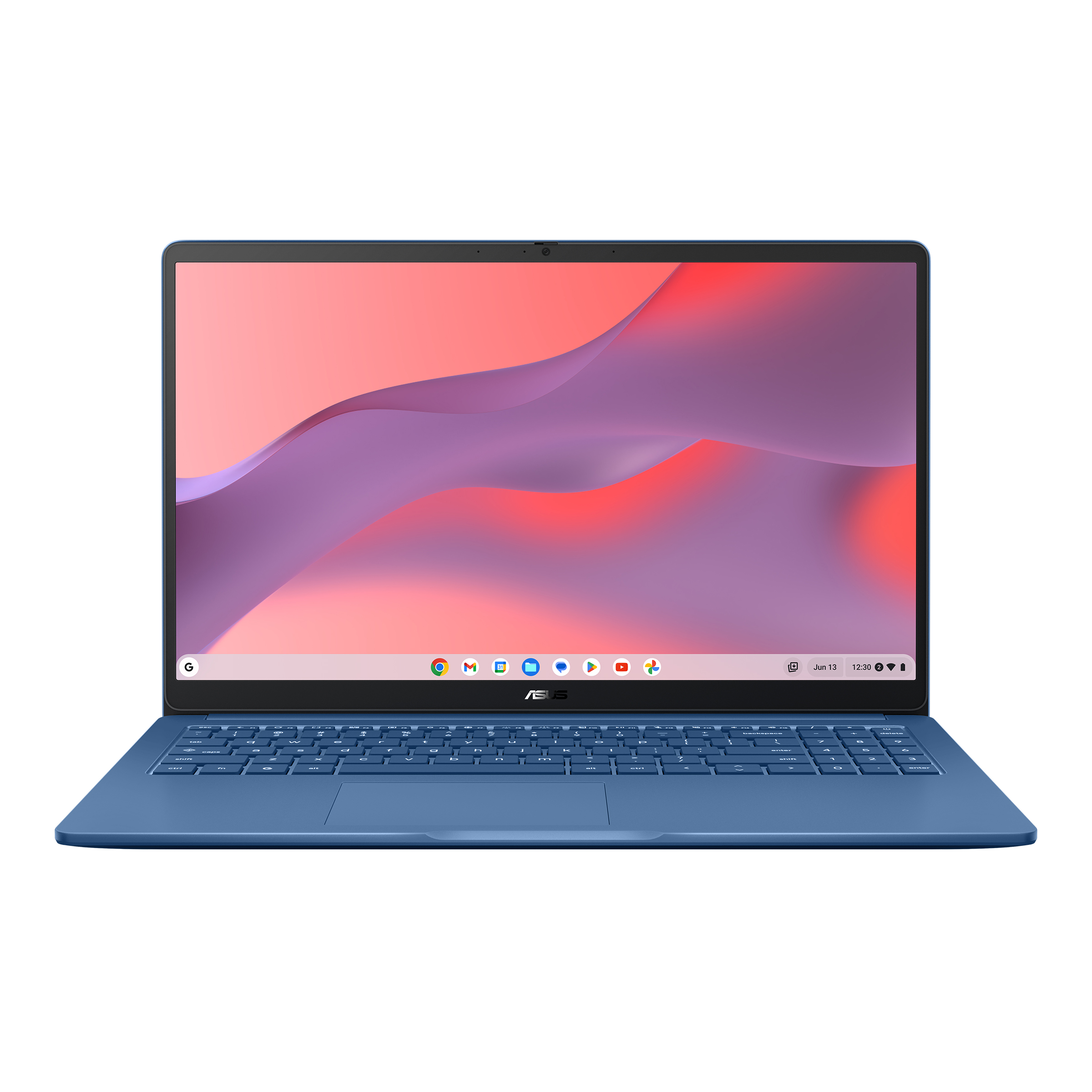
ASUS
ASUS Chromebook CX15 Laptop

ASUS Chromebook CX15

ASUS Chromebook CX15 Laptop

4.3(1,816 ratings)
$197.00at WalmartChecked 1 h ago
See all prices and details
Visit Walmart
Pros
  • Long battery life, up to 13 hours
  • Light at 3.5 lb for a 15.6-inch laptop
  • MIL-STD 810H durability and lay-flat hinge
  • Dual USB-C plus HDMI and USB-A
  • No-glare Full HD screen
Cons
  • Only 4 GB RAM, tight for many tabs
  • Chrome OS cannot run Windows desktop apps
  • N50 chip is entry-level
Acer
Acer AL15-35P-C3NH Aspire Lite 15 Laptop

Acer Aspire Lite 15 Celeron Laptop

Acer AL15-35P-C3NH Aspire Lite 15 Laptop

5(1 rating)
$299.99at CuracaoChecked 1 h ago
See all prices and details
Visit Curacao
Pros
  • 8 GB RAM handles more tabs and apps
  • Runs Windows 11 Home and desktop software
  • Full HD IPS display
  • Wi-Fi 6 and Bluetooth 5.2
Cons
  • Celeron N4500 is slower than the N50
  • Heavier at 3.97 lb
  • Shorter stated battery life, up to 10 hours
  • No stated durability rating

What separates them

ASUS Chromebook CX15Acer Aspire Lite 15 Celeron Laptop
Operating systemChrome OS with Google Play appsWindows 11 Home
ProcessorIntel N50, 2 cores up to 3.4 GHzIntel Celeron N4500, 2 cores up to 2.8 GHz
Memory4 GB LPDDR58 GB DDR4
Battery lifeUp to 13 hoursUp to 10 hours
Weight3.5 lb3.97 lb
DurabilityMIL-STD 810H tested, 180-degree lay-flat hingeNo stated durability standard
PortsDual USB-C, USB-A, HDMI, 3.5mm jackUSB ports, HDMI, audio jack
Display15.6-inch FHD IPS, no-glare15.6-inch FHD IPS ComfyView

Price history

$197.00$160.00
Nov 4Nov 12
  • ASUS Chromebook CX15: lowest $160.00 on Nov 7 at Walmart; $197.00 on Nov 12.

Prices at every store

ASUS Chromebook CX15

  • WalmartNew

    In stock

    $197.00Checked 1 h ago
    Visit Walmart
  • WalmartNew

    In stock

    $197.00Free shippingChecked Nov 10
    Visit Walmart
  • TalkShopLiveNew

    In stock

    $197.00Checked Nov 8
    Visit TalkShopLive
  • eBayNew

    In stockSold by ultimate_us_electronics

    $199.95Free shippingChecked Nov 8
    Visit eBay

Store links may earn us a commission.

All 5 stores and price history →

Acer Aspire Lite 15 Celeron Laptop

  • CuracaoNew

    In stockReturn policy

    $299.99Checked 1 h ago
    Visit Curacao
Prices and history →

Specs compared

SpecASUS Chromebook CX15Acer Aspire Lite 15 Celeron Laptop
ProcessorIntel Processor N50Intel Celeron N4500 1.1GHz
Storage128GB128GB Solid State Drive
Display size15.6-inch15.6"
Battery lifeup to 13 hoursUp to 10 Hours
Resolution1920 x 10801920x1080
Operating SystemChrome OSWindows 11 Home
Weight3.5 lb3.97 lbs. (1.80 kg)
WirelessWi-Fi 6(802.11ax) (Dual band) 2*2 + Bluetooth® …2x2 Wireless LAN Wifi 6 (802.11ax)
colorBlue—
actual_colorForging Blue—
Display resolutionFull HD 1920x1080—
Wi-FiWi-Fi 6—
Show all 40 specsShow fewer specs
SpecASUS Chromebook CX15Acer Aspire Lite 15 Celeron Laptop
USB-C portsdual USB-C ports—
USB-A portsUSB-A—
HDMIHDMI—
Audio jack3.5mm audio jack—
Hinge180-degree lay-flat hinge—
Durability standardMIL‑STD 810H—
SeriesASUS Chromebook—
SSD Size128 GB—
Hard Drive TypeSSD—
Screen Size (")15.6

What reviewers say

ASUS Chromebook CX15

  • 4.3 / 51,816 ratings

Rated 4.3 out of 5 from 1,816 ratings, buyers treat the CX15 as a solid budget Chromebook for basic tasks. The large screen and value come up often; the modest processor and memory are the usual caveats.

What people mention
  • PerformanceMixedFine for browsing and documents, but the N50 and 4GB RAM bog down with many tabs or heavy web apps.
  • DisplayPraisedThe 15.6-inch Full HD IPS panel is sharp with wide viewing angles, unusual at this price.
  • BatteryPraisedOwners report it lasting a full day of light use, close to the claimed 13 hours.
  • BuildMixedThe plastic body is light and passes MIL-STD 810H, but feels basic.

Questions and answers

Which is better for schoolwork?
Both handle documents, video calls and web research. The ASUS wins on battery and weight for carrying around campus. The Acer wins if your school requires Windows-only software.
Which handles more browser tabs?
The Acer, because it has 8 GB of RAM against 4 GB. Chrome OS is lean, but heavy tab users will feel the ASUS limit first.
Which lasts longer?
The ASUS states up to 13 hours and is tested to MIL-STD 810H, so it should hold up better to daily knocks. The Acer states up to 10 hours and has no stated durability standard.
Is the Acer worth stepping up to over the ASUS?
Only if you need Windows or more memory. Otherwise the ASUS gives you a faster chip, longer battery, less weight and a tougher build.
Can the ASUS run Microsoft Office?
Yes, through the web versions and Android apps from Google Play. The full desktop Office suite is a Windows job, so that points to the Acer.

Ask our shopping agent

It checks today's price at every store, compares the alternatives and answers in about a minute.

Enter to send, Shift+Enter for a new line

More comparisons

  • ASUS Chromebook CX15 Laptop vs Lenovo Chromebook m 14" Laptop
  • ASUS Chromebook CX15 Laptop vs Acer Chromebook 315 15.6-inch FHD Laptop
  • ASUS Chromebook CX15 Laptop vs HP 14-inch HD Windows 11 Laptop
  • HP 15.6 inch HD Windows Laptop vs ASUS Chromebook CX15 Laptop
  • ASUS Chromebook CX15 Laptop vs ASUS CX34 14 FHD Chromebook Plus Laptop
  • ASUS Chromebook CX15 Laptop vs HP OmniBook 3 16
  • ASUS Chromebook CX15 Laptop vs Lenovo IdeaPad Slim 3 (2024, Ryzen 5 7530U)
  • ASUS Chromebook CX15 Laptop vs HP Stream 14-cf2112wm

Buying guides that pick them

  • Best Chromebooks
  • Best everyday laptops for home and school
  • Best laptops under $500
  • Best laptops under $200
  • Best laptops under $800
—
Screen TypeLCD—
RAM4 GB—
Processor BrandIntel CPU—
With No-Glare ScreenYes—
Drive Capacity128 GB drive—
Installed Memory4 GB RAM—
BrandASUS—
Laptop typeChromebooks—
OSChromeOS—
Data storage128 GB—
RAM memory4 GB—
Graphic cardIntel UHD Graphics—
Refresh rate60 Hz—
TouchscreenN—
Rec. useCollege, Finance, Home Office, Music, Podcastin…—
DisplayIPS LCD—
Core count2—
Built-in camera informationWebcam—
  • Best everyday laptops under $200
  • Best laptops under $600
  • Best refurbished laptops under $210