StoreDeal.ai store
Shop
  • Deals
  • Deal checker
  • Black Friday
  • Buying guides
  • Brands
  • Stores
Travel
  • Flight deals
  • Hotel deals
Company
  • Research
  • Press
  • Use in AI assistants
  • Contact
  • deal.ai apps
Black Friday 2026
  • Walmart
  • Best Buy
  • Target
  • TVs
  • Laptops
  • Headphones
  • Apple
  • Gaming
  • Vacuums
  • Kitchen
  • Toys
  • Smartwatches
  • Tablets
  • Furniture
  • Mattresses
© Deal.ai Inc.·2222 Ponce de Leon Blvd, Miami, FL 33134·support@deal.ai
TermsPrivacy
Deal.ai › Compare

ASUS Chromebook Plus CX34 vs Dell Inspiron 15 Touchscreen Laptop

Buy the ASUS Chromebook Plus CX34 for a light, tough, fast-booting machine for web work, study and note-taking. Buy the Dell Inspiron 15 for Windows software and a large local drive. The ASUS is lighter at 3.2 lb, has a 180° lay-flat hinge, USB-C and a 10-hour battery. The Dell is 3.6 lb, has a 15.6-inch screen and a 1 TB SSD but only 8 GB RAM and Wi-Fi 5. Owners of ChromeOS machines praise instant boot and low maintenance; Windows buyers get full desktop apps. The ASUS runs an Intel Core i3-1215U with Wi-Fi 6 and Bluetooth; the Dell pairs the Ryzen 5 7530U with Realtek Wi-Fi 5 and Radeon graphics. The Dell adds a numeric keypad and ExpressCharge support; the ASUS is a Chromebook Plus model with AI-powered performance features. The ASUS is rated 4.0, and buyers of the CX34 praise clean keyboards and strong battery reports; the Dell's listing gives no rating.

  • Choose the ASUS Chromebook Plus CX34 if you live in the browser and Google apps, want a lighter bag and a touchscreen that folds flat.
  • Choose the Dell Inspiron 15 if you need Windows programs, a bigger screen and lots of local storage.

Prices

  • ASUS Chromebook Plus CX34: $345.99 at Reno Laptop Repair (last seen Nov 19)
  • Dell Inspiron 15 Touchscreen Laptop: $869.99 at My Store (last seen Nov 18)
  • Difference: the ASUS Chromebook Plus CX34 is $524.00 cheaper than the Dell Inspiron 15 Touchscreen Laptop at the latest prices (Nov 18 and Nov 19)
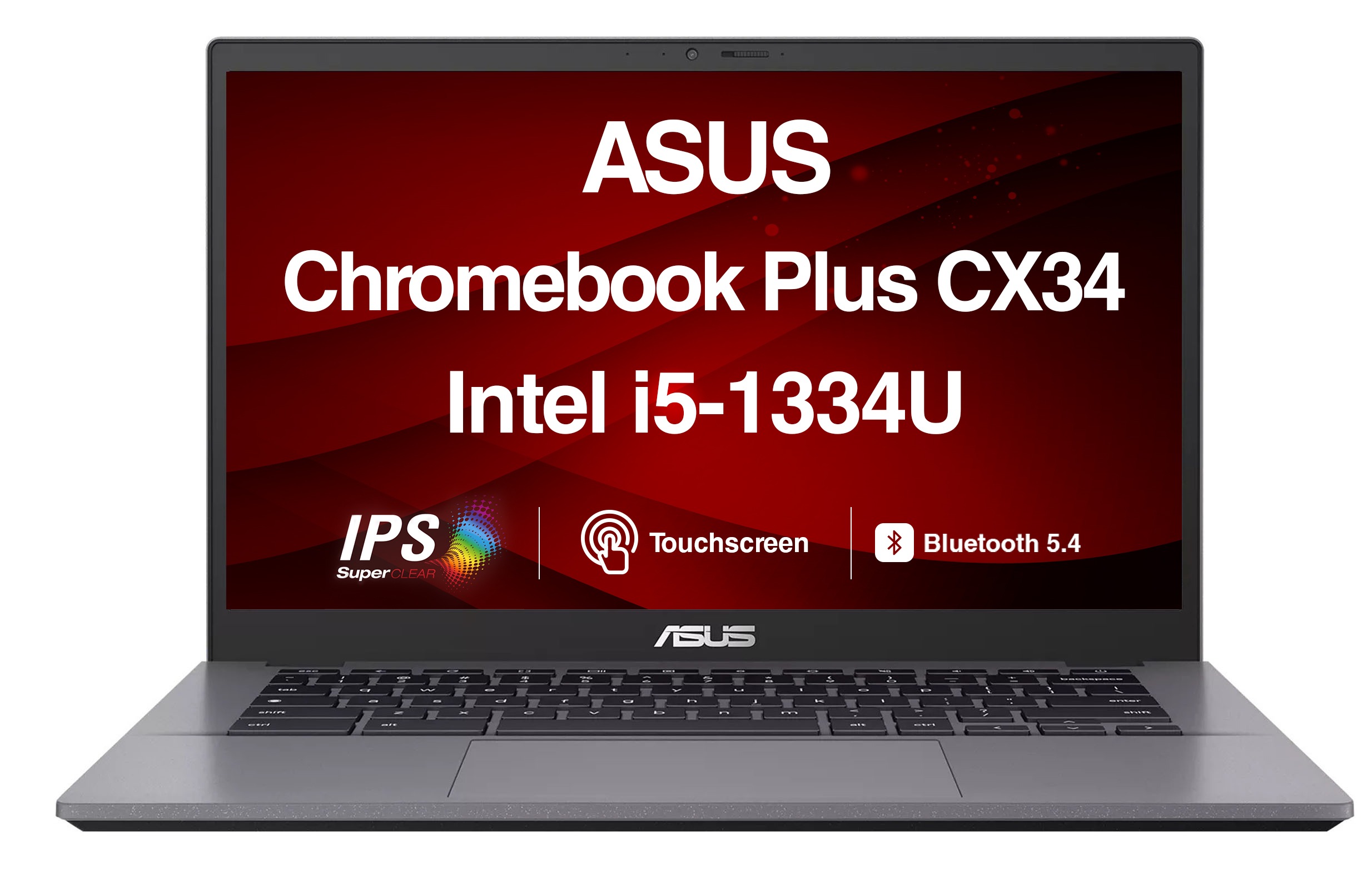
ASUS
ASUS Chromebook Plus CX34 Touchscreen Laptop

ASUS Chromebook Plus CX34

ASUS Chromebook Plus CX34 Touchscreen Laptop

4.7(6 ratings)
$345.99at Reno Laptop RepairChecked Nov 19
See all prices and details
Visit Reno Laptop Repair
Pros
  • Light at 3.2 lb with a 180° lay-flat hinge
  • Anti-glare touchscreen with USB-C charging and video out
  • ChromeOS boots fast and needs little upkeep
  • Chromebook Plus AI writing and editing tools built in
  • Wi-Fi 6 for faster, steadier connections
Cons
  • 128 GB storage fills quickly with local files
  • ChromeOS cannot run most Windows desktop apps
  • 8 GB RAM is fixed and not upgradable
Dell
Dell Inspiron 15 15.6" FHD Touchscreen Laptop

Dell Inspiron 15 Touchscreen Laptop

Dell Inspiron 15 15.6" FHD Touchscreen Laptop

$869.99at My StoreChecked Nov 18
See all prices and details
Visit My Store
Pros
  • 1 TB SSD holds a large media and document library
  • 15.6-inch screen gives more room for spreadsheets
  • Runs Windows-only software and games
  • AMD Ryzen 5 7530U handles everyday multitasking
  • AMD Radeon graphics handle streaming and light photo editing
  • Numeric keypad and ExpressCharge support
Cons
  • Heavier at 3.6 lb
  • Wi-Fi 5 only, no Wi-Fi 6
  • No USB-C port listed, so charging and docking are limited
  • 8 GB RAM and no backlit keyboard

What separates them

ASUS Chromebook Plus CX34Dell Inspiron 15 Touchscreen Laptop
Operating systemChrome OS with Google AI writing and organization toolsWindows 11 Home, runs full desktop software
Screen14-inch FHD touchscreen, anti-glare, 60Hz15.6-inch FHD touchscreen, anti-glare
Weight3.2 lb3.6 lb
Storage128 GB drive1 TB SSD
Memory8 GB LPDDR58 GB
ProcessorIntel Core i3-1215U, 6 cores, up to 4.4 GHz turboAMD Ryzen 5 7530U, 6 cores, up to 5 GHz
PortsUSB-A, USB-C, HDMIHDMI only listed; no USB-C stated
Battery and wireless10 hours, 50Whr, Wi-Fi 6 and BluetoothLithium-ion, Wi-Fi 5 (802.11ac) and Bluetooth
GraphicsIntegrated Intel graphics with shared LPDDR5 memoryIntegrated AMD Radeon graphics
Release yearNot stated2023 model

Price history

$638.99$189.99
Oct 31Nov 29
  • ASUS Chromebook Plus CX34: lowest $189.99 on Nov 18 at Iconic; $519.00 on Nov 29.
  • Dell Inspiron 15 Touchscreen Laptop: lowest $499.00 on Nov 6 at eBay; $638.99 on Nov 13.

Prices at every store

ASUS Chromebook Plus CX34

  • Reno Laptop RepairNew

    In stock

    $345.99Checked Nov 19
    Visit Reno Laptop Repair
  • gotlaptopparts.comNew

    Availability unknown

    $345.99Checked Nov 18
    Visit gotlaptopparts.com
  • AmazonNew

    Availability unknown

    As an Amazon Associate, Deal.ai earns from qualifying purchases.

    $449.99Free shippingChecked Nov 28
    Visit Amazon
  • Teds ElectronicsNew

    Availability unknown

    $486.99Checked Nov 26
    Visit Teds Electronics

Also available at

  • eBayCheck price at eBay
  • Uber EatsCheck price at Uber Eats
  • JourneyEdCheck price at JourneyEd

Store links may earn us a commission.

All 22 stores and price history →

Dell Inspiron 15 Touchscreen Laptop

  • My StoreNew

    In stockReturn policy

    $869.99Checked Nov 18
    Visit My Store
  • eBayNew

    In stockSold by toptechgears

    $499.00Free shippingChecked Nov 10
    Visit eBay
  • Options MegastoreNew

    In stock

    $520.00Checked Nov 10
    Visit Options Megastore
  • Best BuyNew

    In stock

    $600.50Free shippingChecked Nov 10
    Visit Best Buy

Store links may earn us a commission.

Prices and history →

Specs compared

SpecASUS Chromebook Plus CX34Dell Inspiron 15 Touchscreen Laptop
Resolution1920 x 10801920 x 1080
Operating SystemChrome OSWindows OS
Processor BrandIntel CPUAMD CPU
TouchscreenYesYes
ColorGrayBlack
LanguageEnglish / North AmericaEnglish / North America
With No-Glare ScreenYesYes
Refresh Rate60Hz60Hz
Available PortsUSB-A, USB-C, HDMIHDMI
Weight3.2 lb3.6 lb
Drive Capacity128 GB drive1 TB drive
Screen Size14 inches15.6 inches
Show all 40 specsShow fewer specs
SpecASUS Chromebook Plus CX34Dell Inspiron 15 Touchscreen Laptop
Installed Memory8 GB RAM8 GB RAM
Processor Speed4.6 GHz CPU5 GHz CPU
Graphics ProcessorIntel GPUAMD GPU
Drive TypeSolid State DriveSolid State Drive
Screen Resolution1920x1080 (Full HD)1920 x 1080 (Full HD)
Processor Model120UAMD Ryzen 5 7000 Series
Number Of CoresHexa CoreHexa Core
Touch Screentruetrue
Storage TypeUFSSSD

What reviewers say

ASUS Chromebook Plus CX34

Owner feedback on the CX34 line is generally positive, with the screen, weight and ports drawing the most praise. Complaints center on the modest memory and storage and on Chrome OS limits for users who need desktop software.

What people mention
  • DisplayPraisedOwners like the sharp 1080p anti-glare touchscreen for work and streaming.
  • WeightPraisedBuyers say 3.2 lb is easy to carry to class or between meetings.
  • PortsPraisedReviewers appreciate having USB-A, USB-C and HDMI without adapters.
  • MemoryCriticisedUsers report slowdowns once many browser tabs are open on 8 GB of RAM.

Dell Inspiron 15 Touchscreen Laptop

Owner feedback on this Inspiron generation is mixed: people like the screen, keyboard and value for basic tasks, but the 8 GB of memory and the plastic chassis draw complaints.

What people mention
  • PerformanceMixedThe Ryzen 5 feels quick for browsing and Office, but the 8 GB of memory slows things under heavy multitasking.
  • DisplayPraisedOwners call the 1080p touchscreen bright and responsive, and the anti-glare finish helps in bright rooms.
  • BuildCriticisedThe plastic chassis flexes and feels less premium than metal-bodied rivals.
  • BatteryMixedBattery life is fine for a school or work day, but heavy video use drains it faster than expected.
Reviews
  • The Best Laptops Under $500 for 2026
  • The Best Cheap Laptops for 2026 - Boot Drive Capacity (as Tested)1Boot Drive TypeSSDClassConvertible 2-in-1Dimensions (HWD)0.74 by 12.4 by 8

Questions and answers

Which is better for schoolwork?
The ASUS is easier to carry and boots instantly for browser-based classwork. Pick the Dell if your courses require Windows-only software such as full Office or engineering tools.
Which lasts longer on a charge?
The ASUS is rated at 10 hours with a 50Whr battery. Dell does not list a runtime for this model, so expect the ASUS to go further on a light day.
Do I need the Dell's 1 TB drive?
Only if you keep large local files, such as video, photo libraries or big game installs. For cloud-based work, the ASUS's 128 GB is enough.
Is the ASUS fast enough for multitasking?
Yes for browser tabs, video calls and documents. Its 6-core Intel Core i3-1215U and 8 GB of LPDDR5 memory handle everyday loads, but it is not a machine for heavy editing.
Can I upgrade either one?
The Dell's RAM is soldered on most Inspiron 15 models, so 8 GB is the limit, though the SSD can be swapped. The ASUS has fixed memory and storage, so buy the capacity you need.
Which has better connectivity?
The ASUS, with USB-C, USB-A, HDMI and Wi-Fi 6. The Dell lists only HDMI and Wi-Fi 5, so you may need an adapter for modern peripherals.
Which has the better graphics?
The Dell's AMD Radeon graphics are the stronger of the two for streaming and light photo editing. The ASUS relies on integrated Intel graphics, which is fine for video and web work.
Does the Dell have a numeric keypad?
Yes. The Dell Inspiron 15 includes a numeric keypad, which helps with spreadsheets and data entry. The ASUS has a standard keyboard without one.
Which is better for typing in the dark?
Neither lists a backlit keyboard, so plan on room light or an external lamp for both. The Dell's keypad is the main keyboard difference between them.
Which do owners rate higher?
The ASUS carries a 4.0 rating, and CX34 buyers praise clean keyboards and battery reports. The Dell's listing gives no rating, so there is no owner score to compare.

Ask our shopping agent

It checks today's price at every store, compares the alternatives and answers in about a minute.

Enter to send, Shift+Enter for a new line

More comparisons

  • Acer Aspire Go 15 vs ASUS Chromebook Plus CX34 Touchscreen Laptop
  • Lenovo IdeaPad 1 15.6" Laptop vs ASUS Chromebook Plus CX34 Touchscreen Laptop
  • ASUS Vivobook Go 14 14" FHD Laptop Intel Celeron N4500 vs ASUS Chromebook Plus CX34 Touchscreen Laptop
  • Acer Chromebook Plus Spin 514 vs ASUS Chromebook Plus CX34 Touchscreen Laptop
  • Lenovo IdeaPad Slim 3 (2024, Ryzen 5 7530U) vs ASUS Chromebook Plus CX34 Touchscreen Laptop
  • ASUS Chromebook Plus CX34 Touchscreen Laptop vs HP Chromebook Plus x360 14″
  • Dell Inspiron 15 15.6" FHD Touchscreen Laptop vs Microsoft Surface Laptop 5 15"
  • ASUS Chromebook Plus CX34 Touchscreen Laptop vs Lenovo Chromebook 14″ (14-8)

Buying guides that pick them

  • Best laptops under $500
  • Best Chromebooks
  • Best laptops under $400 for work and video
  • Best value Chromebooks with 8GB RAM
  • Best Chromebooks for everyday use
Total Storage Capacity
128 gigabytes
1000 gigabytes
System Memory (RAM)8 gigabytes8 gigabytes
GraphicsIntel GraphicsAMD Radeon
Display Connector(s)1 x HDMI 1.41 x HDMI 1.4
Battery ChemistryLithium-ionLithium-ion
Backlit Keyboardfalsefalse
BrandASUSDell
Year of Release20262023
Processor Model Number120U7530U
Battery Life10 hours battery life—
OS VersionChromebook Plus—
Battery Capacity50WHrs—
Battery Run Time10 Hours—
Battery Type3-cell—
Graphics MemoryShared—
Number Of Processor Cores6 cores—
Integrated GPUYes—
Processor Clock Speed1.2 GHz—
Graphics Memory TechLPDDR5—