StoreDeal.ai store
Shop
  • Deals
  • Deal checker
  • Black Friday
  • Buying guides
  • Brands
  • Stores
Travel
  • Flight deals
  • Hotel deals
Company
  • Research
  • Press
  • Use in AI assistants
  • Contact
  • deal.ai apps
Black Friday 2026
  • Walmart
  • Best Buy
  • Target
  • TVs
  • Laptops
  • Headphones
  • Apple
  • Gaming
  • Vacuums
  • Kitchen
  • Toys
  • Smartwatches
  • Tablets
  • Furniture
  • Mattresses
© Deal.ai Inc.·2222 Ponce de Leon Blvd, Miami, FL 33134·support@deal.ai
TermsPrivacy
Deal.ai › Compare

Brother MFC-L2760DW All-in-One Laser Printer vs Canon PIXMA TS3722 Wireless All-In-One Printer

Buy the Brother MFC-L2760DW if you print a lot of black-and-white documents and want speed, duplex and an auto document feeder. Buy the Canon PIXMA TS3722 if you mostly print the occasional page and want color photos from a small, light machine. The Brother is the heavier, faster, more businesslike unit with a 50-page ADF and 30 ppm output; the Canon is an 8.7 lb inkjet with no ADF and no duplex, but it prints color and photos at up to 4800 x 1200 dpi. Owners rate the Brother 4.4 and the Canon 4.2, and the Canon's much larger rating count reflects its long run as a budget home inkjet.

  • Choose the Brother MFC-L2760DW if you print text documents in volume and want duplex printing, a 50-page auto document feeder and fast 30 ppm laser output.
  • Choose the Canon PIXMA TS3722 if you need color and photo printing, print only now and then, and want a light, compact unit that fits on a small desk.

Prices

  • Brother MFC-L2760DW All-in-One Laser Printer: $99.00 at Walmart (checked today)
  • Canon PIXMA TS3722 Wireless All-In-One Printer: $53.00 at Walmart (checked today)
  • Difference: the Canon PIXMA TS3722 Wireless All-In-One Printer is $46.00 cheaper than the Brother MFC-L2760DW All-in-One Laser Printer today
Brother
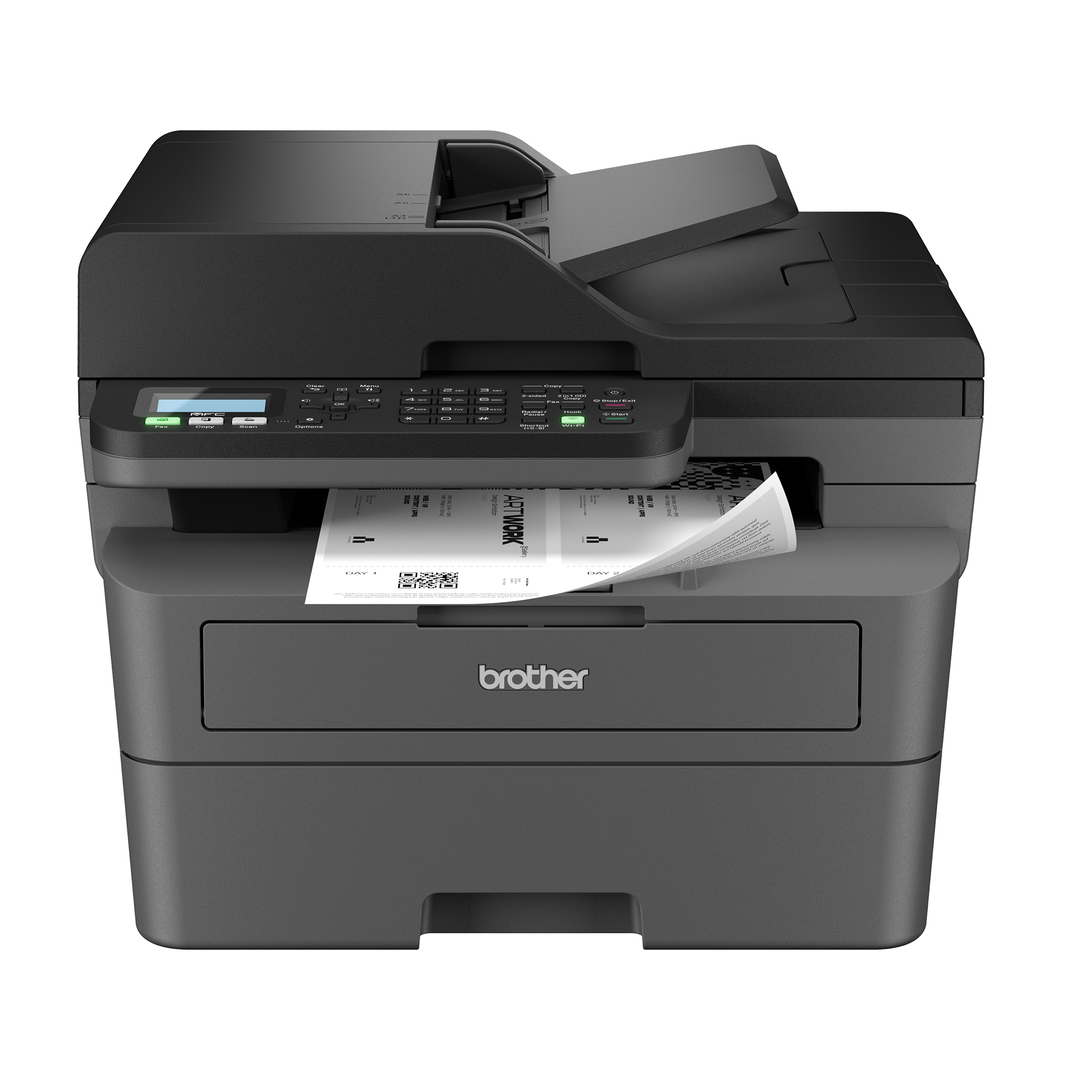
Brother Wireless MFC-L2760DW Compact Monochrome All-in-One Laser Printer

Brother MFC-L2760DW All-in-One Laser Printer

Brother Wireless MFC-L2760DW Compact Monochrome All-in-One Laser Printer

4.4(2,262 ratings)
$99.00at WalmartChecked 40 min ago
See all prices and details
Visit Walmart

Store links may earn us a commission. Price via Klarna.

Pros
  • Fast 30 ppm mono printing with automatic duplex
  • 50-page ADF speeds up copying, scanning and faxing
  • 250-sheet tray handles high-volume jobs
  • Laser text stays sharp and toner does not dry out
  • Dual-band Wi-Fi, AirPrint, Mopria and Wi-Fi Direct
Cons
  • No color printing at all
  • Large and heavy at 25.5 lb
  • Two-line text display, no touchscreen
  • Drum unit is a separate replacement part
Canon
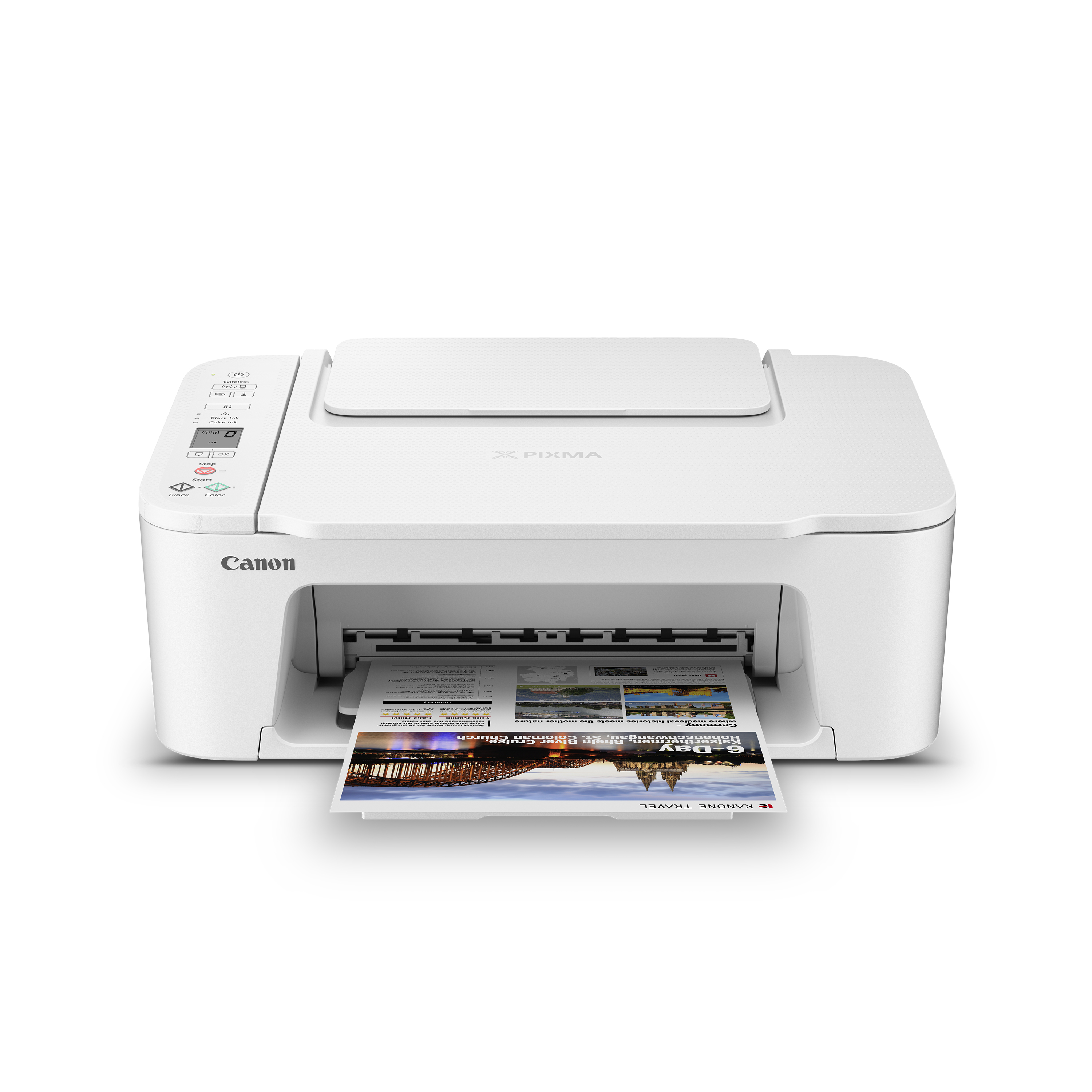
Canon PIXMA TS3722 Wireless All-In-One Inkjet Printer

Canon PIXMA TS3722 Wireless All-In-One Printer

Canon PIXMA TS3722 Wireless All-In-One Inkjet Printer

4.2(33,698 ratings)
$53.00at WalmartChecked 1 h ago
See all prices and details
Visit Walmart
Pros
  • Prints color documents and borderless photos
  • Small and light at 8.7 lb and 5.8 in tall
  • High 4800 x 1200 dpi resolution for photos
  • Low standby power draw
  • Simple rear-tray paper path handles photo paper, envelopes and banners
Cons
  • Slow at 7.7 ppm mono and 4.0 ppm color
  • No automatic duplex printing
  • No auto document feeder
  • 60-sheet tray needs frequent refills
  • Ink can dry out if the printer sits unused

What separates them

Brother MFC-L2760DW All-in-One Laser PrinterCanon PIXMA TS3722 Wireless All-In-One Printer
Print technologyMonochrome laserColor inkjet with pigment black and dye color
Print speed30 ppm mono7.7 ppm mono, 4.0 ppm color
Duplex printingAutomaticNone
Auto document feeder50-page ADF for copy, scan and faxNone; flatbed only
Color and photo outputBlack and white onlyColor and borderless photos up to 4800 x 1200 dpi
Paper capacity250-sheet tray plus manual feed slot60-sheet rear tray
Size and weight25.5 lb, 16.1 x 15.7 x 12.5 in8.7 lb, 17.2 x 12.9 x 5.8 in
Running costs and upkeepToner cartridges last many pages; drum unit replaced separatelyInk cartridges deplete faster and can dry out with light use

Price history

$199.99$53.00
Nov 7Nov 17
  • Brother MFC-L2760DW All-in-One Laser Printer: lowest $99.00 on Nov 17 at Walmart.
  • Canon PIXMA TS3722 Wireless All-In-One Printer: lowest $53.00 on Nov 8 at Walmart; $53.00 on Nov 17.

Prices at every store

Brother MFC-L2760DW All-in-One Laser Printer

  • WalmartNew

    In stock

    $99.00Free shippingChecked 40 min ago
    Visit Walmart
  • RacewearNew

    In stock

    $199.99Free shippingChecked 1 h ago
    Visit Racewear
  • eBayNew

    Availability unknownSold by chucab-0 (99.1% positive, 469 ratings)Ships from Philippines · duties may applyReturns: Set by the eBay seller; the eBay Money Back Guarantee covers an item that doesn't arrive or isn't as described.

    $179.99Free shippingChecked 1 h ago
    Visit eBay
  • Great Printer DealsNew

    Availability unknown

    $249.99Checked 1 h ago
    Visit Great Printer Deals

Also available at

  • eBayCheck price at eBay
  • WalmartCheck price at Walmart

Store links may earn us a commission. Some prices via Klarna.

All 6 stores and price history →

Canon PIXMA TS3722 Wireless All-In-One Printer

  • WalmartNew

    In stock

    $53.00Checked 1 h ago
    Visit Walmart
  • Chase Parker EnterprisesNew

    In stockReturn policy

    $69.00Checked Nov 8
    Visit Chase Parker Enterprises

Also available at

  • WalmartCheck price at Walmart

Store links may earn us a commission.

All 2 stores and price history →

Specs compared

SpecBrother MFC-L2760DW All-in-One Laser PrinterCanon PIXMA TS3722 Wireless All-In-One Printer
colorBlackWhite
Display16 characters x 2 linesYes
Built-In Hard DriveNoNo
Duplex PrintingYes. AutomaticNo
Color on PrinterBlackWhite
Depth (")15.712.9
Memory Card ReaderNoNo
Scanner TypeFlatbedFlatbed
Print Speed (Mono) (ppm)30.07.7
Height (")12.55.8
Copy Speed (Mono)3028
Power Consumption (Standby) (W)44.01.3
Show all 40 specsShow fewer specs
SpecBrother MFC-L2760DW All-in-One Laser PrinterCanon PIXMA TS3722 Wireless All-In-One Printer
Print TypeLaserInkjet, Photo
TouchscreenNoNo
Standard Paper Capacity (pcs)25060
Color PrinterYesYes
Max Print Resolution1200 x 1200 dpi4800 x 1200 dpi
FunctionsScan, Fax, CopyScan, Copy
PortableNoNo
Width (")16.117.2
ConnectivityWi-Fi, NFC, USB, AirPrintWi-Fi, USB, AirPrint

What reviewers say

Brother MFC-L2760DW All-in-One Laser Printer

  • 4.4 / 52,262 ratings

With 4.4 out of 5 from 2,262 ratings, owners generally rate this printer well for fast, reliable black-and-white output and easy wireless setup. Complaints tend to center on the small display and the bulk of the unit.

What people mention
  • Print speedPraisedOwners say documents come out quickly at up to 30 ppm.
  • Duplex printingPraisedAutomatic two-sided printing is called a paper saver.
  • Wireless setupPraisedBuyers report easy connection over Wi-Fi, AirPrint and Mopria.
  • DisplayCriticisedThe two-line text display is seen as cramped and dated next to touchscreens.

Canon PIXMA TS3722 Wireless All-In-One Printer

  • 4.2 / 533,698 ratings

Owners rate it around 4.2 out of 5 across a large pool of ratings. Most praise the easy setup, small size and good print quality for the money, while complaints center on ink use, slow color printing and the lack of duplex.

What people mention
  • SetupPraisedOwners say Wi-Fi setup and the Canon PRINT app get it printing quickly.
  • Print qualityPraisedText comes out sharp and photos look good for an entry-level inkjet.
  • Ink costCriticisedReviewers say cartridges deplete fast, especially with photos and color pages.
  • SpeedCriticised

Questions and answers

Which is better for printing school or office documents?
The Brother. It prints mono at 30 ppm, duplexes automatically and holds 250 sheets, so long text jobs finish quickly. The Canon is far slower and has no duplex.
Which one prints photos?
Only the Canon. The Brother is monochrome laser and cannot print color. The Canon uses a pigment black plus dye color ink system for borderless photos up to 8.5 x 14 in.
Which lasts longer between supply changes?
The Brother. Its toner cartridges yield many more pages than the Canon's ink cartridges, and toner does not dry out. The Canon's ink can clog or dry up if you print rarely.
Is the Brother worth stepping up to over the Canon?
Yes if you print documents regularly and want speed, duplex and an ADF. If you print little and want color, the Canon is the simpler fit.
Does either have an auto document feeder?
The Brother has a 50-page ADF for copying, scanning and faxing. The Canon has none, so you place each page on the flatbed.
Which is easier to fit on a desk?
The Canon. It is 5.8 in tall and 8.7 lb, while the Brother is 12.5 in tall and 25.5 lb and needs a sturdier surface.

Ask our shopping agent

It checks today's price at every store, compares the alternatives and answers in about a minute.

Enter to send, Shift+Enter for a new line

More comparisons

  • Brother Wireless MFC-L2760DW Compact Monochrome All-in-One Laser Printer vs HP LaserJet M110w Laser Printer
  • Brother Wireless MFC-L2760DW Compact Monochrome All-in-One Laser Printer vs Brother Wireless HL-L2405W Compact Monochrome Laser Printer
  • Brother Wireless MFC-L2760DW Compact Monochrome All-in-One Laser Printer vs Lexmark Ms431dw Monochrome Laser Printer
  • HP LaserJet Pro M234sdw All-In-One Monochrome Laser Printer vs Brother Wireless MFC-L2760DW Compact Monochrome All-in-One Laser Printer
  • Brother HL-L2460DW Compact Monochrome Laser Printer vs Brother Wireless MFC-L2760DW Compact Monochrome All-in-One Laser Printer
  • HP LaserJet M110w Laser Printer vs Canon PIXMA TS3722 Wireless All-In-One Inkjet Printer
  • Brother Wireless HL-L2405W Compact Monochrome Laser Printer vs Canon PIXMA TS3722 Wireless All-In-One Inkjet Printer

Buying guides that pick them

  • Best budget monochrome laser printers for home use
  • Best compact wireless printers for home desks
  • Best budget black and white laser printers for home use
  • Best all-in-one printers with scanner for home offices
PictBridge
No
Yes
Weight (lb)25.58.7
Automatic Document Feeder (ADF)YesNo
size16.1" (W) x 15.7" (D) x 12.5" (H)—
Print speed30ppm—
Auto document feeder50-page capacity—
Mobile compatibilityAirPrint, BrotherMobileConnect, Mopria, WiFiDir…—
Scan speed23.6/7.9 ipm—
Paper weight60 to 163 g/m2 (16 to 43 lb)—
Memory capacity128 MB—
Power source110 V to 120 V AC 50/60 Hz—
Dimensions16.1 (410) x 12.5 (319) x 15.7 (399)—
Weight25.5 lb (11.6 kg)—
Print FormatsB5, A4, Folio, Legal, Executive, A6, A5, Letter…—
Included Memory Capacity (MB)128—
Max Copy Resolution600 x 600 dpi—
Power Consumption (in Use) (W)450.0—
Processor Speed (MHz)600—
Scan Resolution (max)1200 x 1200 dpi—
Color pages print slowly, and some find mono printing slower than expected.